Telegram Premium bots: the official @PremiumBot and others
Telegram has its own bot for paying for Premium: @PremiumBot. Third-party bots and sites also sell Premium, sending it as a gift to your @username. Here is how the official bot works, how to check the others and which requests always mean a scam.
In short
- @PremiumBot is Telegram’s official bot. Subscribing through it is cheaper because there is no Apple or Google fee.
- It works in Telegram Desktop, the macOS app, Telegram Web and the Android version from telegram.org.
- Third-party bots and sites send Premium as a gift. They need only your @username.
- Nobody needs your login code, phone number or 2-Step Verification password. A request for them is an account theft attempt.
- To cancel a @PremiumBot subscription, send /stop.
What @PremiumBot is
@PremiumBot is Telegram’s official bot for paying for Premium and Stars outside the App Store and Google Play. Telegram says subscriptions through it are discounted by default because the app stores take no fee. The bot also allows larger purchases than the stores.
| Where you use Telegram | How Premium is paid |
|---|---|
| iPhone and iPad | App Store, under Settings → Telegram Premium |
| Android from Google Play | Google Play, in the same place |
| Android from telegram.org | @PremiumBot |
| Telegram Desktop and macOS | @PremiumBot |
| Telegram Web | @PremiumBot |
Subscribing through @PremiumBot
- 1Step 1
Open the bot
In Telegram on a computer or the web, search for @PremiumBot. Check the name letter by letter: fakes add extra characters or underscores.
- 2Step 2
Pick a plan
Press Start and follow the prompts: the bot shows the plans on offer and their prices. Telegram says yearly subscriptions come at a significant discount.
- 3Step 3
Pay
Payment goes through the provider the bot shows. Whether your card is accepted only becomes clear when you pay.
- 4Step 4
Check Premium
Open Settings → Telegram Premium on any device to see that it is active. Premium belongs to the account, not the phone.
A bot subscription renews by itself. To stop the charges, send /stop to @PremiumBot. Premium keeps working until the paid period ends.
Can you buy Telegram Premium now?
Yes. There are several ways, and which suits you depends on your card:
- In the app via the App Store or Google Play, if the store accepts your payment method.
- Via @PremiumBot on a computer or the Android version from the website.
- As a gift. Someone gives you Premium for 3, 6 or 12 months, paid with money or Stars.
- Through a third-party bot or site. It sends Premium as a gift to your @username, and you pay it in a way that suits you.
Why payments fail and what to do: How to pay for Telegram Premium.
How third-party bots and sites work
An honest seller never enters your account. It sends Premium as an ordinary Telegram gift to your @username, and you pay the seller. So all it needs is your username. Anything beyond that is a warning sign.
Asks only for the @username
A Premium gift needs nothing else: no phone number, no logging in through the bot or a site, no “confirmation code”.
Never asks for a login code
Login codes arrive in the “Telegram” chat with a blue check. Telegram says never to share them with anyone, including other services and apps. With that code a stranger gets into your account.
Does not ask for your 2-Step Verification password
Telegram itself never asks for that password or for codes, so a seller has no reason to.
Shows the price and term before you pay
You should see how many months, what you pay and what you get. Telegram gifts come in 3, 6 or 12 months.
Has support and an order record
If Premium does not switch on, there must be somewhere to write and proof of payment: an order number or a receipt.
The price is believable
A year of Premium for a fraction of the @PremiumBot price is almost always a scam or someone else’s card.
A check mark next to a name does not make a seller honest. Telegram itself verifies only large official channels, groups and bots, and third-party verifiers have their own, different icons. Judge a bot by what it asks you for.
If you already gave away a code
- Open Settings → Devices and terminate every session you do not recognise.
- Turn on 2-Step Verification under Settings → Privacy and Security. Logging in will then also need a password.
- If you can no longer log in, you need access to your phone number: Telegram identifies the owner only by the number.
Premium on Play Wallet
Play Wallet is a website, not a bot. Premium is sent as a gift to an @username for 3, 6 or 12 months and paid with crypto: USDT, TON, BTC and other coins, or Binance. We never ask for a login code or a phone number.
- 1Step 1
Enter the @username and the term
Open Telegram Premium and paste the @username into the Recipient Telegram field. The form shows the name and photo it found; check them. Pick the term; each one shows its price.
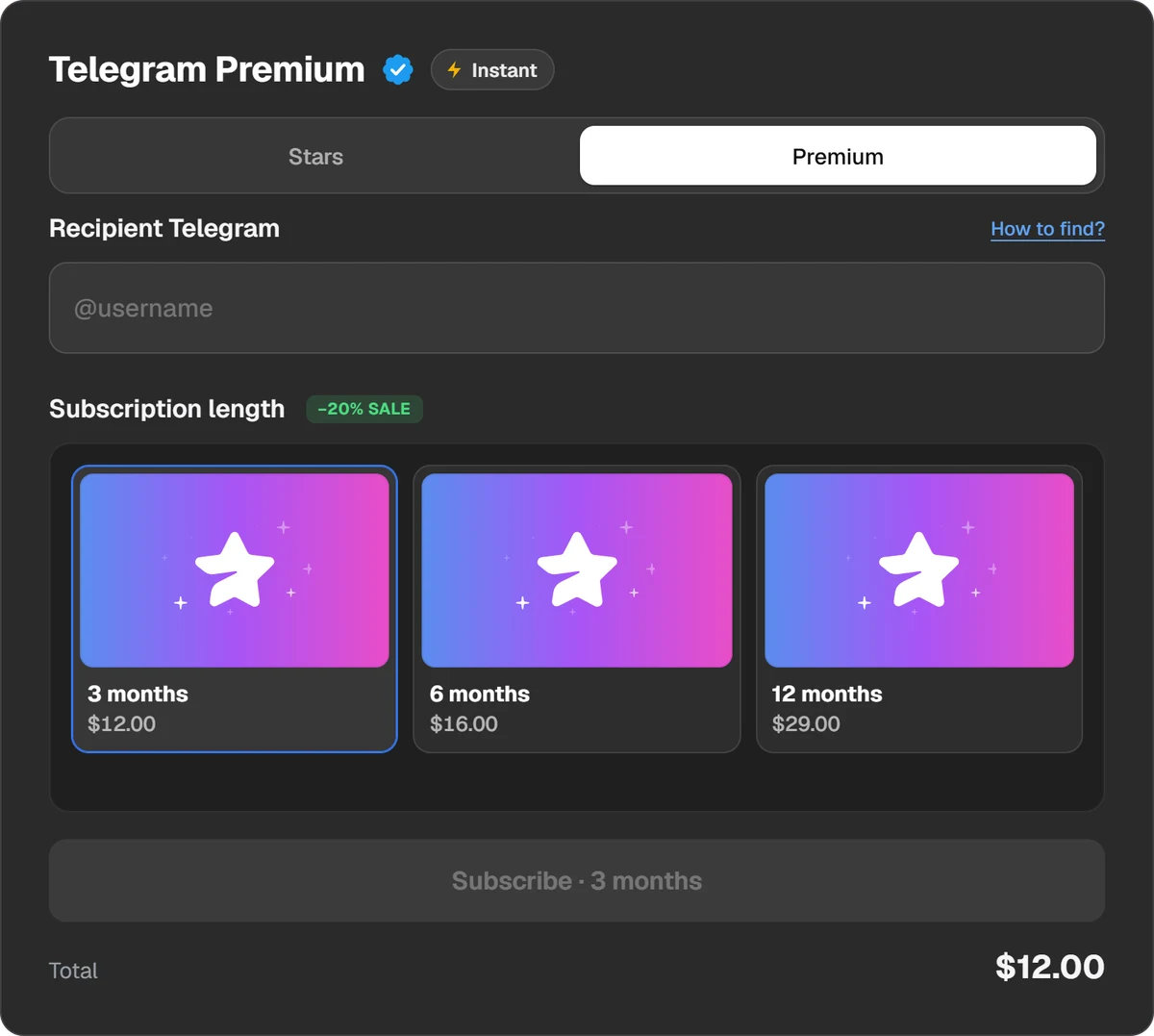
All it needs is the recipient’s @username and the term. - 2Step 2
Pay
Press Subscribe and choose a coin or wallet. The total with the fee is shown before you pay.
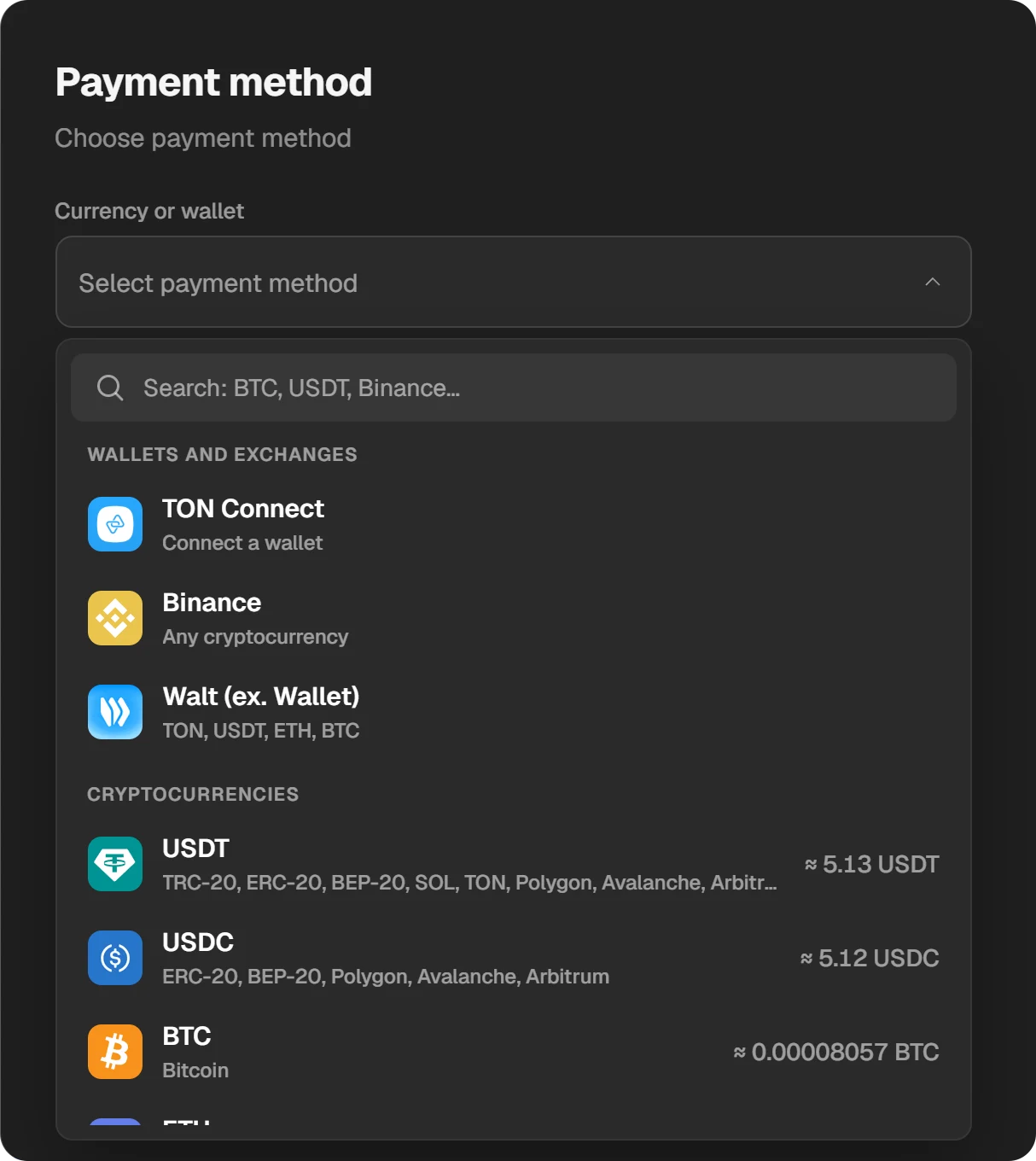
The amount in each coin is right in the list. - 3Step 3
Check Premium
When the order is done, Premium is on for the recipient; it shows under Settings → Telegram Premium. The order stays in History at the top of the site.
Questions and answers
Is @PremiumBot a real Telegram bot?
Yes. Telegram itself lists @PremiumBot as a way to pay for Premium and Stars, alongside the App Store and Google Play.
Why is @PremiumBot cheaper?
Payments through the bot carry no Apple or Google fee, so Telegram discounts them by default.
Why can’t I pay through the bot on my iPhone?
On iPhone, Premium is paid through the App Store. @PremiumBot works in Telegram Desktop, on macOS, on the web and in the Android version from the website.
How do I cancel a @PremiumBot subscription?
Send /stop to the bot. There will be no more charges, and Premium keeps working until the paid period ends.
Is it safe to buy Premium from a third-party bot?
It is if the bot asks only for your @username. If it asks for your phone number, a login code or a password, close the chat: that is how accounts are stolen.
Does Play Wallet have a bot?
No, Play Wallet is a website. Premium is ordered on the Telegram Premium page by @username.