

Login

Blizzard's gaming platform — top up your Battle.net wallet for World of Warcraft, Diablo, Overwatch, Hearthstone, Call of Duty and more
Battle.net account currency
Select amount
Quantity
About Battle.Net Top-Up
Top up your Battle.Net balance quickly and securely. Pay with an activation code — receive the code instantly after payment and activate it on your Blizzard account.
Top-up cards allow you to fund your Battle.Net wallet for purchasing Hearthstone boosters, World of Warcraft items, Diablo IV content and other game editions.
1 min
Instant Delivery
2
All Regions — EUR, USD
Important before purchase
- Make sure your account region matches the card region before purchasing
- Only buy if your account currency matches the top-up card currency
- Accounts with RUB currency cannot be topped up — EUR or USD cards will not activate
How to Activate Code
1
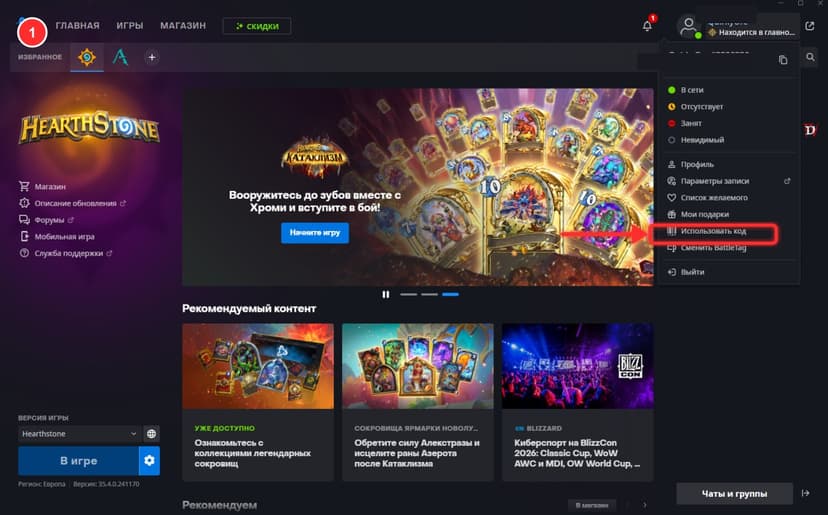
In the Battle.net launcher open your profile (top-right avatar) and click "Redeem a Code"
2
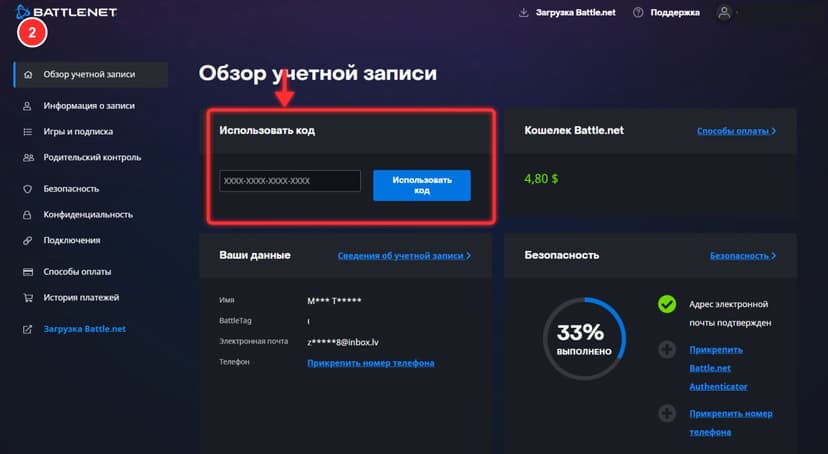
Or go to account.battle.net and enter the 16-digit XXXX-XXXX-XXXX-XXXX code in the "Redeem a Code" card
3
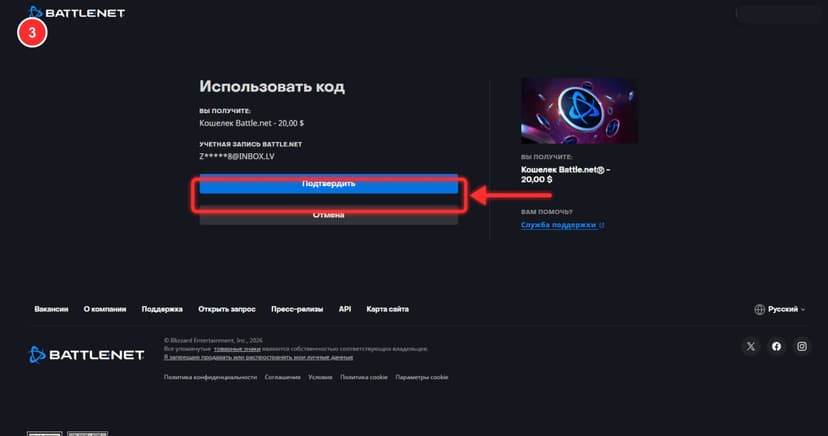
Verify the amount on the confirmation page and press the blue "Confirm" button
4
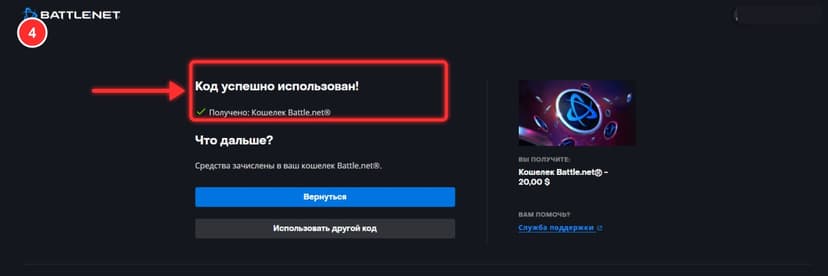
Done — "Code successfully redeemed" appears and the funds land in your Battle.net wallet instantly
FAQ
These are gift cards to fund your Blizzard account balance. Funds can be spent on purchases in the Battle.Net store — games, DLCs, in-game items.
Accounts with EUR (Europe) and USD (Americas) currencies are supported. The card region must match your account region.
Check your account dashboard — the code is saved there. If the issue persists, contact our support for redelivery.
Unfortunately, accounts with RUB currency do not support top-up via gift cards. No EUR or USD card can be activated on such an account. We recommend changing your account region.
Enable a VPN for the desired country, go to the official Blizzard support page and change your region. We recommend choosing the US or EU countries.