Minecraft Java or Bedrock: which edition to buy
Minecraft comes in two editions: Java Edition and Bedrock Edition. The world, the blocks and the updates are nearly the same; the devices, the mods and the servers are not. Here is a plain comparison and which edition to buy for a PC, a Mac, a phone or a console.
In short
- On a Windows PC there is nothing to choose: one Minecraft: Java & Bedrock Edition licence gives both.
- Java runs on Windows, macOS and Linux. It is the edition for mods and big servers.
- Bedrock runs on Windows, phones and consoles. It lets friends play together on any device.
- Java and Bedrock players cannot play together: the editions use different servers.
- A Mac or Linux PC runs only Java; a phone or console runs only Bedrock.
The two editions in short
Java Edition is the original Minecraft for computers. Mods, modpacks and third-party servers are made for it. The launcher can start any old release, for example to join a server that runs an older version.
Bedrock Edition is the edition for Windows, phones and consoles. It has its own Marketplace with skins, maps and texture packs, add-ons, and featured servers you join with a Microsoft account. Above all, Bedrock lets people on PC, phones and consoles play together.
Java and Bedrock compared
| Java Edition | Bedrock Edition | |
|---|---|---|
| Devices | Windows, macOS, Linux | Windows 10 and 11, Xbox, PlayStation, Switch, Android, iOS |
| Who you play with | Java players only | Bedrock players on any device |
| Mods | Yes, thousands from third-party sites | No mods; add-ons instead |
| Content store | None; skins and maps come from third-party sites | Marketplace, paid in Minecoins |
| Servers | Any third-party server | Featured servers and your own worlds |
| Hosted private server | Realms | Realms Plus |
| Splitscreen | No | Consoles only |
| Old versions | Any release | Latest version or beta only |
Major updates with new mobs and biomes come to both. The difference is where and with whom you play.
Which edition to choose
- You want mods, modpacks and third-party servers. Get Java: mods are made for it and it can join any third-party server.
- Your friends play on phones or Xbox. Get Bedrock: only Bedrock puts PC, phone and console players in one world.
- A child will play. Bedrock is simpler: Marketplace content is curated and there are no mods to install. Java has a lot of third-party content, and not all of it suits children.
What to buy for your device
| Device | Edition | What to buy |
|---|---|---|
| Windows 10 or 11 PC | Both | Minecraft: Java & Bedrock Edition for PC |
| Mac | Java | The same PC licence: Java runs on a Mac |
| Linux | Java | The same PC licence: Java runs on Linux |
| Phone, tablet | Bedrock | Minecraft in the App Store or Google Play |
| Xbox, PlayStation, Switch | Bedrock | Minecraft in the console’s store |
If you already own one PC edition, you do not need to buy the other. Minecraft says owners of one edition get the other for free in the Minecraft Launcher.
The PC code does not unlock Minecraft on a phone or a console. There you buy the game in the device’s store, separately for each console.
How to play after buying
- Download Minecraft Launcher from minecraft.net/download.
- Sign in with the Microsoft account that owns the game.
- On the left choose Java Edition or Bedrock Edition and press Play.
Java and Bedrock keep their worlds separately, and progress does not move between them. Keep building in the edition where you started.
A Java & Bedrock code on Play Wallet
The Minecraft: Java & Bedrock page sells a code for the full PC game: the licence for both editions. No login or password is needed. After paying, a 25-character code appears in the order window; you enter it at minecraft.net/redeem.
- 1Step 1
Open the code’s page
Open Minecraft: Java & Bedrock and check that it is the PC code. The total is shown before you pay.
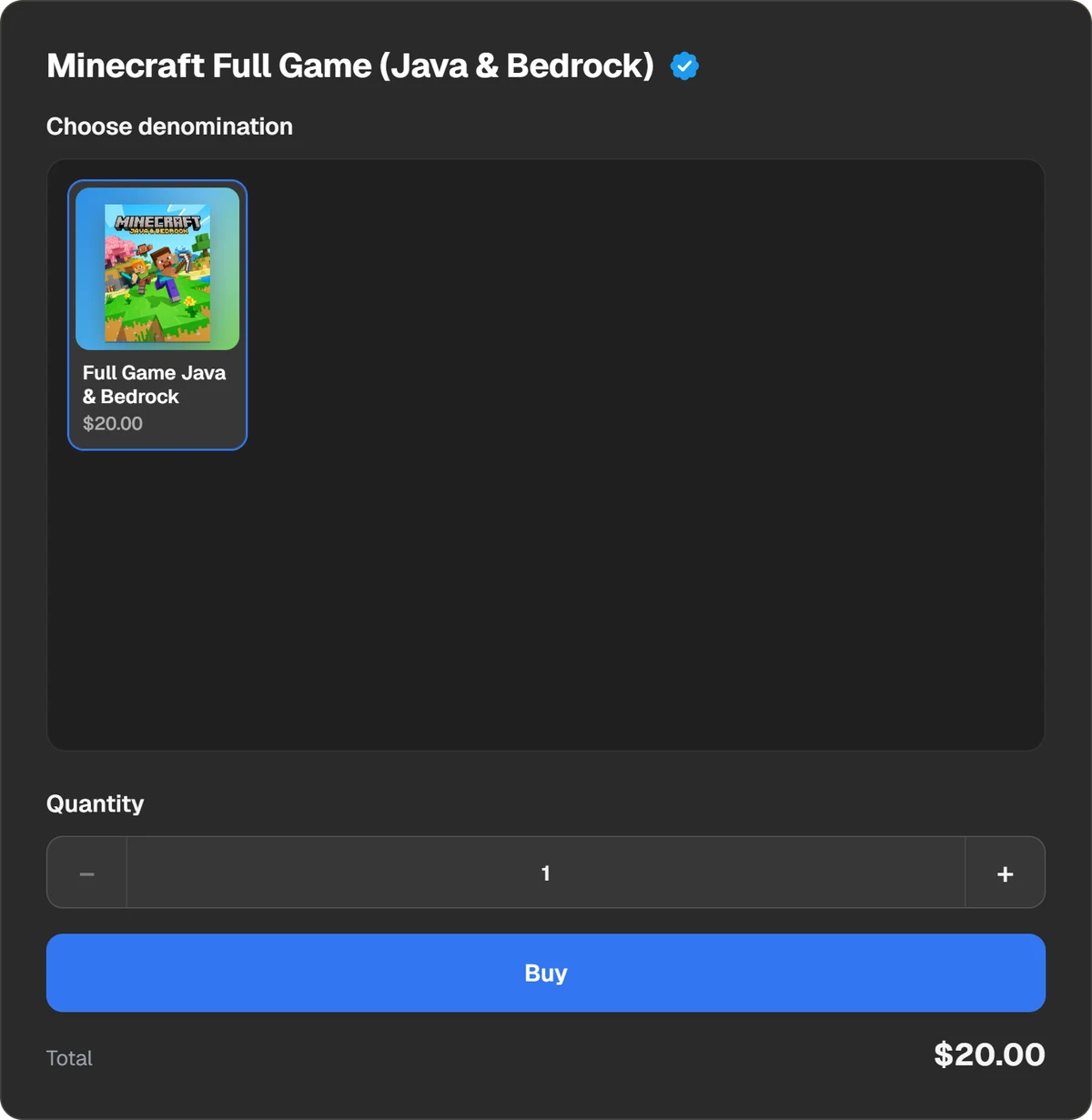
A code for Minecraft: Java & Bedrock Edition for PC. - 2Step 2
Pay
Press Buy and the payment window opens. You can pay in USDT, USDC, BTC, TON and other coins, or through Binance, Walt and TON Connect.
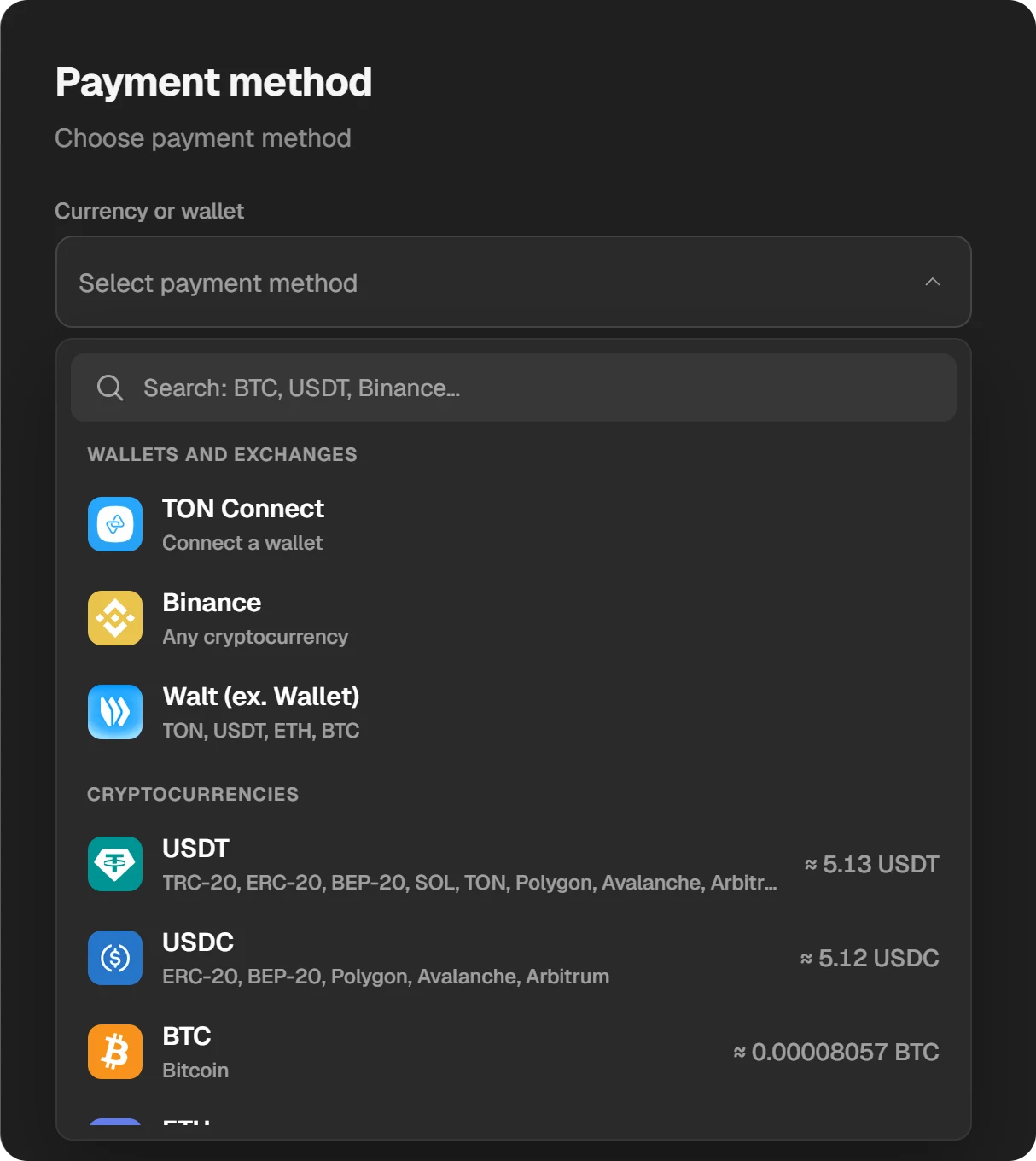
Choosing a coin or a wallet in the payment window. - 3Step 3
Copy and redeem the code
When the order is done, the code appears in the order window. Click it to reveal it and copy it. Enter it at minecraft.net/redeem and sign in to your Microsoft account. The code stays in History at the top of the site.
A Minecraft gift card must be redeemed in the country where it was bought. Before buying, ask support whether the code suits the country you live in.
More on buying the game for PC and phone: How to buy a Minecraft licence.
What about Minecoins?
Minecoins are Bedrock’s currency for Marketplace: skins, maps, texture packs. They do not give you the game and Java does not use them. Minecoin codes are on the Minecraft: Minecoins page; the same country rule applies.
Questions and answers
Which Minecraft should I buy for PC?
Minecraft: Java & Bedrock Edition. It is one purchase and the launcher has both editions. On a Mac or Linux only Java runs.
Can I play with a friend if I have Java and they have Bedrock?
No. The editions use different servers. On a Windows PC, start Bedrock: it is part of the same licence.
Are mods in Java or Bedrock?
Mods and modpacks are made for Java. Bedrock has add-ons and the Marketplace instead.
I already own Java. Do I need to buy Bedrock?
Not on PC. Minecraft gives owners of one edition the other for free in the Minecraft Launcher.
Will my Java worlds move to Bedrock?
No. Worlds and progress are separate in each edition.