You bought a gift card and the code is not accepted: what to do
Most often a code is not accepted because of the region or because it is entered in the wrong place. Go through three steps — in most cases that is enough.
Copy the code with the button, do not type it
The code is shown in the order window, in the “Your code” block. It is hidden: the eye icon reveals it, the button next to it copies it. Paste the code with no spaces before or after it. If the window is closed, the order with the code is in “History” in the site header.
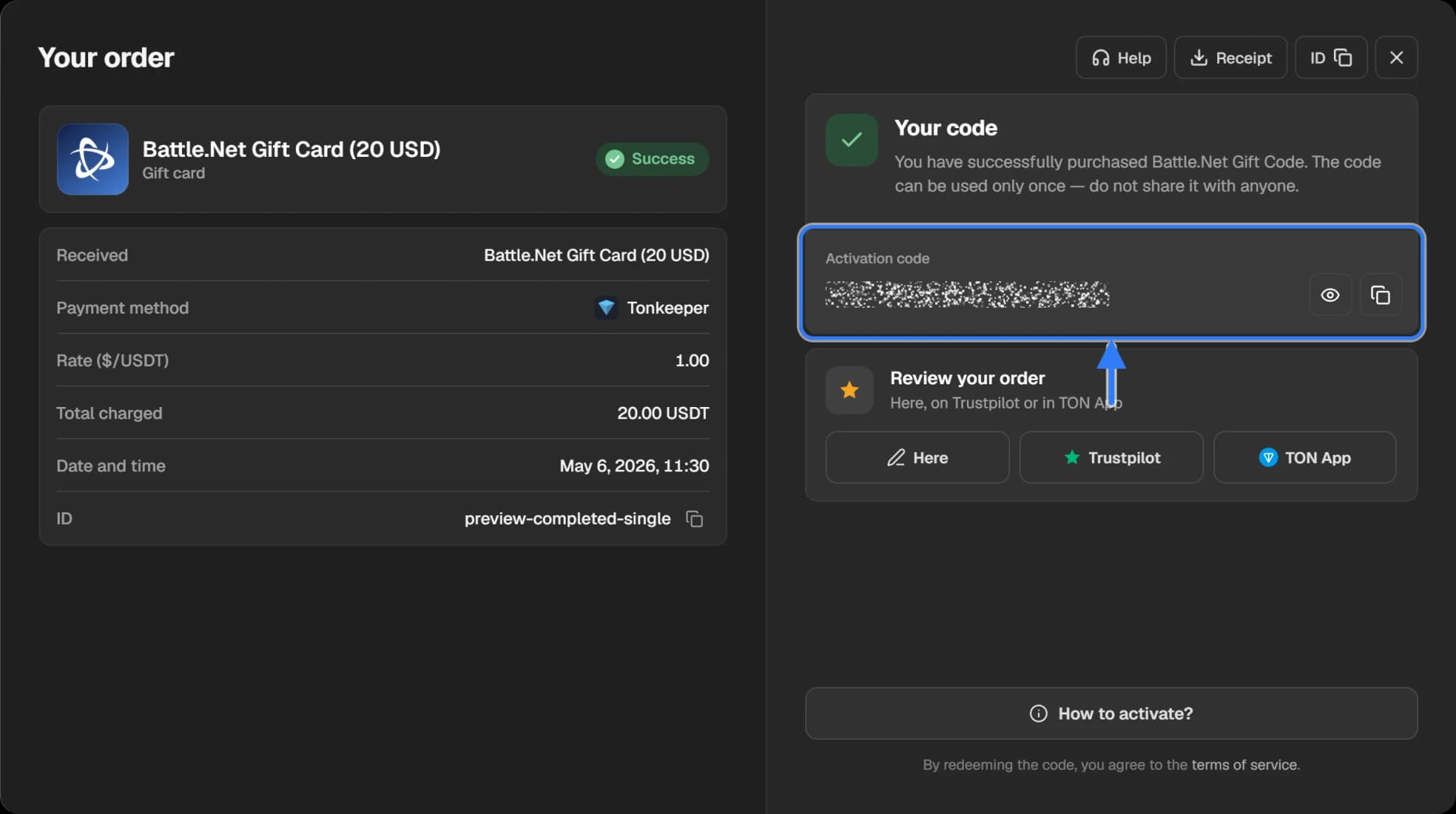
Open the activation instructions
Each service has its own place for a code: an app for some, only the website for others. Press “How to activate?” at the bottom of the order window — the steps for your card open. A detailed instruction with pictures is also on the product page, in the “How to redeem” section.
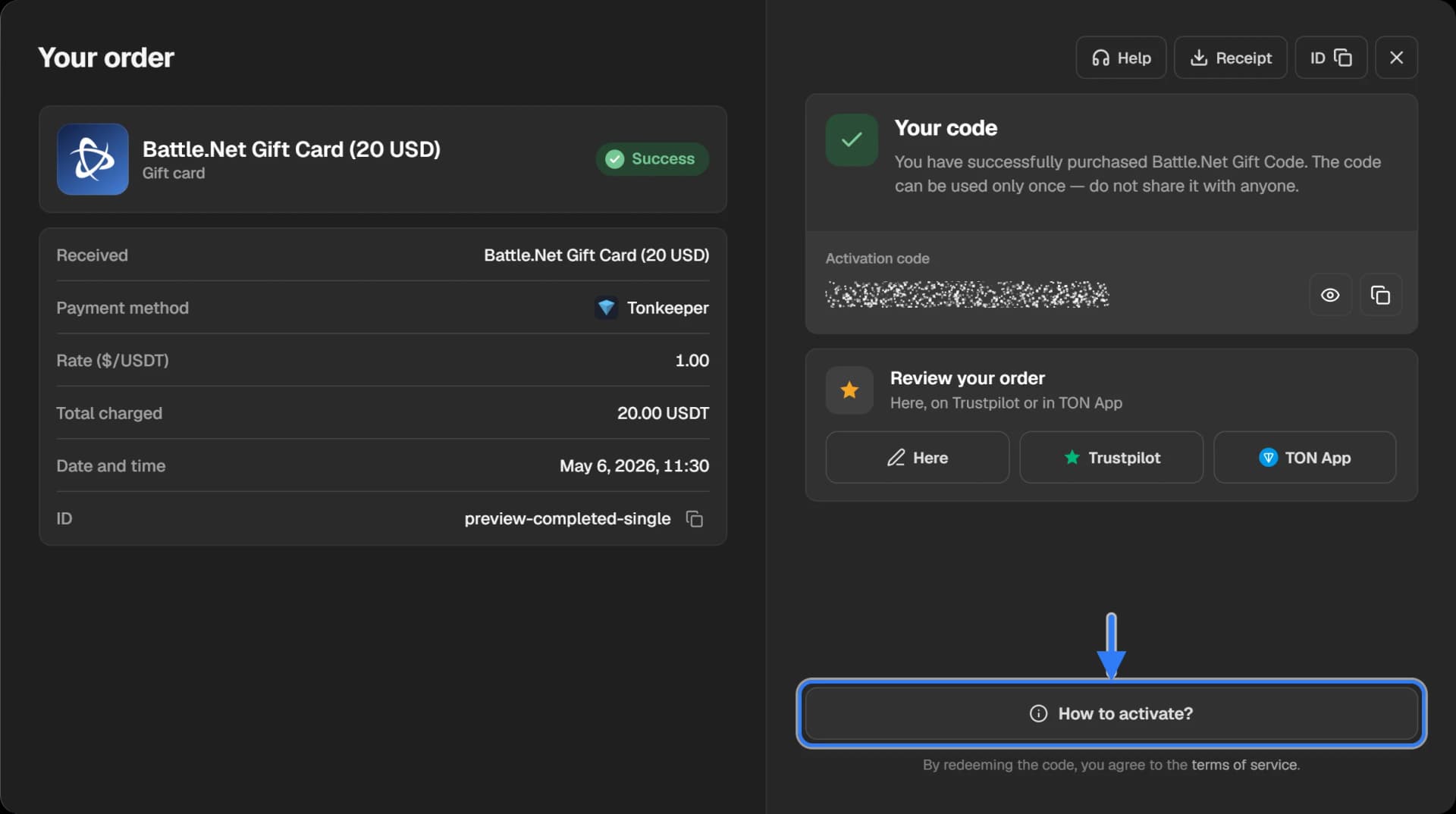
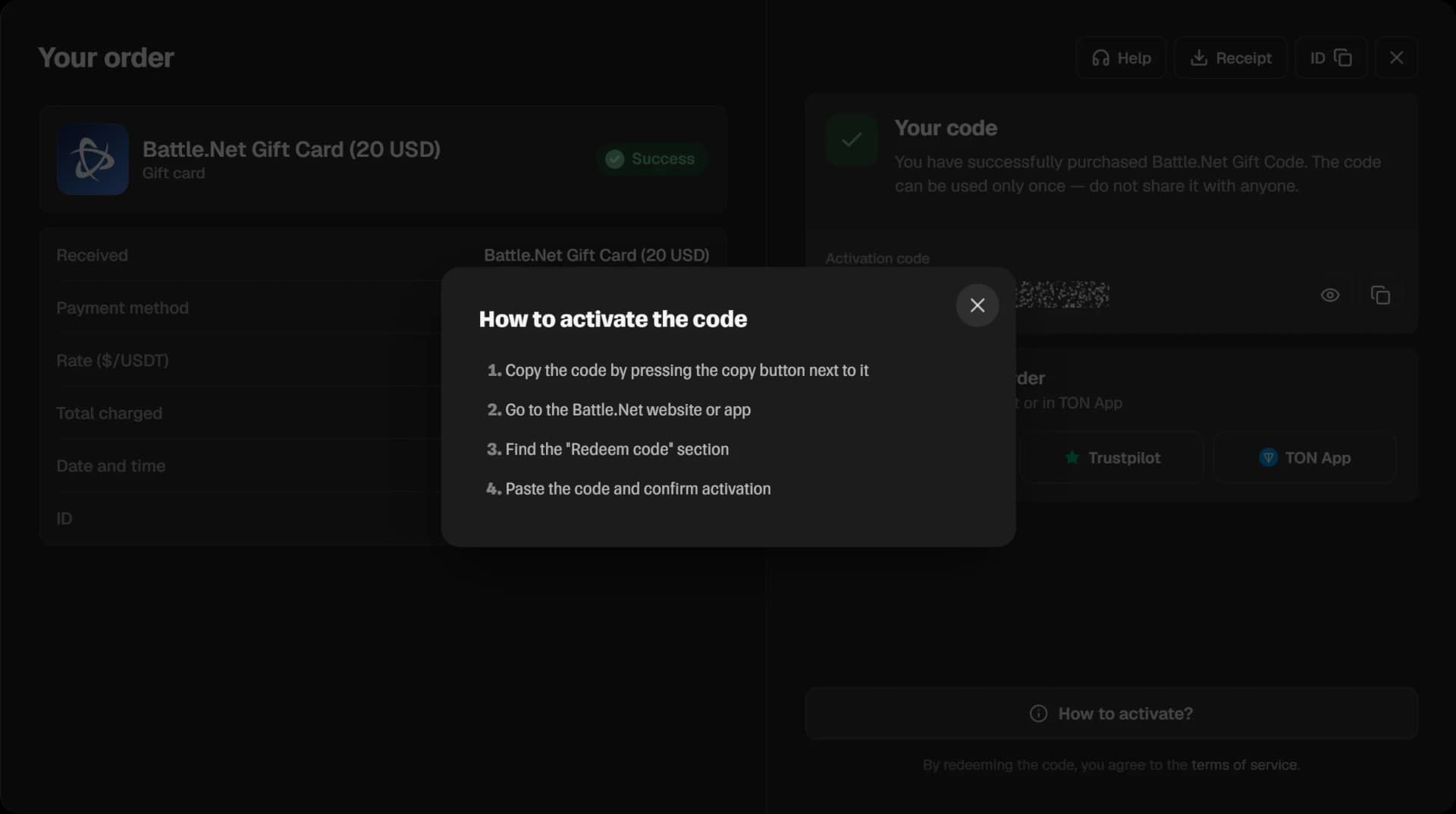
Compare the region of the card and of the account
A gift card works only in the country or region it was issued for. A US card is not accepted on a Turkish account, a Valorant code for the CIS on a European account. The card’s country is in the product name in the order; compare it with the country of the account you enter the code on.
The region is chosen by the buyer before paying. If a card was bought for the wrong region, we do not refund it: the code is valid and can be redeemed on an account of its own region.
When we check a card
We check a card in two cases: the service says the code has already been used, or the code does not work for another reason that is not about the region. Press “Help” in the order window and write to support.
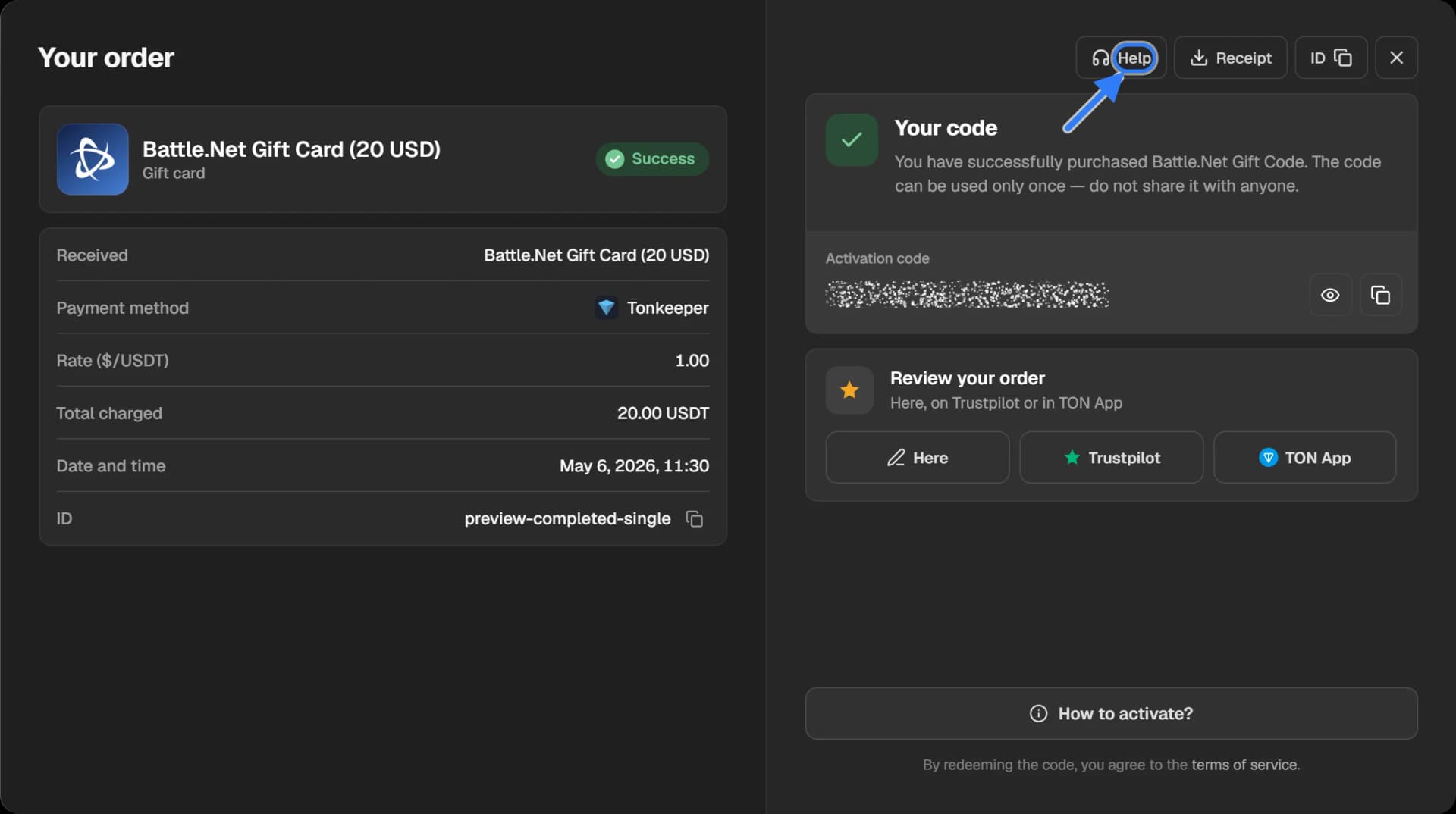
What to send:
- the order ID — how to copy it;
- a screenshot with the whole text of the error;
- the country of the account you enter the code on.
Do not send the code itself to public chats and do not show it to anyone until you have redeemed it. The general terms are in the Refund policy.