How to pay on Google Play with a gift card
A Google Play gift card tops up your Play balance without a bank card. It has one strict rule: the country. Here is how it works, how to redeem it and why it does not help in every country.
In short
- Google Play gift cards redeem only in the country and currency where they were bought.
- Your Google Play profile must be set to the card’s country.
- Changing the Play country needs you to be in the new country with a payment method from it, and is allowed once every 90 days.
- We sell Google Play cards for the U.S. and Germany.
- In Russia, Google Play billing has been paused since 10 March 2022.
The country rule
Google says it plainly: Google Play gift cards can be redeemed only in the country and currency where they were bought, and your account must be set to the card’s country. If you move and change the country, the card’s balance does not move with you; it stays usable only in the country of purchase.
| Your Play profile | What works |
|---|---|
| U.S. | A U.S. Google Play card, on the Google Play page. |
| Germany | A German Google Play card, on the same page. |
| Another country | A card for exactly that country, from an official retailer on Google’s list. |
| Russia | Google Play billing is paused, and Russia is not on Google’s list of gift card countries. |
Check your profile’s country
- Open Google Play on an Android phone.
- Tap the profile icon at the top right.
- Go to Settings, General, Account and device preferences, then Country and profiles.
You can change your Google Play country only while you are in the new country and have a payment method from it. After you first set it, you wait at least 90 days, and 90 days between later changes. The old country’s balance cannot be spent in the new one. We do not recommend a VPN for this: Google requires both being in the country and a payment method from it.
Buying and redeeming a card
- 1Step 1
Choose the country and amount
Open Google Play. In “Region / currency” pick your profile’s country, then the amount. The price is shown before you pay.
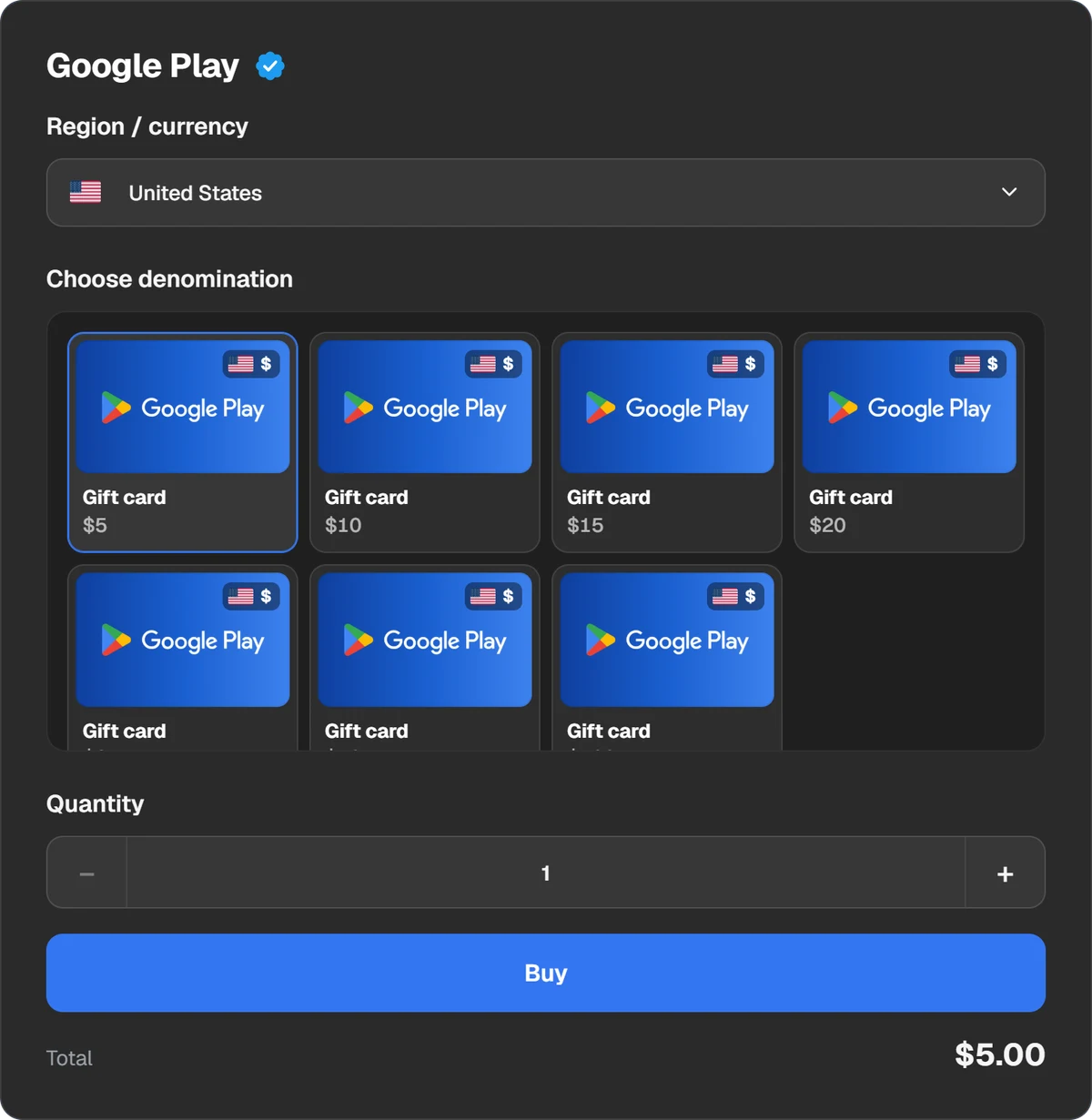
The card’s country must match your Google Play profile. - 2Step 2
Pay with crypto
Press “Buy” and choose a coin or a wallet such as Binance or Walt. The service fee is shown in the payment window.
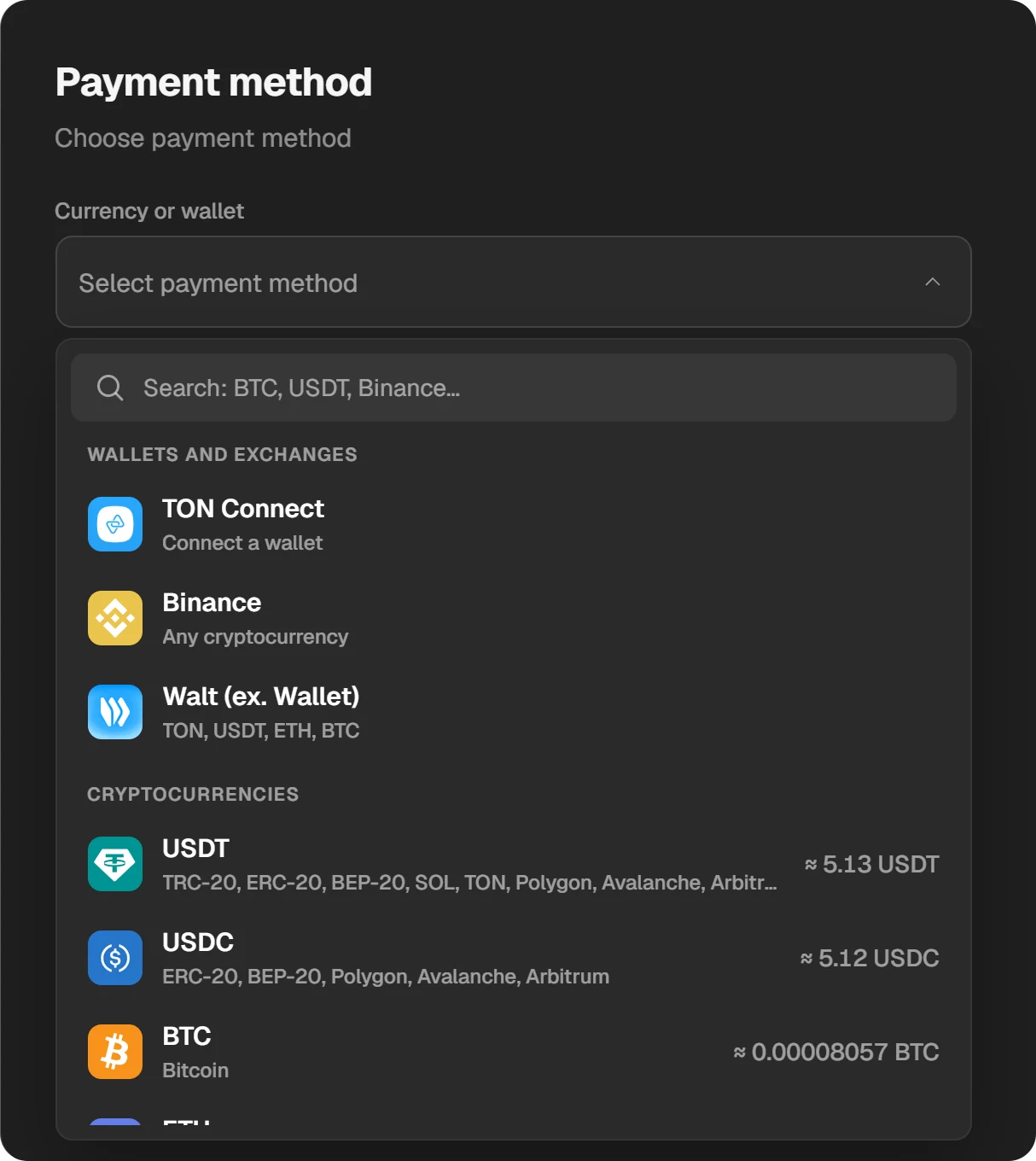
The amount in each coin is right in the list. - 3Step 3
Copy the code
When the order is done, the window shows “Your code”. It works once and stays in “History” at the top of the site.
- 4Step 4
Redeem it on Android
Open Google Play, tap your profile picture at the top right, then Payments & subscriptions and Redeem code. Enter the code, tap Redeem, check the account and tap Confirm.
On a computer, go to play.google.com/redeem, enter the code, click Redeem, make sure you are in the right account and click Confirm. You can also redeem at checkout: tap the down arrow next to the payment method and choose Redeem code.
A Google Play code is usually 16 letters and digits, though digital codes can be longer or shorter. If a code we sold you is refused, write to support with the order ID.
The situation in Russia
Google paused Play billing for users in Russia on 10 March 2022. Paid apps, subscriptions and in-app purchases cannot be bought; subscriptions run to the end of the paid period and do not renew; free apps stay available, and paid apps already installed keep working. Since 2 August 2022 Google does not require developers to use Play billing for Russian users, so some apps sell subscriptions on their own sites.
Questions and answers
Will a U.S. Google Play card work on a profile from another country?
No. A card redeems only in the country and currency where it was bought, and the profile must be set to that country.
How often can I change my Google Play country?
The first time 90 days after setting it, then no more than once every 90 days. You must be in the new country with a payment method from it.
Do I lose my balance if I change country?
No, but you cannot spend it in the new country. It becomes available again if you switch back.
How long is a Google Play code?
Usually 16 letters and digits; some digital codes are longer or shorter.
Can I get a refund for a Google Play gift card?
Google does not refund redeemed gift card balances unless the law requires it. Refund requests for a card go to the retailer.