EA Play: what the subscription gives and how to get it
EA Play is Electronic Arts’ subscription to a library of its games. You pay monthly or yearly and play FC, Battlefield, Star Wars and other EA games while it is active. Here is what is in it, what it costs and where to join.
In short
- EA Play gives a library of EA games, trials of new games for up to 10 hours, monthly rewards and 10% off EA purchases.
- In the US it is $5.99 a month or $39.99 a year. EA Play Pro exists only on PC.
- A membership works only on the platform where you bought it: EA app, Steam, PlayStation or Xbox.
- EA Play is already included in Xbox Game Pass Ultimate and PC Game Pass.
- An EA gift card tops up the EA Wallet, which pays for EA Play on PC.
What EA Play gives
- The Play List. EA games you can play while the membership is active: sports series, shooters, adventures.
- Trials of new games. Some new EA games can be tried for up to 10 hours.
- Member rewards. EA adds items for its games every month.
- 10% off EA digital purchases: games, add-ons and in-game currency. What you bought at a discount stays yours after you cancel.
EA lists the games on its EA Play page, and the list changes. Right now the featured games include FC 26 and FC 27, Battlefield 6, Madden NFL 26, F1 25, College Football 26 and Plants vs. Zombies: Replanted. The newest games are often trials rather than full games. The PlayStation list is in EA Play on PS5.
EA Play and EA Play Pro: prices
| EA Play | EA Play Pro | |
|---|---|---|
| US price | $5.99 a month or $39.99 a year | $16.99 a month or $119.99 a year |
| Where | PC (EA app, Steam, Epic), PlayStation, Xbox | PC only, EA app only |
| Games | The Play List and 10-hour trials | Everything in EA Play plus full premium editions of new games |
| 10% off | Yes | Yes |
Other countries have their own prices. Until 3 December 2026 EA sells the first month of EA Play for $0.99 on every platform.
Where to join EA Play
| Platform | How to join | How to pay |
|---|---|---|
| PC, EA app | In the EA app, the EA Play section | Card, PayPal or EA Wallet |
| PC, Steam | The EA Play page in the Steam store | Steam Wallet |
| PlayStation 4 and 5 | PlayStation Store, search for EA Play | PS Store wallet |
| Xbox and PC | Included in Game Pass Ultimate; PC Game Pass gives it on PC | Game Pass subscription or code |
The membership is tied to the platform. EA Play bought on Steam does not work on PlayStation, and the other way round. EA Play Pro is on neither Steam nor PlayStation.
If you already pay for Xbox Game Pass Ultimate, you do not need EA Play separately. See Xbox Game Pass tiers.
Where EA does not sell it
In March 2022 EA stopped selling its games and content in Russia and Belarus, the EA app included. The Russian Steam store has no EA Play page, and the PlayStation Store is suspended in Russia. A Russian account cannot join.
How to pay for EA Play on PC with an EA gift card
An EA gift card tops up the EA Wallet. EA says the wallet balance can pay for EA Play memberships and is used before any other payment method.
- 1Step 1
Choose a card
Open EA gift cards and pick the region and amount: the US in dollars or Europe in euros. The price and fee are shown before you pay.
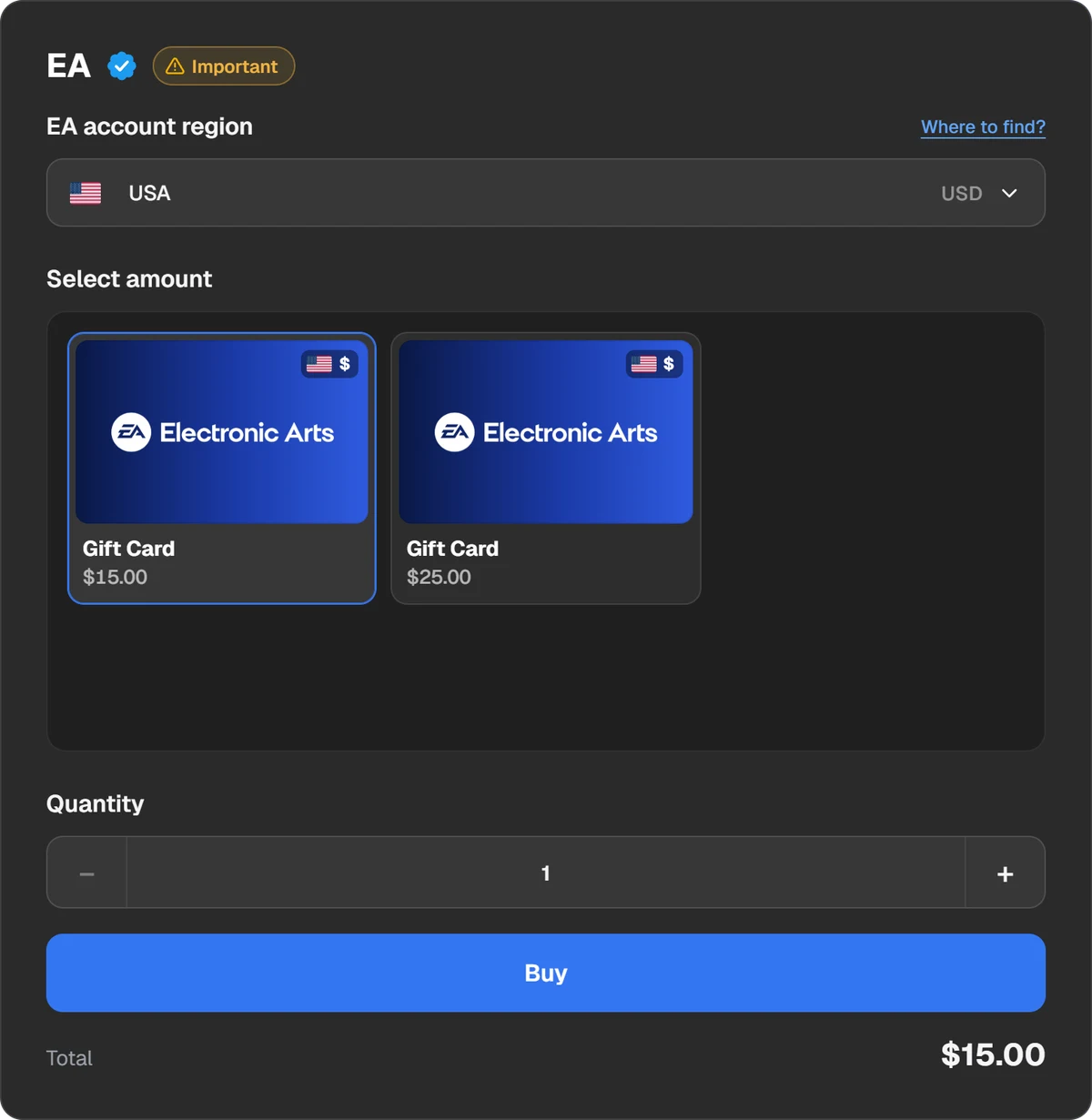
Region and amount of the EA gift card. - 2Step 2
Pay
In the payment window choose a coin or wallet: USDT, USDC, BTC, TON and other coins, Binance, Walt or TON Connect.
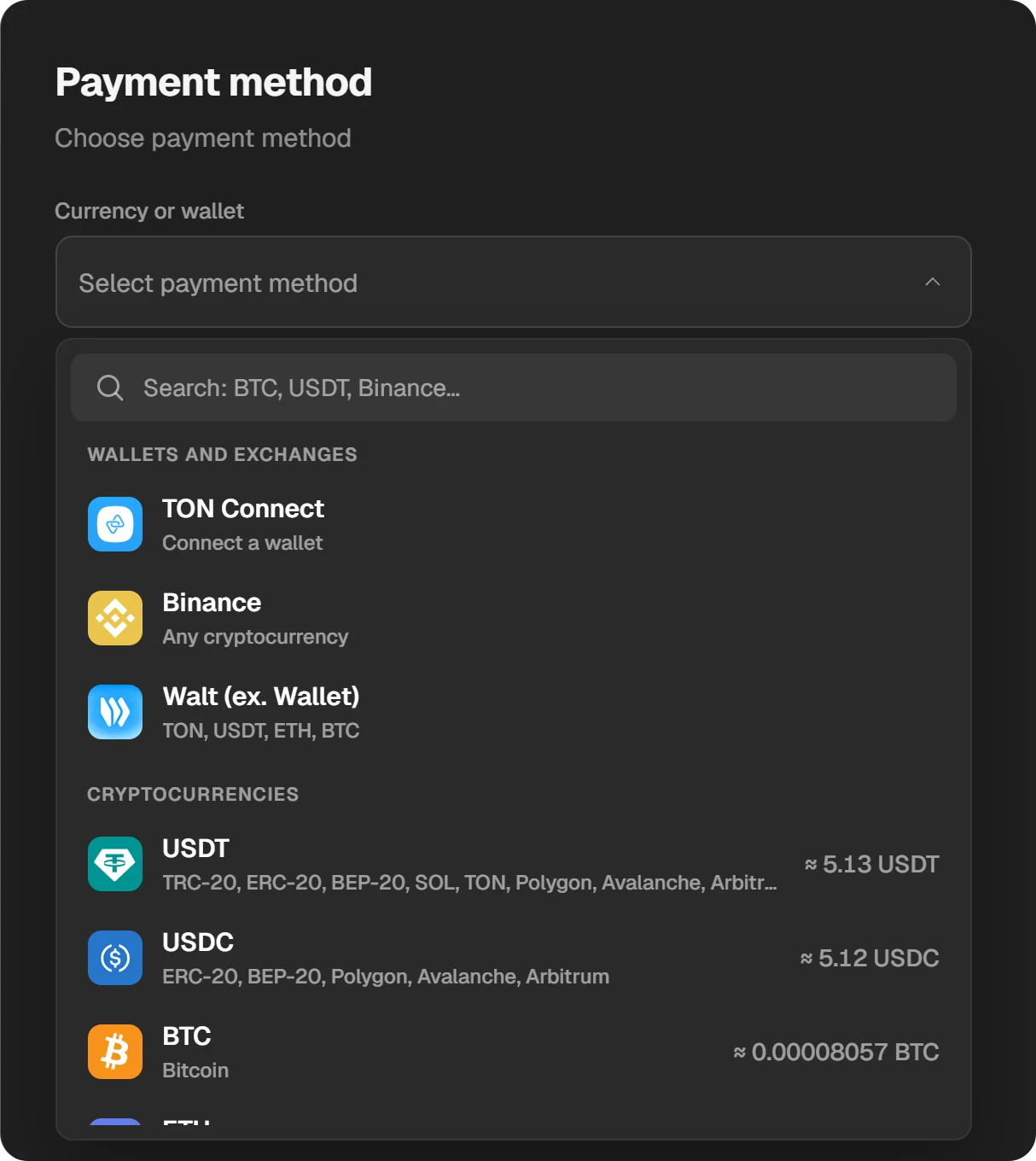
Choosing a coin or wallet in the payment window. - 3Step 3
Top up the EA Wallet
The code appears in the order window and in “History”. Open myaccount.ea.com, the Payment and Wallet tab, select EA Wallet → Add Funds, enter the code and select Submit.
- 4Step 4
Join EA Play in the EA app
Open the EA app, the EA Play section, and choose a month or a year. The money comes from the EA Wallet.
The first card you redeem sets the wallet’s country, and cards of other countries are refused after it. EA sells cards only in the US, Canada, Brazil, Australia, New Zealand and 12 European countries. Ask support whether the card fits your account before buying.
How to cancel EA Play
- EA app: your EA Account → Subscriptions and Memberships → Cancel membership. Access lasts until the next billing date.
- PlayStation: Settings → Users and Accounts → Account → Payment and Subscriptions → Subscriptions → EA Play → Cancel Subscription.
- Steam and Xbox: in the subscription settings of that platform’s account.
EA does not refund a period already paid. Library games are available only while the membership is active.
Questions and answers
What does EA Play give?
A library of EA games, trials of new games for up to 10 hours, monthly rewards and 10% off EA digital purchases.
How much is EA Play?
In the US $5.99 a month or $39.99 a year. EA Play Pro is $16.99 a month or $119.99 a year and exists only on PC.
Which games are in EA Play?
EA SPORTS FC, Madden, NHL, F1, Battlefield, Star Wars, Dragon Age and other EA series. Each platform has its own list, which EA publishes on its EA Play page.
Is EA Play part of Game Pass?
Yes, of Xbox Game Pass Ultimate (Xbox and PC) and PC Game Pass (PC). Other Game Pass plans do not include it.
Does my EA Play work on another platform?
No. A membership is tied to the platform where you joined.
Can I pay for EA Play with an EA gift card?
Yes, on PC in the EA app. The card tops up the EA Wallet, and the wallet pays for the membership. The card has to fit your account’s country.