Buying in-game currency: the ways and what is safe
UC, crystals, V-Bucks, diamonds: every game has its own currency, but there are only four ways to buy it. Here is each one: what you enter, how you pay, and the signs that someone is trying to cheat you.
In short
- There are four ways: the shop inside the game, the publisher’s site, a gift card or code, and a third-party shop by player ID.
- A top-up by ID needs only the player number, sometimes a server. A code needs nothing.
- No seller needs your game password. You type it only in the game and on the publisher’s official site.
- A wrong ID cannot be fixed: the currency goes to another player. Copy the number from the game.
The four ways
| Way | What you enter | How you pay |
|---|---|---|
| The shop inside the game | Nothing; you are signed in | With the payment method of the App Store, Google Play, Steam or the console |
| The publisher’s site | A player ID, or a sign-in on the official site | With the methods the site offers for your country |
| A gift card or code | The code on the redemption page | You pay the card’s seller |
| A third-party shop by ID | A player ID, sometimes a server | You pay the shop |
1. The shop inside the game
The simplest way: open the shop in the game and tap a pack. The payment goes to the platform, not the game: the App Store or Google Play on a phone, often Steam on PC, the console’s own store on a console.
- Mobile games. The store must accept a payment method in your country. In Russia, for instance, Google Play’s billing has been paused since March 2022 and Apple stopped carrier billing and adding funds in April 2026.
- Steam games. In-game purchases are paid from the Steam Wallet. The wallet can be topped up by login.
- Consoles. The purchase goes through the console’s store, which has to work with your account and country.
2. The publisher’s site
Many games have their own top-up site. The game’s official site links to it: find it that way, not through search ads.
- Midasbuy serves PUBG Mobile, Honor of Kings and other Tencent and Level Infinite games. You enter a player ID.
- The HoYoverse Top-Up Center for Genshin Impact and Honkai: Star Rail asks you to sign in to the account that owns the UID.
- NetEase’s top-up page for Identity V opens from a link on the game’s site.
Payment methods there depend on the country you choose. Typing a password is fine here, but only after checking in the address bar that you are on the official site.
3. A gift card or code
A code is currency in an envelope. You buy it from a seller and enter it yourself on the publisher’s redemption page. The seller needs neither your ID nor your login.
- A V-Bucks card is redeemed at fortnite.com/vbuckscard.
- A Roblox code is entered at roblox.com/redeem.
- UC codes for PUBG Mobile are redeemed on Midasbuy.
A code has two risks: it may not suit the account’s region or platform, and whoever sees it first can use it. It is easy to give as a present, though. See How to use a gift card.
4. A third-party shop by player ID
You give the shop your account’s public number and pay the shop. It credits the currency to that account. You enter nothing in the game.
A player number is not a secret: other players see it, and nobody can sign in with it. The risk is a typo: someone else gets the currency and it cannot be undone. See Top-up by ID or by code.
What each game needs on our site
| Game | How | What to enter |
|---|---|---|
| PUBG Mobile | By ID or code | Player ID; codes are redeemed on Midasbuy |
| Genshin Impact | By ID | UID and server |
| Honkai: Star Rail | By ID | UID and server |
| Mobile Legends | By ID | User ID and Server ID |
| Free Fire | By ID or code | Player ID |
| Honor of Kings | By ID | The player number (the Open ID field) |
| NIKKE | By ID | Player ID (the Player UID field) |
| Identity V | By ID | Game ID and server |
| Fortnite | Code | Nothing; the code is entered on Fortnite’s site |
| Roblox | Code | Nothing; the code is entered at roblox.com/redeem |
| Valorant | Code | Nothing; the code’s region matters |
| Marvel Rivals | Lattice packs | Purchases are paused |
| Red Dead Online | Code | Nothing; confirm the code’s platform before paying |
None of these forms asks for a password. Our site does not check whose game ID it is: the currency goes where you typed. The total and the fee are shown before you pay, and payment is in crypto.
Buying by ID, step by step
Copy the ID from the game
It is usually in the profile: tap your avatar. Copy it with the button rather than retyping it.
Enter the ID and choose a pack
On the game’s page, paste the number, choose the server if asked, and pick a pack. Check the total.
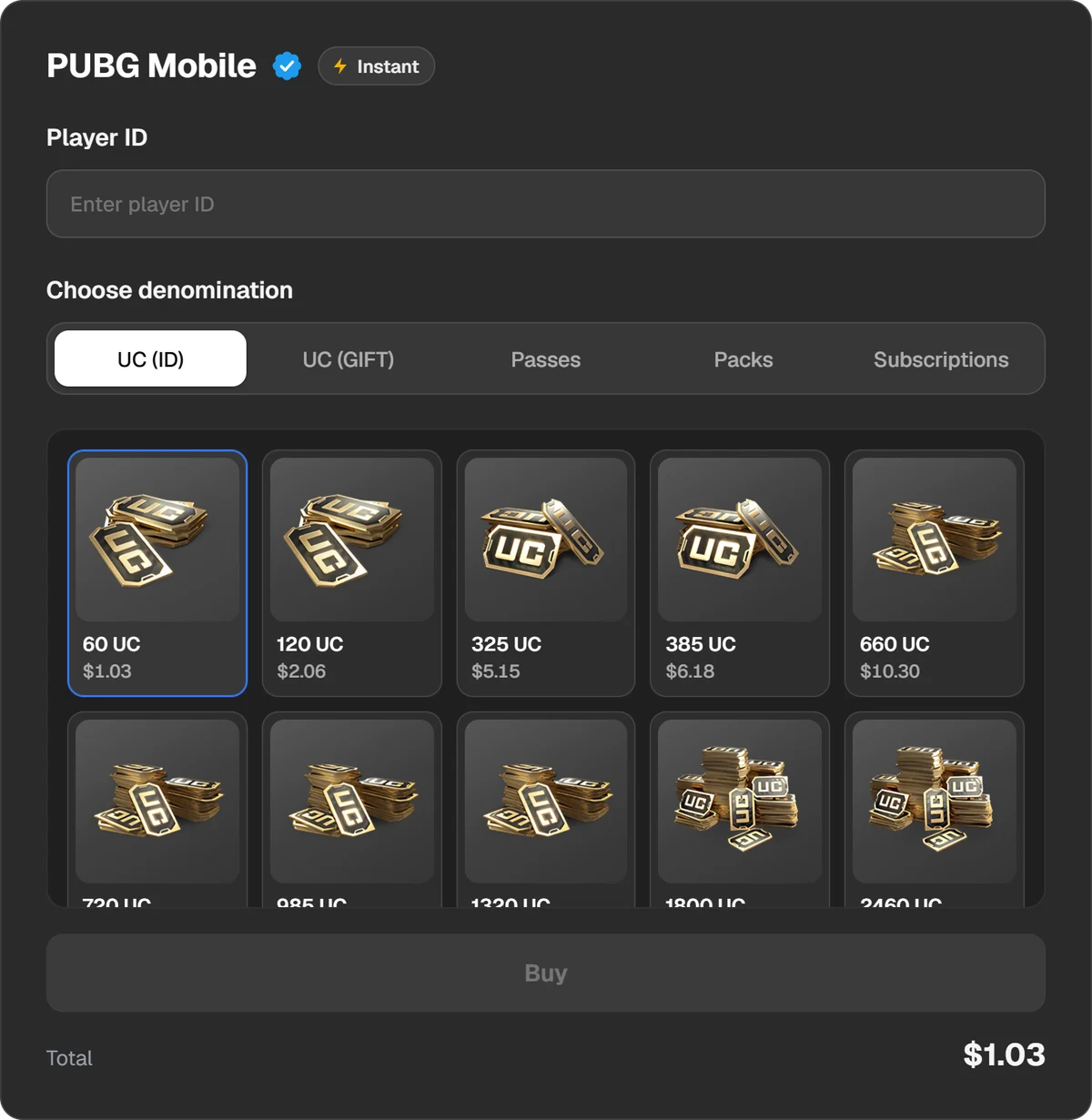
The order form: a player ID and a currency pack.
Pay
Choose a payment method and send exactly the amount shown.
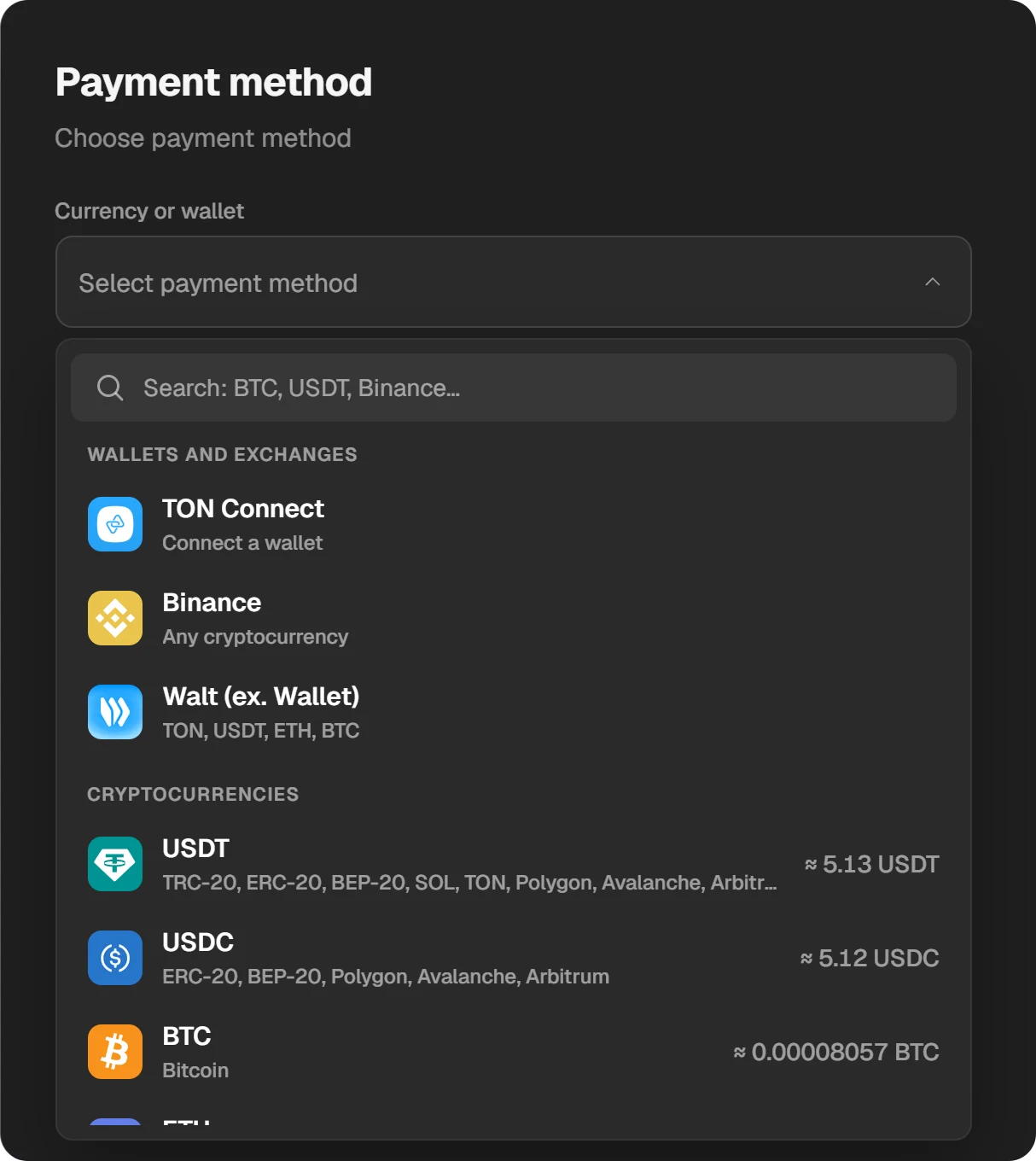
Payment methods.
Check the balance in the game
The order’s status is in the order window and in History. When it is done, sign in to the game again.
What is safe and what is not
Sharing an ID is safe
A Player ID, UID, Game ID and server are visible to other players. Nobody can sign in with them.
Never share a password or codes
A password, a code from email or SMS, a “social login” on someone else’s site, remote access to your phone. A currency seller never needs them.
The total is shown before you pay
How much currency arrives and what you pay with the fee must be stated before you send money.
An order and a receipt remain
With an order number you can go to support. A code should be kept in the order, not sent in a private message.
The price is not several times lower
Currency obtained dishonestly can be revoked by the publisher. PUBG Mobile’s licence agreement, for one, recognises only codes from the publisher and its authorised retailers.
Currency “generators”, “free UC by nickname” and modified game builds give no currency. They collect passwords.
How to pick and check a seller is in the checklist A site for game top-ups: how to choose and check it.
Questions and answers
What is an in-game purchase?
Something bought inside a game for money: currency, a pass, a skin, a bundle. The payment goes through the app store, Steam, the console or a third-party service.
How do I buy currency in Genshin Impact?
By UID and server: the crystals arrive on the account by themselves. No password.
How do I buy V-Bucks in Fortnite?
With a V-Bucks card: a code entered at fortnite.com/vbuckscard under your own Epic Games account.
Do I need a password to buy currency?
No. A top-up by ID needs only the player number; a code needs nothing. You type a password only in the game and on the publisher’s official site.
How are in-game purchases paid on Steam?
From the Steam Wallet. The wallet just needs funds.