Game top-ups without in-app purchases: where and how
Buying currency inside a game fails when the app store will not take your payment, and console stores serve only accounts of supported countries. Most popular games can still be topped up. Here are the three ways that work, which game uses which, and how not to pay a scammer.
In short
- An in-game purchase on a phone is paid to the app store, not the game. If the store does not accept your payment, the purchase fails.
- Way 1: top-up by player ID. Enter the Player ID or UID and the currency arrives by itself. PUBG Mobile, Genshin Impact, Mobile Legends and Free Fire work like this.
- Way 2: a gift code. You get a code and redeem it on the game’s site. V-Bucks, Robux and Minecoins work like this.
- Way 3: a store wallet. Steam is topped up by login; PlayStation, Xbox and Apple cards must match the account’s country.
- No way needs your game password. A site that asks for it steals accounts.
Why an in-game purchase fails
When you buy currency inside a game on a phone, the payment goes to the app store, not the game. If Google Play or the App Store does not accept your card or your country, the purchase fails, even though the game itself works. Console stores sell only to accounts of the countries they serve.
That is why a top-up can go around the app store: straight to the game account by ID, or with a code redeemed on the publisher’s site.
Three ways to top up
| Way | What you need | How it arrives | Examples |
|---|---|---|---|
| By player ID | Player ID, UID, sometimes the server | On the account by itself; nothing to redeem | PUBG Mobile, Genshin Impact, Honkai: Star Rail, Mobile Legends, Free Fire |
| Gift code | Nothing but the amount | A code in the order; you redeem it on the game’s site | Fortnite, Roblox, Valorant, Minecraft, PUBG Mobile UC (GIFT) |
| Store wallet | A login or a card code | Money in the wallet; you buy the game yourself | Steam by login; PS Store, Xbox, Apple cards of the account’s country |
The difference between the first two and how to choose: Top-up by ID or by code.
Which game works how
| Game | On Play Wallet | More |
|---|---|---|
| PUBG Mobile | UC by Player ID or as a code | How to buy UC |
| Genshin Impact | Crystals by UID and server | Genshin top-up |
| Honkai: Star Rail | By UID and server | Honkai: Star Rail top-up |
| Zenless Zone Zero | By UID and server | ZZZ top-up |
| Mobile Legends | Diamonds by User ID and Server ID | Mobile Legends diamonds |
| Free Fire | Diamonds by Player ID | Free Fire diamonds |
| Fortnite | V-Bucks card, a code | Redeem a V-Bucks card |
| Roblox | Gift card, a code | Redeem a Roblox card |
| Steam | Wallet by login | Top up Steam with crypto |
More games are in the catalogue on the home page. Each product page has its own fields, so you see at once whether it needs an ID or gives a code.
How to top up by ID: an example
Find the ID in the game
In PUBG Mobile, tap the avatar at the top left: the Player ID is under the nickname. In Genshin Impact the UID is in the Paimon Menu. It is a public number other players see too.
Enter the ID and choose a pack
Open the game’s page, for example PUBG Mobile or Genshin Impact, enter the ID and choose a pack. The price and the fee are shown before you pay.
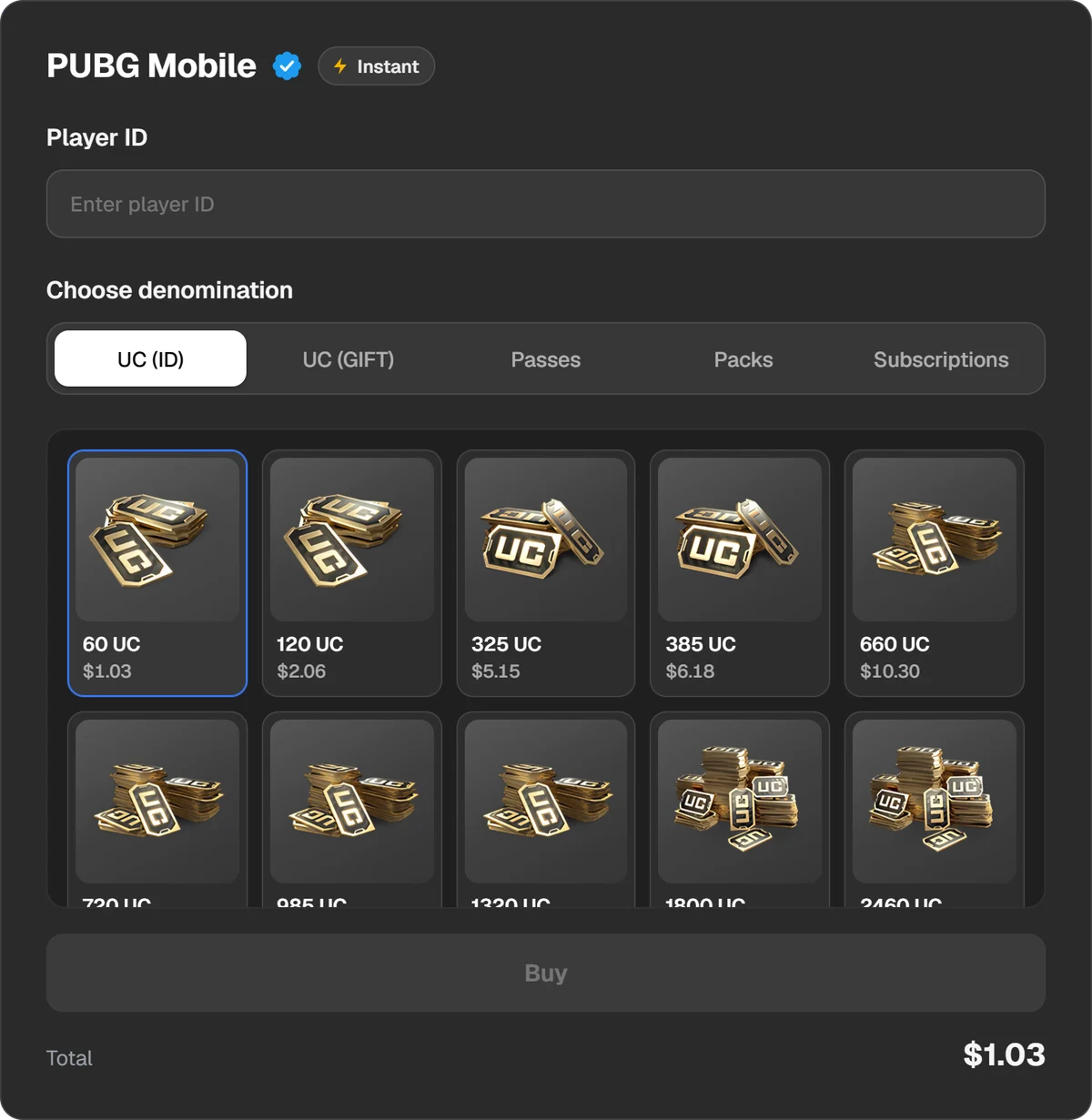
The order form: player ID and pack.
Pay
Play Wallet takes crypto: Binance, Walt, TON Connect or a coin such as USDT, BTC or TON.
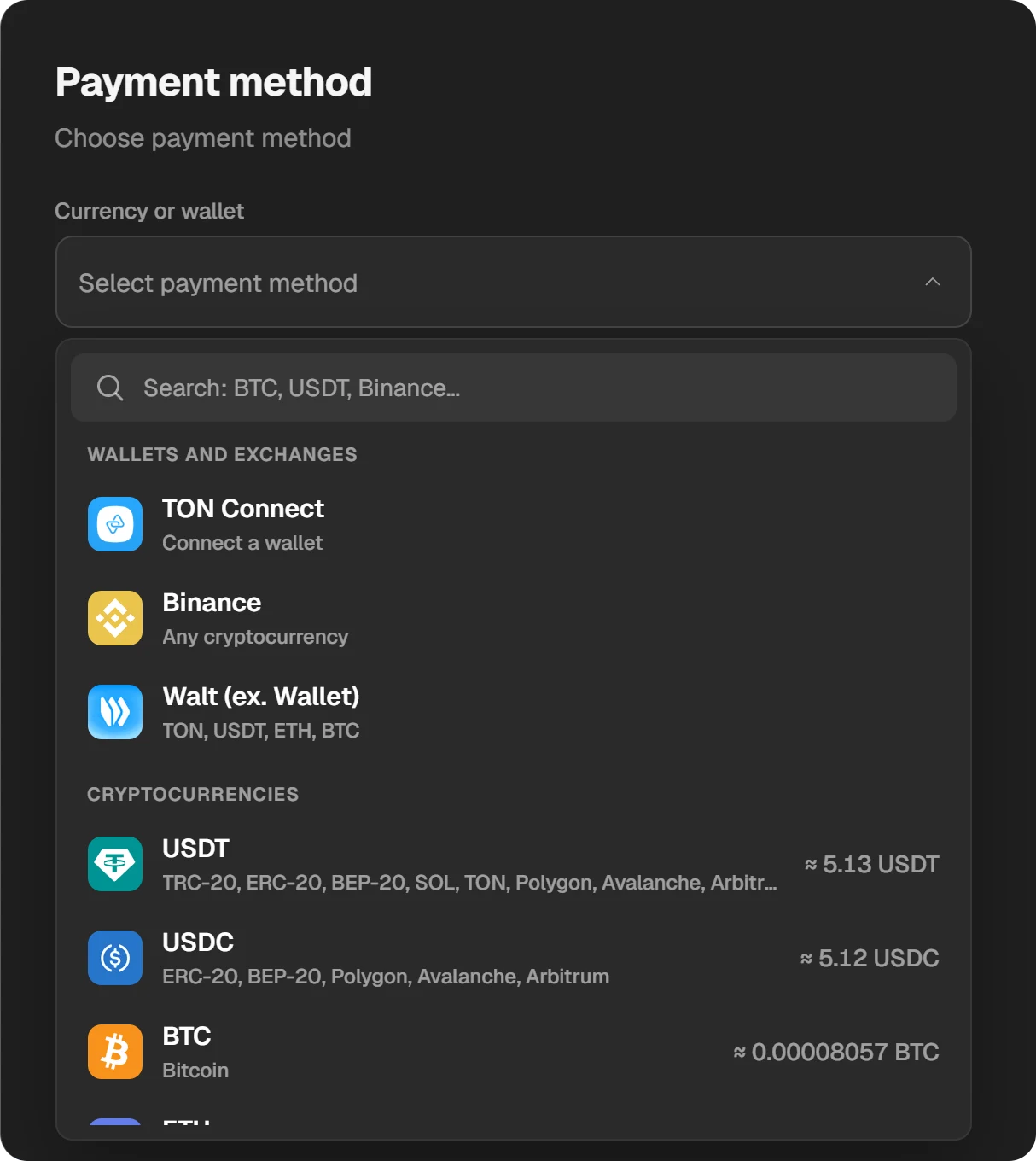
Payment methods.
Restart the game
When the order is Done, restart the game and the currency is on the balance. If you bought a code, copy it from the order window or “History” and redeem it on the game’s site.
How to check a site before paying
It needs only the ID, or nothing
A top-up by ID needs the player number; a code needs nothing. A password, an SMS code or a “social sign-in” on someone else’s site is wanted only by those who take accounts.
The amount and the fee are shown before you pay
An honest service shows the total in advance. If the price will be “confirmed later”, leave.
There is an order number and a history
With an order number, support can find the payment. Codes should stay in the order, not arrive in a private message from a “manager”.
Support answers
Write before you buy and see whether anyone replies. Several channels, such as a site chat and a Telegram bot, are a good sign.
No “free” and no “ten times cheaper”
There is no free top-up. Currency far below the usual price may have been obtained dishonestly, and a publisher may revoke such currency.
A crypto transfer cannot be reversed. Check the site and the ID before paying. A full checklist: Is it safe to top up Steam through a website; it works for games too.
About “cheap” and “free” top-ups
In-game prices are set by the publisher, and honest shops do not differ much. Compare the total with the fee, not the number on a banner. PUBG Mobile’s licence agreement, for one, says codes are valid only if bought from the publisher or an authorised retailer, and the publisher may revoke currency obtained by fraud.
“Free top-ups”, generators and “game downloads with unlimited currency” are always a scam or a risk to the account. More in Free UC in PUBG Mobile and Free Robux.
Questions and answers
How do I top up a game if the in-app purchase fails?
By player ID through a top-up service, with a gift code, or by topping up a store wallet such as Steam.
Is a top-up by ID safe?
Yes, if the site asks only for the ID. It is a public number and cannot be used to sign in. Entering a password or an SMS code is what is dangerous.
Where is the cheapest game top-up?
Currency prices are set by the publisher. Compare the total with the fee at trusted services. Treat offers “many times cheaper” with suspicion.
Is there such a thing as a free top-up?
No. Games themselves give free currency for missions, events and passes. Generators and “free top-ups by username” steal accounts.
How do I pay on Play Wallet?
With crypto: Binance, Walt, TON Connect, USDT, BTC, TON and other coins.