Top-up by ID or by code: the difference
Money reaches games and services in two ways. A top-up by ID: you enter a player ID, login or username and the currency arrives by itself. A gift code: you get a code and enter it on the game’s site yourself. Here is how they differ and which to choose.
In short
- By ID: enter a Player ID, UID, login or username; the currency arrives on its own.
- By code: get the code in the order window and redeem it on the game’s or service’s site. Codes can be gifted.
- Neither needs a password. Anyone asking for one is a scammer.
- A wrong ID cannot be fixed; a code must not be lost or shown to others.
- By ID here: PUBG Mobile, Genshin Impact, Mobile Legends, Free Fire, Steam, Telegram Stars. By code: Roblox, PlayStation, Xbox, Netflix, Spotify and other cards.
How a top-up by ID works
Every game account has a public number: the Player ID in PUBG Mobile, the UID in Genshin Impact, the User ID and Server ID in Mobile Legends. Other players see it; it is not a secret. The shop sends the currency to the account with that number, and you just relaunch the game. Services work the same: Steam by login, Telegram Stars by username.
How a gift code works
A gift card is a code for an amount or a term. After payment it appears in the order window (tap to reveal, then copy) and stays in History. You enter it on the redeem page, such as roblox.com/redeem. Many cards work only in their country or currency; Netflix, for one, needs the card’s currency to match your billing currency, while Roblox says its codes work for accounts in any country.
Side by side
| By ID | By code | |
|---|---|---|
| What you enter | ID, UID, login or username | Nothing but the amount |
| How it arrives | On the account by itself | As a code you redeem |
| As a gift | Yes, if you know the ID | Yes, just pass the code on |
| Main risk | A wrong ID sends it to someone else | Someone else sees the code |
| Region | Sometimes the server matters | The card must suit the account’s country or currency |
Examples from the catalogue
| Product | How | What you need |
|---|---|---|
| PUBG Mobile | By ID or code | Player ID; UC codes are redeemed on Midasbuy |
| Genshin Impact | By ID | UID and server: America, Europe, Asia, TW/HK/MO |
| Mobile Legends | By ID | User ID and Server ID, Global or Russia |
| Steam | By login | Steam login, not the nickname |
| Roblox | By code | Redeem at roblox.com/redeem |
Which to choose
- For yourself, with your ID at hand: top up by ID. Fewer steps, nothing to redeem.
- A gift without knowing the friend’s ID: buy a code and send it.
- The product is sold only as codes: no choice, as with Robux here.
- Several servers: check yours. A Genshin UID starting with 6 is America, 7 Europe, 8 or 18 Asia.
A top-up by ID, using PUBG Mobile
Find your ID
In PUBG Mobile tap your avatar at the top left; the Player ID is under your nickname.
Enter the ID and choose a pack
Open PUBG Mobile, enter the Player ID and choose a pack in the “UC (ID)” tab. Check the number again: it cannot be changed after payment.
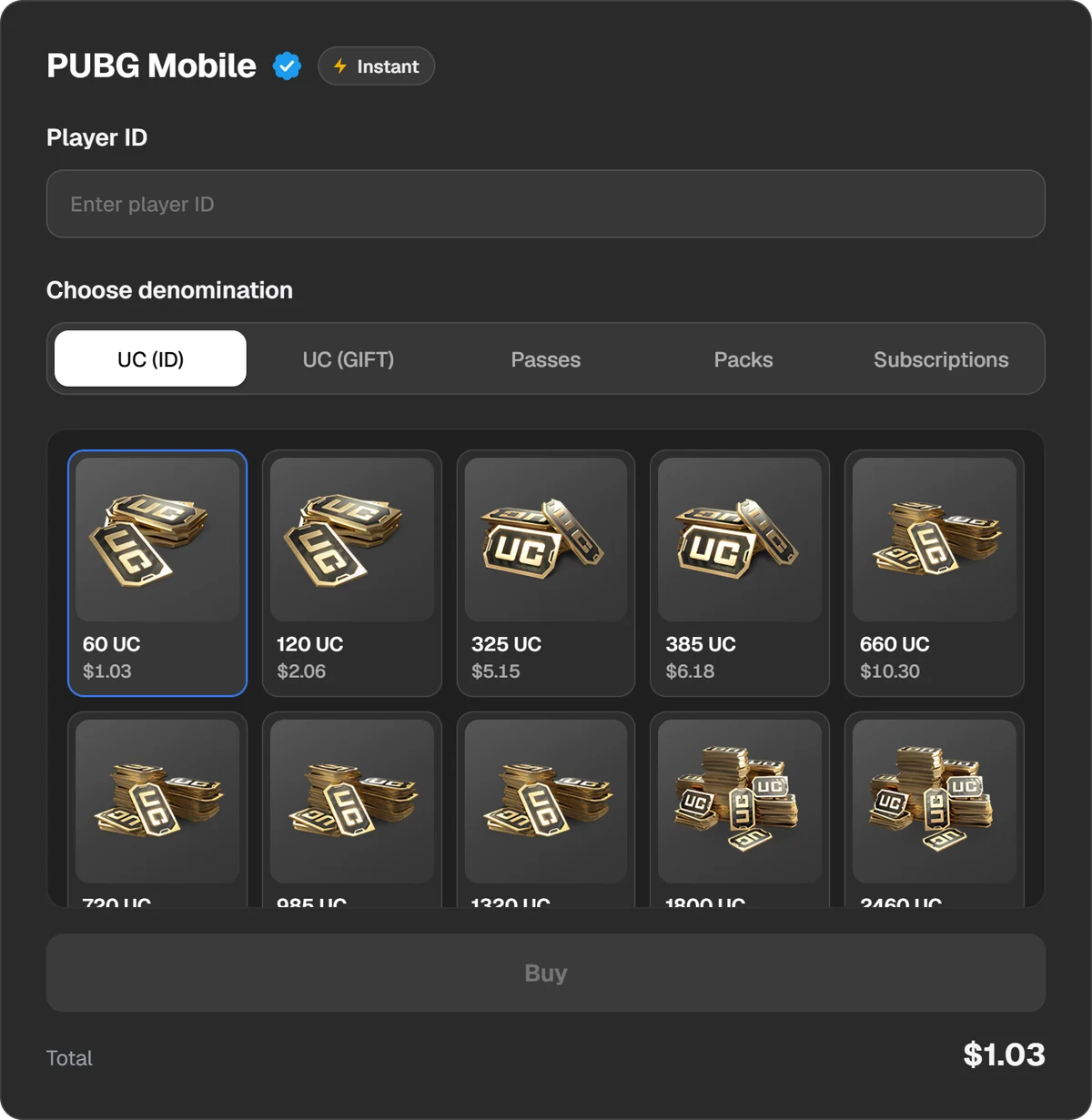
The order form: the player ID and the pack.
Pay
Choose USDT, TON, BTC or another coin, or Binance, Walt or TON Connect where listed.
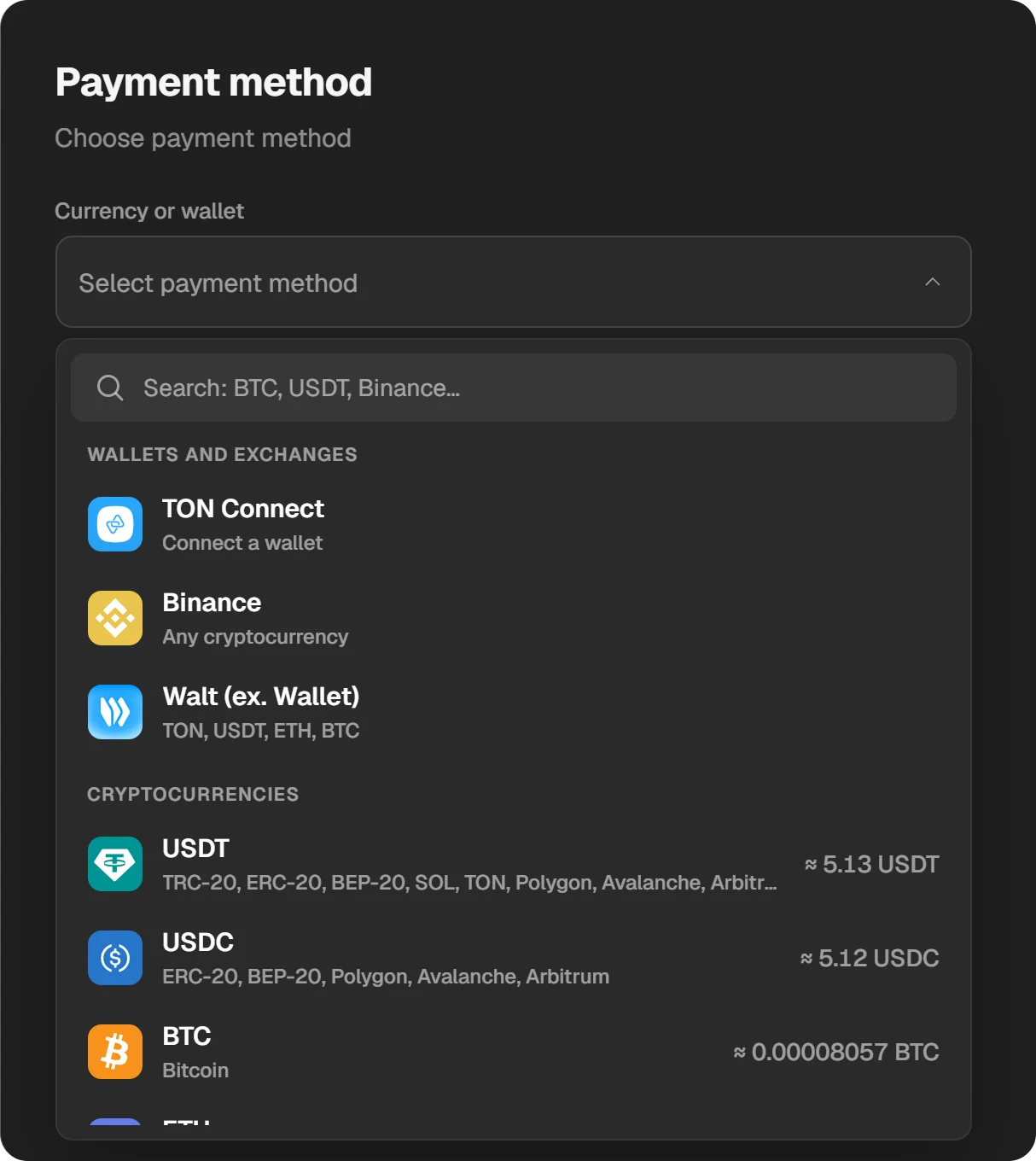
Payment methods.
Relaunch the game
When the order is Done, restart the game; the currency is on the balance.
Questions and answers
What is a top-up by ID?
A top-up by the player’s public number: enter the Player ID or UID and the currency arrives with no code and no password.
ID or code: which is better?
For yourself, by ID: fewer steps. For a gift, a code: easy to pass on.
What if I enter the wrong ID?
The currency goes to the account with that number, and a top-up cannot be undone. Check the ID first.
Where is my code after payment?
In the order window and in History at the top of the site. Tap to reveal it, then copy.