

You topped up Steam and the money did not arrive
Money sent to Steam almost never vanishes. Usually it is stuck at one of the steps: the payment is not confirmed yet, the order is still running, or the money arrived in another currency or on another account. Go down the list and you will find where it is.
In short
- First open the order where you paid. On Play Wallet that is “History” at the top of the site.
- If the order waits for payment, the network has not confirmed the transfer. If it is Done, the money has been sent to Steam.
- In Steam, restart the client and make sure you are signed in to the account whose login you entered.
- On a new account the money may arrive in another currency: Steam sets it on the first top-up.
- If everything matches and the money is not there, write to support with the order ID. We promise no times, but we will trace it by the number.
Step 1. Check the order status
| Status | Meaning | What to do |
|---|---|---|
| Waiting for payment | The network has not confirmed the transfer, or it has not reached the address. | Wait. If the network confirmed long ago, see Paid with crypto, but the order is unpaid. |
| Paid or Topping up | The payment arrived; the money is on its way to Steam. | Wait and do not create a second order. |
| Done | The top-up was completed and sent to Steam. | Go to step 2. |
| Error | The payment arrived but the order could not be completed. | The money returns to your wallet automatically; the order window shows when. |
| Payment time expired | The payment did not arrive in time and the order was cancelled. | If you did send coins, write to support with the transaction hash. |
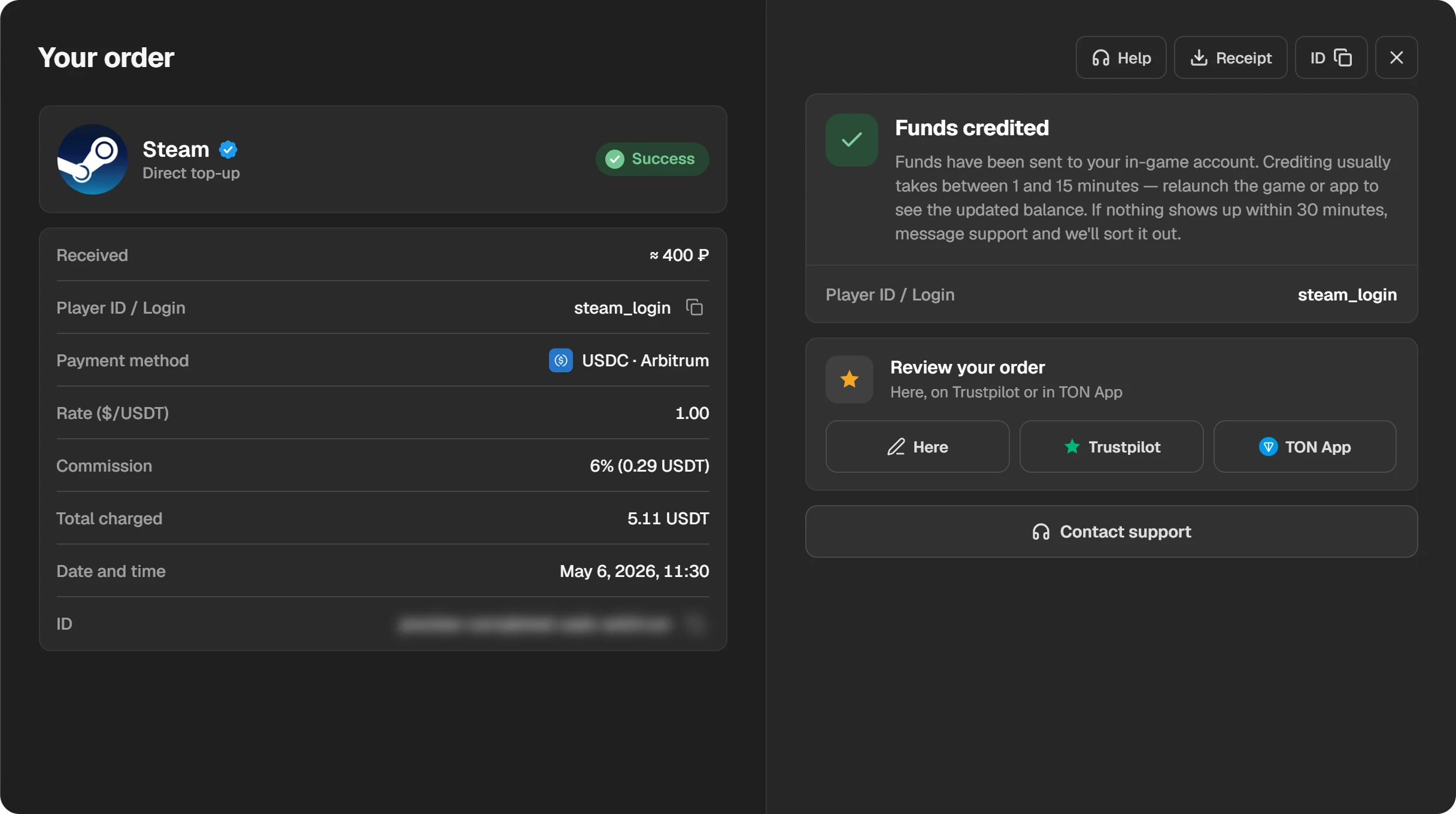
A finished order: status, amount, login, the Receipt and ID buttons.
Step 2. Check Steam
- Restart the Steam client or reload the page. The balance is at the top right, next to your profile name.
- Make sure you are in the right account: compare the login in the order with the one shown next to Account details in the menu under your name.
- Open Account details → Purchase history to see wallet activity.
- Check the balance currency. If it is not what you expected, see step 3.
Step 3. Common causes
- A new account. If the wallet was never funded, Steam sets its currency on the first top-up; the money may have arrived in tenge or dollars. See How to change the currency in Steam.
- Someone else’s login. The site checks that the login exists, not that it is yours. If it belongs to someone else, the money went to them, and Steam does not move funds between accounts. Write to support with the order number anyway.
- A little less than expected. Steam has its own rate, so the credited amount can differ slightly from what the site showed.
- Steam’s limit. Steam accepts no more than 2,000 dollars into a wallet in 24 hours, stored and spent together; deposits above may wait until activity drops.
- You bought a code, not a top-up. A wallet code does not reach the balance by itself: redeem it at store.steampowered.com/account/redeemwalletcode. The code is in the order window and in “History”.
Do not create a second order while the first is still running, or you will have two payments to sort out.
Step 4. Write to support
- the order ID (the ID button in the order window or in “History”);
- the Steam login you topped up;
- for coin payments, the transaction hash from your wallet or exchange;
- a screenshot of the Steam balance or purchase history.
Send these to Play Wallet support. Steam Support handles payments made in Steam itself; for those, Steam says to check the purchase email, the account and restart the client, and to contact Support if the funds do not appear within two hours.
If you did not pay on Play Wallet
We see only our own orders. Write to whoever took your payment and attach the receipt. How to top up Steam with us next time if you used to pay from your phone, in a bank app or through Yandex is in those articles.
How to avoid it next time
- Copy the login from Steam instead of typing it from memory: How to find your Steam login.
- Choose the country your Account details show.
- Top up a new account with a small amount first.
- Send exactly the amount, on exactly the network, shown in the payment window.
Once this payment is sorted out, the next one can start on our Steam top-up page: the login is checked before you pay and the order shows in “History”.
Questions and answers
Why has my Steam top-up not arrived?
Most often the payment is not confirmed yet, the money went to another login, or it arrived in another currency. Start with the order status in “History”.
The order is Done but my balance has not changed.
Restart Steam and check that you are in the account with the login from the order. If everything matches, write to support with the order ID.
I typed the wrong login. Can I get the money back?
If the login is someone else’s, the money is in their wallet, and Steam does not move funds between accounts. Write to support, but we cannot promise a return.
Less arrived than the site showed. Why?
Steam uses its own rate, so the amount can differ slightly. A large gap usually means the wallet currency is not what you expected.
How long should I wait?
Coin payments are credited after the network confirms them, which takes different time for different coins. The order status shows where the money is.
Whom do I write to: Play Wallet or Steam?
If you paid on Play Wallet, our support. Steam Support handles payments made in Steam itself.
