

A Steam top-up by login instead of MTS or Beeline
MTS and Beeline run Steam top-ups of their own, and Play Wallet tops up the same wallet by login for crypto. No password is needed, and the amount and the fee are shown before you pay.
In short
- Top up Steam on Play Wallet: you need the account’s country, the login and some crypto. It all works in a phone’s browser.
- Before payment the form checks the login and shows what reaches Steam, the fee and the total.
- The order stays in “History” with a receipt and a number. You do not have to register to buy.
- We take no phone balance, bank cards or SBP. Without crypto, see how to buy it for roubles.
What you need instead of a phone balance
- Your Steam login. It is the name you sign in with, not the nickname: see How to find your Steam login. No password or Steam Guard code is needed.
- A wallet or an exchange with crypto. Binance, Walt in Telegram, a wallet with TON Connect, or a transfer of USDT, TON, BTC and other coins.
- With roubles only, buy a little USDT or TON first. The ways and the risks are in Buying crypto for roubles.
How to top up Steam from a phone on Play Wallet
Choose the country, enter the login and the amount
Open Steam top-up, choose the account’s country and enter the login. Wait for the check, then set the amount. The bottom of the form shows what reaches Steam, the fee and the charge.
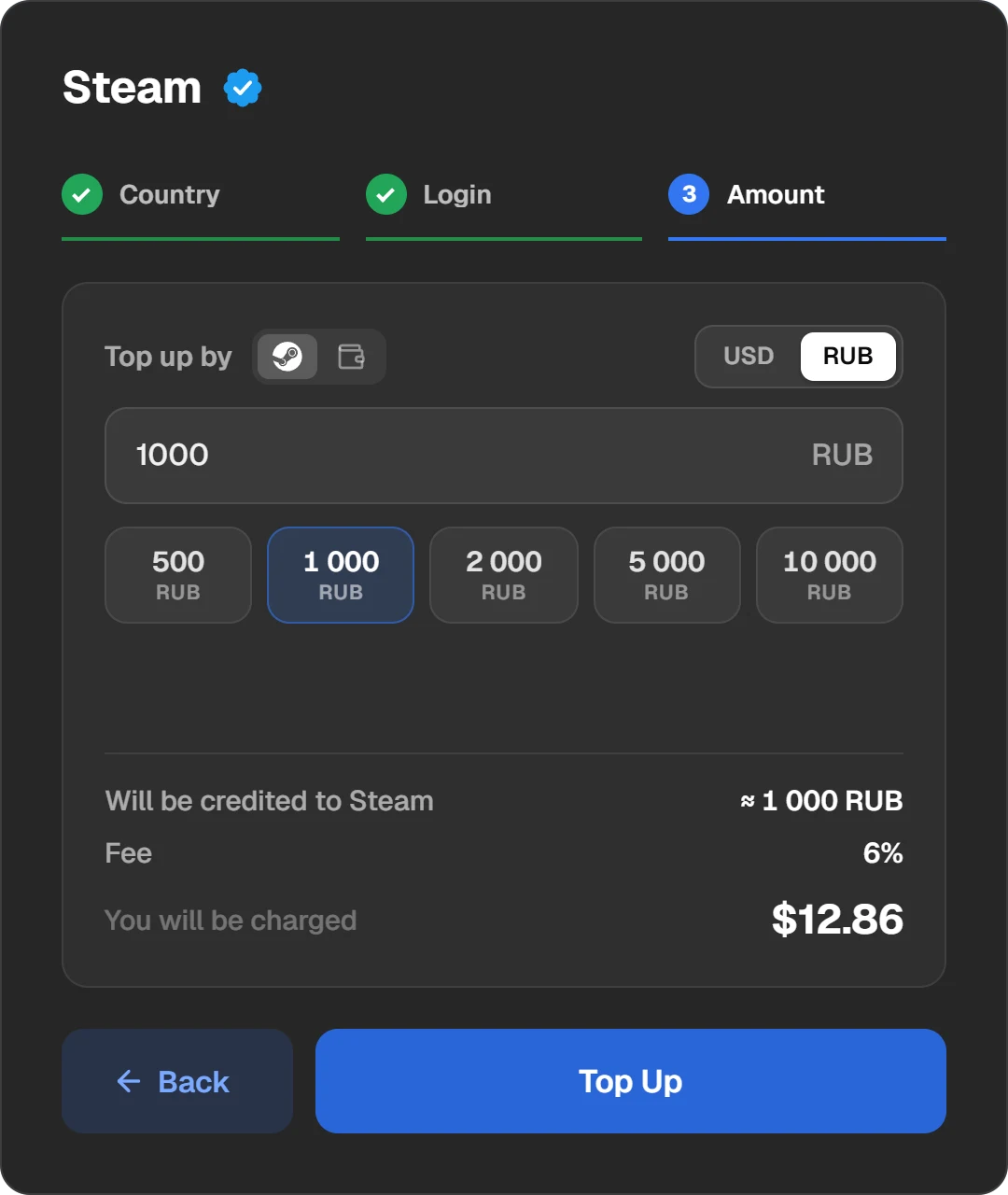
Country, login and amount. The credited amount and the fee are shown before paying.
Choose how to pay
Press “Top Up”. If your coins are in Walt, choose it and confirm in Telegram. If they are on an exchange or in another wallet, choose Binance, TON Connect, or a coin and its network.
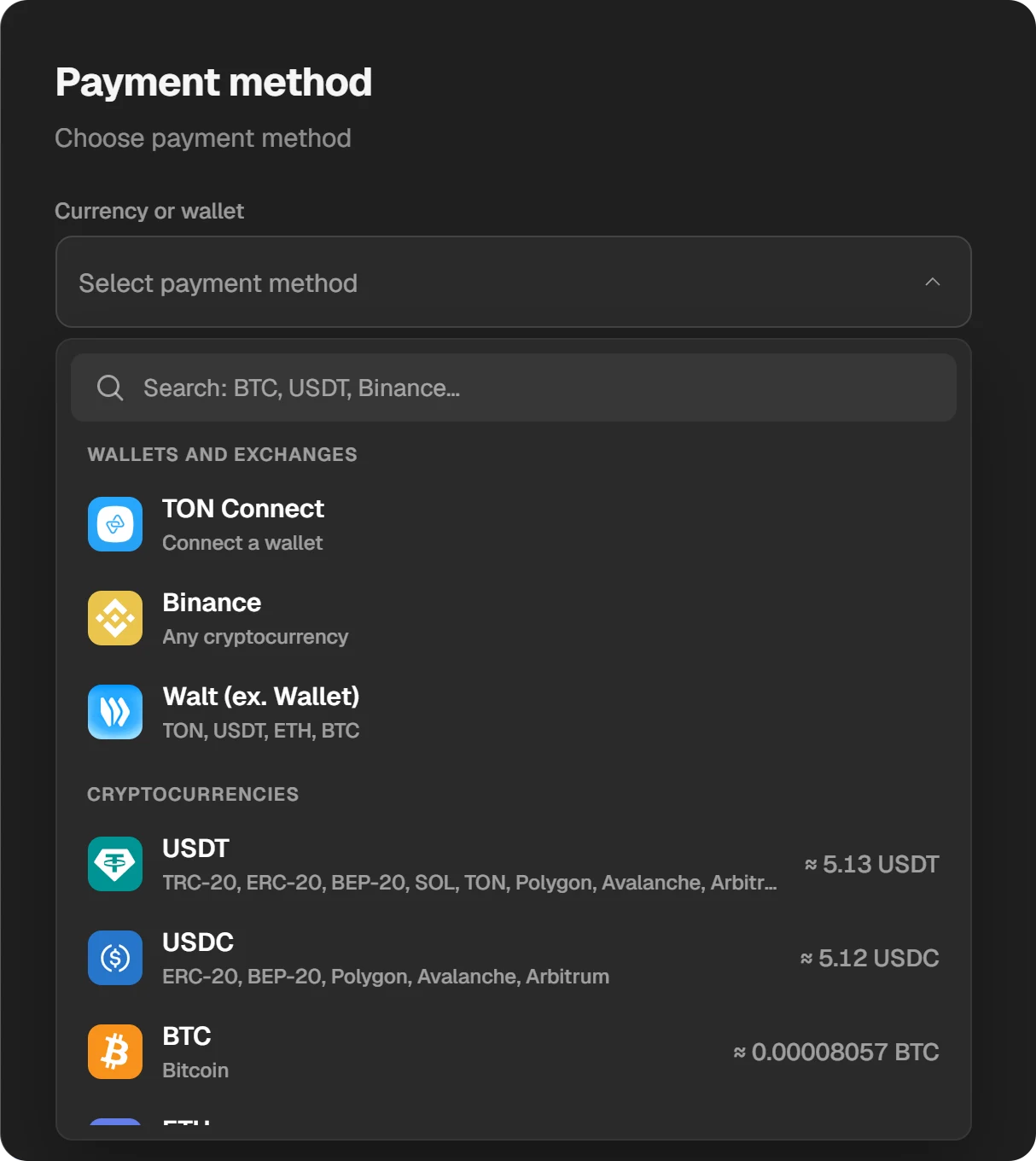
Payment methods on Play Wallet: crypto only.
Pay and check the order
Send exactly the amount shown. The order goes Created, Paid, Topping up, Done and stays in “History” at the top of the site, with a receipt and a number.
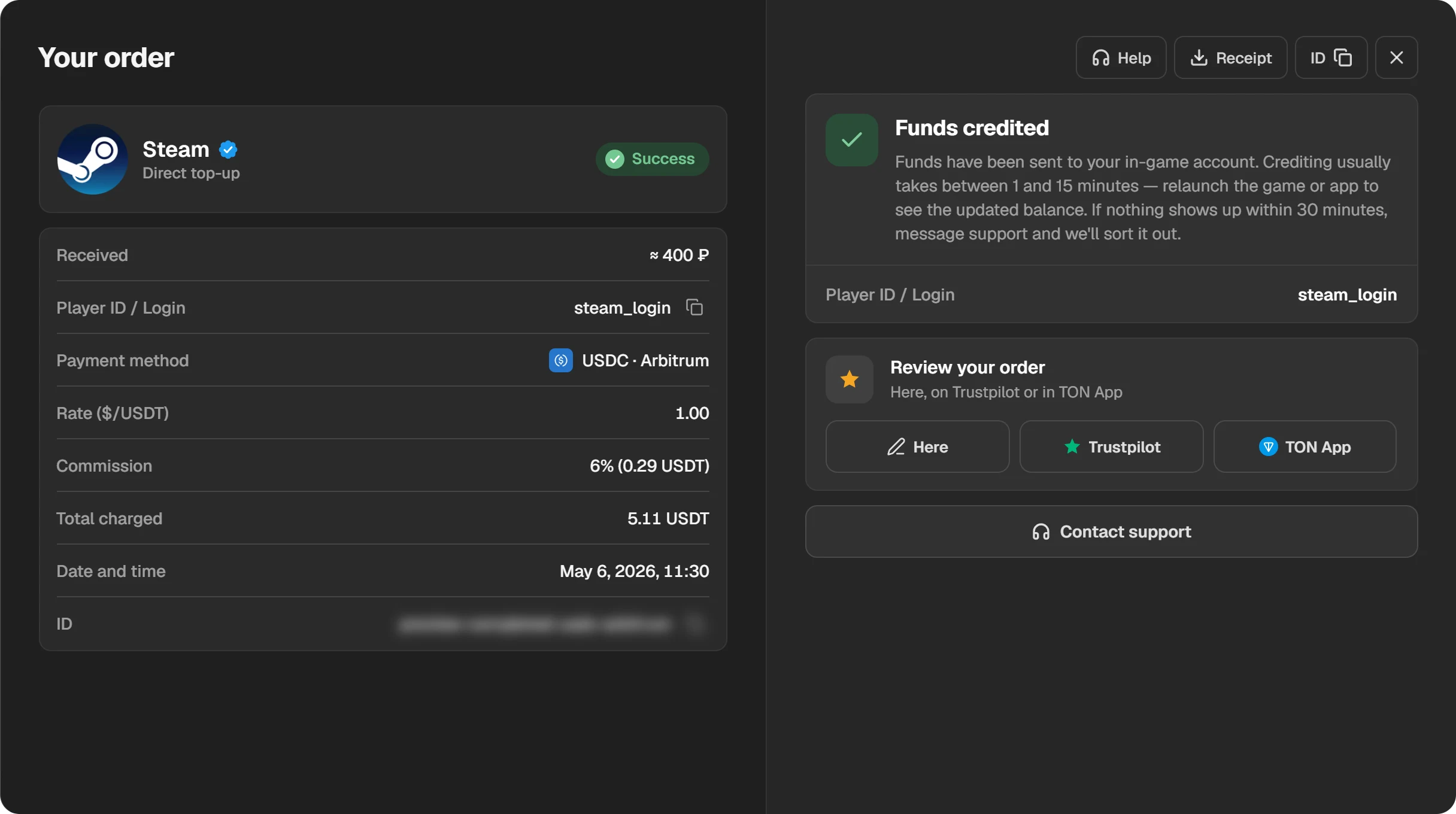
A finished order: amount, login, receipt and order number.
An MTS promo code and a Play Wallet one
The operators’ offers and codes do not apply to our orders. If you have a Play Wallet code, press “Have a promo code?” in the payment window and see the new total before you send anything. How to tell a code from a scam: Promo codes for a Steam top-up.
Check before you pay
- The login. The check says that it exists, not that it is yours. Steam does not move wallet funds to another account.
- A new account. If it was never funded, Steam may set another region and currency. Start small and use no VPN: see How to change the currency in Steam.
- The network. It must be the same at the sender and in the payment window. An exchange may take a withdrawal fee, so watch what arrives.
Whom our top-up does not suit
- Those who will pay only from a phone balance, by card or by SBP. We take crypto.
- Accounts of other countries. By login we top up Russia, the CIS, Ukraine and Georgia. For Turkey, the US, Poland and some other countries we have Steam codes: the form offers them once you choose the country.
- Amounts outside the limit. As of 22 November 2026 one order by login is $0.50 to $400. Steam’s own limit is $2,000 in 24 hours.
Crypto already on your phone? Open the Steam top-up, enter the login and see what will reach the wallet.
Questions and answers
Can I pay on Play Wallet from an MTS or Beeline balance?
No. We take crypto: Binance, Walt, TON Connect, USDT, TON, BTC and other coins.
What does Play Wallet charge for a Steam top-up?
The fee is at the bottom of the form, next to the credited amount and the total, all shown before you pay.
Does an MTS promo code work on Play Wallet?
No. The payment window takes Play Wallet codes only, under “Have a promo code?”.
Do you need my phone number or Steam password?
Neither, for a top-up by login. You need the account’s country, the login and the amount.
Can I top up a Turkish or US account?
Not by login. We have Steam codes for both: choose the country in the form to see the values.
What if the money does not arrive?
Open the order in “History”, copy its number and write to support.
