

How to buy PS5 and PS4 games from Russia
You cannot buy a game in PS Store on a Russian account: Sony has suspended the store in Russia. Here is, honestly, what still works, what Sony’s rules allow, and where our shop helps and where it does not.
In short
- PlayStation Store is suspended in Russia. A Russian account cannot be topped up or buy games.
- Digital games are bought on an account of another country, topped up with a PS Store card of that same country.
- An account’s country cannot be changed, and Sony’s rules require the country you live in.
- We sell PS Store wallet cards for US, German, French, Austrian, Belgian, Polish, UAE, Indian and Turkish accounts. We do not sell games or accounts.
- Discs need no PS Store but do need a PS5 with a disc drive. Sony says new games will be digital only from January 2028.
What happened to PS Store in Russia
PlayStation’s Russian support pages carry a warning: PlayStation Store’s operation in Russia is suspended. A Russian account’s wallet cannot be topped up and it cannot buy games, on a console or on the web.
Changing the account’s country is not possible either. Sony says so directly: the country or region cannot be changed after the account is created. That leaves three ways.
| Way | What you need | Pros and cons |
|---|---|---|
| A digital game in PS Store | An account of another country and a PS Store card of that country | Any game in the store. Only right if the account’s country really is where you live |
| A disc | A PS5 with a disc drive, or a PS4 | No store needed. Add-ons are bought in PS Store and must match the disc’s region |
| PS Plus Extra or Premium catalogue | A subscription on an account of another country | Hundreds of games for a monthly fee. Games leave the catalogue; you do not own them |
Way 1. Digital games on an account of another country
The PlayStation Store wallet accepts only prepaid cards of the account’s own country. A US card tops up a US account, a Polish card a Polish one. No card tops up a Russian account.
Sony’s rules require the country you live in and true details at sign-up. Sony may suspend an account created with false information, with its games, and may check your country against your bank card. We do not recommend using someone else’s address. Our cards are for people who already have an account of that country, for example because they live or lived there.
To check your account’s country: on the PlayStation website open Account Management, Your Information, Edit your Residential Address; the country is at the bottom. In the PlayStation App: Settings, Account Information, Residential Address.
Topping up and buying a game
Choose the account’s country and the amount
Open PlayStation, choose your account’s country in the country field and pick a card. The price and the fee are shown before you pay. No PlayStation password is needed: you are buying a code.
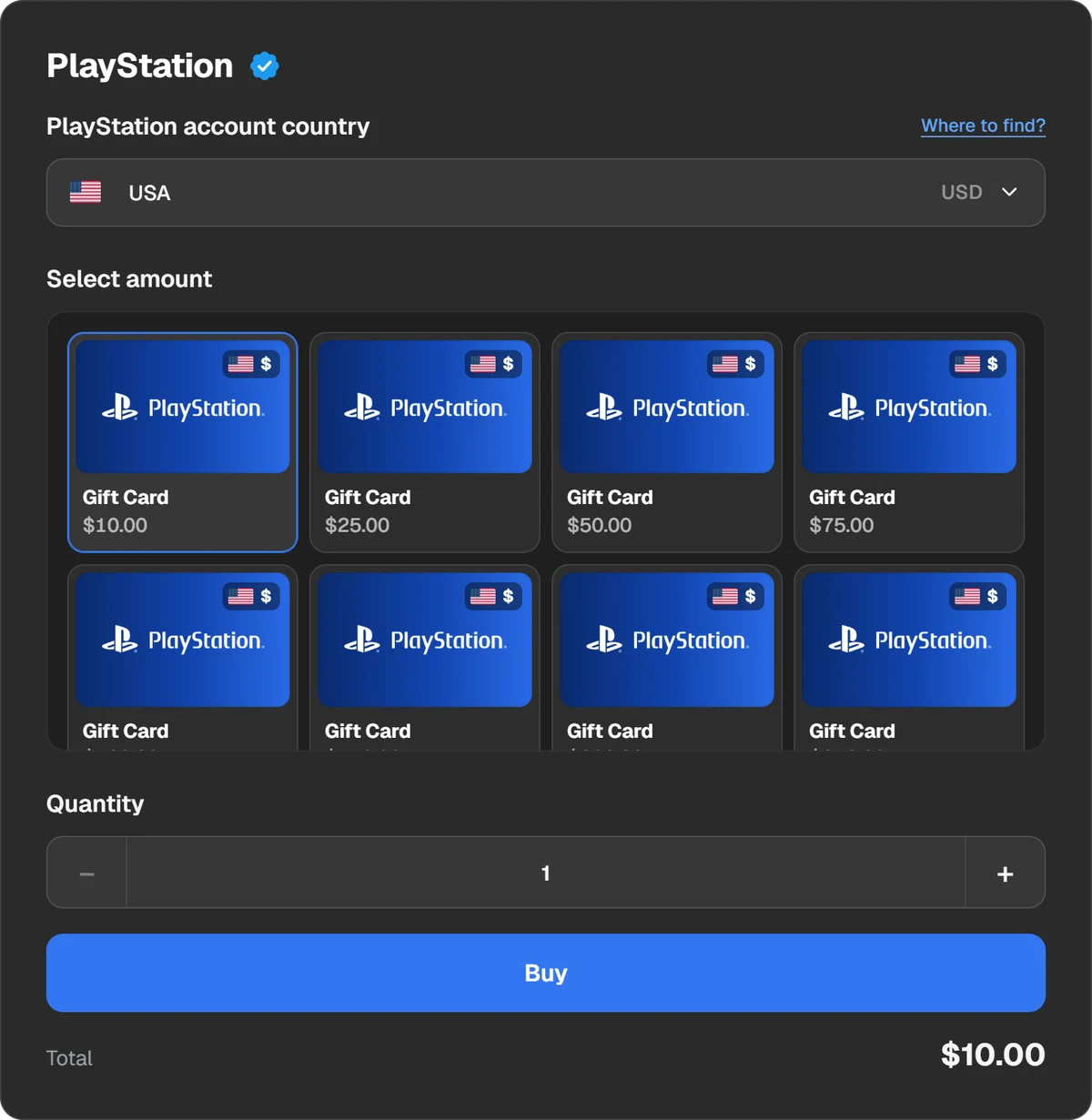
The account’s country and the PS Store card amounts.
Pay
Choose how to pay: USDT, TON, BTC and other coins, Binance, Walt or TON Connect. If you pay with a coin, pick the network you send from.
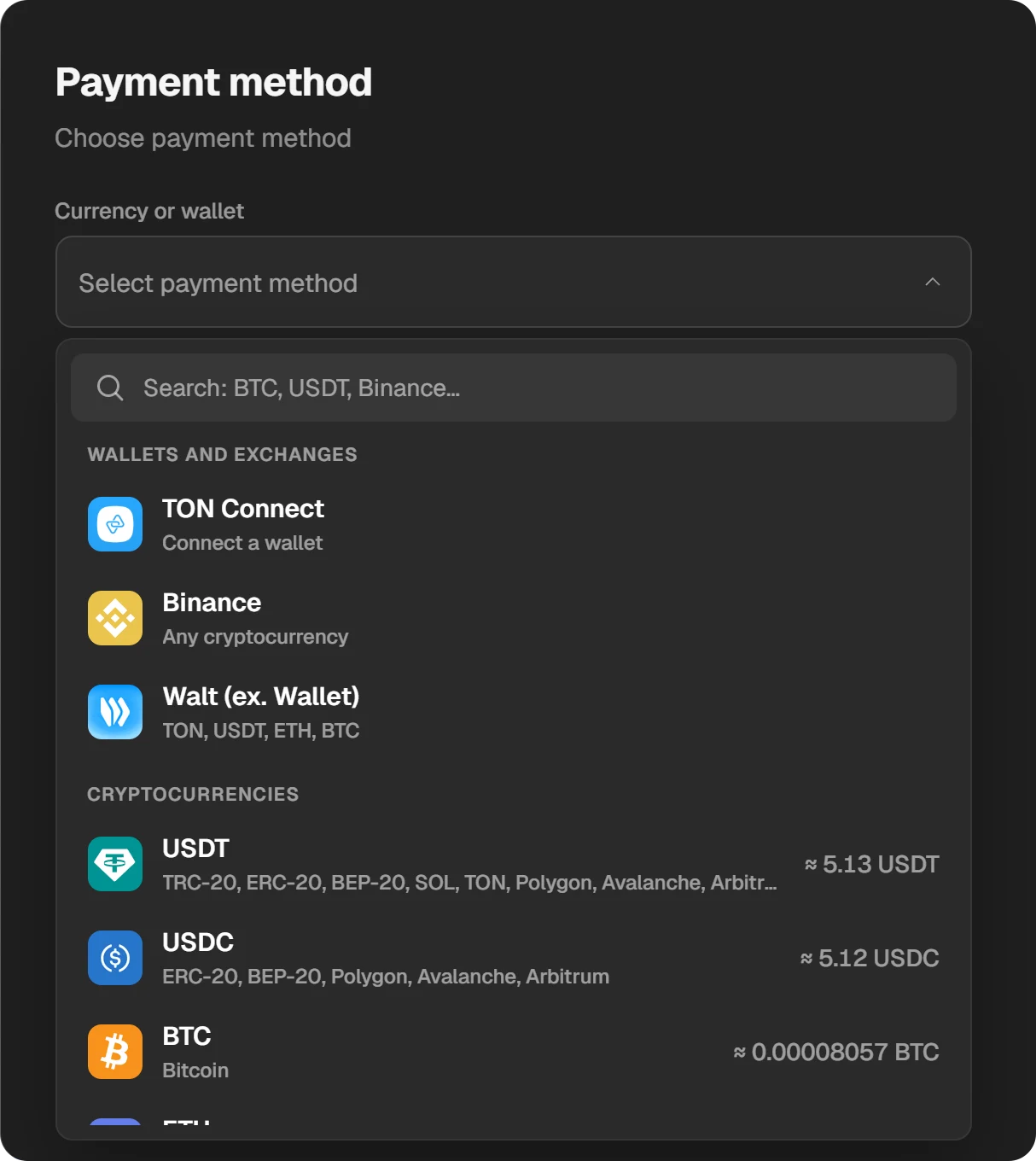
The amount needed in each coin is in the list.
Copy the code
The 12-character code appears in the order window. If you closed it, the code stays in “History” at the top of the site.
Redeem the code
On PS5: PlayStation Store, the triangle button, “…”, Redeem Code. In a browser: your profile icon on store.playstation.com, then Redeem Code. The money appears in the wallet.
Buy the game
Find the game in PS Store and pay from the wallet. It goes to your library, ready to download.
Pick a card with a margin so the game’s price fits the balance. Every way to redeem a code, including from a phone: How to redeem a PS Store code. More on topping up: How to top up PS Store from Russia.
Way 2. Games on disc
A disc plays without buying anything in PS Store. It is the simplest way if you have no account of another country. Check your console first:
- A PS5 with a disc drive reads PS5 and PS4 discs.
- The PS5 Digital Edition has no disc drive. Sony sells a separate drive for the slim Digital Edition (CFI-2000 and CFI-2100) and for the PS5 Pro. Pairing it the first time needs the internet.
- A PS4 reads PS4 discs.
Add-ons for a disc game are bought in PS Store, and Sony says an add-on will not work with a disc if their countries or regions differ. The game’s region is in the small print on the back of the box.
One thing for the future. On its PS5 page Sony warns that from January 2028, newly released games on PlayStation will be sold in digital format only, in PS Store and at retailers. Discs of games released earlier will keep working.
Way 3. A PS Plus subscription
If you play a lot, do the maths on a subscription. PS Plus Extra and Premium (Deluxe in some countries) include a catalogue of hundreds of PS5 and PS4 games. You do not own them, and games leave the catalogue from time to time. The subscription is paid from the same account’s wallet.
Prices by country: How much PS Plus costs. The tiers compared: PS Plus Essential, Extra, Premium and Deluxe.
What we advise against
- Someone else’s address at sign-up. It breaks Sony’s rules, and it is your games at risk.
- Buying ready-made accounts or “renting” games on someone else’s account. The owner can take it back and your money is gone. See The risks of buying a game account.
- A card of the wrong country. A US card will not go onto a Polish or Turkish account, even if that store shows prices in dollars.
Questions and answers
Can I buy a game on a Russian PlayStation account?
No. PS Store is suspended in Russia, and no card tops up a Russian wallet.
Can I change my PSN account’s country?
No. Sony says the country cannot be changed after the account is created. You would need a separate account, and the rules require the country you live in.
Do you sell PS5 games?
No. We sell PS Store wallet cards. You buy the game yourself in PS Store with the wallet money.
Which countries do you have cards for?
US, Germany, France, Austria, Belgium, Poland, the UAE, India and Turkey. The current list is on the PlayStation page.
Will a disc from another country work?
The game on the disc needs no PS Store. Its add-ons work only if their region matches the disc’s.
Can a PS5 Digital Edition play discs?
Only with Sony’s separate disc drive. It fits the slim Digital Edition (CFI-2000 and CFI-2100) and the PS5 Pro, not the first Digital Edition (CFI-1000).
