How to top up a PS Store wallet with a gift card
A PS Store wallet is topped up with a gift card of the account’s country: you buy a 12-digit code and enter it in PlayStation Store. Here is how to pick the right card and the whole way from buying to redeeming, with screenshots.
In short
- The wallet accepts only cards of the account’s country, and the country cannot be changed.
- We have cards for US, German, French, Austrian, Belgian and Polish accounts; the current list is on the PlayStation page.
- You get a 12-digit code, redeemed on a console, in a browser or in the PlayStation App.
- A code works once; funds cannot be moved to another account.
- PlayStation Store has suspended operations in Russia.
The country rule
A PlayStation account’s country is chosen at sign-up and cannot be changed later. Under Sony’s terms the wallet accepts only prepaid cards of that country, so the card must match your account.
Sony’s terms say you choose your country of residence at sign-up and all details must be true. Sony may suspend an account created with false details.
Which countries we have cards for
| Account country | Card currency |
|---|---|
| United States | dollars |
| Germany, France, Austria, Belgium | euros |
| Poland | złoty |
Euro cards differ by country, so pick your account’s exact country. The PlayStation page shows the countries and amounts on sale in its “PlayStation account country” field.
How to check your account’s country
- Sign in to Account Management on the PlayStation website.
- Select Your Information, then Edit and Residential Address.
- The country or region is shown at the bottom. The card must be for that country.
Step by step
Choose the country and amount
Open PlayStation top-up, choose your account’s country and the card amount. You buy a code, so no PlayStation login is needed. The price and the fee are shown before you pay.
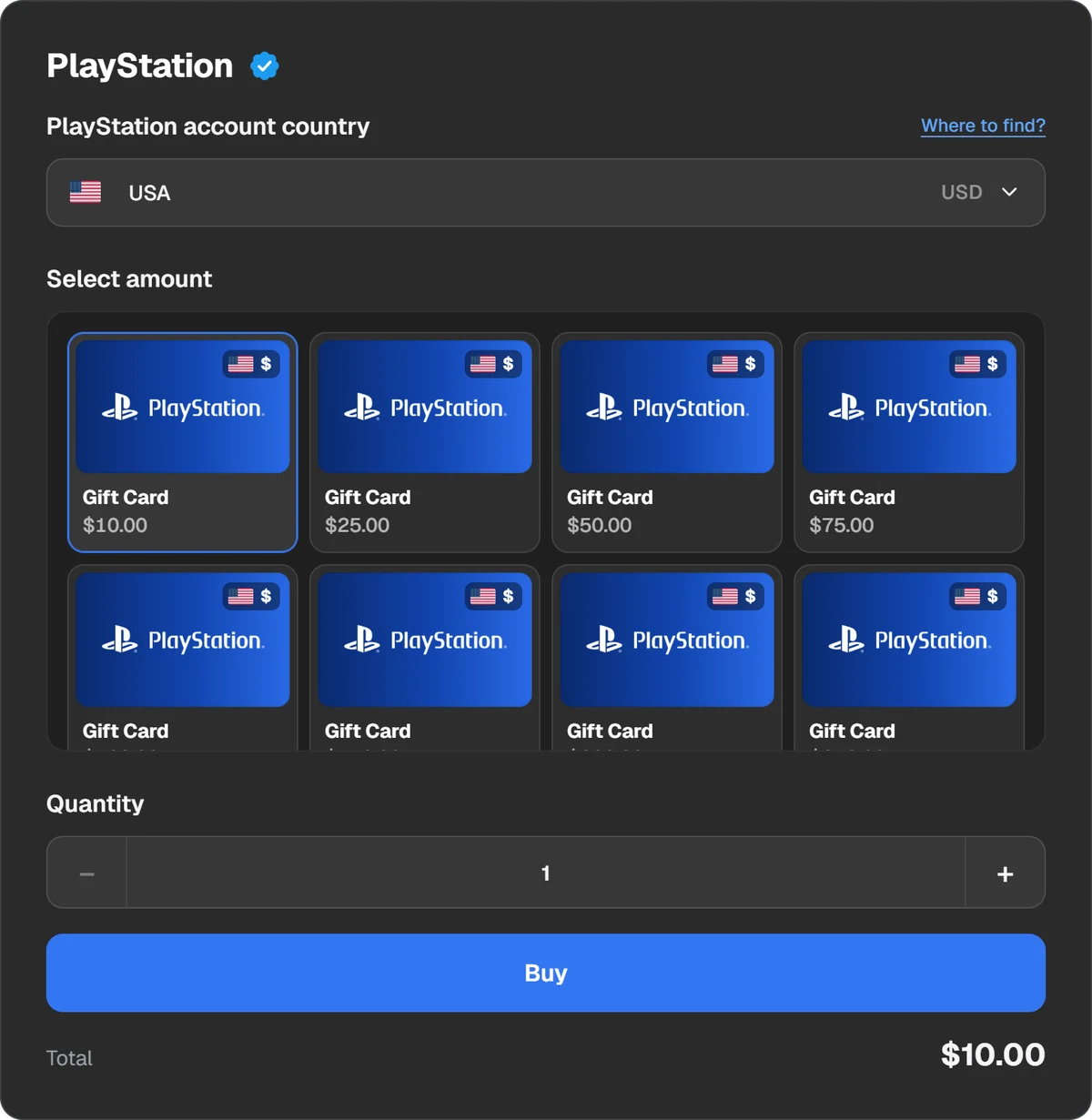
Account country and card amounts.
Pay
Press “Buy” and choose how to pay: USDT, TON, BTC and other coins, Binance, Walt or TON Connect. For a coin, choose the network you send from.
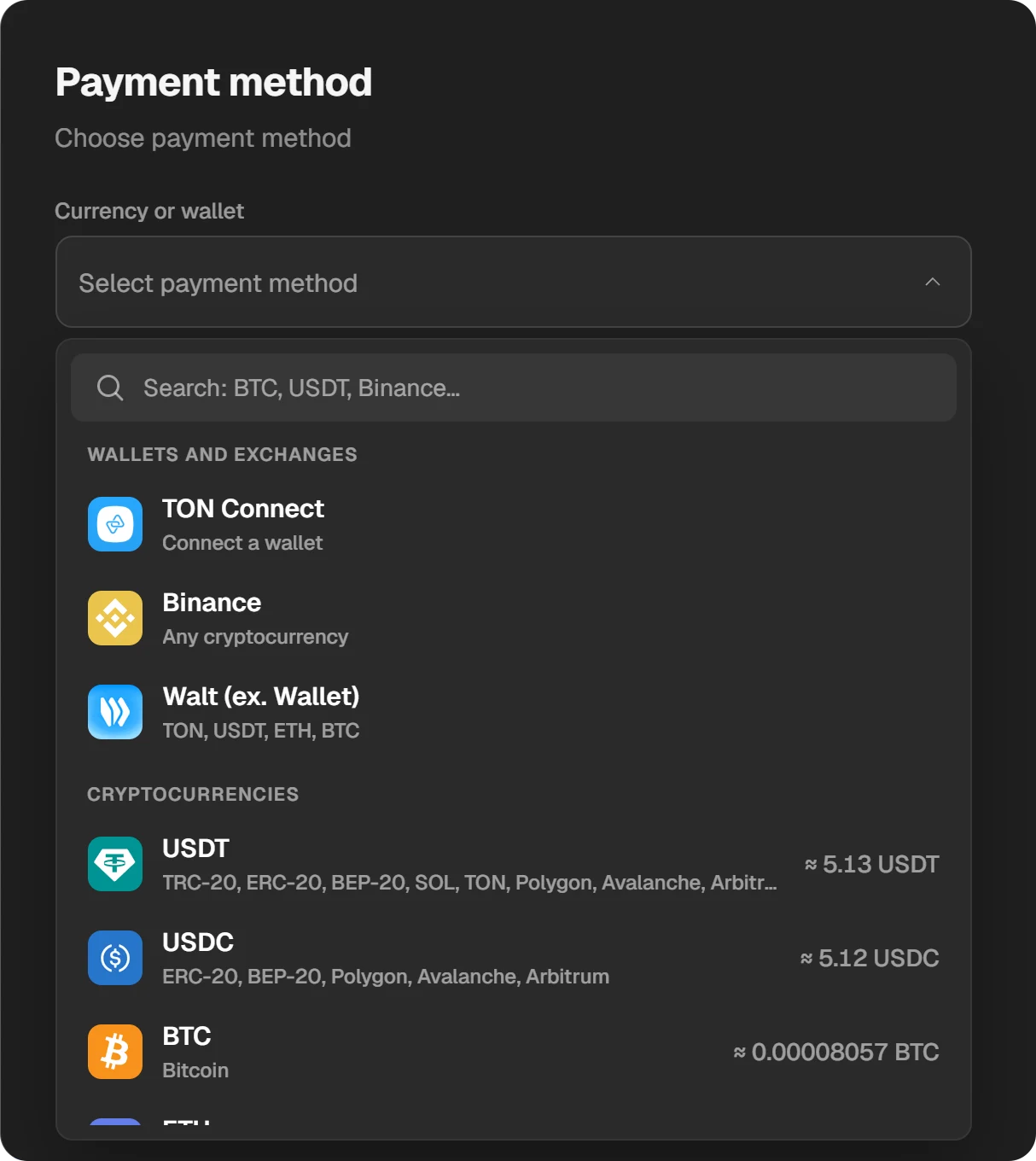
Payment methods, with the amount in each coin.
Copy the code
When the order is done, the code appears in the order window. It is hidden: click to reveal and copy it. If you closed the window, the code is in “History” at the top of the site.
Redeem the code
On PS5: PlayStation Store, triangle button, “… (More)”, Redeem Code. In a browser: your profile at the top of PlayStation Store, Redeem Codes. Enter the 12 digits and confirm; the funds appear in your wallet at once.
Every device step by step: How to redeem a PS Store code.
What the wallet pays for
Wallet funds pay for anything in your account’s store: games and add-ons, in-game currency, season passes and PS Plus. Choose the wallet at checkout; if it is short, the store asks for another method for the rest. Pick a card amount that covers the price of what you want; the remainder stays in the wallet.
About the wallet
- There is a limit. Sony caps how much a wallet can hold. A card that would go over it cannot be applied until you spend some funds.
- Funds stay put. Wallet funds cannot be moved to another account.
- Child accounts. The family manager redeems wallet codes on their own account and sets the child a monthly spending limit.
- Redeem at checkout. The payment method menu has an option to redeem codes and gift cards.
Common mistakes
- A card for another country. A US code does not work on a German account, nor a German card on a French one.
- 10 digits instead of 12. A 10-digit code is a discount code applied in the cart, not a top-up.
- Funds not showing. Restart the console, or sign out and back in with the account that redeemed the code.
- Code already used. Each code works once. If you did not redeem it, write to support with the order number.
Questions and answers
Can I change my PlayStation account’s region?
No. Once the account is created its country cannot be changed.
Does a German card work on a French account?
No. Even with the same currency, the card must be for your account’s country.
How many digits does a PS Store code have?
Twelve. A 10-digit code is a discount code and does not add funds.
Where is my code if I closed the window?
In “History” at the top of the site: open the order and the code is there.
Can wallet funds pay for PS Plus?
Yes. Wallet funds pay for games, add-ons and PS Plus. See How to pay for PS Plus.