How to buy RP in League of Legends with a Riot code
League of Legends is free; there is no game to buy. Money buys only RP, the currency for skins, champions and passes. The main question when buying a code is which server your account is on: it decides whether the code fits.
In short
- League of Legends is free to play. What you buy is RP and the content it unlocks.
- RP is bought in the client’s store or with a Riot code. A code works only in the region it was issued for.
- We sell Riot Access codes in euro. They are meant for accounts on the European servers.
- Russia (RU) is a separate server. A euro code is not for it, and an RU account cannot transfer elsewhere.
- Redeem in the client: Store, Account, Redeem Codes. Or at shop.riotgames.com/redeem.
What RP is and what it buys
RP (once Riot Points) is the paid currency of League of Legends and Teamfight Tactics on PC. The game itself is free: you can download the client and play without paying. RP is for things that do not make you stronger in a match, or that simply save time.
- champion skins, chromas, ward skins, emotes, icons;
- champions, if you would rather not earn them by playing;
- event passes, bundles, chests, boosts;
- an account transfer to another server where it is allowed: 2600 RP.
Which server your account is on
League of Legends has 15 regional servers, among them Europe West (EUW), Europe Nordic & East (EUNE), Russia (RU) and Turkey. An account is linked to one server. It decides the store prices, the payment methods and which code the account accepts.
Checking is easy: on the client’s login screen, click the cog in the bottom right corner. Your region is shown there.
Some servers are closed to transfers. Riot says accounts cannot be transferred to Brazil, Russia or Korea, and accounts in Russia or Brazil cannot transfer out. So an RU account stays an RU account, and the code must match it.
Which Riot code fits you
Riot has one rule: a cash code can be redeemed only in the region where it was purchased. Our Riot Access codes are issued in euro, for the European region.
| Account server | Our euro code | What to do |
|---|---|---|
| EUW or EUNE | Made for this region | Pick the amount you need. Riot shows the RP total before you confirm. |
| RU (Russia) | Not meant for this server | Do not buy a euro code on a guess. Ask support before paying. For RU payment options, look in the client’s store. |
| Turkey, North America and others | Will not fit | You need a code of your own region. We have none for League of Legends. |
To be plain: if you play on the RU server, we most likely cannot solve this for you. Riot gives no confirmation that an RU account takes a euro code, and by its general rule it should not. There is no need to test that with your own money.
Buying RP in the client
The official way is the same on every server: open the store in the client and select Purchase RP. Riot shows the payment methods available in your region there. Which of them work with your card depends on your bank and the account’s region, so open the store and check the list.
How to buy a Riot Access code on Play Wallet
Choose the amount
Open Riot Access. Codes range from 2.5 to 100 euro. Make sure your account is on a European server.
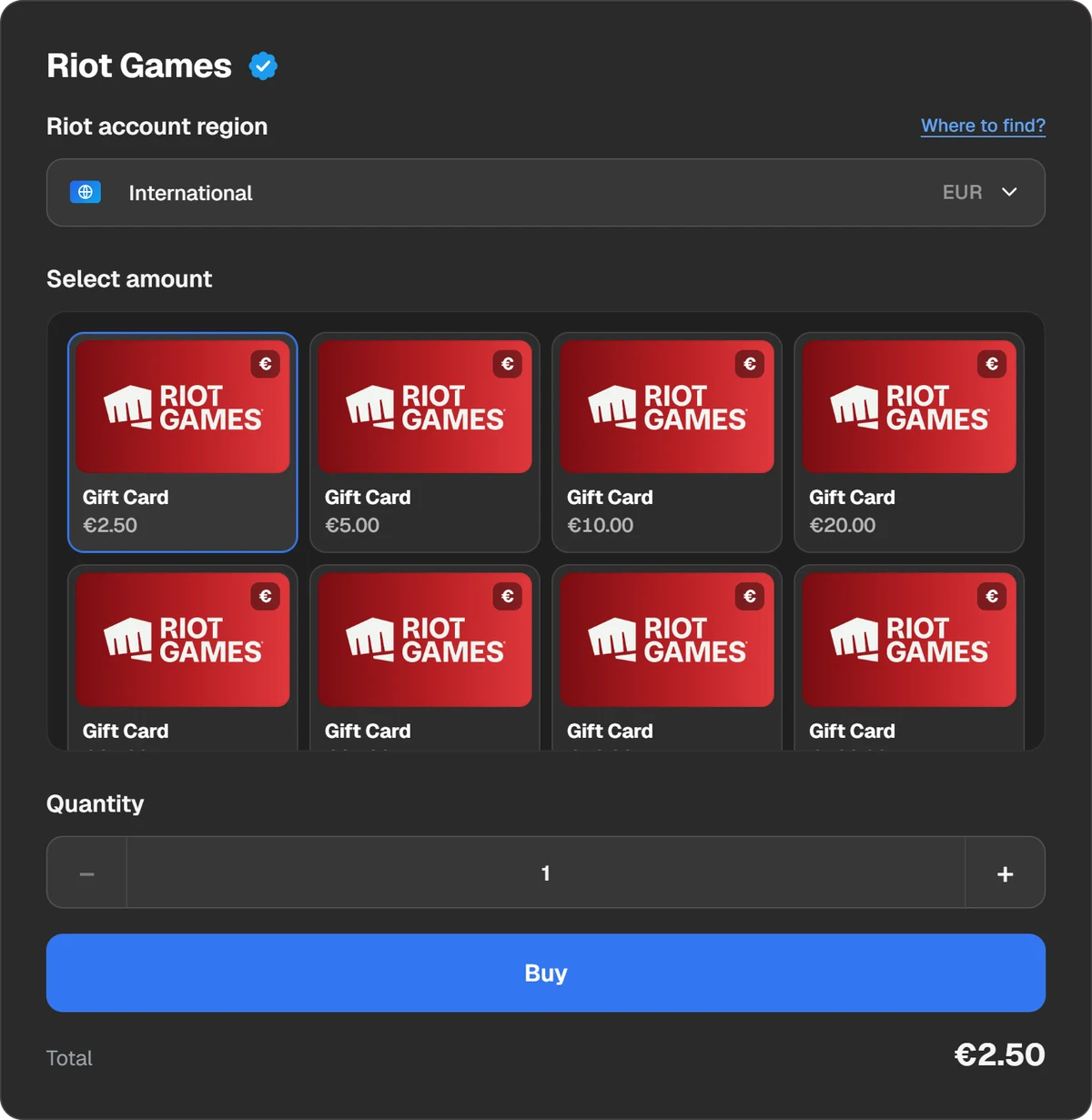
Riot Access code amounts in euro.
Pay
Press Buy and the payment window opens. You can pay in USDT, USDC, BTC, TON and other coins, or through Binance, Walt and TON Connect. The total and the fee are shown before you pay.
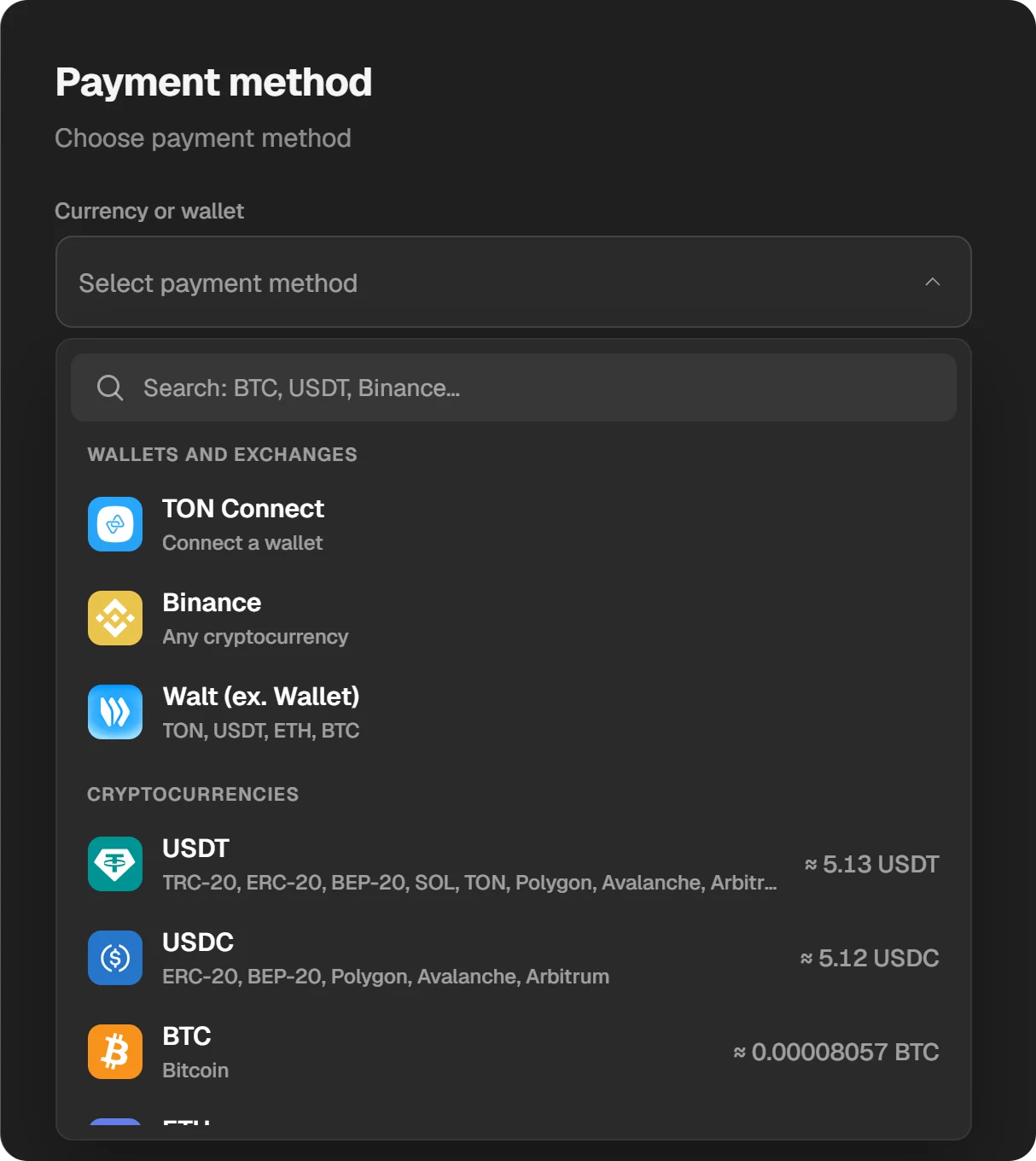
Choosing a coin or a wallet in the payment window.
Copy the code
When the order is done, the code appears in the order window and stays in History at the top of the site. We ask for neither your Riot ID nor your password: you redeem the code yourself.
How to redeem the code in League of Legends
- Open the League of Legends client and click Store.
- Click the Account button at the top right of the store.
- Select Redeem Codes.
- Enter the code with no spaces and click Submit.
The other way is shop.riotgames.com/redeem. Enter the code, select Redeem Code, sign in and choose League of Legends. Before the last click the site shows a summary: check the game and the amount. RP usually arrives at once, occasionally within 24 hours.
A code goes to one game and one account in full. It cannot be split between League of Legends and VALORANT. Error messages and what to do about them are covered in Riot Access Code explained.
TFT and Wild Rift
League of Legends and Teamfight Tactics on PC share an account and a server, and both use RP. Riot’s article on codes gives the same steps for League and TFT.
Wild Rift is a separate mobile game. Riot’s article on cash codes does not cover it, and we do not sell Wild Rift top-ups.
Refunds: know this in advance
- RP bought with money. Riot refunds only unused RP, within 14 days, to the same payment method.
- RP from a code. Riot does not refund prepaid cards. League’s refund policy says so.
- Purchased content. An unused skin or champion can be refunded within 14 days. After that you need refund tokens: an account has three, and one comes back each year.
- Never refunded: gifts, bundles, chests, event passes, boosts, account transfers.
What to avoid
- RP “by logging in to your account”. Riot warns that the official ways to buy RP are the in-game store and prepaid cards. Anyone asking for your login and password is asking for the account.
- Buying an account on the “right” server. Riot’s terms forbid selling and transferring accounts, and the previous owner can reclaim one. See the risks of buying accounts.
- “Getting around the region”. A VPN does not change an account’s region: the code is checked against the account’s server.
Play VALORANT too? We have codes for four regions there: which Valorant code region to choose.
Questions and answers
Do I need to buy League of Legends?
No, the game is free. Money buys RP, and RP buys skins, champions and passes.
How do I find my account’s server?
On the League of Legends login screen, click the cog in the bottom right corner: the region is shown there.
Will a euro code work on a server outside Europe?
It is not meant to. Riot accepts a code only in the region it was issued for.
Where do I enter an RP code?
In the client: Store, Account, Redeem Codes. Or at shop.riotgames.com/redeem, choosing League of Legends.
Does RP work in TFT?
Yes. On PC, League of Legends and Teamfight Tactics share the RP currency.
Can RP from a code be refunded?
No. Riot’s refund policy says prepaid cards cannot be refunded.