How to give a digital gift card
A digital gift card is given as a code: you buy it and pass it on, and the recipient redeems it on their own account. There are other ways too, such as sending a Steam gift card through Steam itself. Here is how to pick a card for the recipient’s country, how to hand over a code nicely and safely, and what not to do.
In short
- A digital gift card is a code. You buy it, pass it to the recipient privately, and they redeem it on their account.
- The main rule: the card must match the recipient’s account country or currency. Roblox is the exception: its codes work in any country.
- Steam money can be given three ways: a code in your friend’s wallet currency, a top-up by their login, or a digital gift card through Steam.
- Never post a code or a photo of it: whoever redeems it first gets the money.
- This is about digital cards for games and services. Shops’ plastic cards follow the shop’s own rules.
Before buying: find out the account’s country
Almost every gift card is tied to a country. An Apple card works only in its country of purchase, a Steam code only in the wallet’s currency, a PS Store card only for an account of the same country. Get it wrong and the code is simply refused.
| Service | What to check | More |
|---|---|---|
| Steam | The wallet currency: dollars, euros, tenge… | Steam gift cards |
| Roblox | Nothing: codes work in any country | Redeem a Roblox card |
| Apple | The Apple Account’s country | Apple cards by country |
| PlayStation, Xbox, Nintendo | The account’s country | Redeem a PS Store code |
The easiest way is to ask. If it is a surprise, look at which currency their store prices are in, or ask their family or friends.
How to buy a code and pass it on
Choose the card and the amount
Open the service’s page, for example Steam or Roblox, choose the recipient’s account country and the amount. A code needs no recipient details. The price and the fee are shown before you pay.
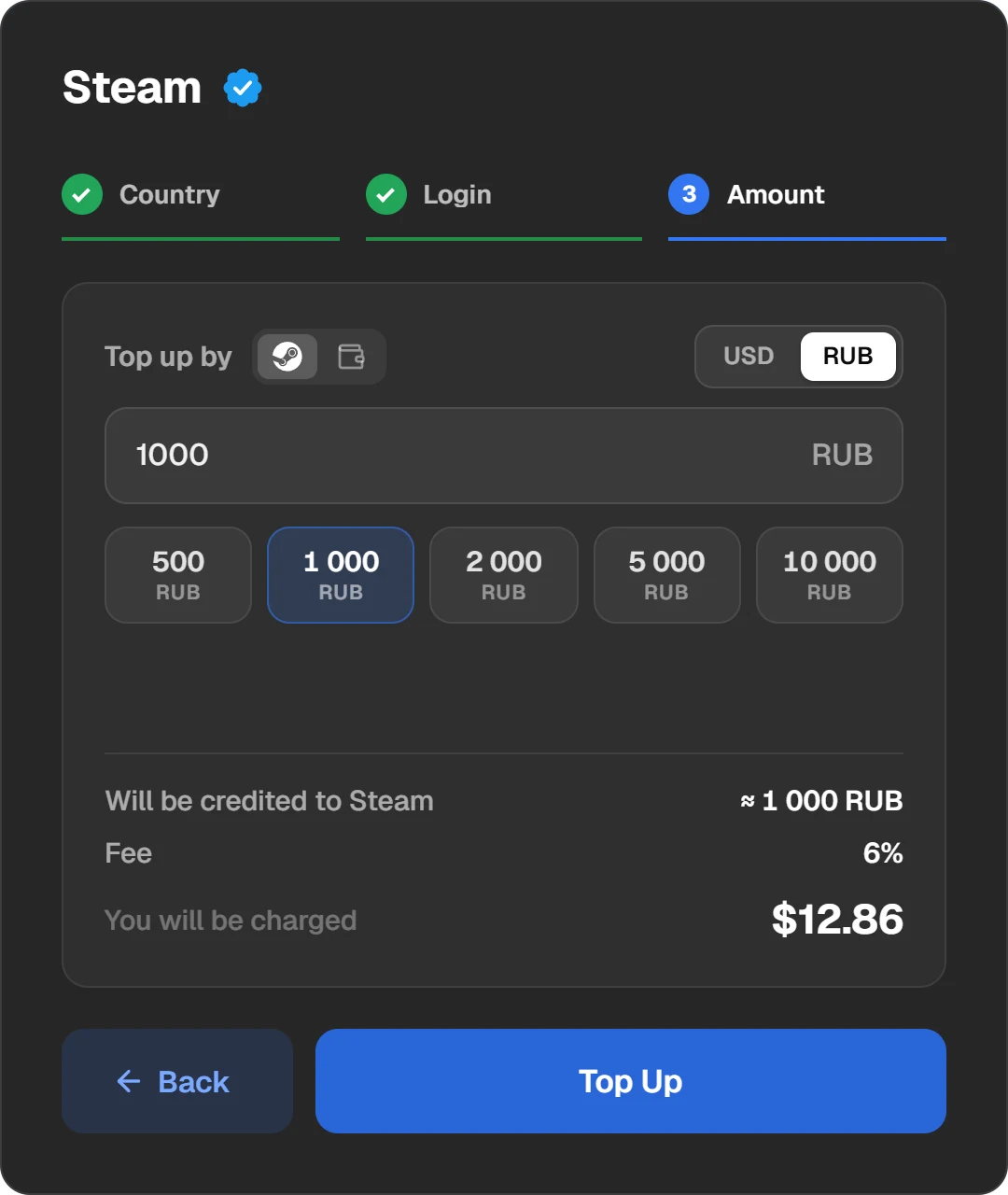
The order form: country and amount.
Pay
In the payment window choose Binance, Walt, TON Connect or a coin: USDT, BTC, TON and others.
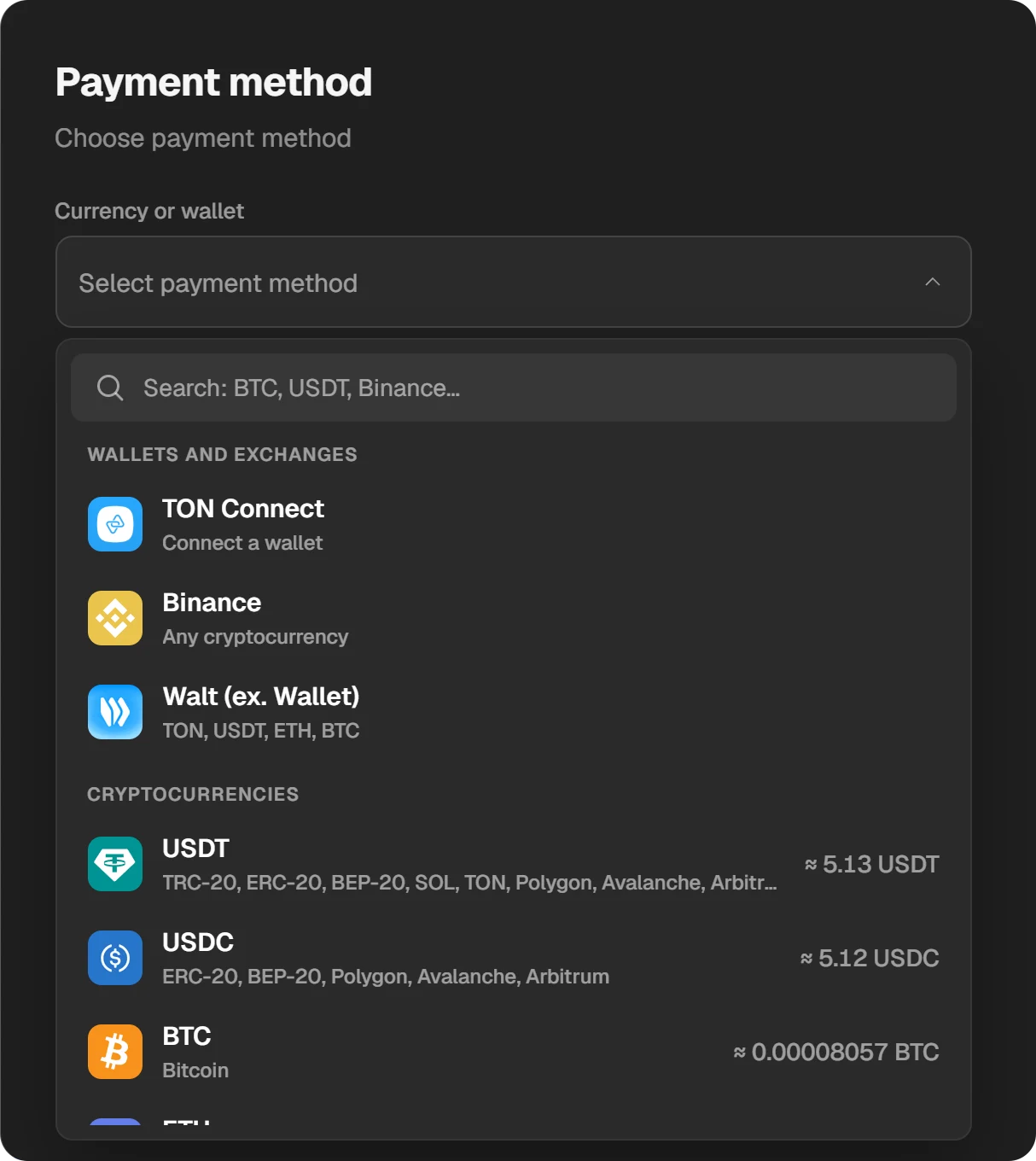
Payment methods.
Copy the code
The code appears in the order window, hidden so nobody reads it over your shoulder: tap to show it and copy it with the button. It stays in “History” at the top of the site.
Hand it over privately
Send it in a private message or write it inside a card. Add where to redeem it, for example store.steampowered.com/account/redeemwalletcode for Steam or roblox.com/redeem for Roblox.
How to present it
- A message. The code, the amount and one line on where to redeem it, so the recipient is not lost.
- A greeting card. Print or hand-write the code inside. Check every character: codes mix up 0 and O, 1 and I, 8 and B.
- A scratch-off sticker. Cover the code with a sticker to scratch off. It looks nice and hides the code from a passing glance.
- For a child. Redeem the code together on their account. Never give anyone the child’s account password.
Never post a photo of a code in stories, chats or social media: it is read off the picture in seconds. If a stranger saw the code, ask the recipient to redeem it as soon as possible.
Steam: three ways to give money
You cannot move money from your Steam wallet to a friend. But you can give it.
| Way | When it suits | How |
|---|---|---|
| Top-up by login | Your friend’s account is in a country we top up directly | On the Steam page choose your friend’s country and enter their login. The money arrives at once in their wallet currency |
| Wallet code | Your friend’s wallet is in dollars, euros or zloty | Buy a code in their wallet currency and pass it on. They redeem it on Steam’s redeem page |
| Steam digital gift card | You are both on Steam and you have a Steam payment method | In Steam: Gift Cards, the amount, a friend from your list. Wallet funds cannot pay for it |
Steam’s own digital card has a handy detail: if your friend lives in another country, the amount converts to their currency. If they decline it, you get the money back. Some countries restrict sending or receiving gift cards; Steam shows this at checkout.
For a top-up you need your friend’s login, not the nickname: How to find your Steam login. To give a game instead of money: How to gift a game on Steam.
Roblox: what to give
Roblox codes work in any country: the value converts to the account’s currency when redeemed. A value card adds Roblox Credit, which buys Robux or a Roblox Plus subscription; a Robux code adds Robux only. Codes are redeemed at roblox.com/redeem in a browser.
If you have Roblox Plus, you can also send Robux to a friend directly, with limits: How to give Robux to a friend.
If cards do not fit
- Telegram Stars or Premium. Given by username, no code: How to gift Telegram Stars, How to gift Telegram Premium.
- Game currency by ID. If you know your friend’s Player ID or UID, the currency can go straight to their account: Top-up by ID or by code.
Questions and answers
How do I give a Steam gift card to a friend?
Buy a code in their wallet currency and pass it on privately, top up their wallet by login, or send a digital gift card through Steam to someone on your friends list.
How do I send a gift card on Steam?
In Steam open Gift Cards, choose the amount and a friend from your list, and pay. Your own wallet funds cannot be used for it.
Can I give a card to someone in another country?
Yes, but it must fit their account’s country. Roblox codes work everywhere, and a Steam digital gift card converts to your friend’s currency.
How do I pass on a code safely?
Privately only: in a message to the recipient or inside a card. Do not post the code or its photo, and do not read it out to strangers.
What if the code does not work for the recipient?
Do not enter it again and again. Check the account country and look-alike characters. If you bought it from us, write to support with the order ID.