

A Steam top-up by login instead of a Russian bank app
T-Bank and VTB have Steam top-ups of their own, and we found no Sber page about one. Play Wallet needs no bank for it: the wallet is topped up by login for crypto, with the fee shown before you pay.
In short
- A Steam top-up on Play Wallet suits you if you hold crypto or are ready to buy some. No Steam password is needed.
- Three numbers show before payment: what reaches Steam, the fee and the charge.
- Bank cards and SBP do not pay for our orders. With roubles on a card, buy crypto first.
- The order stays in “History” with a number and a receipt, and our support answers for it.
If your money is on a bank card now
- Open the Steam form, choose the country, enter the login and the amount. That tells you the sum in dollars. Do not pay yet.
- Buy that much USDT or TON, plus a little for the transfer fee. The steps and the risks, a blocked card among them, are in Buying crypto for roubles.
- When the coins arrive, come back to Play Wallet and place the order.
If your crypto is already in Binance, Walt or another wallet, go straight to payment.
How to top up Steam on Play Wallet
Country, login and amount
Open Steam top-up, choose the account’s country and enter the login you sign in with, not the nickname. The site checks that it exists. Then set the amount.
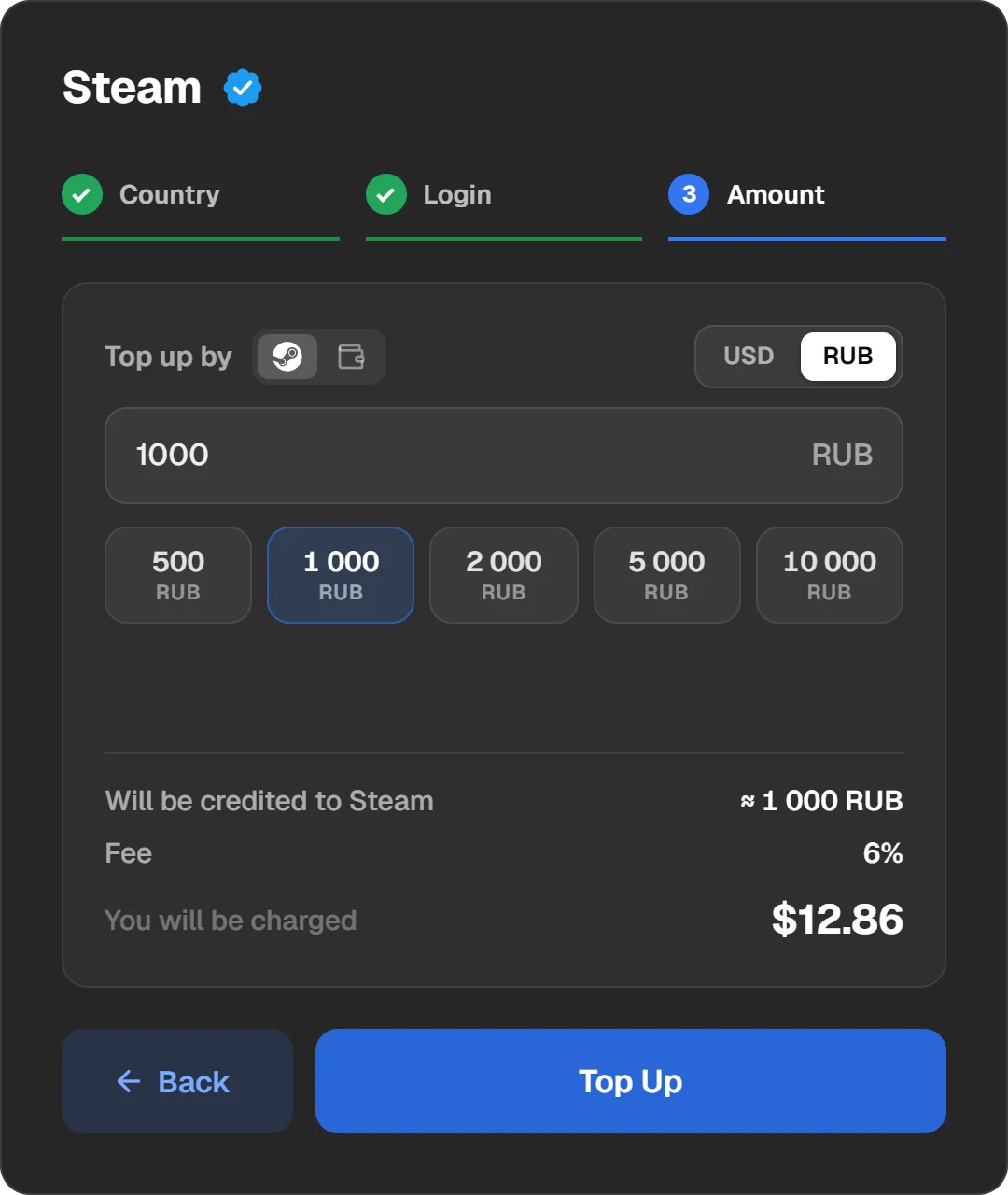
The form shows the credit, the fee and the charge before payment.
Payment
Press “Top Up” and choose Binance, Walt, TON Connect or a coin and its network. Send exactly the amount shown.
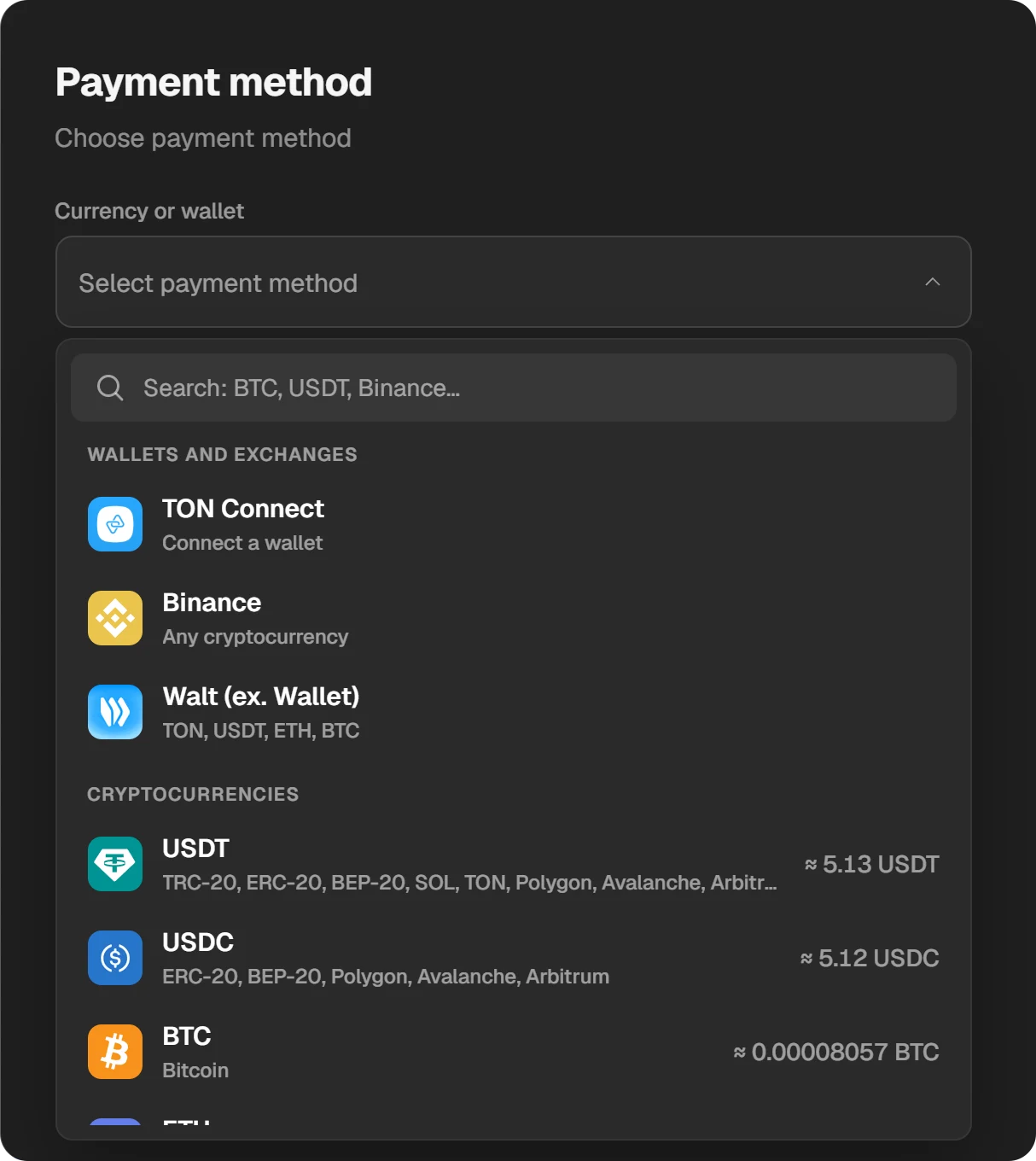
Payment methods: crypto only.
Check the order
The order is in “History” at the top of the site, with a receipt and a number. Once it is Done, check the Steam balance. If the money is missing, send the order number to support.
The fee and what arrives
| What | On Play Wallet |
|---|---|
| Fee | 6% by login as of 22 November 2026. The current one is in the form. |
| What arrives | The credited line of the form, in the account’s currency. |
| What you pay | The charged line, then the exact sum in the chosen coin. |
| Limit | $0.50 to $400 an order by login. |
Steam does not publish its rates, so the credit sometimes differs from the estimate by about 1%. Saving for one game, leave a small margin.
Do not pay a stranger by SBP “for Steam”
- A transfer to a person is not an order. It has no number or status, and the seller can stop answering.
- A top-up needs no password or Steam Guard code. Whoever asks for them wants the account.
- Honest sellers do not ask for Steam cards as payment. Steam warns that scammers do.
On Play Wallet you enter only the login, see the sum in advance and get an order number to give support if something goes wrong.
Whom it does not suit
Those who can pay only by card or SBP and do not want to buy crypto. By login we top up accounts of Russia, the CIS, Ukraine and Georgia. For Turkey, the US, Poland and some other countries we sell Steam codes instead.
Not sure how much USDT to buy? Start with the Steam form: enter the login and the amount, and the total shows before you pay.
Questions and answers
Can I pay Play Wallet through Sber, T-Bank or VTB?
No. We take crypto only, no cards or SBP. You can buy crypto for roubles and pay with that.
What is the fee for a Steam top-up?
On Play Wallet it is 6% by login as of 22 November 2026. The form shows the current fee before you pay.
Do I have to register?
No. Without an account the order is in “History” of the browser you bought in.
Can I top up a friend?
Yes, enter their login and their account’s country. Check the login twice: wallet funds cannot be moved to another account.
Which coin should I buy?
USDT is usually easiest, as it is pegged to the dollar. The network must match the payment window: see Which USDT network to choose.
