

PS Plus monthly games: how to claim and keep them
Monthly games come with every PS Plus plan, including the cheapest one, Essential. Each month Sony gives members a few games. Add them to your library in time and they stay with you for as long as you are a member. Here are the dates, the steps for a console and a phone, and what happens to the games later.
In short
- Members on every plan get the monthly games: Essential, Extra, Premium and Deluxe.
- A set lasts about a month. November 2026’s is available from 3 to 30 November.
- Adding a game to your library is enough. You do not have to download it right away.
- Added games launch while you have a membership on any plan. Without one they are locked.
- Sony publishes each month’s list on the PlayStation Blog and on the “What’s new” page of PS Plus.
What the monthly games are
They are a few games that Sony opens to PS Plus members every calendar month at no extra cost. They are part of every plan, so Essential is enough.
Monthly games are not the Game Catalog. The catalog of hundreds of games comes only with Extra, Premium and Deluxe, and you cannot keep a game from it. A monthly game is added to your library once and stays there. The catalog is covered in PS Plus Extra: the Game Catalog, and every kind of PS Plus game in Which games are in PS Plus.
When the monthly games arrive
Sony does not publish a schedule for the year. It announces each set in a PlayStation Blog post a few days before it starts. This is how it went in autumn 2026.
| Set | Announced | Could be added |
|---|---|---|
| October 2026 | Wednesday 30 September | Tuesday 6 October to Monday 2 November |
| November 2026 | Wednesday 28 October | Tuesday 3 November to Monday 30 November |
Both sets arrived on the first Tuesday of the month and left on the Monday before the next one. A set does not have to start on the 1st, which is why the October games could still be claimed on 1 and 2 November.
An example as of 22 November 2026: the November set is Dead Island 2 and Tomb Raider IV–VI Remastered for PS5 and PS4, and Monster Train 2 for PS5 only. You can add them until Monday 30 November. Sony has not yet announced the December set.
Where to see this month’s list
- The PlayStation Blog, blog.playstation.com. The post is called “PlayStation Plus Monthly Games for…” and comes out in advance. It lists the games, platforms, dates and the last day to claim the previous set.
- The “What’s new” page, playstation.com/ps-plus/whats-new. It shows the monthly games available right now.
- The PlayStation Plus section on your console. It shows what your account’s country gets. Sony warns that the line-up varies by country.
How to claim the games on PS5
Open PlayStation Plus
On the Games home screen, scroll right and select PlayStation Plus.
Find the monthly games
Go to the Benefits tab and select Monthly Games.
Add the game
Highlight the game and select Download. That is how Sony’s own guide puts this step. The game goes into your library.
How to claim the games on PS4
- On the function screen, scroll right and select PlayStation Plus.
- Scroll down and select Monthly Games.
- Highlight the game and select Add to Library. Then select Download if you want to play now.
Sony says that from January 2026 PS4 games are added only intermittently. On a PS4, check each game’s platform: one of the three November games is for PS5 only.
How to claim the games without your console
You do not need the console at hand. Sony says you can select a PS Plus game in a web browser or in PlayStation App and start the download to your console from there.
- Open PlayStation Store in a browser (store.playstation.com) or PlayStation App on your phone.
- Sign in to the account that has the PS Plus membership.
- Find the monthly game and add it to your library.
- If you want it downloaded right away, start the download to your console.
A remote download needs a console linked to your account: a PS5 you are signed in on, or your primary PS4. For the app to start the download, the console must be in rest mode with “Stay Connected to the Internet” turned on. If it is not set up, the game downloads when you next turn the console on. Adding to the library does not depend on any of this.
If you miss the window
When a set’s time is up, its games leave the offer. Sony’s blog post names the last day to add them, and after it the only way to get the game is to buy it. So add every game of the set at once, even the ones you do not plan to play yet. Adding costs nothing, and you can download a game later.
What happens to the games later
| Situation | Your monthly games |
|---|---|
| Your membership is active | Added games can be downloaded and played at any time |
| You change your plan | Nothing changes: monthly games are part of Essential, Extra, Premium and Deluxe |
| You turn off renewal | The games work until the end of the paid period, then stop launching |
| Your membership returns | Games you added before launch again; no need to add them twice |
In Sony’s words, you can download and play the monthly games you added at any time as long as you have an active membership plan. Asked whether PS Plus games are yours to keep, it answers: yes, for as long as you remain an active member.
What you bought stays yours. Games and add-ons bought with a PS Plus discount, packs and avatars remain after the membership ends.
Other users of your console
With “Console Sharing and Offline Play” turned on on your PS5, other users of that console can play the monthly games you downloaded. On PS4 the console has to be activated as your primary PS4. This does not let anyone claim a monthly game to another account: the games stay in the member’s library.
A giveaway is not free
Monthly games are for members only, and only while the membership is active. A “free account with PS Plus” or a “PS Plus code generator” from a chat or a listing is a way to lose money or an account. Why buying someone else’s account with a subscription is risky: An account with PS Plus or Game Pass.
How to pay for the membership
PS Plus can be paid from your account’s PS Store wallet, and the wallet can be topped up with a PS Store card of the account’s own country. Sony sells PS Plus to residents of the countries its store serves, and an account’s country cannot be changed after sign-up.
Choose a card for your account’s country
Open PlayStation cards, choose your account’s country and an amount that covers the membership. The price and the fee are shown before you pay.
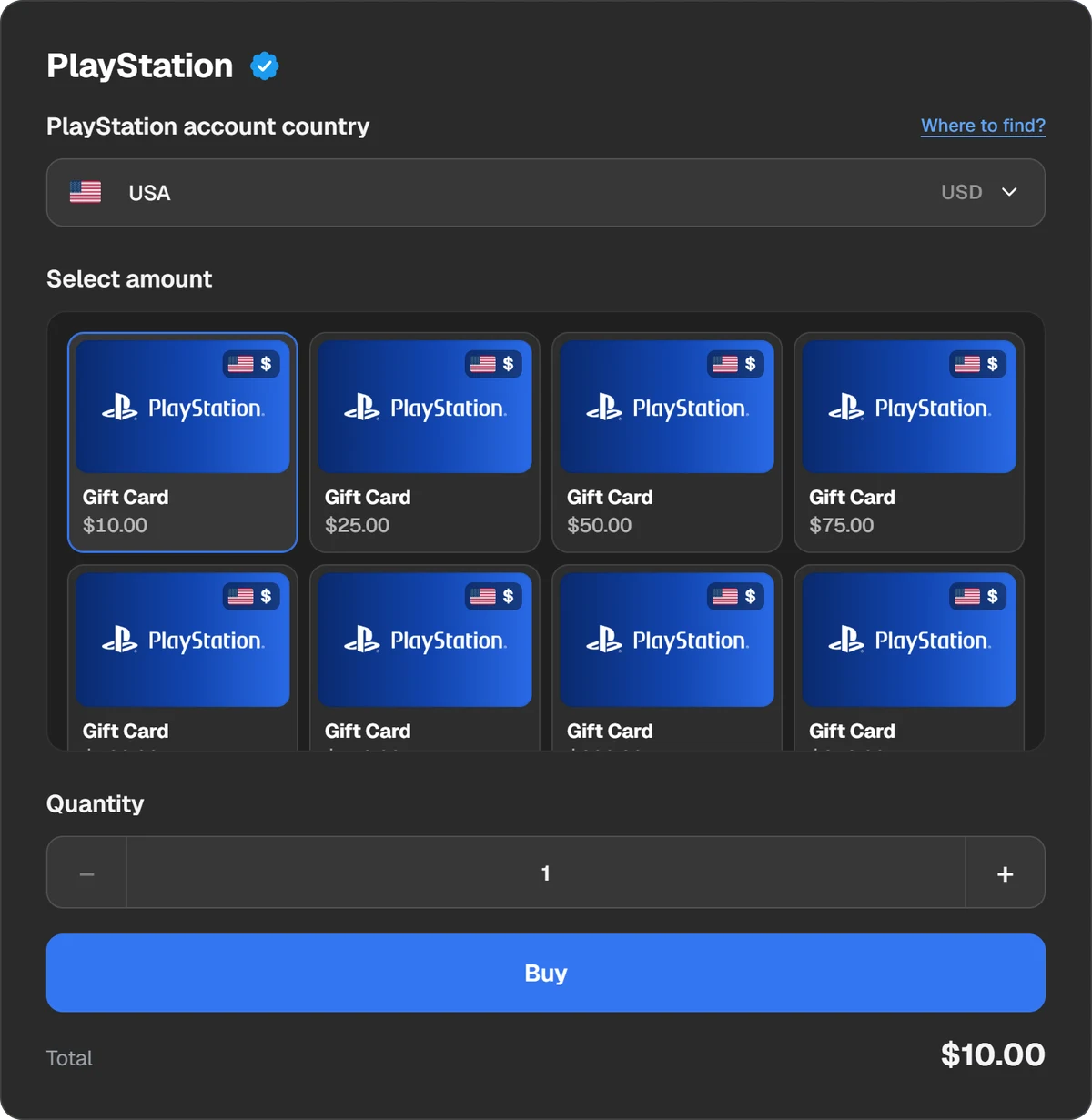
The PlayStation account’s country and the card amount.
Redeem the code and join PS Plus
The code appears in the order window and stays in “History”. Redeem it in PlayStation Store under Redeem Code and pay for the membership from the wallet. Steps for every device: How to redeem a PS Store code. Which term is the better deal: PS Plus for 12 months.
Questions and answers
When do the PS Plus monthly games come out?
In autumn 2026 the sets started on the first Tuesday of the month: 6 October and 3 November. Sony announces each set on the PlayStation Blog a few days before.
Until when can I claim the monthly games?
Until the day before the next set. The November 2026 games can be added until Monday 30 November. Sony gives the exact date in its blog post.
Can I claim monthly games without my console?
Yes. Add the game to your library in PlayStation Store in a browser or in PlayStation App, and download it later.
Do I keep the monthly games when my membership ends?
They stay in your library but stop launching. When you have a membership on any plan again, they work again.
Do I need Extra or Premium for monthly games?
No. Monthly games are part of every plan, starting with Essential.
Where can I see next month’s PS Plus games?
On the PlayStation Blog, blog.playstation.com. The monthly games post comes out a few days before the set starts.
Do I have to download a game to keep it?
No. Adding it to your library while the set is live is enough. You can download it any day while you are a member.
