

How to use a digital gift card: a guide for every service
A digital gift card is a code. You enter it on the service’s official page and the money goes to your account balance. The order is almost the same everywhere; only the page and the code length differ. Here is the general order and a short guide for each service, with links to the detailed articles.
In short
- A card works only on an account of its own country, so check your account’s country before buying. Roblox is the exception.
- Enter codes only on the service’s official site or app.
- Steam: store.steampowered.com/account/redeemwalletcode. Apple: App Store, Redeem Gift Card or Code. PlayStation: Redeem Codes.
- Xbox: xbox.com/redeem. Google Play: Payments & subscriptions, Redeem code. Nintendo: eShop, Enter Code. Roblox: roblox.com/redeem.
- On Play Wallet the code appears in the order window and stays in “History”.
The general order for any card
Check your account’s country
Almost every card is regional: a US card fits only a US account, a euro card only an account of a euro country. Buy the card of your account’s country.
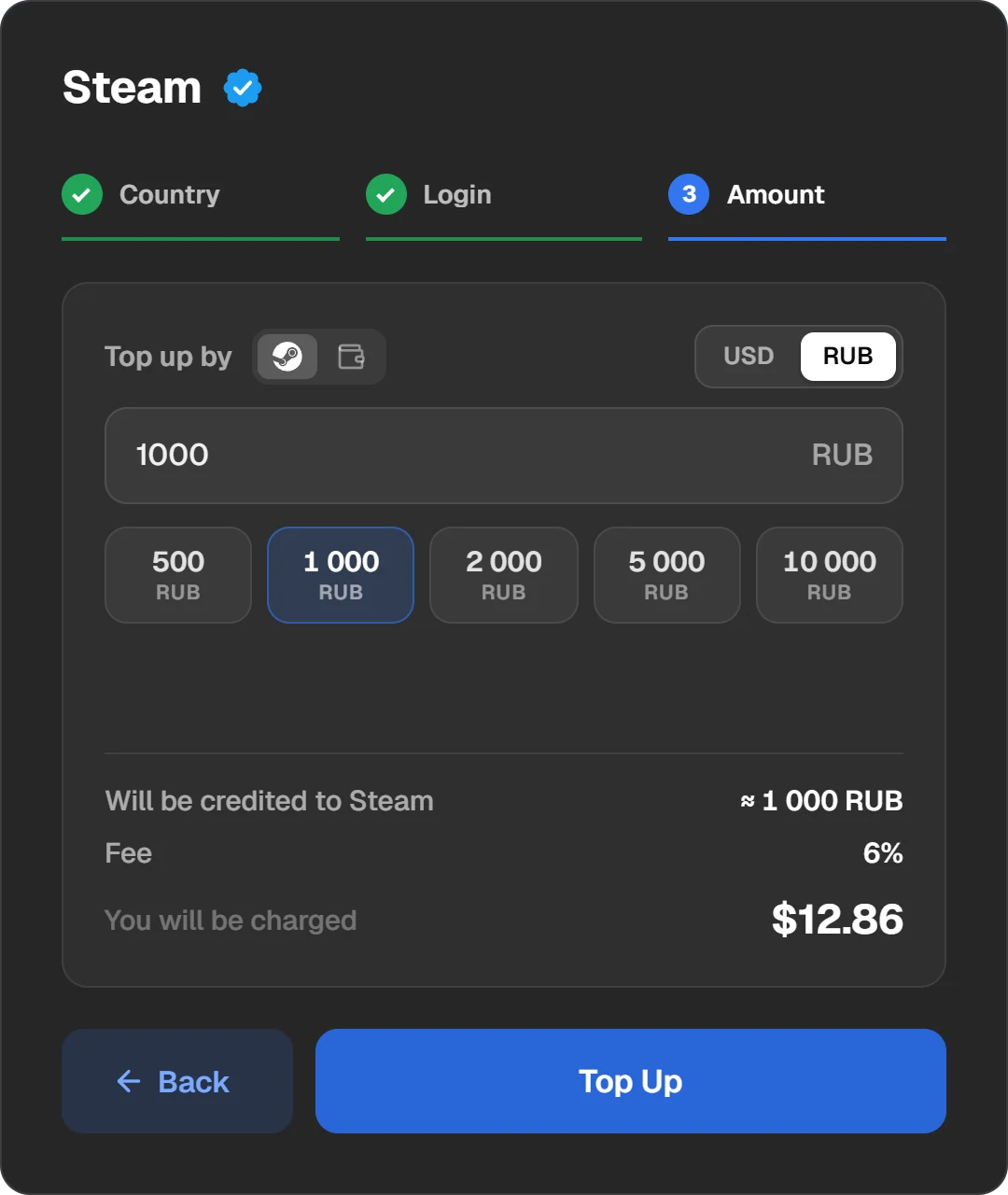
On a card’s page you choose the country first, then the amount.
Find the code
On Play Wallet the code appears in the order window once the order is done. It is hidden: tap it to show it; a copy button is next to it. If the window is closed, the code is in “History” at the top of the site. More in Where is my gift card code.
Open the redeem page
Only the service’s official site or app. The pages for each service are below.
Enter the code and confirm
Paste the copied code rather than typing it. If you type, watch look-alike characters: 0 and O, 1 and I, 8 and B.
Check the balance
The amount appears on your account balance. You spend it on games, subscriptions and purchases inside the service.
Where to enter the code
| Service | Where | Code |
|---|---|---|
| Steam | store.steampowered.com/account/redeemwalletcode | Steam Wallet code |
| Apple | App Store, your photo, Redeem Gift Card or Code | 16 characters, starts with X |
| PlayStation | PS Store, Redeem Codes | 12 characters |
| Xbox | xbox.com/redeem or the Store on the console | 25 characters |
| Google Play | Payments & subscriptions, Redeem code, or play.google.com/redeem | Usually 16 characters |
| Nintendo | eShop, your user, Enter Code, or ec.nintendo.com/redeem | 16 characters |
| Roblox | roblox.com/redeem in a browser | The PIN on the card |
| Netflix | netflix.com/redeem | The PIN on the card |
Steam
Sign in to Steam in a browser and open store.steampowered.com/account/redeemwalletcode. Paste the code into the Steam Wallet code field and select Continue. Steam redeems a card only in your wallet’s currency. Details: Steam gift cards.
Apple Gift Card
On iPhone open the App Store, tap your photo, then Redeem Gift Card or Code. Choose to enter the code manually, type the 16 characters and confirm. On Windows you do it in Apple Music or Apple TV. A card works only with an account of the country it was bought in. Details: How to redeem an Apple gift card.
PlayStation Store
On PS5 open PlayStation Store, press the triangle button, choose “… (More)” and Redeem Codes. In a browser the same item is in the profile menu at store.playstation.com. The 12-character code must be for your account’s region. Details: How to redeem a PS Store code.
Xbox and Game Pass
Open xbox.com/redeem, sign in to your Microsoft account and enter the 25-character code. On the console use the Store. A dollar card fits only a US account, a euro card only a euro-country account. Details: How to redeem an Xbox gift card.
Google Play
In Google Play tap your profile picture, open Payments & subscriptions, then Redeem code. Enter the code and confirm, or use play.google.com/redeem in a browser. A card works only in the country of purchase. Details: How to redeem a Google Play gift card.
Nintendo eShop
On Switch open Nintendo eShop, select your user and Enter Code on the left. Type the 16 characters and select OK, or redeem at ec.nintendo.com/redeem. A US card fits only a US account. Details: Nintendo eShop from Russia.
Roblox
Open roblox.com/redeem in a browser, sign in, paste the code and select Redeem. A Robux card adds Robux straight away; a money card adds Roblox Credit, which you convert to Robux. Unlike other cards, a Roblox code from any country works on an account from any country. Never share your password. Details: How to redeem a Roblox gift card.
More guides: Netflix, Discord Nitro, Fortnite V-Bucks, Amazon.
Why a code does not work
| Message or situation | Cause and what to do |
|---|---|
| Code for another country | The card’s country differs from the account’s. It cannot be redeemed there; you need a card of your account’s country. |
| Invalid code | Usually a typo. Copy the code from the order again and paste it without spaces. |
| Code already redeemed | A code works once. If you did not redeem it, write to support with the order ID. |
| Balance limit reached | Nintendo, Google Play and others cap the balance. Spend some and try again. |
Questions and answers
How do I use the gift card after redeeming?
The money sits on your account balance and is used when you buy, either automatically or when you pick the balance at checkout. You can spend it in parts.
Can someone else redeem my card?
Yes, anyone with the code can redeem it on their account. Do not show the code to anyone until you have redeemed it.
Can I use a card from another country?
Usually not: Steam, Apple, PlayStation, Xbox, Google Play and Nintendo take only cards of the account’s country. Roblox cards work anywhere.
Where is my code after buying on Play Wallet?
In the order window once the order is done, and in “History” at the top of the site. Tap the hidden code to show it.

