

How to change your Apple Account country and what you lose
If you have moved to the US, Austria, Belgium, Spain or Turkey, a card from Play Wallet tops up the balance after the move. The change itself takes a minute, but first Apple asks you to spend your balance, cancel subscriptions and add a payment method from the new country. Here are the conditions, the steps and what you lose.
In short
- After a move, buy a card of the new country. Play Wallet sells Apple Gift Cards for US, Austrian, Belgian and Spanish accounts and App Store & iTunes cards for Turkish accounts.
- Spend your whole balance and cancel subscriptions first, then wait for the paid period to end.
- You need a payment method from the new country. Without one, Apple suggests creating a new account once you live there.
- Purchases stay, but some content may be unavailable in the new country.
- To change it: Settings, your name, Media & Purchases, Country/Region.
- Don’t use someone else’s address: your account should match the country you live in.
Before you change the country
Spend your balance
No money may be left on your Apple Account balance. If what is left is less than any item costs, Apple says to contact its support. The balance doesn’t move to the new country, and gift card balances are usually not refunded as cash.
Cancel subscriptions
Subscriptions that block the change must be cancelled, and you wait until the paid period ends.
Wait for preorders, rentals and season passes
You can cancel a preorder; rentals and season passes have to run out. If a refund is pending, wait until it is processed.
Leave Family Sharing
If you are in a family group, changing the country may be unavailable until you leave it.
Have a payment method from the new country
Apple may ask for a valid payment method and a billing address in the new country.
Changing it on iPhone or iPad
Open Settings
Tap your name, then Media & Purchases. Sign in if asked.
Tap Country/Region
Choose the new country or region and tap Continue.
Accept the terms
Read the new country’s terms and tap Agree.
Add payment and address
Choose a payment method, enter the payment details and billing address in the new country, and tap Done.
On Mac, Windows and the web
- Mac. Apple Music or Apple TV, Account in the menu bar, Account Settings, Country/Region.
- Windows. Apple Music or Apple TV, your name at the bottom of the sidebar, View My Account, Change Country or Region.
- Web. account.apple.com, Personal Information, Country/Region.
What you lose and what stays
| What | What happens |
|---|---|
| Balance | Must be spent first; it doesn’t move to the new country. |
| Subscriptions | Cancel and wait for the period to end; subscribe again in the new country. |
| Apps, music, films, books you bought | Stay on the account, but you download them again; some content and services may be unavailable in the new country. |
| Preorders and rentals | Wait for them, or cancel the preorder. |
| Family Sharing | You leave the group before the change. |
| Gift cards | Only the new country’s cards redeem from then on. |
A second account instead
Without a payment method from the new country, Apple suggests waiting until you live there and creating a new Apple Account. It is a separate account: the old one’s purchases, subscriptions and balance don’t come with it.
Apple does let you migrate purchases between accounts, but only when both are set to the same country.
Tips like “enter any US address” or “pick a country without payment” work around Apple’s rules. We don’t recommend them: your account should match the country you live in.
After the change: top up with a gift card
If the new country takes gift cards, you can add balance with a code. We sell cards for the US, Austria, Belgium and Spain, and App Store & iTunes cards for Turkey. Our cards do not fit a Russian Apple Account. The usual carrier payments there ended on 1 April 2026.
Choose a card of the new country
Open Apple Gift Card, pick the account’s new country in “Region / currency” and an amount. Turkey has its own page.
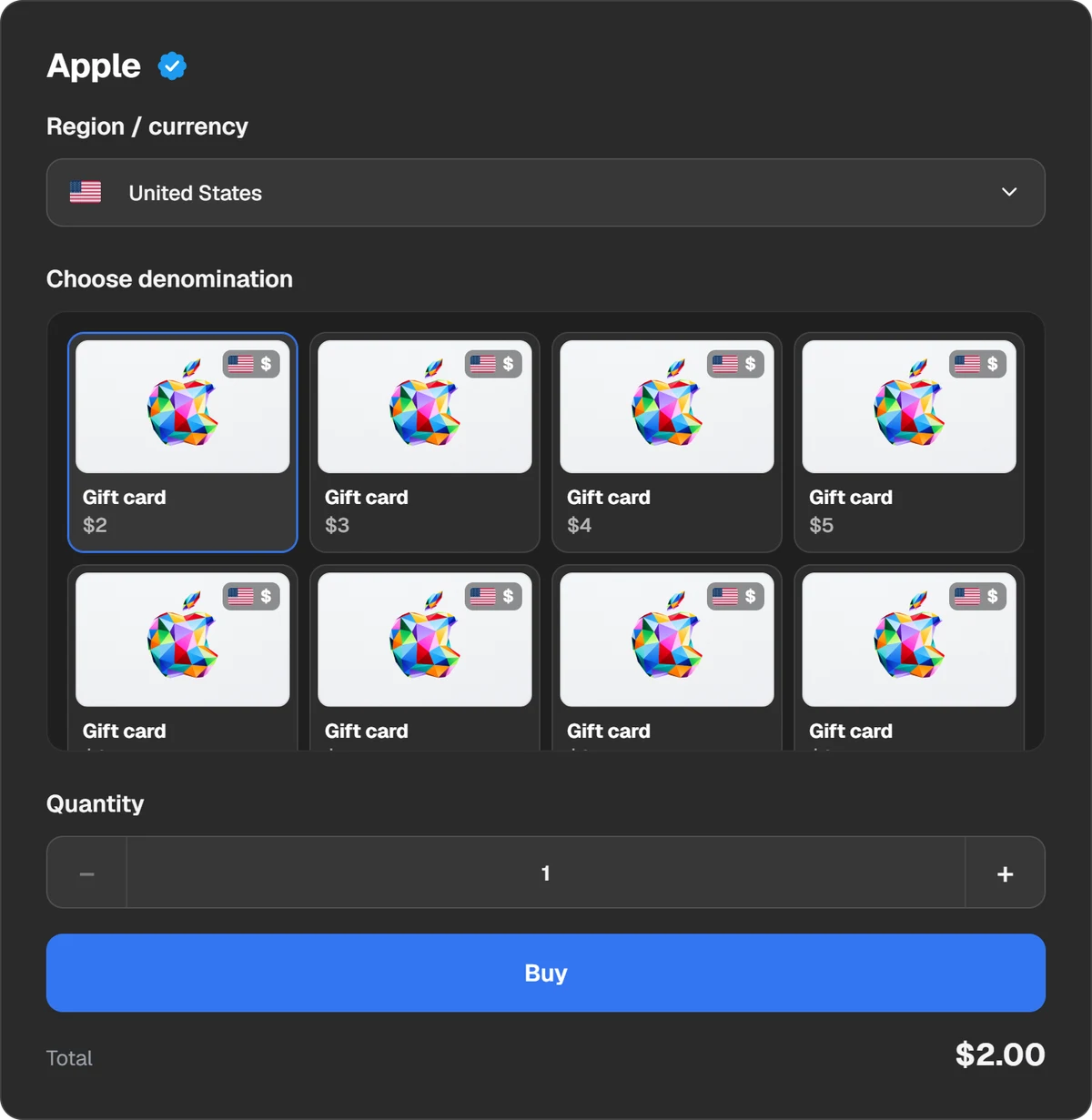
The card’s country must match the account’s new country.
Pay and redeem the code
Pay with crypto: USDT, TON, BTC and other coins, Binance, Walt or TON Connect. The code appears in the order window and in “History”. Redeem it in the App Store. Step by step: How to redeem an Apple Gift Card.
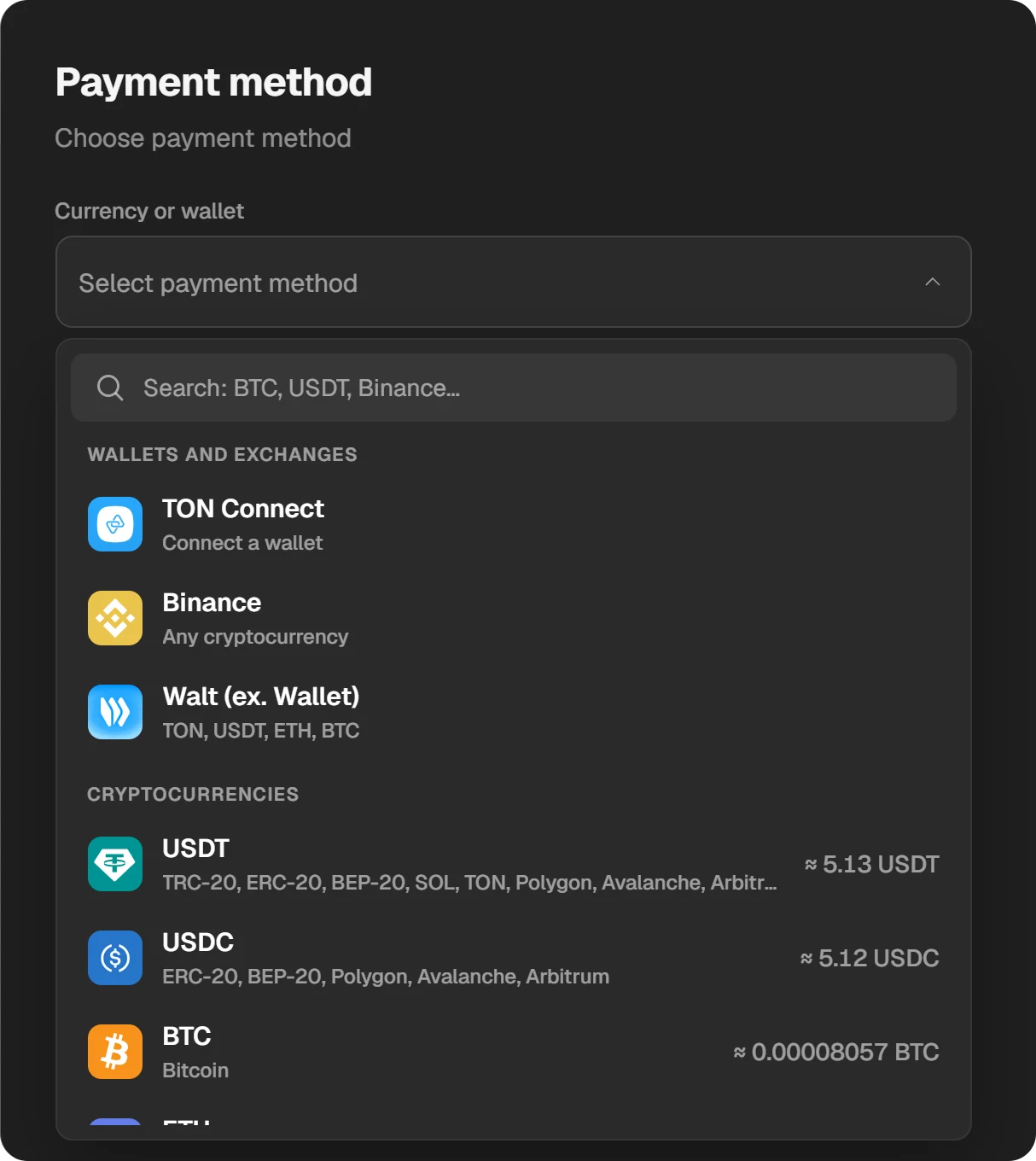
Choosing a coin or wallet in the payment window.
Once Country/Region shows the new country, buy the card for exactly that country: an Apple Gift Card or, for Turkey, App Store & iTunes.
Questions and answers
Can I change the country with money left on my balance?
No. Spend it first. If what is left is less than any item costs, contact Apple Support.
Will I lose the apps I bought?
They stay on your account, but you download them again, and some content may be unavailable in the new country.
Why can’t I change my country?
Usually a balance, an active subscription, a preorder or rental, a pending refund or Family Sharing is in the way.
Can I move purchases to another country’s account?
No. Apple migrates purchases only between accounts set to the same country.
Do I need a payment method from the new country?
Apple may ask for one. Without it, Apple suggests creating a new account once you live in that country.
