

How to buy Xbox games from Russia
Since March 2022 Microsoft has not made new sales in Russia, and a rouble account cannot buy games in the Microsoft Store. Here is what still works, where our shop helps, and what Microsoft’s rules do not allow.
In short
- Microsoft suspended new sales in Russia. Dollar and euro cards do not go onto a rouble account.
- Games are bought from the balance of an account of another country, topped up with an Xbox card in that country’s currency.
- We have Xbox cards for US and European accounts. The 25-character code is entered on a console or a PC.
- Game Pass is often cheaper than buying games one by one. We have Ultimate and Essential keys.
- Discs work on Xbox Series X and Xbox One with a drive. Xbox Series S is all-digital.
Why a Russian account cannot buy games
On 4 March 2022 Microsoft announced it was suspending all new sales of its products and services in Russia. We do not sell rouble cards, and dollar or euro cards will not go onto a rouble account: Microsoft adds a card in a given currency only to an account registered in that currency’s country.
Microsoft recommends changing an account’s region only when you move for a long time, and blocks another change within three months. The balance does not move with you, and Game Pass may stop working. We do not recommend changing the region to buy games.
| Way | What you need | Who it suits |
|---|---|---|
| A game in the Microsoft Store | An account of the country you live in and an Xbox card in its currency | People with a US or European account |
| Game Pass | A subscription key for the account’s country | People who play a lot and do not want to buy every game |
| A disc | An Xbox Series X or Xbox One with a disc drive | People with a disc console |
| Free-to-play games | Any account | Everyone: online play in them needs no subscription |
Way 1. Games from the Microsoft Store balance
An Xbox card is a code that adds money to your Microsoft account balance. The balance pays for games, add-ons and subscriptions in the Microsoft Store on console and PC. A dollar balance is spent on a US account, a euro balance on an account of a country whose store is in euros. The balance cannot be moved to another account or another currency.
Your account’s country is shown at account.microsoft.com under Your info. The card must be in that country’s currency. If the account’s country is Russia, none of our cards will go onto it.
Choose the country and the amount
Open Xbox, choose your account’s country and the amount. The price and the fee are shown before you pay. No Microsoft password is needed: you are buying a code.
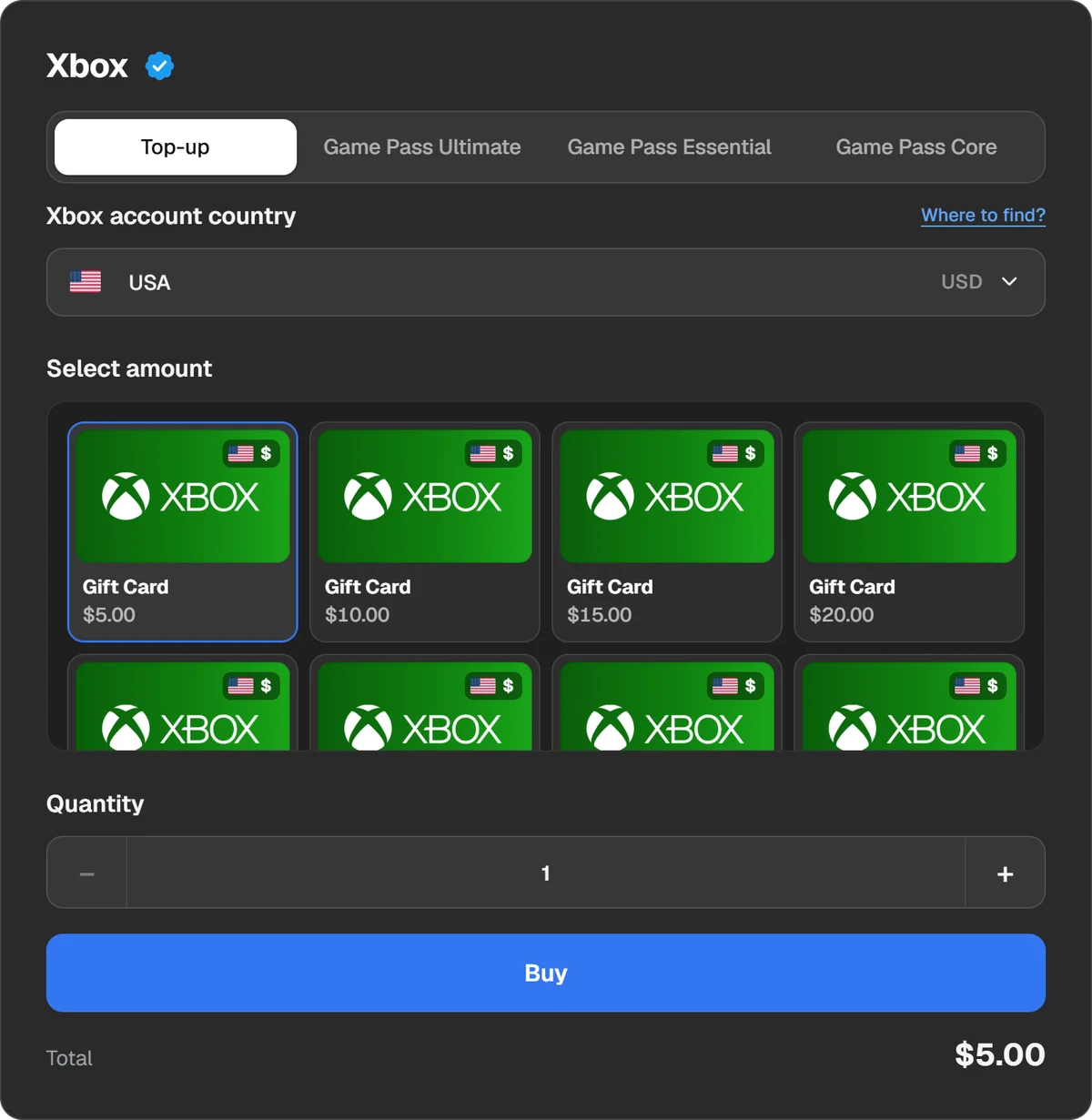
The account’s country and the Xbox card amounts.
Pay
Choose how to pay: USDT, TON, BTC and other coins, Binance, Walt or TON Connect.
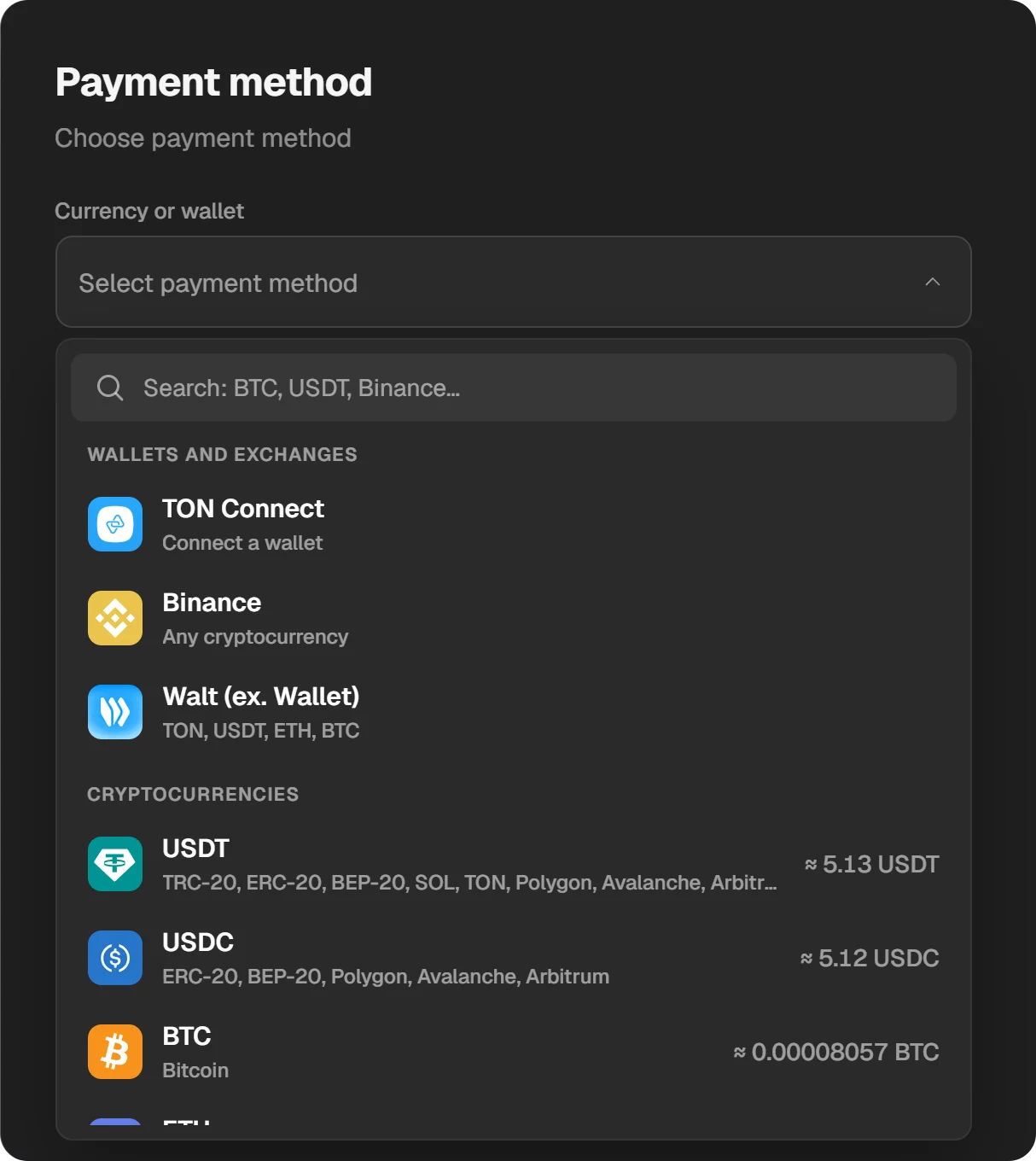
Ways to pay.
Copy the code
The 25-character code appears in the order window and stays in “History” at the top of the site.
Redeem the code
On a console: the Xbox button, Store, the View button, Redeem. On a PC: Microsoft Store, your account at the top right, Redeem code or gift cards. Or at xbox.com/redeem. The Xbox mobile app cannot redeem codes.
Buy the game
Open the game in the Microsoft Store and pay from the balance. If a bank card is on the account, make sure the balance is selected.
More detail, with common redeeming errors: How to add money to Xbox with a card.
Way 2. Game Pass instead of buying games
Game Pass is a subscription with a game catalogue. Ultimate has over 500 games for console, PC and cloud, Xbox releases on day one, EA Play and online console play. Essential is cheaper: a catalogue of 50+ games and online play. If you play several games a month, the subscription usually costs less than buying each one.
Play Wallet has Game Pass Ultimate keys for 1 month and Game Pass Essential keys for 1, 3, 6 and 12 months. A key activates only in the country it was issued for. If you are not sure a key fits your account’s country, ask support before paying.
The plans compared: Xbox Game Pass: which plan to choose. Buying and redeeming a key: Xbox Game Pass from Russia.
Way 3. Discs
- Xbox Series X with a disc drive reads discs.
- Xbox Series S is all-digital: no disc drive, games only through the Microsoft Store.
- Xbox One with a disc drive reads discs too.
You buy a disc in an ordinary shop. Add-ons are still sold in the Microsoft Store, so they need an account balance.
What a rouble account can still do
- Play free-to-play games online. Xbox says all players get online multiplayer in free-to-play games at no charge, with no subscription.
- Play discs on a console with a drive.
Dollar and euro cards cannot top up a rouble account. That is Microsoft’s rule, not a limit of our shop.
What not to do
- Use someone else’s country or address. Microsoft recommends a region change only for a long-term move.
- Buy “shared accounts” with games. The owner can take the account back and you lose the games. See The risks of buying a game account.
- Take a card in the wrong currency. A dollar card will not go onto a euro account, and vice versa.
Questions and answers
Can I buy an Xbox game on a Russian account?
No. Microsoft suspended new sales in Russia, and dollar and euro cards do not go onto a rouble account.
Which Xbox cards do you have?
For US and European accounts. The countries and amounts are on the Xbox page.
Where do I redeem an Xbox code?
On a console through Store and Redeem, on a PC in the Microsoft Store, or at xbox.com/redeem. The Xbox mobile app does not take codes.
Can I move my balance to another currency?
No. Microsoft says the balance cannot be moved to another account or converted to another currency.
Does the balance from a card expire?
No. An ordinary Microsoft account balance does not expire; only promotional balances do.
Do I need a subscription to play free-to-play games online?
No. Xbox says online play in free-to-play games is free on console for all players.
