How to top up Arena Breakout
Arena Breakout is free: you download it from the App Store, Google Play or the official site. “Buying Arena Breakout” nearly always means buying Bonds, the game’s paid currency. If the in-game store does not take your card, you can get Bonds by Player ID or with a code.
In short
- The game is free. Bonds, the Battle Pass and a few bundles are sold for money.
- Play Wallet offers two ways: a top-up by Player ID and a code redeemed on Midasbuy. The redeem page is closed for Russia and Belarus.
- You need only the Player ID from your profile. No account password.
- Our Bonds are for the mobile Arena Breakout. They do not work for Arena Breakout: Infinite on PC.
- Cheats, “free Bonds” and bought accounts end with a lost account or lost money.
What Arena Breakout sells for money
The game itself costs nothing. Its App Store page lists these in-app purchases: packs of 60, 310, 630, 1,580 and 3,200 Bonds, the Advanced and Premium Battle Pass, Composite Case Privileges and Daily Koen Bundles.
Bonds are the main purchase. They pay for the Battle Pass and cosmetics. How Bonds differ from Koen is explained in our Bonds guide, and the pass tiers in the Battle Pass guide.
When the in-game store does not work
- Android in Russia. Google Play paused billing for users in Russia on 10 March 2022. In-app purchases do not go through.
- iPhone in Russia. Since 1 April 2026 Apple does not process payments in Russia. Only the remaining Apple ID balance can be spent.
- Midasbuy. It is Tencent’s official top-up store, and the game itself links to it. For the Russia region its Arena Breakout page is closed, as checked on 22 November 2026.
| Way | From Russia |
|---|---|
| In-game store on Android | Does not work |
| In-game store on iPhone | Only from the remaining Apple ID balance |
| Midasbuy with your own card | Not available for the Russia region |
| Top-up by Player ID | Works, the Bonds arrive by themselves |
| Bonds code | Cannot be redeemed: Midasbuy is closed for Russia |
Where to get the Player ID
Open your profile in the game and copy the Player ID. It is a number: our form accepts digits only. The nickname will not do, an account cannot be found by it.
Way 1. Bonds by Player ID
Enter the Player ID
Open Arena Breakout Bonds. The top-up by ID is open first. Paste the number into the “Player ID” field.
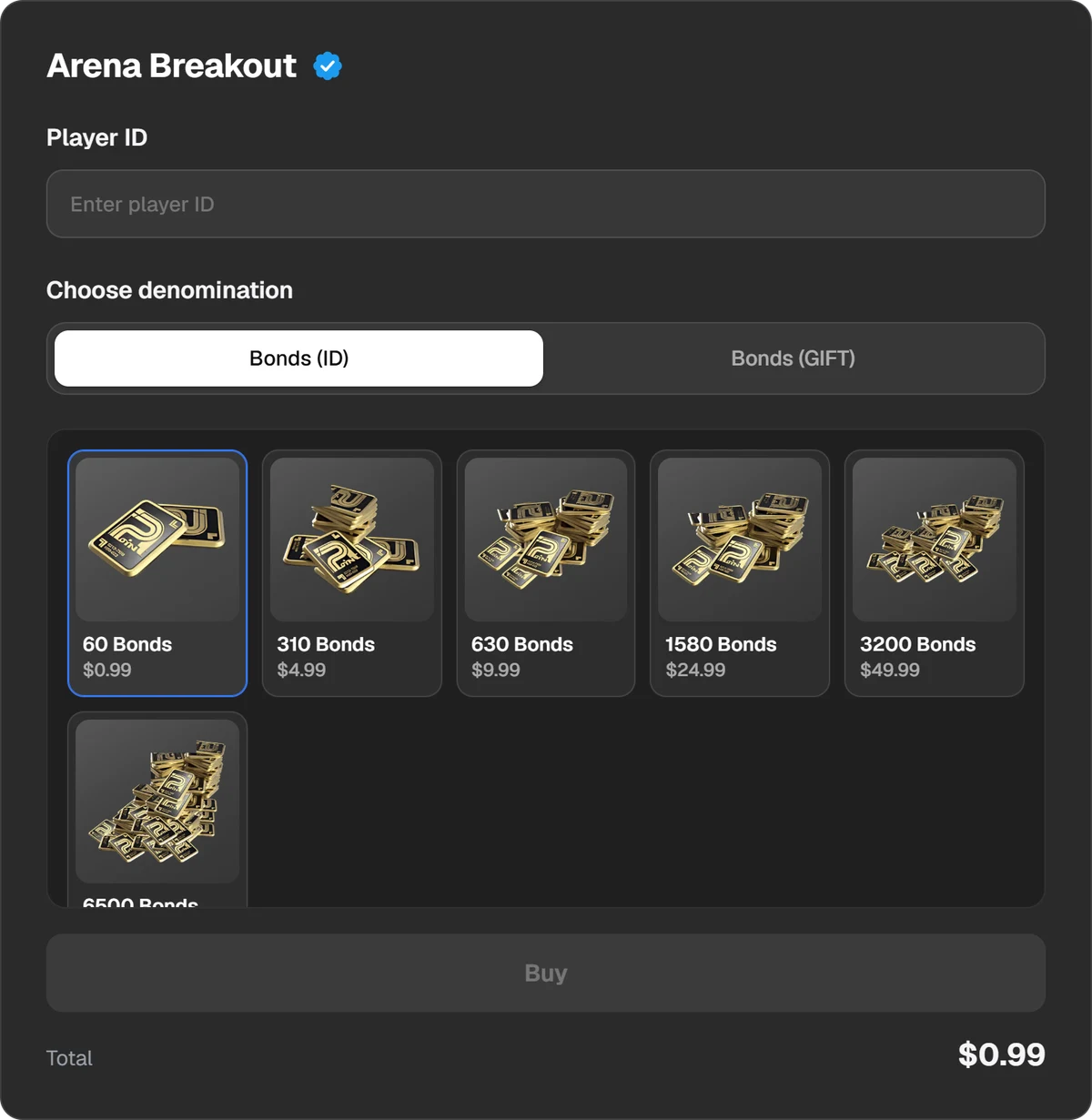
The Player ID field, the Bonds packs and the codes tab.
Choose a pack
There are six packs, from 60 to 6,500 Bonds. The total is shown before you pay.
Pay
Press “Buy” and the payment window opens. You can pay in USDT, USDC, BTC, TON and other coins, or through Binance, Walt and TON Connect. The fee is shown in advance.
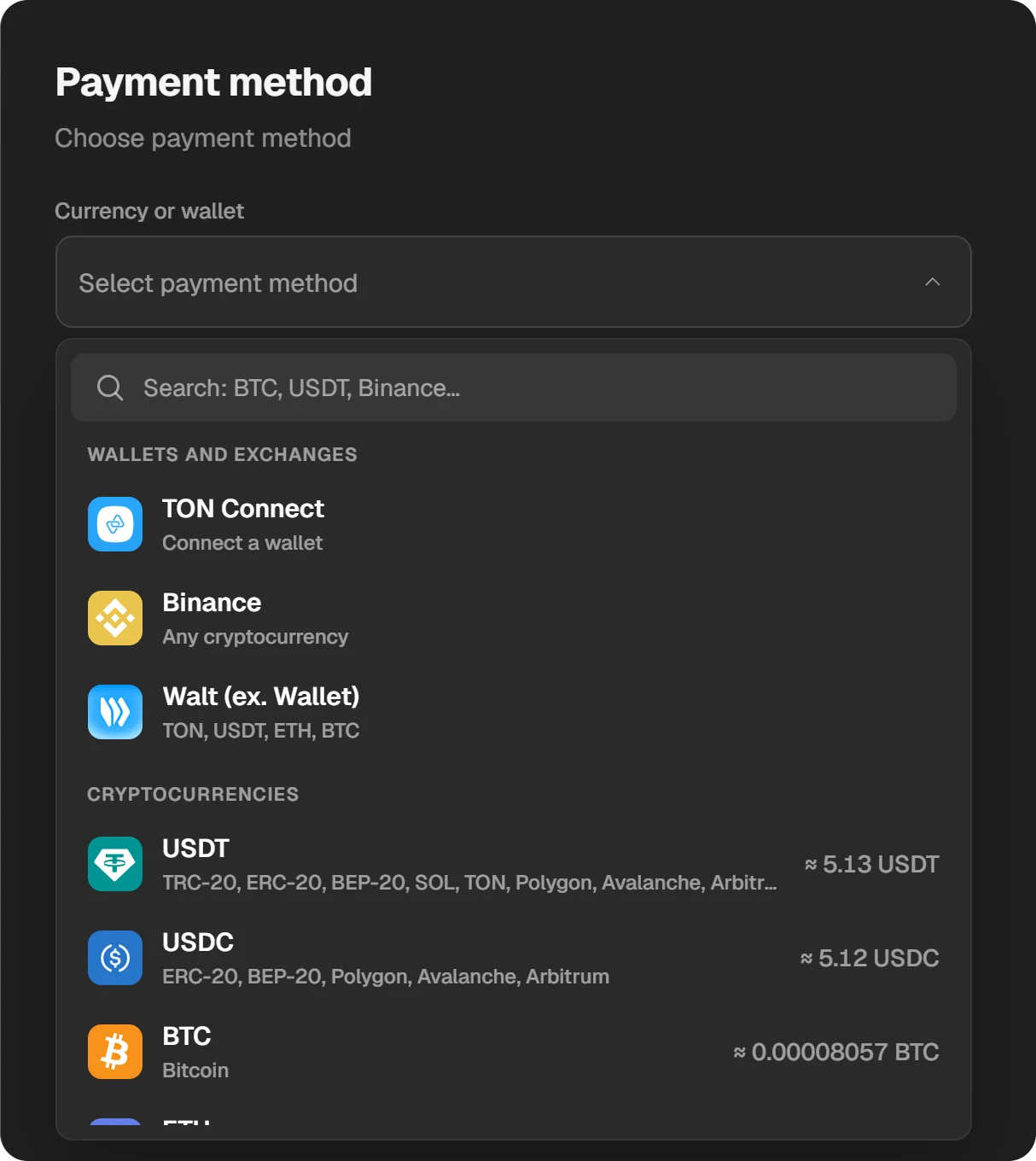
Choosing a coin or a wallet in the payment window.
Open the game
When the order is done, the Bonds arrive on the account with that Player ID. There is no code to enter. If the balance has not changed, restart the game.
Check the Player ID before paying. The Bonds go to the account with that number, and a top-up cannot be undone.
Way 2. A code for Midasbuy
The same page has a tab marked GIFT with codes for the same Bonds packs. After payment the code appears in the order window and in “History”. Redeem it yourself or send it to a friend.
- Open the Arena Breakout Redeem page on Midasbuy and choose your country.
- Sign in to your Midasbuy account. If you have none, the site offers to create one.
- On the REDEEM tab, enter your Player ID from the game. The Bonds go to that account.
- Type the code into ENTER REDEEM CODE and press OK.
The code is entered on Midasbuy, not in the game. The Redeem page belongs to the mobile Arena Breakout. If it does not accept your Player ID, do not enter the code and write to our support.
| By Player ID | With a code | |
|---|---|---|
| What you enter on our site | The Player ID | Nothing |
| What to do after paying | Nothing, the Bonds arrive | Redeem the code on Midasbuy |
| Midasbuy account needed | No | Yes |
| Best for | Yourself | A gift: the code can be passed on |
The mobile game and Infinite on PC
Arena Breakout and Arena Breakout: Infinite are two separate games, one for phones and one for PCs. Each has its own top-up page on Midasbuy and its own Bonds. Both the ID top-up and the codes on our page are for the mobile game. What PC players can do is covered in the Infinite guide.
What not to do
- Share your password. A top-up needs only the Player ID. “Give us access to credit the Bonds” is a way to steal the account.
- Believe in free Bonds. The game itself gives Bonds away in events. “Generators” and giveaways for a subscription cannot credit anything.
- Install cheats. They get the account banned, with everything bought on it.
- Buy someone’s account. The previous owner can take it back through support. More in the risks of buying game accounts.
Questions and answers
Is Arena Breakout a paid game?
No. It is free on the App Store and Google Play. Bonds, the Battle Pass and bundles are what cost money.
What do I need for a top-up?
Only the Player ID from your in-game profile. No password, email or sign-in.
Can I pay with a Russian card in the game itself?
No. Google Play has not billed users in Russia since March 2022, and Apple since April 2026. On an iPhone only the remaining Apple ID balance can be spent.
Do these Bonds work for Arena Breakout: Infinite?
No. The ID top-up and the codes on our page are for the mobile Arena Breakout. Infinite has its own Bonds and its own store.
Can I buy Bonds for a friend?
Yes. Enter their Player ID in the form, or buy a code and send it: they redeem it on Midasbuy with their own Player ID. For a friend in Russia or Belarus a code will not work: top up by ID.
How do I buy the Battle Pass?
Top up Bonds and buy the pass in the game. The pass screen shows how many Bonds it costs this season.
The Bonds have not arrived. What now?
Restart the game and open the order in “History”. If the order is done but the balance is unchanged, write to support with the order ID.