PLS DONATE in Roblox: booths, donations and Robux
PLS DONATE is a Roblox game where you stand at your own booth and other players send you Robux. Since late May 2026 it works differently: you no longer need a game pass for the booth, and donations are direct Robux transfers. In plain words: how to claim a booth, who can receive and where the Robux go.
In short
- To receive donations, claim a free booth and write your text on it. No game pass needed any more.
- Since 29 May 2026 Roblox no longer lets one game sell another game’s passes. A donation in PLS DONATE is now a Robux transfer.
- Only a player with Roblox Plus can donate. The recipient needs no subscription.
- The recipient keeps 90% and the game gets 10%. The Robux land on your balance; there is nothing to withdraw.
- Received Robux cannot be exchanged for money. “Robux codes” for PLS DONATE do not exist.
What PLS DONATE is
It is one of Roblox’s best-known games, made by the Quataun group. Players stand at booths with signs, and others send them Robux. You can receive donations and give them.
What changed in 2026
You used to need a game pass from your own game: other players “bought” it and you got Robux. In May 2026 Roblox announced it would stop letting games sell passes and products from other games, starting 29 May. Robux transfers replaced it, made through a Roblox window right in the game.
| Before: a pass | Now: a transfer | |
|---|---|---|
| What a booth needs | Your own pass in your own game | Just a free booth |
| Booth owner gets | 60% | 90% |
| The game gets | 10% | 10% |
| Roblox fee | 30% | None |
| Who can donate | Anyone with Robux | Only players with Roblox Plus |
So old videos saying “make a 5-Robux pass and put it on your booth” no longer apply. To make a pass for your own game, see How to create a game pass in Roblox.
How to set up a booth
Join PLS DONATE
Search for it in Roblox. Check that the creator is the Quataun group with a blue tick: there are many look-alikes.
Claim a free booth
Walk up to an empty booth and claim it; the game’s description calls this “Claim a booth”. Look for a free one, not one with someone else’s sign.
Write your text
Set the sign on your booth. Keep it short and friendly. Never write personal details: your name, town, school or phone.
Wait for donations
Stay near, be polite and do not beg. Every transfer goes through a Roblox window and Roblox’s checks, not the game’s own.
Who can receive
Anyone can receive Robux; no subscription needed. But Roblox checks age:
- 16 and older: complete an Age Check in account settings.
- Under 16: a parent’s account must be linked, and the parent approves every transfer. In some regions this applies up to 18.
- If the checks are not done: the Robux wait under Pending Robux for up to 7 days. After that the transfer is cancelled and the Robux go back to the sender.
The game’s description warns that a transfer sometimes goes through only after you rejoin the server. If a donation seems stuck, rejoin and check My Transactions.
Where the Robux go, and “withdrawing”
There is nothing to withdraw. Once a transfer goes through, the Robux are on your Roblox balance. All donations show in My Transactions. Spend them on things in Roblox: clothes, passes in games, items.
These Robux cannot be exchanged for money: Roblox says transferred Robux are not eligible for DevEx. Who can cash out and when: Can you cash out or sell Robux.
How to donate in PLS DONATE
- Get Roblox Plus: you cannot send Robux without it.
- Walk up to a player’s booth and choose an amount.
- A Roblox window opens, showing what the player gets after the game’s share. Confirm.
Sender limits: 500 Robux a day and 1,000 a month; with 2-Step Verification and a good-standing account, 5,000 a day and 10,000 a month. One in-game transfer is 10 to 500 Robux. Transfers cannot be undone, so check who you send to.
Roblox Plus can be paid with credit from a Roblox gift card for an amount in dollars or euros. You can get one on the Roblox page: the code appears in the order window and is redeemed at roblox.com/redeem. More in Roblox Plus.
Choose an amount card
Open Roblox and pick a card in dollars or euros. Robux cards give only Robux and cannot buy Plus. No Roblox password needed.
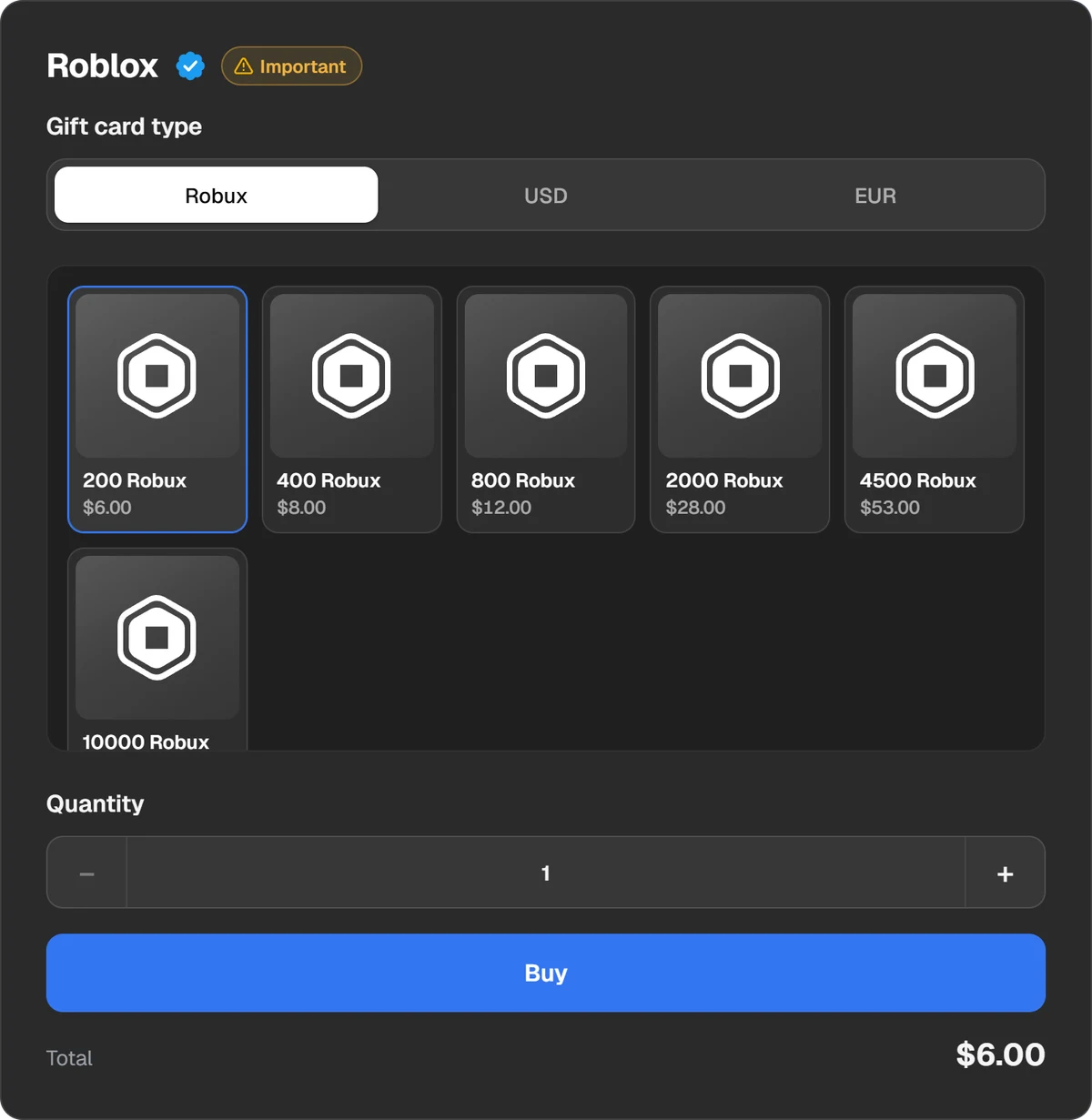
For Plus you need an amount card, in dollars or euros.
Pay together with a parent
You pay with crypto: USDT, TON, BTC and other coins, or through Binance. The total is shown before you pay.
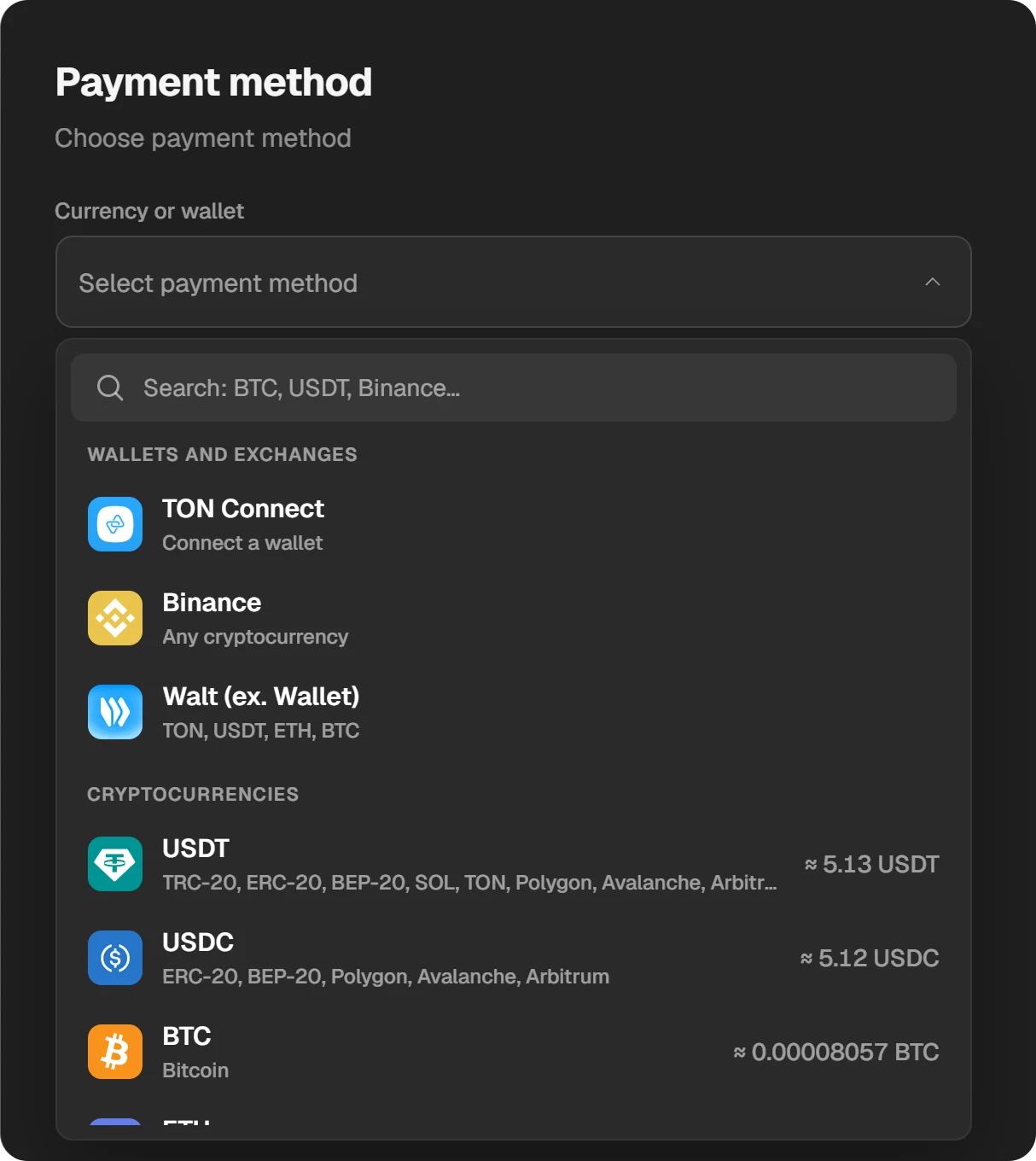
The amount in each coin is right in the list.
Robux codes for PLS DONATE
There are none. Roblox says codes from game creators give rewards only inside that game and have no Robux value. Videos and sites with “PLS DONATE Robux codes” are scams: they ask you to sign in, take a “survey” or download a program. Roblox says there are no free Robux.
Keeping your account safe
- Never give your password to anyone, even someone promising a “big donation”.
- Do not open links from chat or other booths. Sign in to Roblox only on roblox.com.
- Never send Robux “to verify”. Roblox says it never asks you to send Robux to confirm your account.
- Buy things with a parent, especially with their card or money.
Questions and answers
Do I need a game pass for PLS DONATE?
No. Since 29 May 2026 Roblox does not let one game sell another game’s passes. Donations in PLS DONATE are now direct Robux transfers.
How do I withdraw Robux from PLS DONATE?
You do not need to: a donation goes straight to your Roblox balance. These Robux cannot be exchanged for money and are spent only in Roblox.
Why can’t I donate?
Donating needs Roblox Plus. You may also be missing an Age Check or a parent’s approval, or you have hit the daily or monthly limit.
Why hasn’t a donation arrived?
The transfer is probably waiting for an Age Check or a parent’s approval. Look at Pending Robux in My Transactions. After 7 days without it, the Robux go back to the sender.
How much of a donation do I get?
90%. From 100 Robux you get 90 and the game gets 10. Roblox takes no fee on transfers.