

How to convert a Telegram gift into Stars
A regular Telegram gift can be turned into Stars right on your profile: the gift disappears and part of its value returns to your balance. A collectible gift can instead be sold to other people for Stars. Here are both, step by step, and why the conversion option is sometimes missing.
In short
- Open the gift in the “Gifts” tab of your profile and choose to convert it into Stars. The gift is gone; the Stars land in Settings > My Stars.
- You get fewer Stars than the gift cost. The conversion cannot be undone.
- You can convert only within a period after receiving the gift, set by Telegram. Gifts from collectible auctions cannot be converted.
- A collectible (upgraded) gift can be sold for Stars: the “Sell” button and a price in Stars.
- Stars on your balance cannot be withdrawn or sold. “Gift exchange” bots in chats often cheat.
How to convert a gift into Stars
Open your profile
Open your profile and go to the Gifts tab. All gifts sent to you are there. A new gift can also be opened from the chat it came in.
Pick the gift
Tap the gift you want to convert. Its card opens: who sent it, the message and what you can do with it.
Choose to convert it
The card lets you show the gift on your profile or convert it into Stars. Telegram shows how many Stars you will get.
Confirm
The gift disappears for good and the Stars reach your balance. Check them in Settings > My Stars.
Conversion is final: Telegram destroys the gift. If it means something to you, just keep it; you do not have to show it on your profile.
How many Stars you get back
Fewer than the sender paid. Telegram’s blog says you get “some of its Stars” back. Its developer documentation adds that you may get even fewer if the gift was bought with Stars purchased long ago. Telegram shows the exact number before you confirm.
Why the conversion option is missing
| Reason | What it means |
|---|---|
| The conversion period is over | A gift can be turned into Stars only within a period after you received it, set by Telegram. After that you can only keep it. |
| A gift from a collectible auction | Telegram does not convert such gifts into Stars. |
| Already converted | Once converted, the gift is gone and the Stars are on your balance. |
How to sell a gift for Stars
Only a collectible gift can be sold to other people. It is a gift that was upgraded: it gets its own model, backdrop, symbol and number. An upgrade costs Stars, and sometimes the sender pays for it in advance. A regular gift cannot be sold, only converted.
Open the collectible gift
It is in the Gifts tab of your profile.
Tap “Sell”
Set a price in Stars. The gift appears on the gift marketplace and gets a “Sale” label on your profile.
Wait for a buyer
When it sells, the Stars reach your balance. Telegram keeps part of the price as a commission. Changed your mind? Tap “Unlist”.
- Offers. People can offer a price even for a gift you have not listed. The buyer’s Stars are reserved and refunded if you decline or the offer expires.
- The “Value” field. On a collectible gift Telegram shows an approximate resale price. It is a guide, not a promise.
- A new gift may not be sellable at once. Telegram can open resale only from a certain date.
To buy on the marketplace, open any profile, tap “Send a Gift” and choose the “Collectible” filter. Gifts that other people are selling are there.
What to do with the Stars
Stars from a conversion or a sale land on your ordinary balance. You can spend them inside Telegram: on gifts, bots and mini apps, paid posts, reactions and Premium as a gift. An ordinary user cannot withdraw them or send them to someone else: the Telegram Stars terms forbid it. More in Telegram Stars: exchange, withdraw, sell.
“Gift exchange” bots
- Converting a gift into Stars happens only in Telegram itself. You need no middleman.
- Never give away your login code or cloud password. An “exchanger” that needs to sign in to your account takes the account, not the gift.
- Selling gifts for cash in chats happens outside Telegram, and such a deal has no guarantees.
If you are short of Stars
You can buy Stars on Play Wallet by @username and pay with crypto, for yourself or a friend: the Stars go to the account whose name you enter.
Enter the @username and amount
Type the username in the recipient field, with or without @. The form shows the account it found. Then set the number of Stars or pick a ready one. The total, fee included, is shown before you pay.
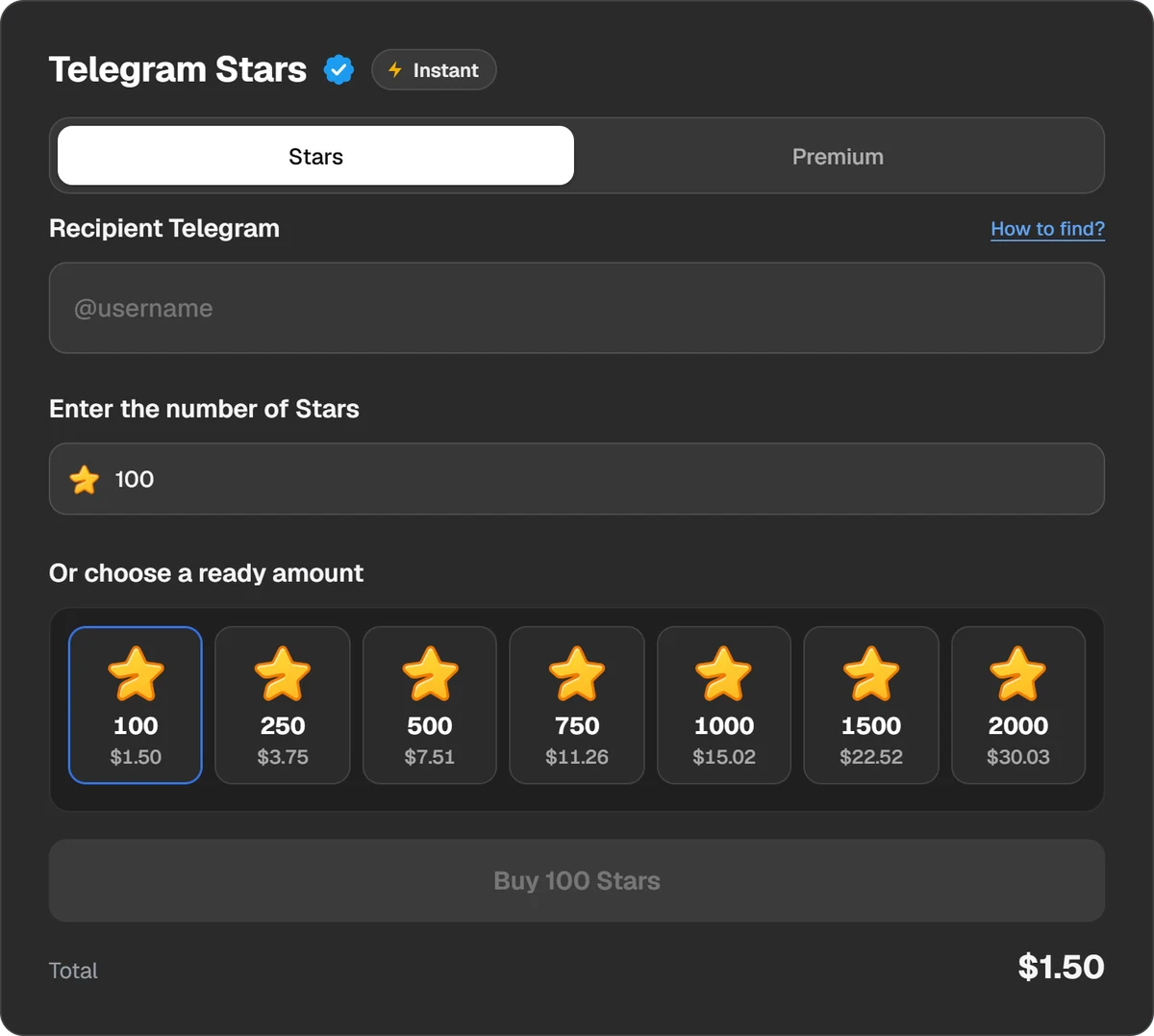
The recipient and the number of Stars. No password or login code needed.
Pay
Choose Binance, Walt, TON Connect or a coin such as USDT or TON. Play Wallet does not take bank cards.
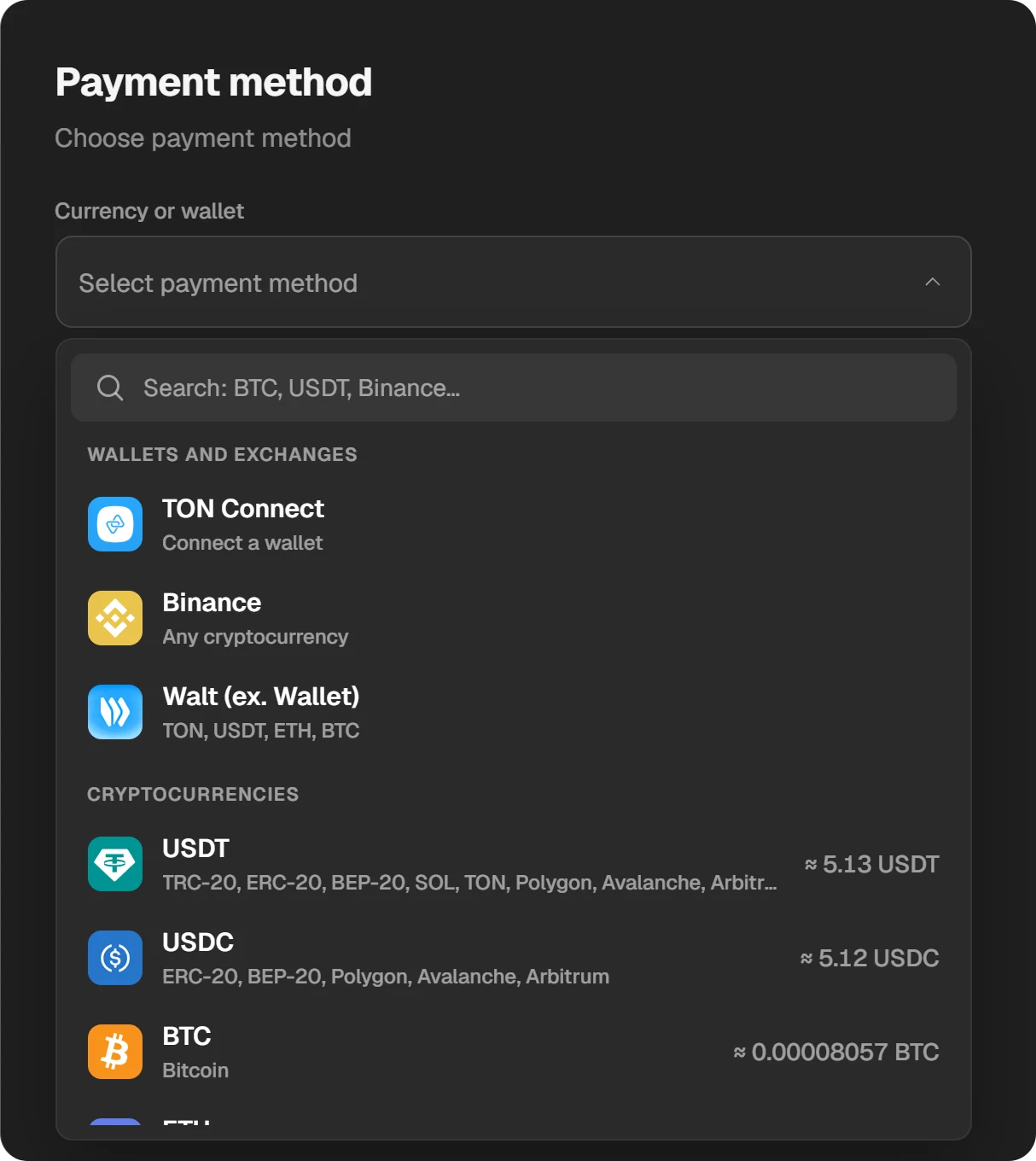
Payment methods: wallets, exchanges and coins.
Questions and answers
How many Stars do I get for a gift?
Fewer than it cost. Telegram shows the exact number before you confirm.
Why can I not convert my gift?
Most likely the conversion period set by Telegram is over, or the gift came from a collectible auction. Those cannot be converted.
How do I sell a Telegram gift for Stars?
Only a collectible gift can be sold: open it on your profile, tap “Sell” and set a price in Stars. A regular gift can only be converted.
Can I undo a conversion?
No. Telegram destroys the gift when you convert it.
Can I withdraw those Stars?
Not as an ordinary user: Stars on your balance cannot be sold, withdrawn or transferred. You can spend them inside Telegram.
