

How to top up a US Steam account: codes and values
A US Steam account takes wallet codes in US dollars. Play Wallet sells them for crypto. Two mistakes are common: buying exactly the game’s price and forgetting the tax, or buying a US code for a dollar account of another country.
In short
- If your account’s country is the US, buy a Steam code on Play Wallet: 5, 10, 20, 25, 30, 50, 75 or 100 dollars (as of 22 November 2026).
- We have no top-up by login for the US. You pay in crypto.
- Steam adds sales tax to the price where the state requires it, also when you pay from the wallet.
- An order holds one code. Several codes add up in the balance.
- CIS, Turkish and Argentine dollar accounts need other products of ours.
Work out the tax first
Prices in the US store come without sales tax. Steam calculates it at checkout and adds it on top. The rate depends on the state, and sometimes there is none. That is why Steam may ask for your billing address even when you pay from the wallet.
The sum is the price plus the price times the rate. The 8% below is made up for the example and is not the rate of a particular state. US Steam prices are approximate, as of 22 November 2026.
| Game | US price, approx. | Codes without tax | Total at 8% | Codes at 8% |
|---|---|---|---|---|
| Stardew Valley | $14.99 | 5 and 10 | $16.19 | 20 |
| FNAF: Security Breach | $39.99 | 30 and 10 | $43.19 | 20 and 25 |
| Baldur’s Gate 3 | $59.99 | 50 and 10 | $64.79 | 50, 10 and 5 |
Steam shows the exact total before you confirm. Do not enter somebody else’s address to lose the tax. Use your own.
Which codes make up the amount
Take the amount with tax and round it up to the next five dollars. These combinations give exactly that in the fewest orders.
| You need | Codes | Orders |
|---|---|---|
| Up to $5 | 5 | 1 |
| Up to $10 | 10 | 1 |
| Up to $15 | 5 and 10 | 2 |
| Up to $20 | 20 | 1 |
| Up to $25 | 25 | 1 |
| Up to $30 | 30 | 1 |
| Up to $35 | 30 and 5 | 2 |
| Up to $40 | 30 and 10 | 2 |
| Up to $45 | 20 and 25 | 2 |
| Up to $50 | 50 | 1 |
| Up to $55 | 50 and 5 | 2 |
| Up to $60 | 50 and 10 | 2 |
| Up to $65 | 50, 10 and 5 | 3 |
| Up to $70 | 50 and 20 | 2 |
| Up to $75 | 75 | 1 |
| Up to $80 | 75 and 5 | 2 |
| Up to $85 | 75 and 10 | 2 |
| Up to $90 | 75, 10 and 5 | 3 |
| Up to $95 | 75 and 20 | 2 |
| Up to $100 | 100 | 1 |
The fee can differ by value. Before paying, compare totals, for example one 25 code against a 20 and a 5. Subtract whatever is already in the balance.
How to check your Steam account region
Open “Account details”
Click your profile name at the top right of Steam and choose “Account details”. On a phone, open store.steampowered.com/account in a browser and sign in.
Find the “Country” line
It is in the “Store & Purchase History” block. That is your account’s region: prices and the wallet currency depend on it.

The “Country” line, shown on an example account.
How to buy a US code
Check the country as well as the dollar sign
In Steam, click your profile name and open Account Details. Country should say United States. A dollar balance alone is not enough.
Choose the US and a value
On Steam top-up, choose the United States. It is marked “Gift card” and needs no login. Pick a value and check the total with the fee.
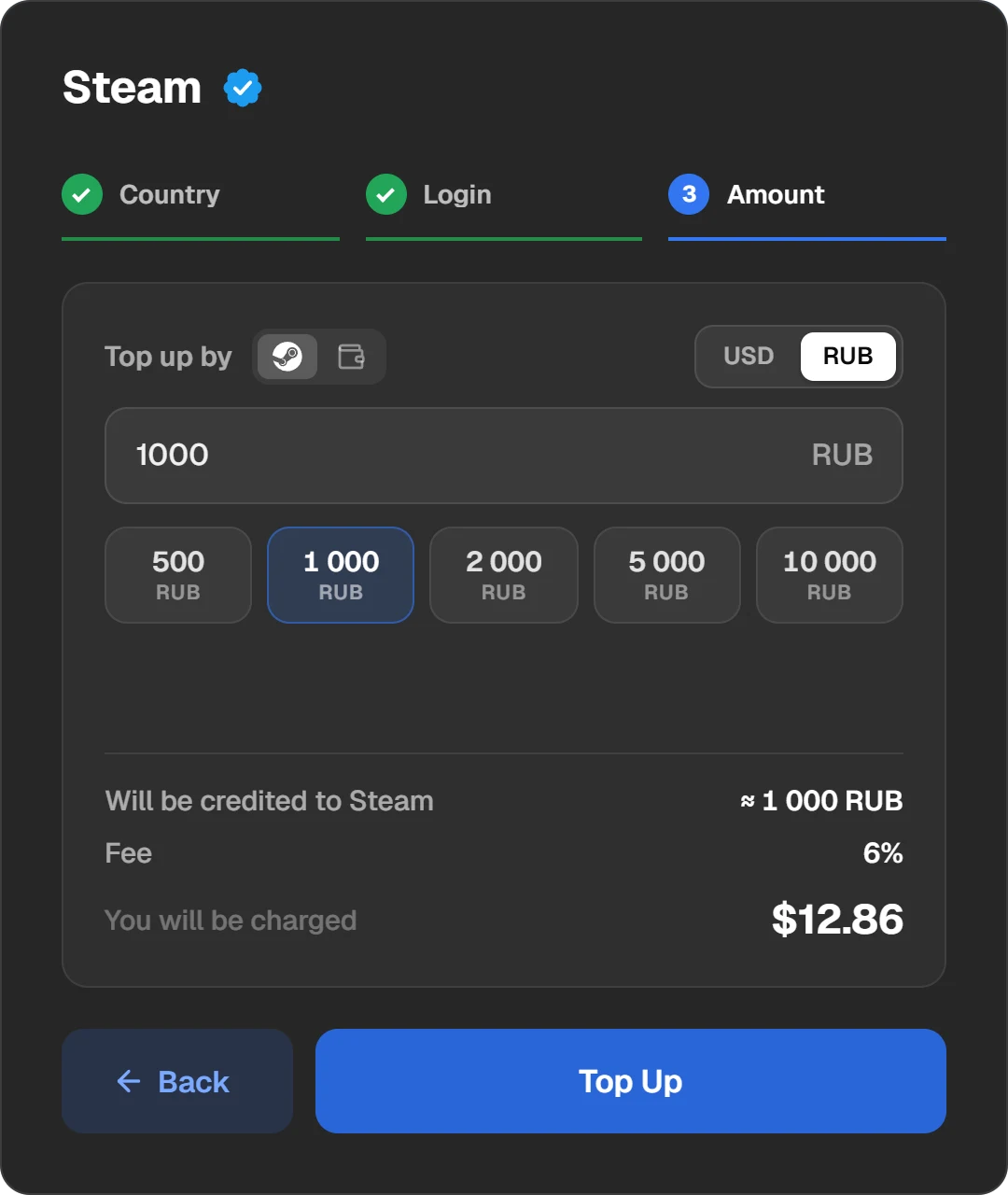
The account’s country first, then the value.
Pay for the order
Press “Top Up” and choose a coin, Binance, Walt or TON Connect. We do not take bank cards. A second code is a second order.
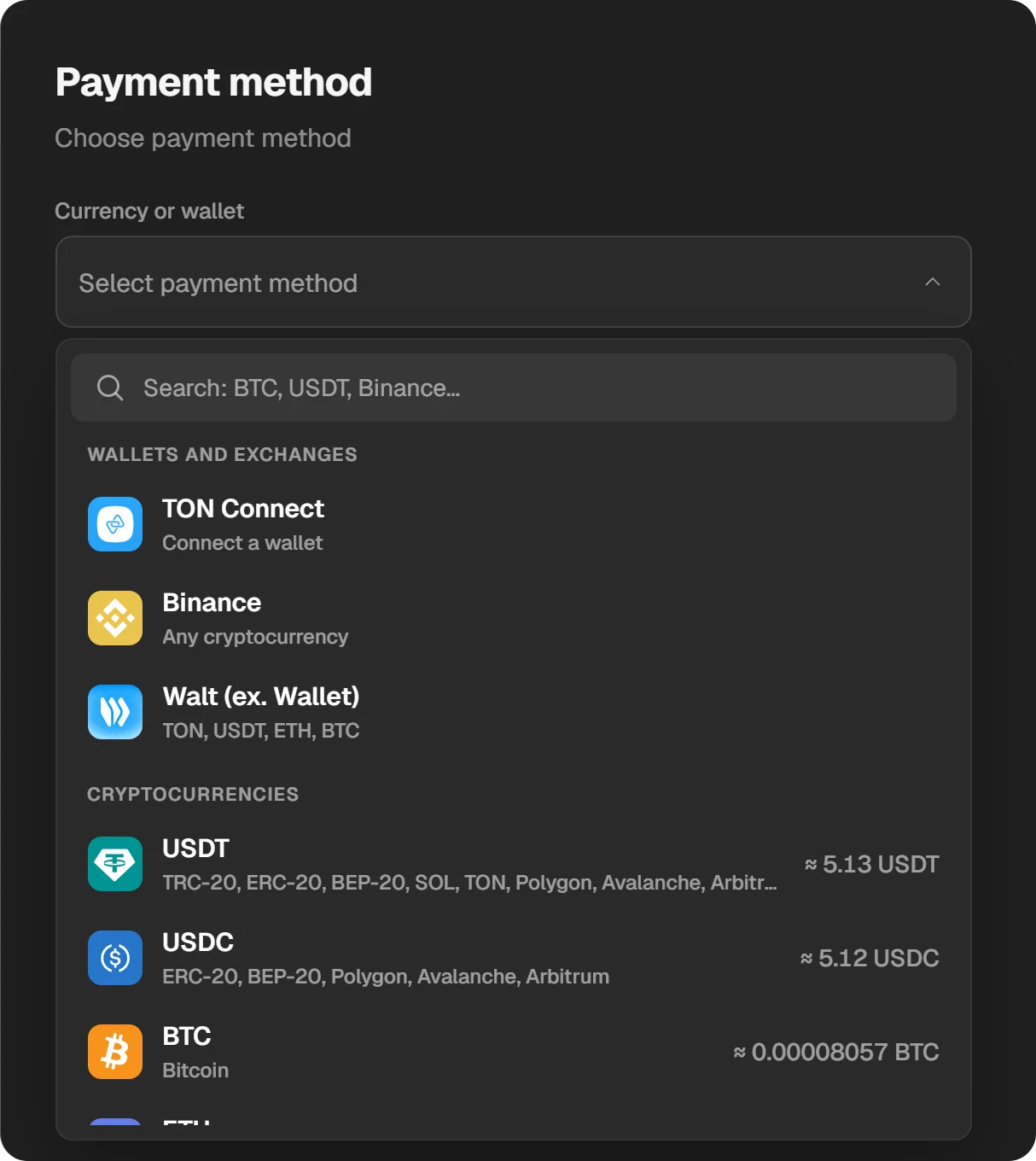
The amount in your coin shows before you send it.
Copy the code and redeem it
The order window shows the code, and it stays in “History” at the top of the site. Enter it at store.steampowered.com/account/redeemwalletcode. Screens and errors are in Steam gift cards.
Why other dollar accounts need another product
Steam shows dollars in many countries, with different store countries and prices. The same game costs different money (approximate Steam prices as of 22 November 2026):
| Account country | Stardew Valley | Baldur’s Gate 3 | What to buy here |
|---|---|---|---|
| United States | $14.99 | $59.99 | A US code |
| Uzbekistan and the CIS group | $9.99 | $29.99 | A top-up by login |
| Turkey | $5.99 | $34.99 | A code for Turkey |
| Argentina | $4.99 | $34.99 | A code for Argentina: $20, $30 or $50 |
The CIS dollar group is Armenia, Azerbaijan, Belarus, Georgia, Kyrgyzstan, Moldova, Tajikistan, Turkmenistan and Uzbekistan. These accounts need no code: choose the country, enter the login and an amount from 0.5 to 400 dollars per operation.
A code does not change the store country, which must be where you live. Steam’s agreement bans a VPN or a false address used for another country or price.
If the code is for somebody else
- Ask for the account’s country. A Canadian account cannot take a US code: its wallet is in Canadian dollars.
- Send the code to the owner only. It is not tied to the buyer, and whoever enters it first gets the money.
- Do not redeem it on your account for later. Steam does not move a balance between accounts.
- Check before you pay. Valve does not refund codes bought outside Steam. If a code has a problem, write to our support with the order number.
Is the account American and the total with tax worked out? Buy a US Steam code of that value on Play Wallet.
Questions and answers
Can I top up a US Steam account by login?
Not on Play Wallet. For the US we sell wallet codes, and buying one needs no login.
Which US Steam gift card values do you sell?
As of 22 November 2026, codes of 5, 10, 20, 25, 30, 50, 75 and 100 dollars. Stock shows once you choose the US on the top-up page.
Can I buy a US code from abroad?
Yes, you pay in crypto and can send it to someone in the US. Your own store country must still be where you live.
What if the balance does not cover the tax?
Steam asks for another payment method for the rest. You can also cancel, redeem another code, for example a 5 dollar one, and check out again.
Will a US code work on a Turkish account?
Do not buy it for Turkey. We have separate codes for Turkish accounts: choose Turkey on the top-up page.
How many codes can I redeem?
Steam names no count, but the balance plus the last 24 hours of spending may not exceed 2,000 dollars.
