

Steam fees: topping up, buying and selling
Steam itself takes a fee in only one place: the Community Market, when an item passes from one player to another. Adding wallet funds and buying games in Steam carry no Steam fee. Below is each case: who charges, how much and where you see it.
In short
- Adding funds in Steam itself has no Steam fee: the amount you add is the amount you pay. Only your bank or payment provider may charge something.
- Top-up services charge their own fee. An honest one shows it before you pay.
- The Community Market has two fees: the 5% Steam Transaction Fee and the game’s fee, 10% for CS2, Dota 2 and Team Fortress 2.
- The buyer pays the fees on top of the seller’s price. The seller gets about 87% of what the buyer pays.
- Market money stays in your Steam Wallet. It cannot be withdrawn.
All Steam fees in one table
| What you do | Fee | Who charges it |
|---|---|---|
| Add funds in Steam itself | None | Your bank or payment provider may charge |
| Top up through a site or a wallet code | Yes | The service or the code seller |
| Buy a game in the Steam store | None, you pay the store price | |
| Sell an item on the Community Market | 5% + the game’s fee | Steam and the game’s publisher |
| Buy an item on the Community Market | Already in the listing price | Steam and the game’s publisher |
Fees when you top up
In Steam itself, the amount you add and the price are the same. To get there, click your profile name at the top right → Account Details → Add funds to your Steam Wallet. Steam lists the payment methods of your region at checkout. If one works for you, you pay nothing extra apart from what your bank may charge.
If no Steam payment method works for you, people top up through middlemen: top-up sites that work by login, or wallet codes. A middleman always earns something. What matters is whether it shows that honestly. More on where the markup hides: Steam top-up without a fee: does it exist.
See the fee before you pay
On Steam top-up, choose the account’s country and enter the login and the amount. Below the amount there are three lines: what will be credited to Steam, the fee and what you will be charged. You see them before paying.
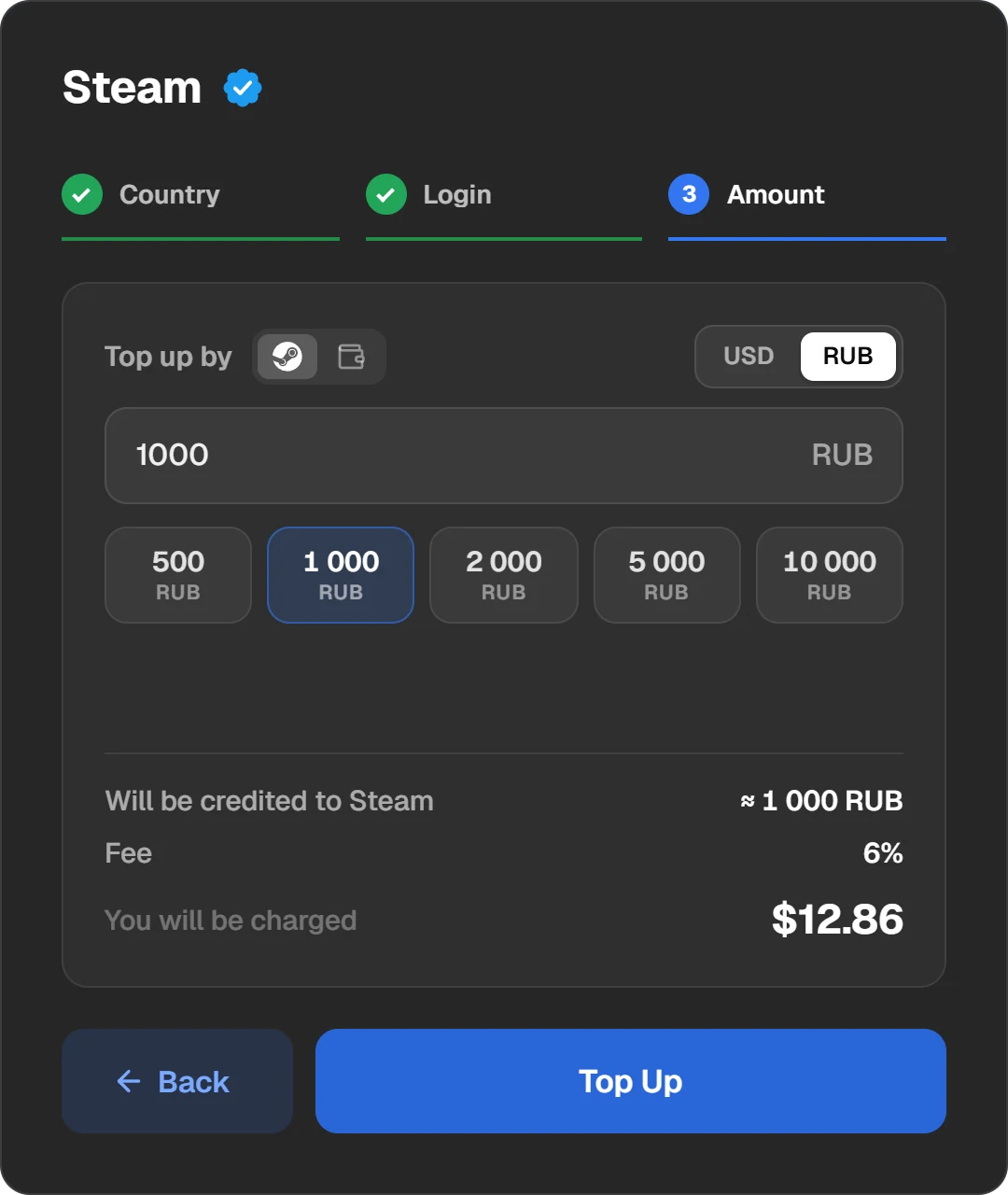
The amount for Steam, the service fee and the charge in one form.
Count the transfer fee
If you pay with crypto, the network charges for the transfer and an exchange charges for the withdrawal. That money does not go to the service; your wallet shows it before you send.
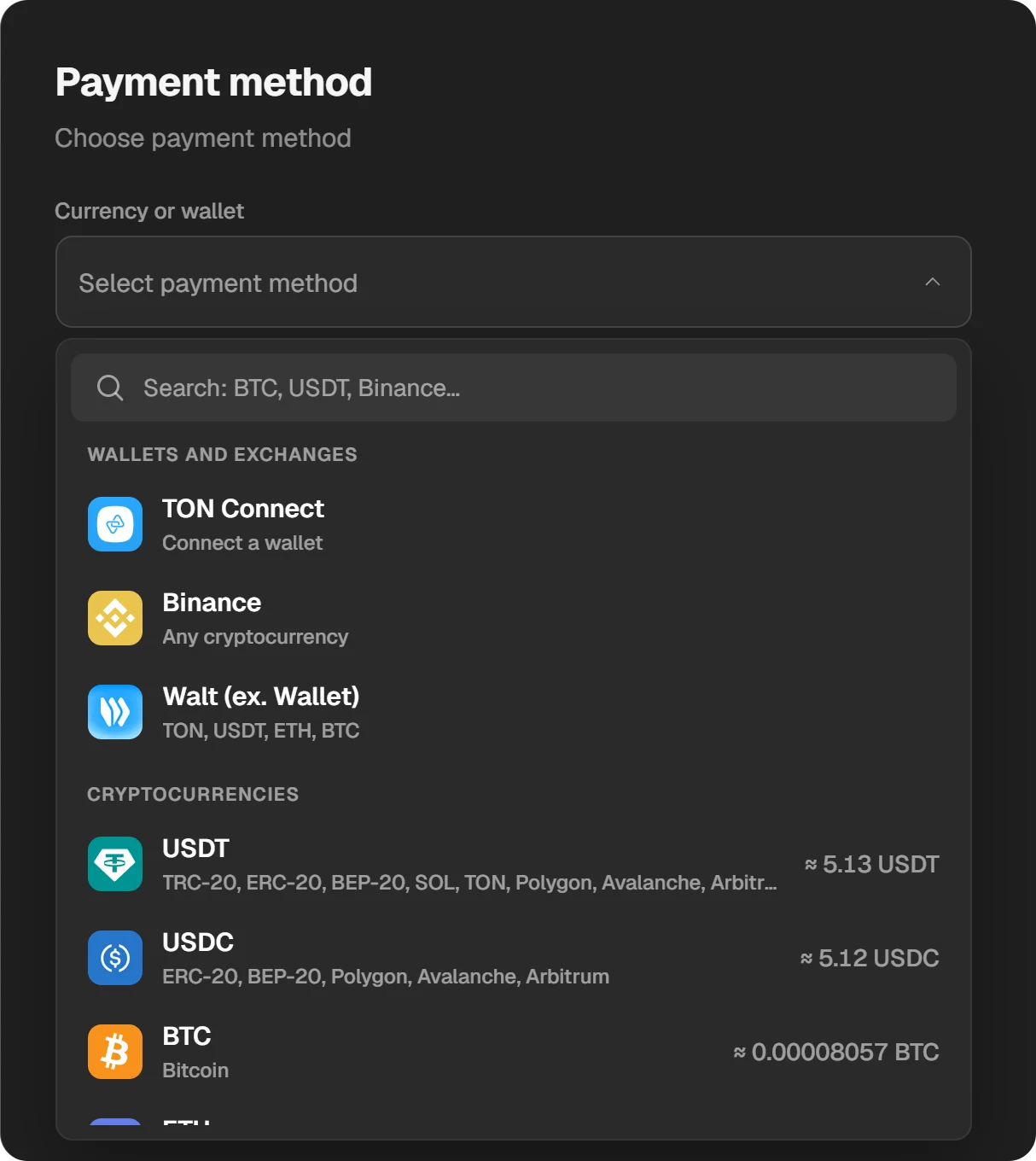
Each coin shows how much of it you will need.
Fees when you buy games
You buy games, DLC and gifts in the Steam store at the price on the page. Steam adds no fee on top. If your card’s currency differs from the store’s, your bank may convert at its own rate, but that is the bank’s term, not Steam’s.
Fees on the Community Market
When an item sells on the Community Market, Steam takes two fees. Both are calculated from the price the seller sets.
- Steam Transaction Fee: 5%, with a minimum of 0.01 dollars or the same in another currency. Steam says this may change.
- The game’s fee. The publisher sets and collects it. For Counter-Strike 2, Dota 2 and Team Fortress 2 it is 10%. Other games’ publishers set their own.
Under Steam’s rules the buyer pays both fees: they are added to the seller’s price, and the buyer sees the total before buying. For the seller, it means less arrives than the listing shows.
Example: what a CS2 skin seller receives
| Step | Amount |
|---|---|
| The seller wants to receive | $10.00 |
| Steam Transaction Fee, 5% | $0.50 |
| CS2 fee, 10% | $1.00 |
| Listing price for the buyer | $11.50 |
| The seller receives | $10.00, about 87% of the listing price |
The numbers only show the sum. The simple rule: of any price you see on the Market, the seller gets about 87%. When you sell a CS2 item yourself, count the other way round: the listing price divided by 1.15 is roughly what reaches you.
If the seller and the buyer use different currencies, Steam converts at its own rate, updated daily. A seller always lists in their own wallet currency.
How to list an item and what you need for it: How to sell items on the Steam Community Market. If the money from a sale is not available yet, read Steam funds on hold.
What Steam does not have
- A withdrawal fee. Money cannot leave Steam at all, so there is no such fee. Wallet funds and Market proceeds are spent only inside Steam.
- Game resale. You cannot sell a game you bought to someone else: Steam’s rules do not allow transferring licences. The only way to get money back is a refund, see How to get a refund on Steam.
Questions and answers
Does Steam charge a fee to add funds?
Not in Steam itself: the amount you add equals the price. Top-up services charge their own fee; on Play Wallet you see it before paying.
How much does Steam take when you sell skins?
The 5% Steam Transaction Fee plus the game’s fee, 10% for CS2, Dota 2 and Team Fortress 2. About 15% on top of the seller’s price, so the seller gets about 87% of the listing price.
Who pays the Community Market fee?
Under Steam’s rules, the buyer: the fees are added to the seller’s price. Sellers still price lower so that the buyer’s total stays competitive.
Is there a fee when buying games?
No. You pay the price shown in the store. Only your bank may charge for currency conversion.
Can I withdraw Steam money for a fee?
No. Steam does not pay money out for any fee: wallet funds and Market proceeds stay in Steam.
Can the Steam fee change?
Yes. Steam says the 5% may go up or down. It shows the buyer the current fee before the purchase.
