How to buy Robux on a computer with a gift card
On a computer it all happens in one browser: buy a Roblox gift card on Play Wallet, enter the code and, with a card for an amount, choose a pack. Here are the steps and packs as of 22 November 2026.
In short
- Buy a Roblox card on Play Wallet: Robux, or an amount in dollars or euros.
- The code is entered at roblox.com/redeem in a browser. No program or game pass is needed.
- A Robux card tops up at once. A card for an amount gives credit, and you choose a pack with it.
- Our smallest card is 200 Robux. There are none of 40 or 80.
- We take crypto. We are an independent shop, not Roblox.
Check the address first
There is one real site: roblox.com. In the address bar, the part between https:// and the next slash must be www.roblox.com or roblox.com, with no extra words, letters or digits. Addresses like “roblox.com.something” or “robux-something” belong to other people. Type the address rather than following an advert.
Buying Robux on a PC, step by step
Choose a card
Open the Roblox page on Play Wallet. The Robux tab gives a set number of Robux, the USD and EUR tabs give credit.
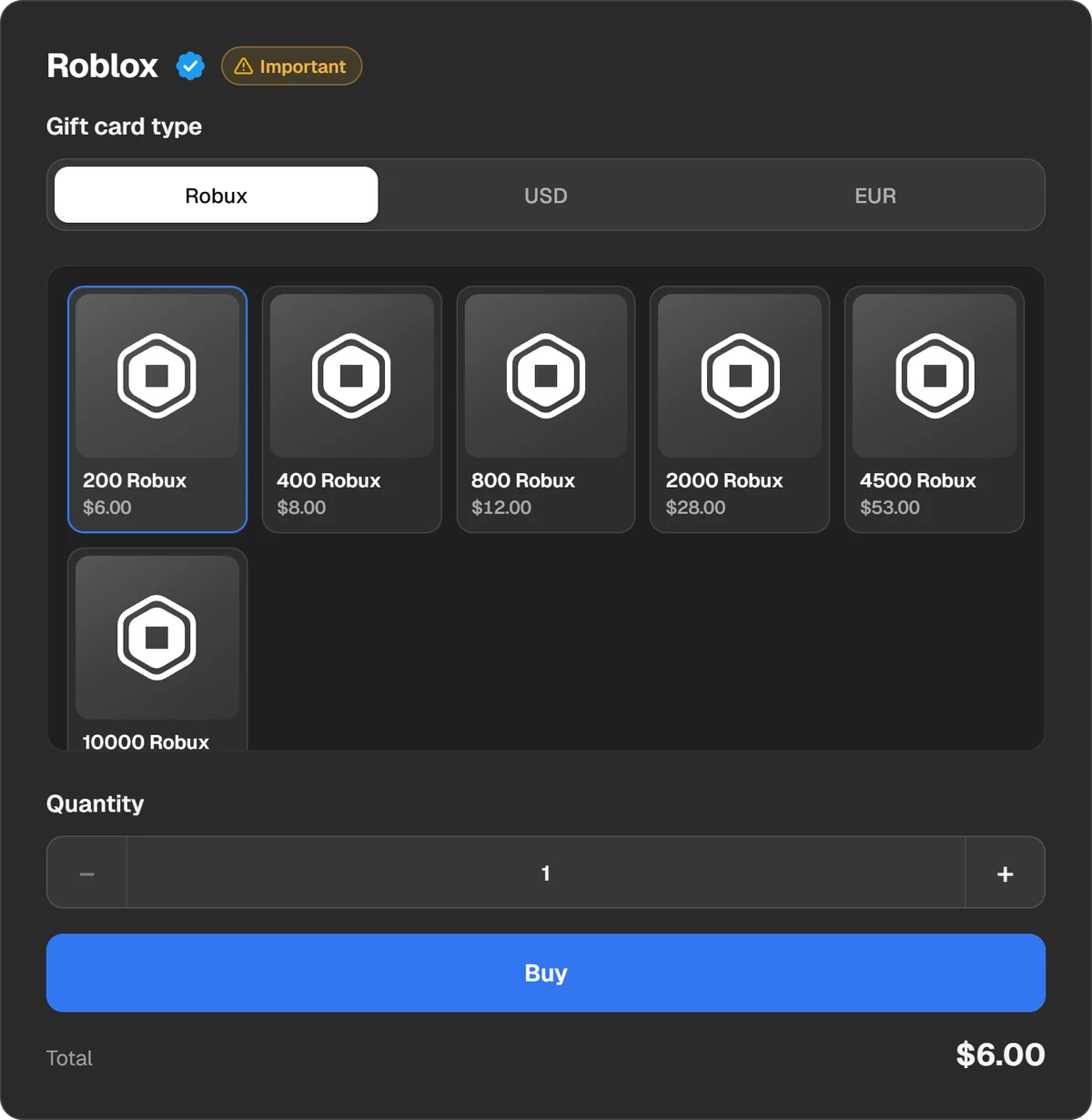
The kind of card, the amount and the total on one screen.
Pay
Press “Buy”. Payment is in crypto, and the amount and fee show first. The code appears in the order window and stays in “History”.
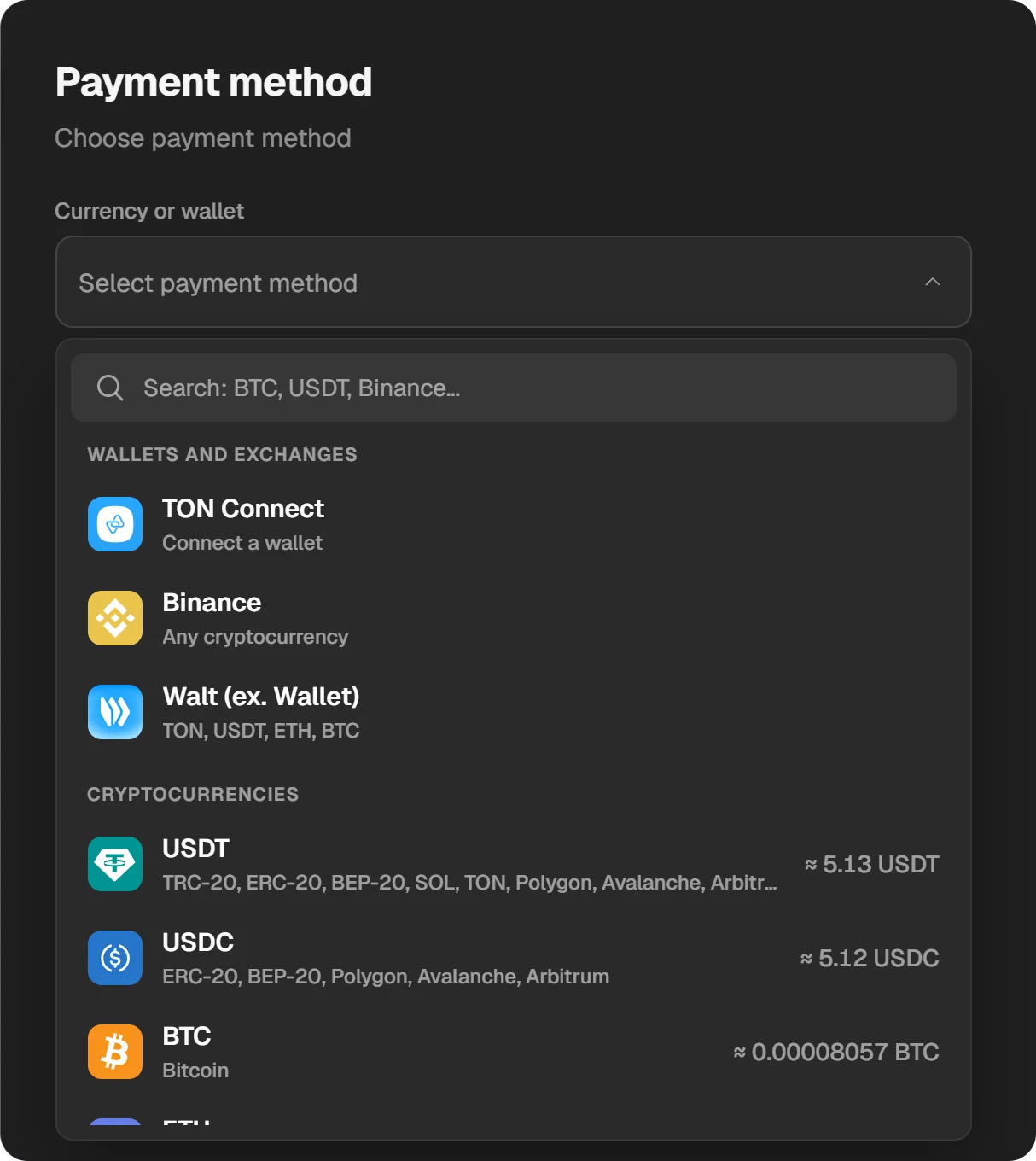
You see the total before paying.
Sign in to the right account
Open roblox.com in a browser and select “Log In”. Check the username: Robux on the wrong account cannot be moved.
Enter the code at roblox.com/redeem
A Robux card credits them at once. After a card for an amount the credit shows under “Redeem”. The errors are in How to redeem a Roblox card.
With credit, choose a pack
“Get Robux” offers the largest pack your credit covers. For another one, open roblox.com/upgrades/robux and choose. The maths is in Roblox Credit.
Check the balance
Select the Robux icon at the top right, then the number. The same balance shows on your phone and console.
The packs your card credit buys
This is the pack page as of 22 November 2026 without signing in. These prices are charged to the credit of a card for an amount. Roblox shows the second number crossed out: it is the amount without the bonus.
| Robux on the site | Without the bonus | Price on roblox.com |
|---|---|---|
| 270 | 240 | about $3 |
| 500 | 400 | about $5 |
| 1,000 | 800 | about $10 |
| 1,500 | 1,200 | about $15 |
| 2,000 | 1,700 | about $20 |
| 3,625 | 3,150 | about $35 |
| 5,250 | 4,500 | about $50 |
| 11,000 | 10,000 | about $100 |
| 24,000 | 22,500 | about $200 |
Your account may show other prices. Roblox has local prices in some countries and dollars in the rest. In the US and Canada tax is added on top. Read the total before you confirm.
The phone app has a list of its own, so advice to “buy 80 Robux on PC” does not work on the site. For small amounts see How to buy 40, 80 or 100 Robux.
Who a card suits
- A player in Russia. In June 2026 Roblox said access was restored. Entering a code needs no payment on the Roblox site.
- An account of any country. The code works anywhere. An amount is converted to the account’s currency.
- Someone who plays on another device. The Robux show everywhere. Credit, though, shows and works only in a browser.
- It cannot top up a part payment. Roblox takes each pack in full with one method, so the credit has to cover it.
Before you press buy
- Ask a parent. When a child is buying, an adult pays.
- Check the profile. A family computer is often signed in as a brother or sister.
- Share no screen. A “helper” who wants screen sharing or remote access will see the code.
- Purchases are final. Roblox does not refund gift cards or Robux you no longer want.
Do not give the account a false country or address. If the code or a credit purchase fails, the causes are in Why a Robux purchase fails.
The browser is open and there is nothing to download. Choose a Roblox card on Play Wallet and start with the first step.
Questions and answers
How do I buy Robux inside Roblox on a computer?
Buy a Roblox card, sign in at roblox.com and enter the code at roblox.com/redeem. With a card for an amount, then choose a pack and pay with the credit.
How do I buy 80 Robux on a PC?
Not exactly 80: there is no such pack or card. Take a 200 card, the rest does not expire.
Can I redeem on a phone?
Yes, in the phone’s browser on the same roblox.com/redeem page. The app does not show credit.
Do I need to download anything?
No, a browser is enough. “Robux for PC” programs, extensions and scripts have nothing to do with buying.
Can I pay partly with credit and partly with a card?
No. Roblox does not split payments: one purchase, one method. Take a card that covers the whole pack.
Why does the site mention a purchase limit?
Roblox has protective payment limits and support does not change them. Roblox itself suggests a gift card in that case.