

How to pay for PS Plus from your PlayStation wallet
Yes, PS Plus can be paid from the PlayStation Store wallet. Sony takes wallet funds first, both when you buy and when the subscription renews. Two catches: Sony may ask you to add a payment method, and if the wallet is short, the rest is charged to your card. Step by step below.
In short
- PS Store wallet funds are used first, PS Plus included.
- Sony may require a card or PayPal even when the wallet covers the price.
- At renewal Sony takes the wallet funds first and charges the rest to the default payment method.
- The wallet is topped up with a PS Store card of the account’s country.
- Removing the card does not cancel the subscription.
How Sony charges for PS Plus
| Situation | What happens |
|---|---|
| Buying, the wallet has enough | The whole price comes from the wallet |
| Buying, the wallet is short | The wallet is used up, the rest goes to the card or PayPal |
| Renewal, the wallet has enough | The subscription renews from the wallet |
| Renewal, the wallet is short | The rest is charged to the default payment method |
The wallet settings used to have Auto-Add Funds, which topped the wallet up before a renewal. Sony removed it and now charges the payment method directly when the wallet is short.
Sony does not say what happens when the wallet is short and there is no card. To keep the subscription running, top the wallet up before the renewal date.
Why Sony asks for a card
Sony’s support page says that when you buy a subscription with wallet funds, you may still be required to add a payment method. The same goes for some subscription codes.
You can remove the card after buying: Sony says removing a payment method does not cancel active subscriptions. Renewal then depends on the money in the wallet.
How to top up the wallet with a PS Store card
Choose a card for your account’s country
Open PS Store cards, pick your PlayStation account’s country and an amount that covers the PS Plus tier and term you want. The price and fee are shown before you pay.
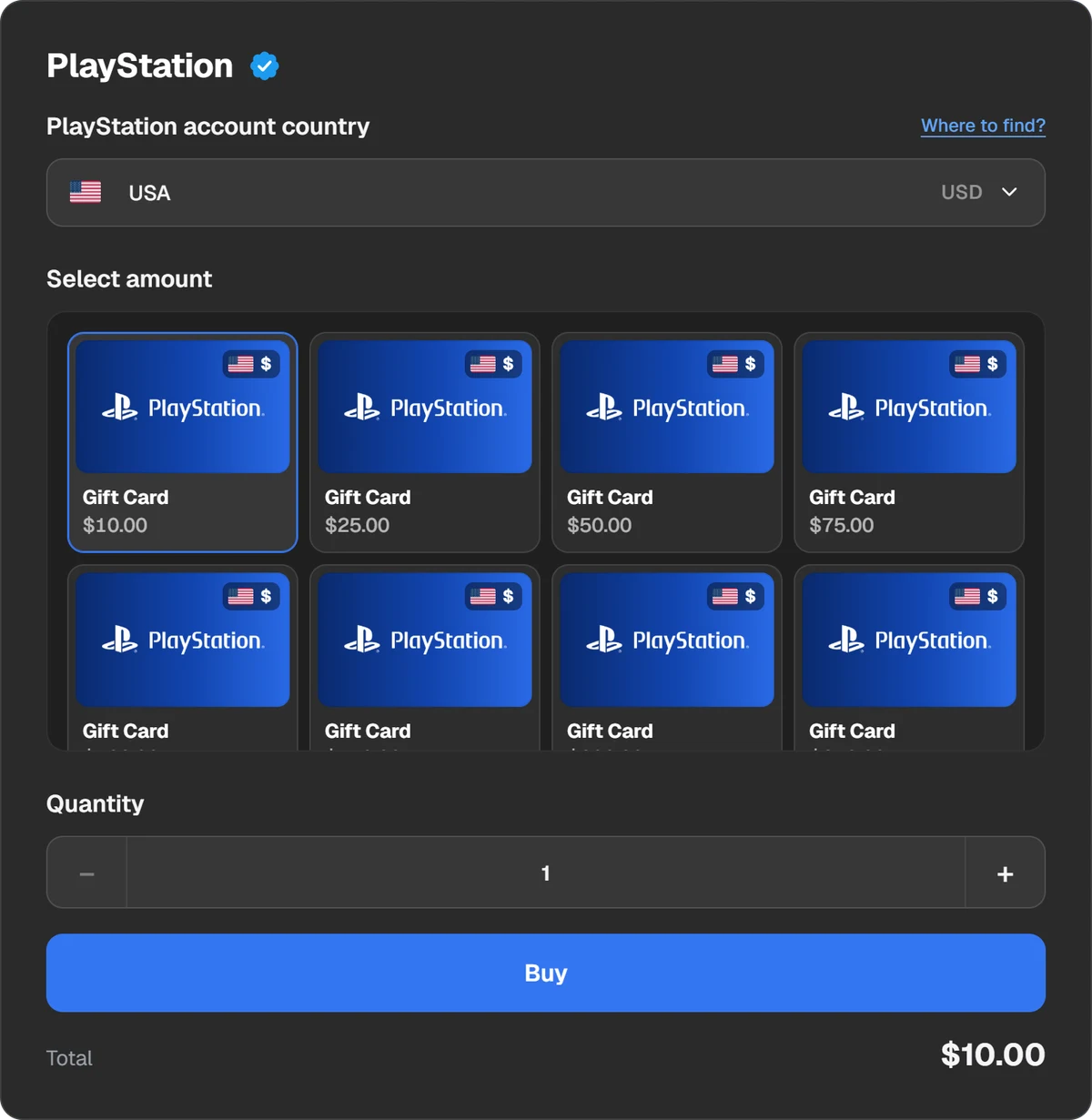
Country and amount of the PS Store card.
Pay
In the payment window choose a coin or wallet: USDT, USDC, BTC, TON and other coins, Binance, Walt or TON Connect.
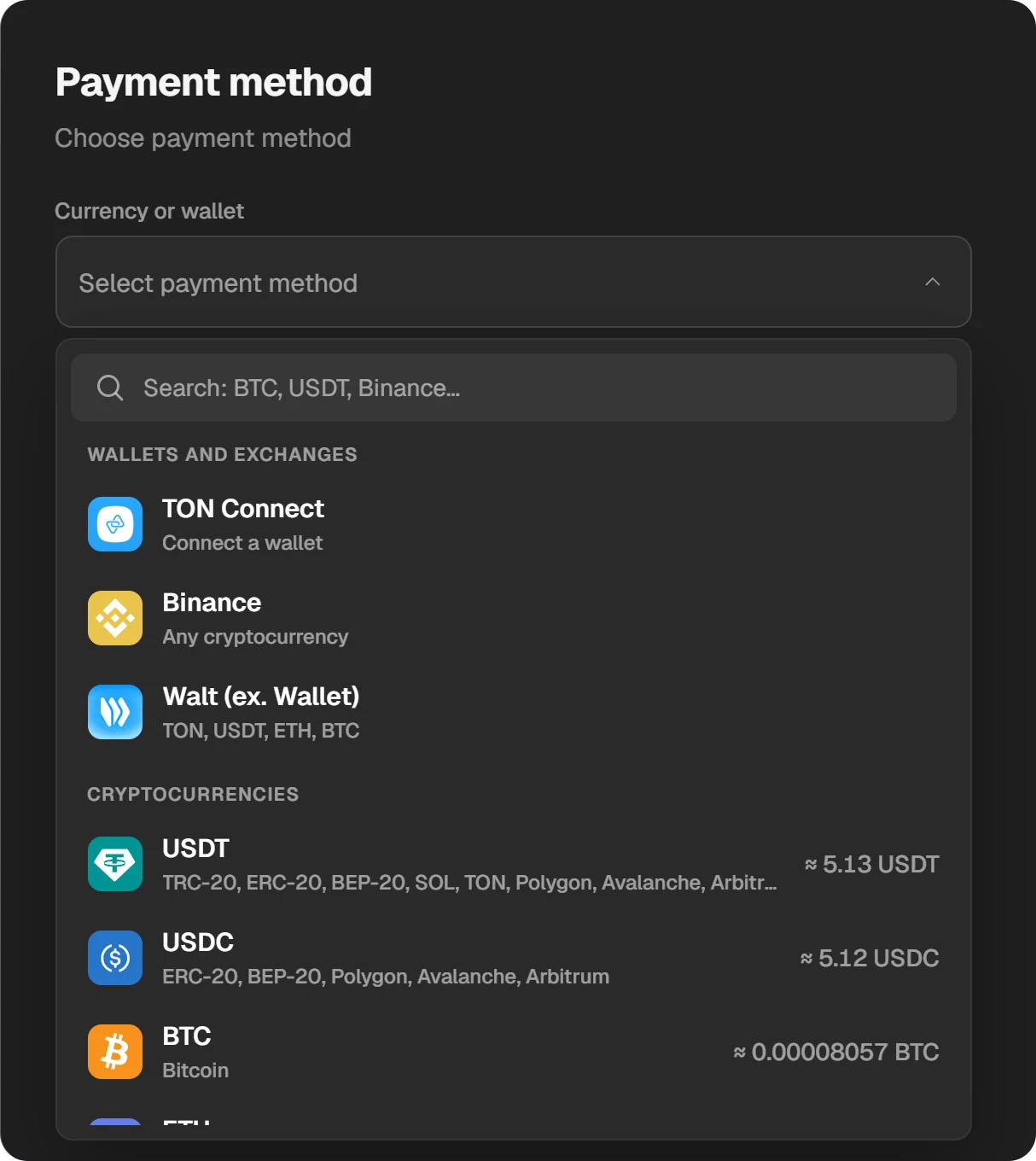
Choosing a coin or wallet in the payment window.
Redeem the code
The 12-character code appears in the order window and in “History”. On PS5 open the PlayStation Store, press triangle, then … (More) → Redeem Code, enter the code and select Redeem. The money goes to the wallet.
A card fits only accounts of the country it was issued for, and a PlayStation account’s country cannot be changed. You can check it on the PlayStation website under Your Information → Residential Address.
How to buy PS Plus from the wallet on PS5
- On the Games home screen, scroll right and select the PlayStation Plus icon.
- Choose the tier (Essential, Extra or Premium, Deluxe in some countries) and the term.
- On the payment screen check that the wallet pays, and confirm.
- If Sony asks for a payment method, add a card or PayPal of your country.
You can also redeem a wallet code right on the payment screen under Redeem Codes and Gift Cards. In a browser, PS Plus is bought on playstation.com by choosing a plan. See PS Plus tiers for the differences.
Where to see the wallet balance
- PS5: in the PlayStation Store press triangle and select … (More). The balance is next to your profile icon.
- Browser: in the PlayStation Store select your profile, then Payment Management.
- PS5, funds and subscriptions: Settings → Users and Accounts → Account → Payment and Subscriptions.
The wallet has a maximum it can hold. Sony does not publish it.
How to check and turn off renewal
Settings → Users and Accounts → Account → Payment and Subscriptions → Subscriptions → PlayStation Plus shows the next billing date. To stop renewing, select Cancel Subscription: PS Plus keeps working until the end of the paid term. Changed your mind? Reactivate Subscription.
Questions and answers
Can I pay for PS Plus with wallet funds?
Yes. PS Store wallet funds are used first, both when you buy and when the subscription renews.
Why does the PS Store ask for a card when my wallet has money?
Sony says a payment method may be required when buying a subscription with wallet funds. It is Sony’s own rule.
Will PS Plus renew from the wallet automatically?
Yes, if the wallet has enough. If not, Sony charges the rest to the default payment method. Without a card, top up before the renewal date.
Does removing my card cancel PS Plus?
No. Sony says removing a payment method does not cancel active subscriptions.
Where is Auto-Add Funds?
Gone: Sony removed the setting. When the wallet is short, the charge now goes straight to the card.
Can I use a PS Store card from another country?
No. The wallet takes cards only of the country set in the account.


