How to buy diamonds in Mobile Legends by ID
Mobile Legends diamonds can be bought by ID: you enter two numbers from your profile and the diamonds go straight into the game. Here is where to find those numbers and which region to choose.
In short
- A top-up needs two numbers: the User ID and the Server ID. No password.
- Both are in your profile, as a line like 12345678 (1234): User ID first, Server ID in brackets.
- For most accounts choose the Global region; accounts made in Russia use the Russia region.
- The diamonds arrive by themselves; there is no code to enter.
What diamonds are for
Diamonds are Mobile Legends: Bang Bang’s paid currency. They buy heroes, skins and emotes, and spins in lucky-wheel events.
In-game purchases go through Google Play or the App Store. A top-up by ID skips the store: you pay the service, and the diamonds are credited to the account with your IDs.
Where to find the User ID and Server ID
- Open Mobile Legends and tap your avatar at the top left of the main screen.
- Under your name is a line like 12345678 (1234).
- The first number is the User ID; the number in brackets is the Server ID.
Both numbers are needed: no Server ID, no top-up. Enter them in separate fields, without brackets or spaces. A nickname will not work.
Global or Russia: which region
| Your account | What to choose on Play Wallet |
|---|---|
| Made outside Russia | Account region “Global” |
| Made in Russia | Account region “Russia” |
Each region has its own diamond packs. If you are not sure, ask support before paying.
How to buy diamonds on Play Wallet
Choose the region and enter the IDs
Open Mobile Legends diamonds. Under Account region, choose Global or Russia. Enter the first number in User ID and the one from the brackets in Server ID.
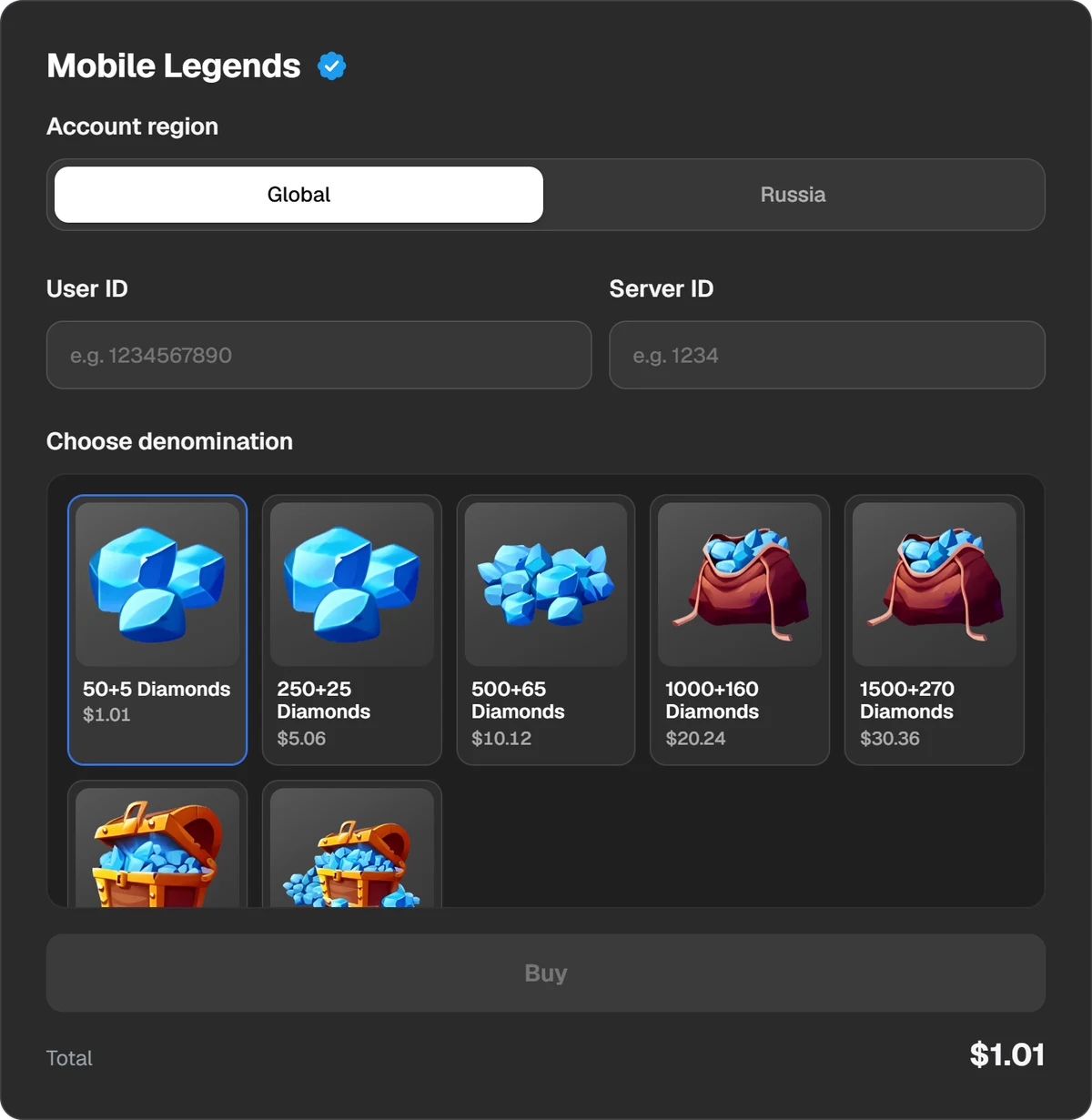
The account region, the User ID and Server ID fields and the diamond packs.
Choose a pack
In the Global region, packs are labelled like 250+25 Diamonds. The second number is bonus diamonds that come with the main ones. The total is shown before you pay.
Pay
Press Buy and the payment window opens. You can pay in USDT, USDC, BTC, TON and other coins, or through Binance, Walt and TON Connect. The fee is shown in advance.
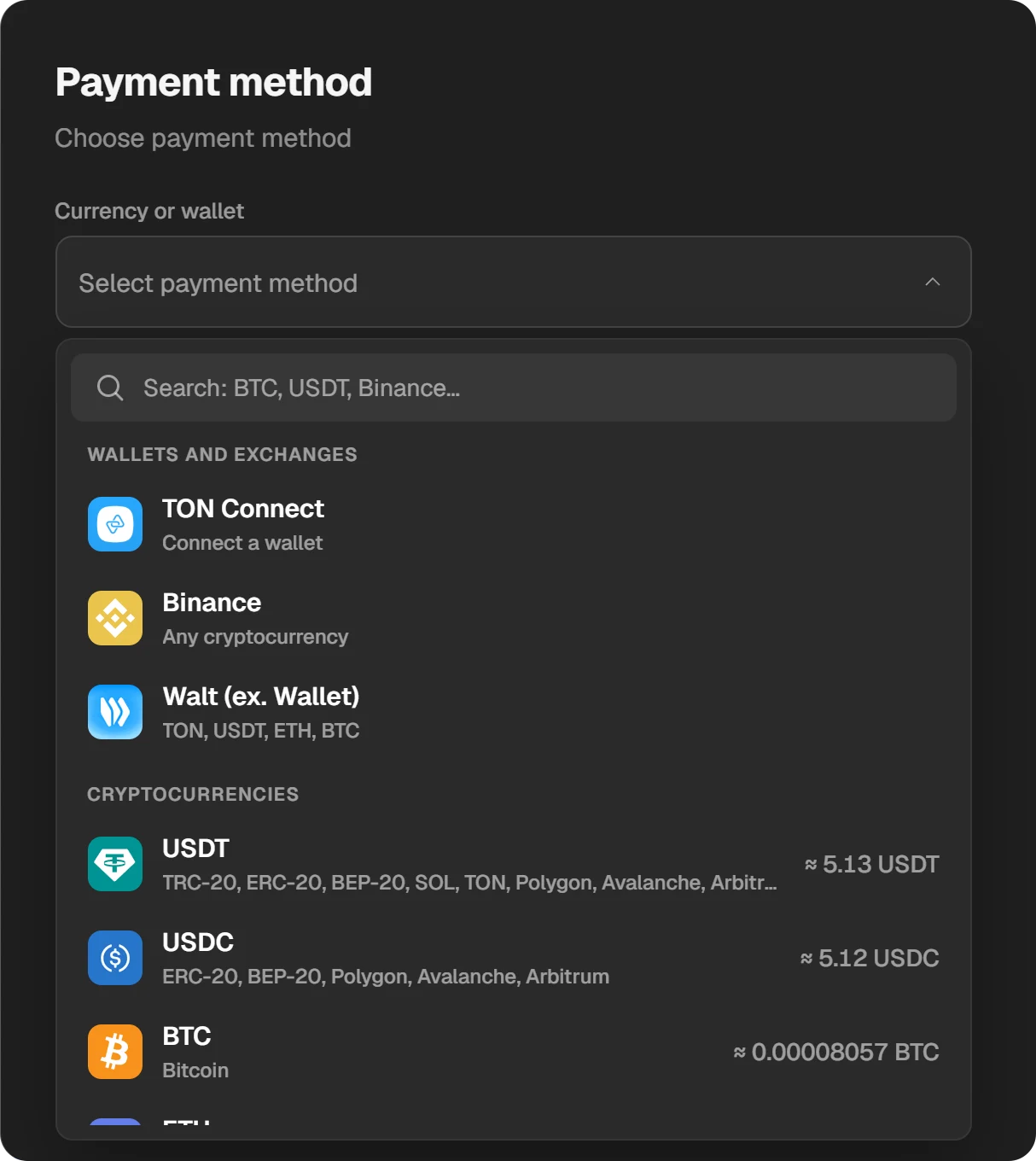
Choosing a coin or a wallet in the payment window.
Open the game
When the order is done, the diamonds are on the account with those IDs. If you do not see them, log in again.
Check both numbers before paying. The diamonds go to the account with the IDs you entered, and the top-up cannot be undone.
Check before paying
The User ID
Compare the number in the field with the first number in your profile. One wrong digit sends the diamonds to someone else.
The Server ID
The number from the brackets, without the brackets. No Server ID, no top-up.
The account region
Global or Russia. The regions have different packs; pick the one where the account was made.
Diamonds as a gift
To buy diamonds for a friend, ask for the line from their profile, like 12345678 (1234), and where their account was made. No password needed; the diamonds go to their game.
Common mistakes
- Both numbers in one field. “12345678 (1234)” as a whole will not work in User ID. Split it.
- The wrong region. An account made in Russia is topped up through the Russia region.
- A nickname instead of the ID. Only the digits from your profile work.
Safety
- Never share your Moonton password or sign-in codes. The IDs are enough for a top-up.
- “Free diamond” sites and mods with “unlimited diamonds” collect passwords.
If the diamonds have not arrived
- Log in again and check your diamond balance.
- Open the order in History at the top of the site and check the User ID, the Server ID and the region.
- If all is right, write to support with the order number. The ID button in the order window copies it.
Questions and answers
Where do I find my User ID and Server ID?
Tap your avatar at the top left. Under your name is a line like 12345678 (1234): User ID before the brackets, Server ID inside.
Global or Russia?
Russia if the account was made in Russia; Global otherwise.
Do you need my password?
No. The User ID and the Server ID are enough.
What does “250+25 Diamonds” mean?
250 diamonds plus 25 bonus ones. They all arrive together.
Can I buy diamonds for a friend?
Yes. Enter your friend’s User ID and Server ID and the region of their account.