

What Nitro gives your Discord profile: banner, style, boosts
Nitro unlocks profile styling a free account does not have: an image or GIF banner, an animated avatar, profile colours, a separate profile on each server and a styled display name. It also includes 2 Server Boosts. Here is what each of them is, how to set it, and what you can do without Nitro.
In short
- Nitro only: a profile banner, an animated avatar, a two-colour theme, per-server profiles and Display Name Styles.
- Set the banner in User Settings, Profiles, Change Banner. PNG, JPG or GIF under 10 MB, at least 680×240 pixels.
- Without Nitro you cannot upload a banner image. You can change the avatar, About Me, pronouns, a server nickname, and buy decorations in the Discord Shop.
- Nitro includes 2 Server Boosts and 30% off more. Two boosts are enough for server Level 1.
- Nitro Basic has neither the profile styling nor the boosts.
What Nitro changes in a profile
| Profile element | Without Nitro | With Nitro |
|---|---|---|
| Avatar | an image | an image or an animated GIF |
| Banner | no image upload | an image or an animated GIF |
| Profile theme | none | two colours: primary and accent |
| Per-server profile | a server nickname only | your own avatar, banner, About Me and theme on each server |
| Display Name Style | preview only, cannot be saved | font, effect and colour |
| About Me | up to 190 characters | up to 190 characters and custom emoji |
| Pronouns | yes | yes |
| Avatar decoration, profile effect, nameplate | bought in the Discord Shop | bought at member pricing |
| Profile badge | none | a Nitro badge that evolves with tenure |
All of this is the full Nitro plan. Nitro Basic adds only a Nitro Basic badge. The plans are compared in Discord Nitro vs Nitro Basic.
How to set a banner
Open Profiles
On desktop select the cog at the bottom left to open User Settings, then the Profiles tab. On a phone tap your avatar at the bottom right and choose Edit Profile.
Press Change Banner
Pick your image or GIF. Discord accepts PNG, JPG and animated GIF files under 10 MB, with minimum dimensions of 680×240 pixels.
Crop it
A crop window appears. Adjust it and press Apply. Skip crops the image with the default settings.
Save
Check the profile preview and press Save Changes.
Discord’s help centre says it plainly: only Nitro members can upload an image or animated GIF as a profile banner. Plugins and client mods that promise a “banner without Nitro” fall under the Terms of Service ban on unauthorised software that modifies the service. More in Free Discord Nitro.
Animated avatar, theme and name style
- Animated avatar. In Profiles press Change Avatar, upload a GIF, then Apply and Save Changes. You can change your avatar no more than twice an hour.
- Profile theme. In the same place choose the Primary and the Accent colour. The preview shows the profile card before you save.
- Display Name Style. Select your username at the bottom left, then Edit Profile. Under Display Name Style choose a font, an effect and a colour. The Gradient effect takes two colours, Prism takes five.
Name styles have limits. In servers only the font shows: the colour comes from your role there. In the DM list only the font shows until someone hovers over the name. On mobile, styles appear without animation.
A separate profile on each server
With Nitro you can look different on every server: another avatar, banner, About Me and colours. Your main profile stays as it is on the servers you have not customised.
Open the per-server profile
On desktop right-click your avatar in a text channel of that server and select Edit Per-server Profile. On a phone tap the server’s name and choose the same item.
Set it up
Upload an avatar for this server: JPG, PNG or GIF up to 8 MB. The banner, About Me and theme are on the same page.
Save
Press Save Changes. On a phone the Save button is at the top right.
- You can have one custom avatar per server. There is no bulk reset; avatars are reset one server at a time.
- A server-specific avatar decoration or profile effect can be changed only on desktop or in a browser.
- Server nicknames are free for everyone and need no Nitro.
Decorations, effects and nameplates from the Shop
Avatar Decorations, Profile Effects, Nameplates and Profile Frames are sold in the Discord Shop. On desktop select the Discord icon at the top left to open your direct messages and press the Shop tab. On a phone open your profile and tap the Shop icon at the top right.
- The Shop is open to everyone. You do not need Nitro to buy. Nitro members get special pricing on eligible items.
- What you buy is yours. Decorations and effects can be used anytime, even without a subscription. They are non-refundable.
- The exception: Nitro exclusives. Nitro members can collect the DISXCORE items for free, but they work only with an active Nitro and are not available on a Nitro trial.
- Profile Frames. As of 22 November 2026 they are in Nitro Early Access: Nitro members can buy them, everyone else can see them on other profiles.
- Nameplates can be bought only on desktop. You can apply an owned one on mobile.
- Quest rewards. A decoration earned in a Quest normally lasts two months. With Nitro many of them last longer.
Boosts: what Nitro includes
Every Nitro subscription, monthly or yearly, includes 2 Server Boosts. You can apply them to any servers and buy more at 30% off. A boost helps a server reach a level, and every member gets the level’s perks.
| Level | Boosts | What the server gets |
|---|---|---|
| 1 | 2 | 100 emoji slots, 15 stickers, 128 kbps audio, 720p 60fps streams, an animated server icon |
| 2 | 7 | 150 emoji slots, 30 stickers, 256 kbps audio, 1080p 60fps streams, 50 MB uploads for all members, a server banner |
| 3 | 14 | 250 emoji slots, 60 stickers, 384 kbps audio, 100 MB uploads, a custom invite link, an animated banner |
Open the server
Go to the server you want to support. Choose carefully: a boost can be moved to another server only after 7 days.
Select the server name
It is at the top left. Choose Server Boost in the menu.
Boost
Press Boost This Server. If you have unused boosts, Discord offers to apply them; if not, it offers to sell you one.
- Booster badge. Your profile gets a badge that evolves while you keep boosting.
- Transfer. User Settings, Server Boost, the three dots next to a boost, Transfer Boost. The server you take it from may lose a level.
- When Nitro ends, the boosts that came with it are removed. You have 72 hours to boost again before the streak resets.
- Nitro credit for Orbs gives no boosts and no boost discount.
- Server Tag. A server can unlock it with 3 boosts. Members then show the 4-character tag on their profile, set under Profiles.
What you can style without Nitro
Avatar
Any image of your own. No animation.
About Me and pronouns
Up to 190 characters with emoji, links and markdown.
A nickname on each server
Free for all users.
Decorations, effects and nameplates
Buy them in the Shop or get them for Orbs, the rewards for Discord Quests. Orbs need no payment method.
Server Tag
If a server you belong to has unlocked it.
A banner image, a GIF avatar, a profile theme, per-server profiles and a name style are not available without Nitro, and there is no honest way round that.
Getting Nitro
The Discord Nitro page sells full Nitro for 1 and 12 months as a gift: a link or a code. Profile styling and the 2 boosts come with both lengths.
Choose the length
Open Discord Nitro and choose 1 or 12 months. No Discord login or password is needed. The price and the fee are shown before you pay.
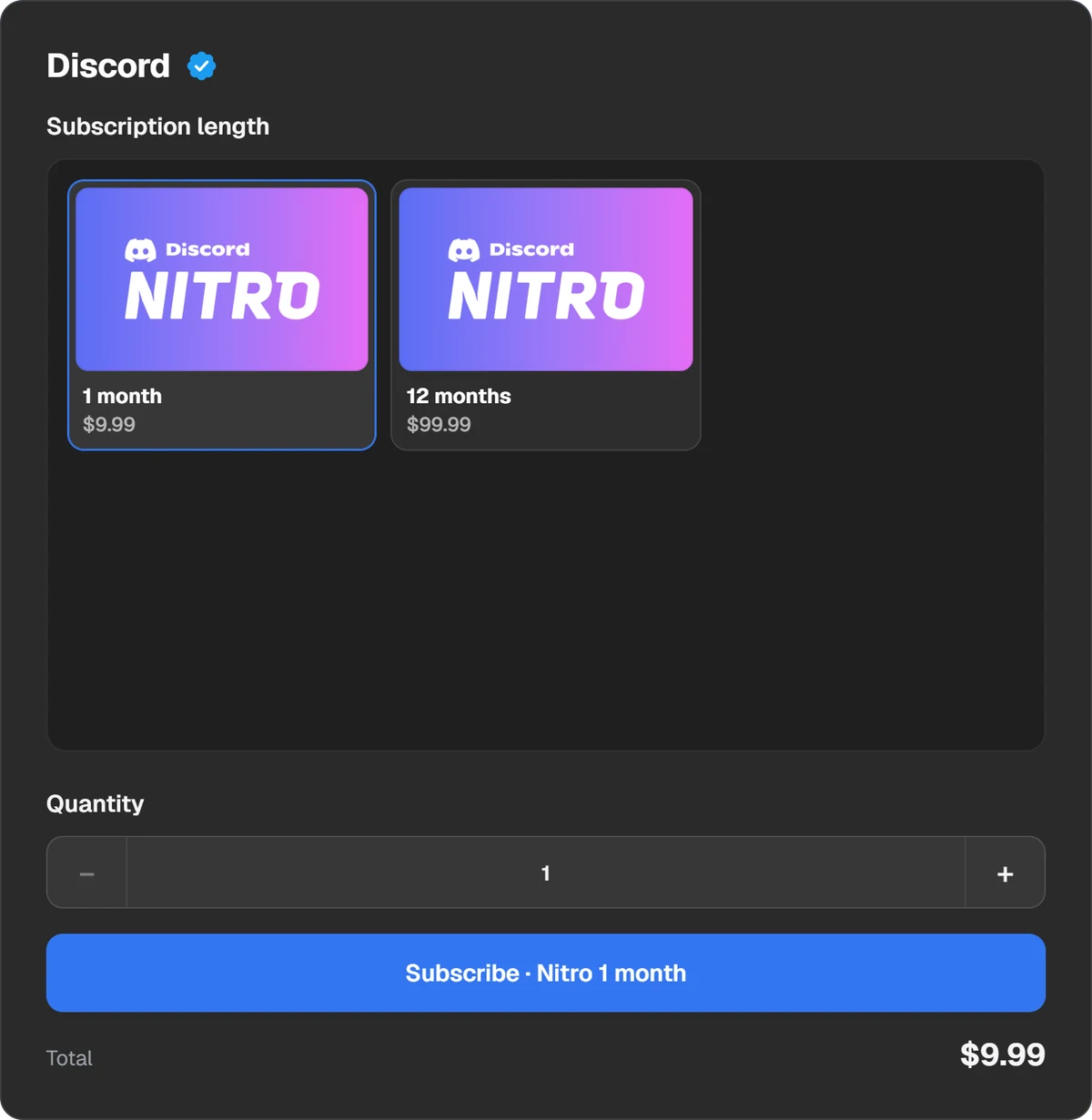
Nitro lengths and the total to pay.
Pay
Press “Subscribe” and choose a coin or a wallet: USDT, TON, BTC and other coins, Binance, Walt or TON Connect.
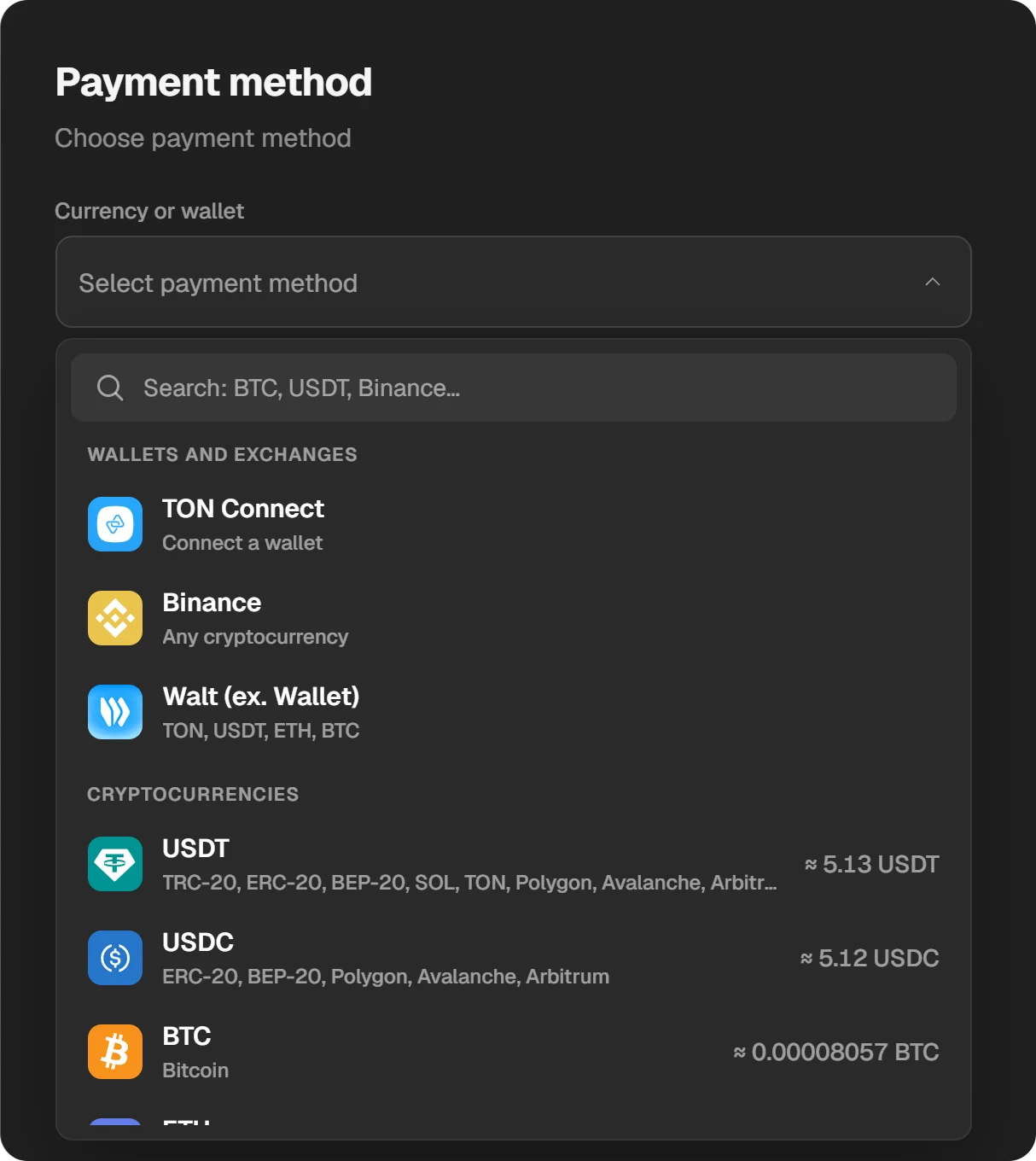
Crypto payment methods.
Redeem the gift
The link or code appears in the order window and in “History”. How to claim it: Discord Nitro: how to buy, redeem and gift it.
Discord does not let users in Russia redeem gifts. More in Discord Nitro in Russia.
Questions and answers
How do I set a Discord banner without Nitro?
You cannot. Discord says only Nitro members can upload an image or GIF as a profile banner. A free account has the avatar, About Me and Shop decorations.
What size is a Discord banner?
At least 680×240 pixels. PNG, JPG or animated GIF, under 10 MB.
How many boosts does Nitro give?
Two Server Boosts and 30% off additional ones. Two boosts are enough for a server to reach Level 1.
Does Nitro Basic include a banner or boosts?
No. Basic has no profile styling, no boosts and no boost discount; it shows a Nitro Basic badge.
What stays after Nitro ends?
Shop decorations and effects you bought stay and work without a subscription. The boosts from Nitro are removed, and a banner, GIF avatar and theme need an active Nitro.
Can I have different avatars on different servers?
Yes, with Nitro: one custom avatar per server. Without Nitro only the server nickname changes.

