

Cheaper Telegram Stars: how not to overpay
If you pay with crypto, you can buy Stars on Play Wallet by @username and see the total in advance. It is easy to overpay on transfer fees and on Stars you do not need. Here are the steps, how to work out the price of one Star and the signs of a scam.
In short
- On Play Wallet, Telegram Stars are bought by @username with crypto, for yourself or a friend. The total is shown before you pay.
- Add your own costs to the total: the network fee and the exchange’s withdrawal fee.
- Buy as many as you will spend: the purchase is final. One order is 67 to 2,000 Stars.
- We do not take bank cards.
- A purchase needs neither your login code nor your password. Whoever asks for them wants your account.
How to buy Stars on Play Wallet
Enter the @username and the amount
Open Telegram Stars, paste the @username into the recipient field and type a number of Stars or pick a ready pack. Each pack shows an approximate dollar sum, and the total is at the bottom.
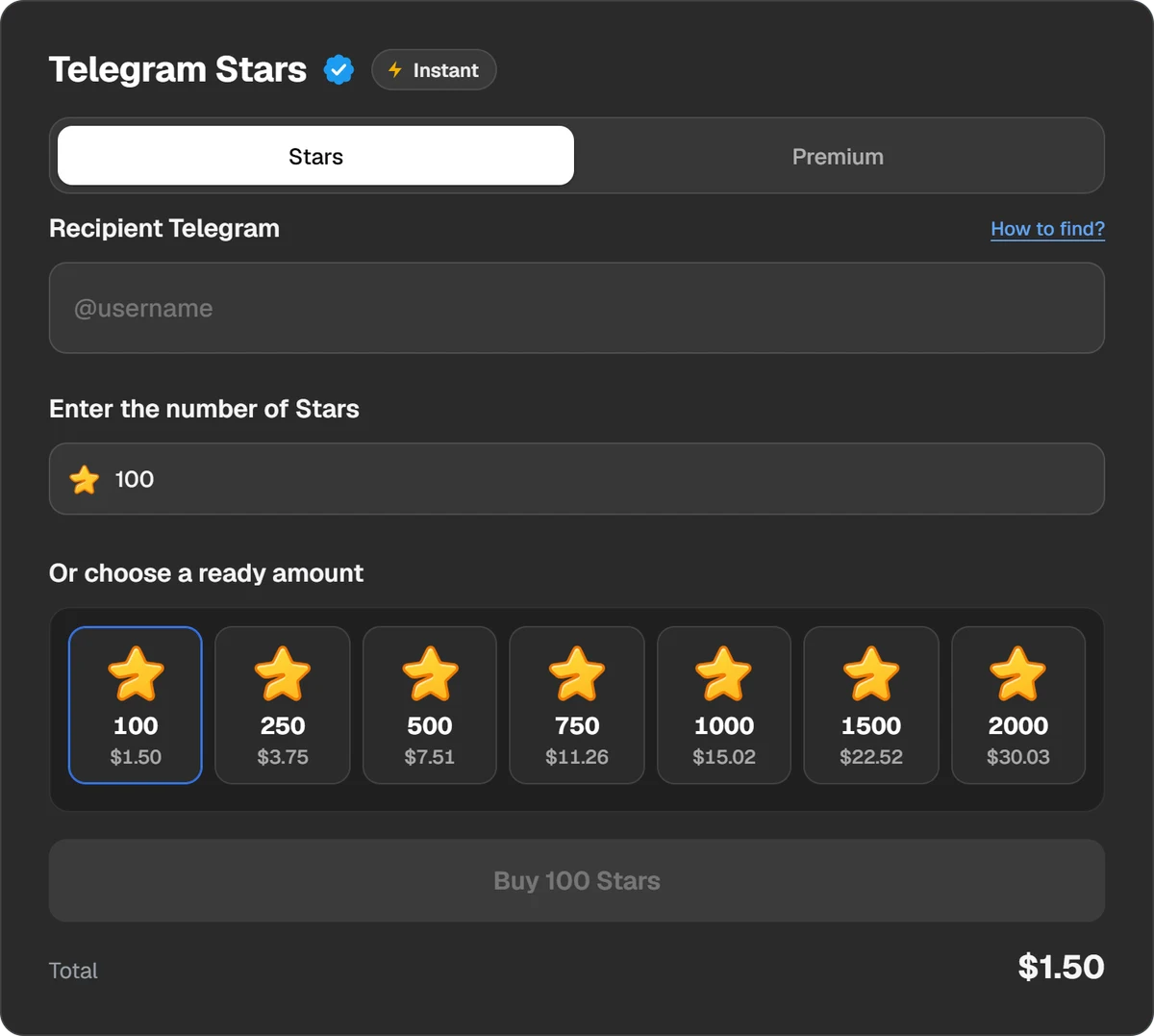
The recipient, the number of Stars and the total, before you pay.
Choose a coin and pay
Press Buy and choose a coin or wallet. Each coin shows how much of it you need, and “Total to pay” already includes the service fee. If a coin runs on several networks, pick the one your coins are on.
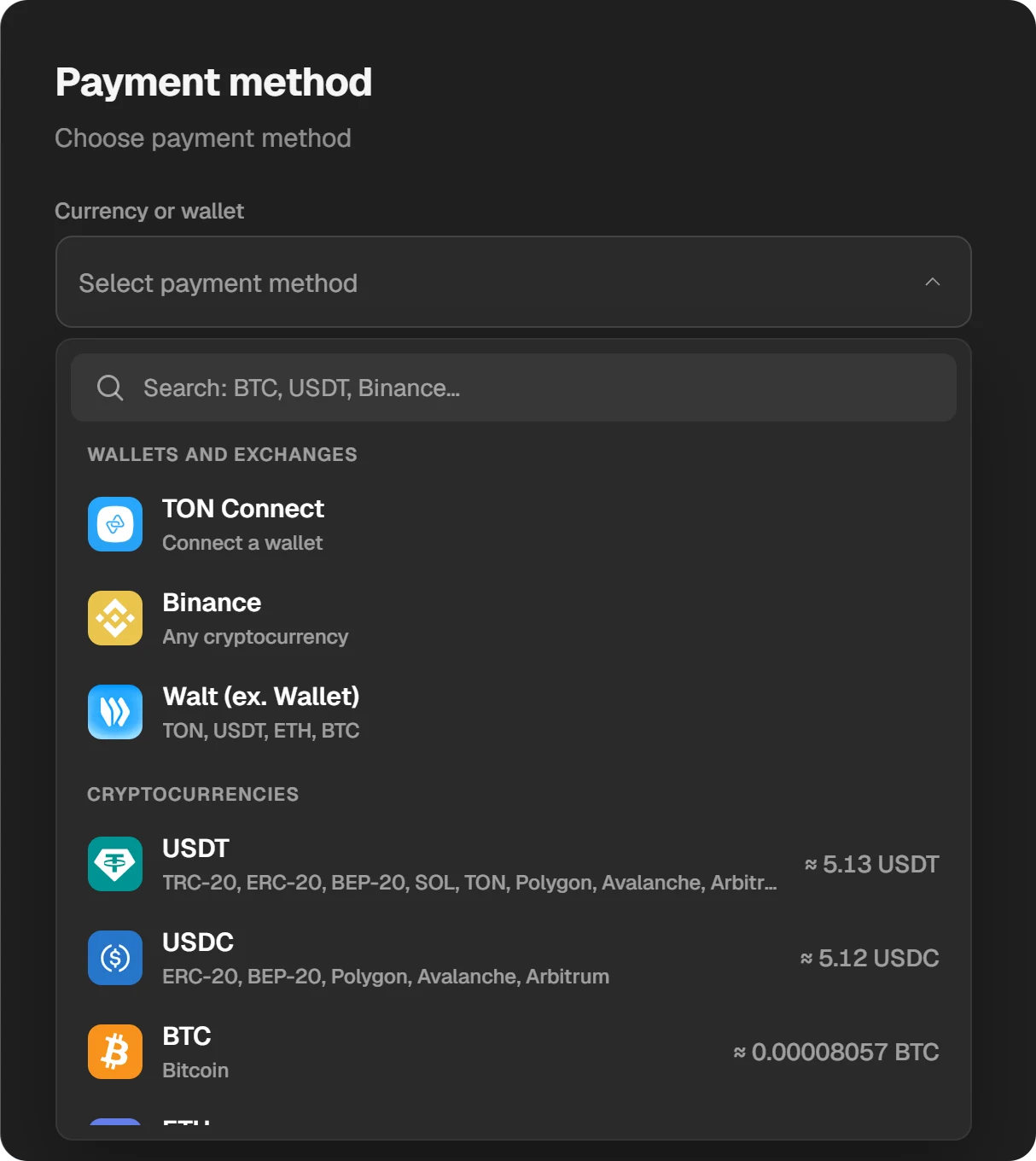
The amount in each coin is shown at once.
Check the balance
The Stars reach the recipient’s account. The balance is in Settings → My Stars.
What makes up the total
- The number of Stars. You can type your own instead of taking a bigger pack than you need.
- The service fee. It is already in “Total to pay”.
- The network fee. It differs by network. How to choose: Which USDT network to choose.
- The exchange’s withdrawal fee. The exchange you send from keeps it. Send enough for the full amount to arrive.
What to check before paying
Only the @username is needed
A purchase needs no login code, no 2-Step Verification password and no phone number. Anyone asking for them in our name is not us.
The total shows in advance
Look at “Total to pay” and the amount in your coin before sending.
You see who gets the Stars
The form shows the found account’s name and picture. The purchase is final, and a wrong @username cannot be fixed.
The order stays in “History”
If the Stars do not arrive, send the order ID to support.
How to work out the price of a Star
- Decide how many Stars you need, say 500.
- Look at the total to pay: the service fee is already in it.
- Add the network fee and the exchange’s withdrawal fee.
- Divide it all by the number of Stars. That is what one Star costs you.
How to work out the price of one Star and which numbers Telegram itself publishes: How much Telegram Stars cost.
When “cheap” means risky
- Far below the usual price. If a person offers Stars far below the usual price, it is usually a prepayment for nothing.
- Selling “from someone’s balance” in a chat. Telegram’s terms forbid selling and transferring Stars. If the seller wants money first, there is nobody to get it back from.
- “Free Stars for signing in”. That is account theft. More in Free Telegram Stars: what is true and what is a scam.
Know how many Stars you need? Type that number on the Telegram Stars page and check the total in your coin before sending.
Questions and answers
How can I buy Telegram Stars cheaper?
Do not buy more than you need and count the transfer fee. On Play Wallet you can type your own number of Stars and see the total before paying.
Is the fee included in the price?
The service fee is in “Total to pay”. The network fee and the exchange’s withdrawal fee are on top.
Does Play Wallet have a bot that sells Stars?
No, purchases work on the website. @pwhelpbot is support only. Never share your login code or password.
Can I buy Stars for a friend?
Yes, enter their @username as the recipient. More in How to gift Telegram Stars.

