

How to gift Telegram Stars to a friend
To give a friend Telegram Stars, buy them on Play Wallet for their @username: 67 to 2,000 per order, paid with crypto. You cannot transfer Stars from your own balance. Here are the steps, how to check the recipient and what to do if you already have Stars.
In short
- On Play Wallet you buy Stars as a gift by your friend’s @username. No password or codes of theirs are needed.
- One order is 67 to 2,000 Stars. You pay with crypto; we take no bank cards.
- There is no direct transfer of Stars between people: Telegram’s rules forbid passing Stars on.
- You can spend Stars from your balance on a gift: ⋮ → Send a Gift on your friend’s profile.
- Buying Stars is final. Check who gets them before you pay.
Can you transfer Stars to another person
No. The Telegram Stars terms say Stars may not be sold, withdrawn or transferred except in the ways they allow. That is why the app has no “transfer Stars” button. You can only gift Stars by buying them straight onto someone else’s account or by spending yours on a gift.
How to gift Stars on Play Wallet
The purchase does not depend on the App Store or Google Play. You need only the recipient’s @username; no access to their account and no codes.
Get your friend’s @username
It is on their profile, in the Username line. If they have none, they can set one in Settings. Without a @username you cannot place the order.
Enter the recipient and the amount
Open Telegram Stars and paste the @username into the Recipient Telegram field, with or without @. The form shows the name and picture of the account it found. Then type a number from 67 to 2,000 or pick a ready one. For more, place several orders.
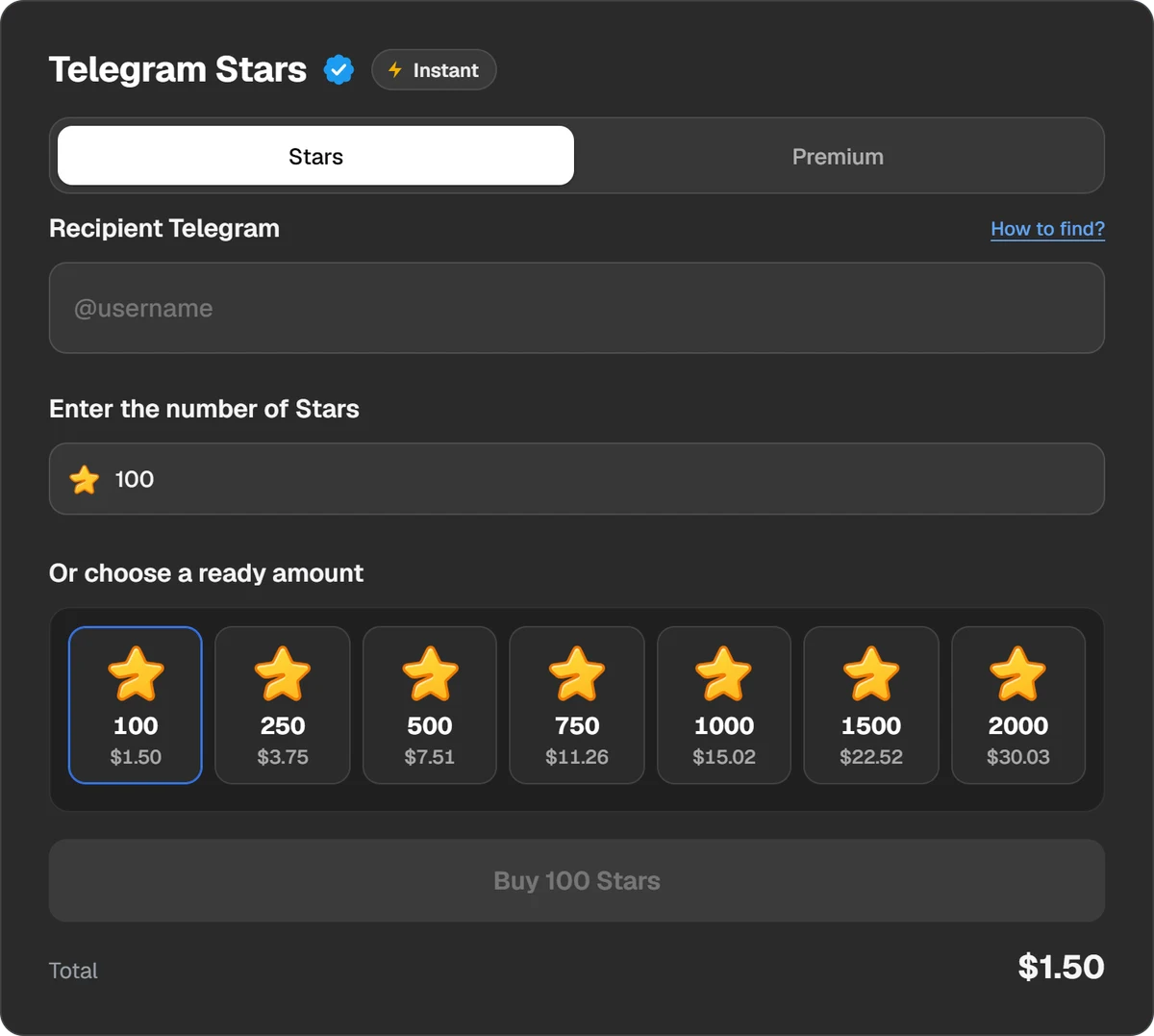
The recipient, the number of Stars and the total, before you pay.
Pay for the order
Press Buy and choose how to pay: USDT, TON, BTC and other coins, or Binance. Each coin shows how much of it you need.
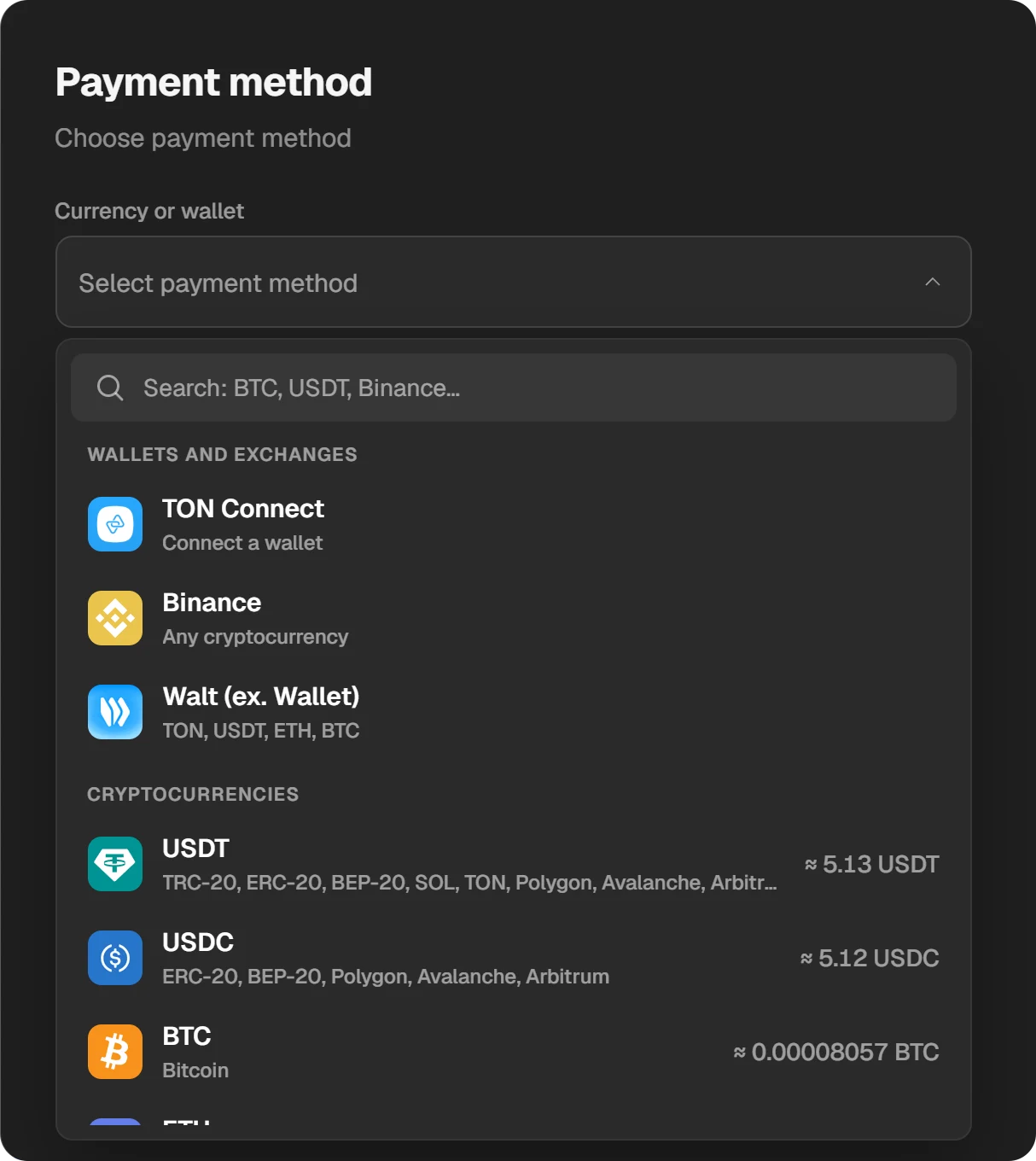
Choosing a coin or a wallet.
Check that the Stars arrived
The order window shows the status. The Stars go to the recipient’s account; the balance is under Settings → My Stars.
The Stars go to whoever owns the @username you entered. Check the name and picture in the form before paying: a Stars purchase cannot be undone.
How to find your friend’s @username
The easiest way is to ask your friend to send it. If they do not know where to look:
- Open Telegram and go to Settings.
- Next to the phone number on the profile there is a line with the @username. It can be copied.
- If there is no such line, tap Username and set any free name. It works at once.
If you already have Stars
You can spend them on a gift. Open your friend’s profile, tap ⋮ or ⋯ and choose Send a Gift. You can add a message and hide your name from others; the recipient still sees who sent it.
Your friend can show the gift on their profile or turn it into Stars. They may get fewer Stars than the gift cost. More on this: Telegram Stars: how to exchange, withdraw and sell.
What your friend can do with the Stars
- Pay for digital goods and services in bots and mini apps.
- Unlock paid content in channels.
- Send gifts to other people, or gift someone Premium.
Once you have your friend’s @username, buy them Stars on Play Wallet and check the name and picture before you pay.
Questions and answers
Can I transfer Stars from my balance to a friend?
Not directly. You can spend your Stars on a gift through ⋮ → Send a Gift, and your friend can turn the gift into Stars.
What do I need to send Stars through the site?
Only the @username. No password, phone number or Telegram codes. Never tell anyone your Telegram login code.
Can I buy Stars for myself?
Yes. On Play Wallet enter your own @username in the Recipient Telegram field and the Stars go to your account.
Can gifted Stars be returned?
Under Telegram’s rules, Stars purchases are final. That is why you should check the recipient’s name and picture in the form before paying.
Where will my friend see the Stars?
Under Settings → My Stars.
Why is there no option to gift Stars on my iPhone?
Telegram says that on iOS it currently shows only for people who have bought Stars for themselves. A gift by @username on Play Wallet does not need it.

