How to buy Valorant Points with a Riot gift code
A Riot prepaid code is the simplest way to buy Valorant Points without a local card: you redeem it in the game client. The code’s region must match your account’s. Here is how to choose a code and where to enter it.
In short
- A Riot prepaid code adds VP to your account.
- A code works only in its own region. We sell codes for the CIS, Russia, Turkey and the USA.
- On PC, redeem it in the VALORANT client: the VP icon at the top right → Prepaid Cards & Codes.
- On a console, redeem it at shop.riotgames.com/redeem, not in the game.
- A code goes to one game and one account in full; it cannot be split.
What Valorant Points are
Valorant Points (VP) are VALORANT’s paid currency. They buy weapon skins, the battle pass and other shop items. Radianite, used to upgrade skins, is bought with VP too.
A Riot code needs neither your Riot ID nor your password: you enter it yourself on your own account, so the seller learns nothing about it.
Which region to choose
Riot says cash codes are region-specific and work only on the server they were issued for. An account will not take another region’s code, and VP cannot be moved between regions.
| Code region on Play Wallet | Fits |
|---|---|
| CIS | Accounts of the CIS region |
| Russia | Accounts of the Russia region |
| Turkey | Accounts of the Turkey region |
| USA | North America accounts |
If you are not sure which region your account is in, ask support before paying, not after.
Check before buying
Your account’s region
The code must be for it: CIS, Russia, Turkey or USA. If unsure, ask support.
Where you play
On PC you redeem in the game client; on a console only at shop.riotgames.com/redeem.
Which game gets the money
A Riot code goes to one game in full. When redeeming on the site, pick VALORANT.
How to buy a VP code on Play Wallet
Choose the region and amount
Open Valorant Points and pick the code’s region: CIS, Russia, Turkey or USA. The codes available for it appear below.
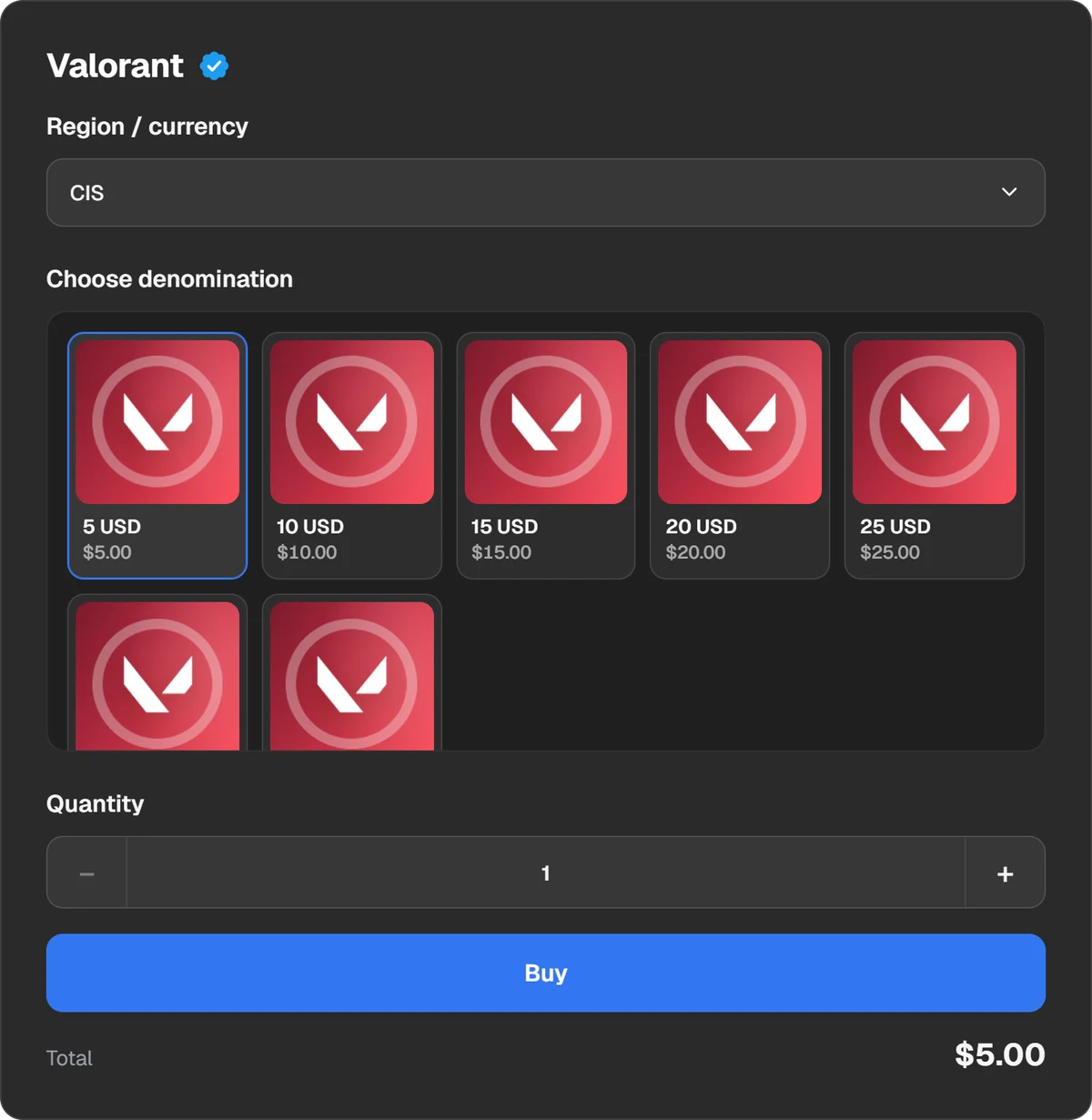
The code’s region and the Valorant Points amounts.
Pay
Press Buy and the payment window opens. You can pay in USDT, USDC, BTC, TON and other coins, or through Binance, Walt and TON Connect. The total and the fee are shown before you pay.
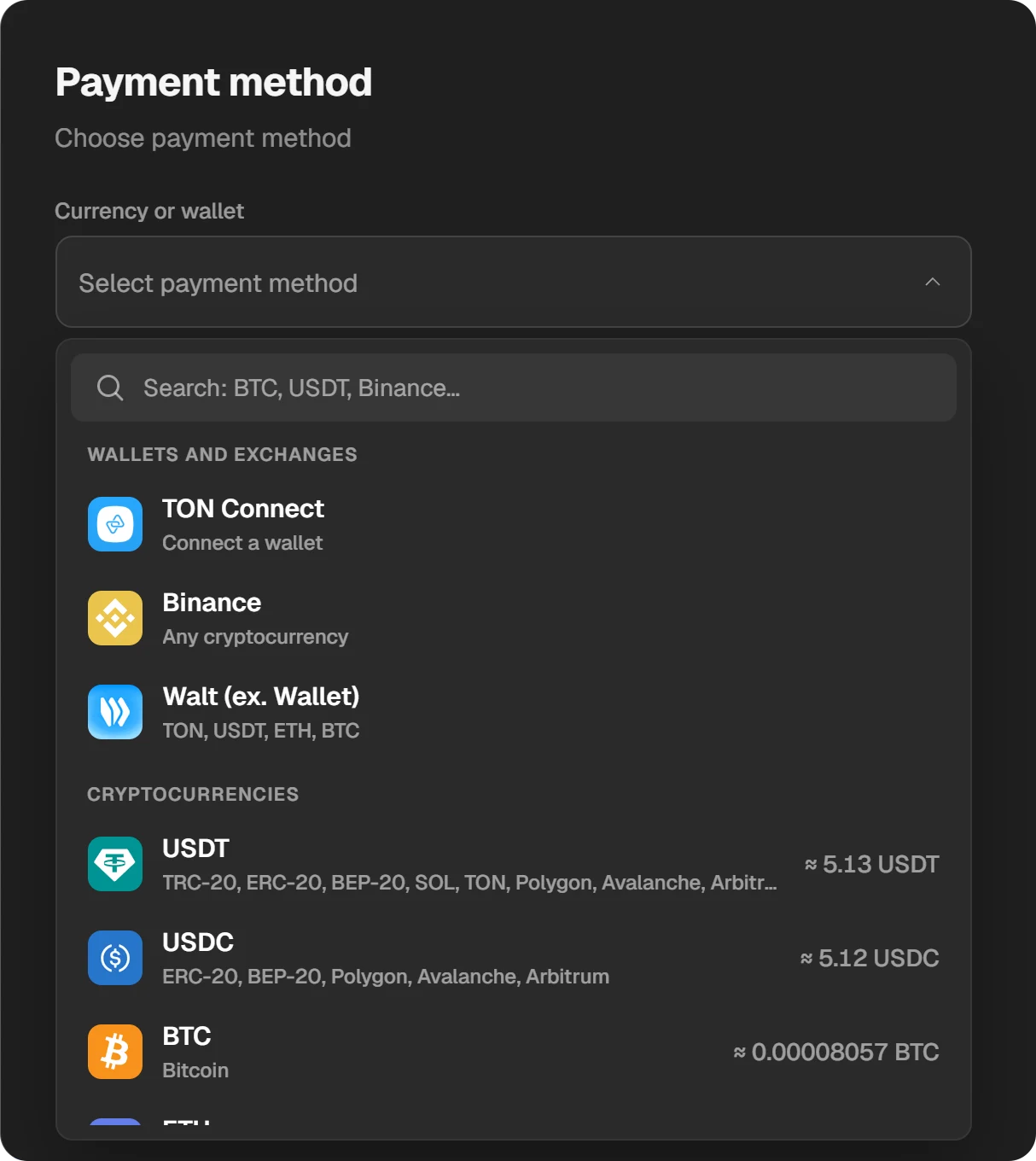
Choosing a coin or a wallet in the payment window.
Copy the code
When the order is done, the window shows the activation code with a Copy code button. It also stays in History at the top of the site.
How to redeem the code in VALORANT on PC
- Launch the VALORANT client and log in.
- Click the VALORANT icon next to your VP at the top right.
- Select Prepaid Cards & Codes and enter the code with no spaces.
- Tick the consent box if there is one and click Submit. The VP is added at once.
You see how much VP you get before confirming: Riot’s site shows your balance and the amount to be added before the last click. If anything looks wrong, just do not confirm.
VP and Radianite
| Currency | How you get it | What it is for |
|---|---|---|
| Valorant Points (VP) | A code or a purchase for money | Skins, the battle pass, shop items |
| Radianite | Bought with VP | Upgrading skins you own |
How to redeem the code on a console or in a browser
Cash codes cannot be redeemed in console games. Use Riot’s site instead:
- Open shop.riotgames.com/redeem.
- Enter the code and select Redeem Code. Sign in to Riot if asked.
- Choose VALORANT. Greyed-out titles are games the account has not played.
- Check the summary and select Redeem Code again.
A VP code as a gift
A code belongs to no account until it is redeemed, so you can send it to a friend. Its region must match your friend’s account, so ask first.
Why a code is refused
- The wrong region. A code works only in the region it was made for.
- The wrong account. The whole code goes to the account you are signed in to; it cannot be split or moved.
- Entered in a console game. On a console, use shop.riotgames.com/redeem.
- A space or a typo. Copy the code with the button in the order window.
If everything is right and the code is still refused, write to support with the order number. The ID button in the order window copies it.
Questions and answers
Which region should I choose?
The one your Riot account is in. A code of another region will not redeem. If unsure, ask support before paying.
Do you need my Riot ID or password?
No. It is a code; you enter it yourself on your own account.
How do I redeem a VP code on PlayStation or Xbox?
Not in the game but at shop.riotgames.com/redeem: enter the code, sign in to Riot and choose VALORANT.
Can I split a code between Riot games?
No. The whole code goes to one game on one account.
Can I give a code to a friend?
Yes, before it is redeemed. Your friend enters it on their account of the same region.