How to buy UC in PUBG Mobile by Player ID
There are two ways to get UC outside the in-game store: a top-up by Player ID, where UC lands straight on the account, and a code you redeem on the official Midasbuy site. Here are both.
In short
- All you need is your Player ID. No account password.
- The Player ID is in your profile: tap your avatar at the top left of the main screen.
- By ID you can buy UC, passes, packs and Prime. The UC arrives in the game by itself.
- A UC code is redeemed on Midasbuy, not in the game. It makes a good gift.
What you can buy
| What | What for |
|---|---|
| UC | The game currency, spent on passes, skins, crates and shop items. |
| Elite Pass | The season pass: the higher the level, the more rewards. The Plus version unlocks more. |
| Packs | UC with upgradable firearm materials. One-time and weekly. |
| Prime and Prime Plus | A subscription: daily UC and bonuses for a month up to a year. |
UC does not make weapons stronger: it buys looks and rewards.
The official site for UC
The official place to buy UC outside the game is Midasbuy (midasbuy.com). It tops up by Player ID and redeems UC codes. If paying on Midasbuy directly does not work for you, buy a code on our UC (GIFT) tab and redeem it there.
Look-alikes of Midasbuy are common. Check the address in the browser and never enter your game password there: a top-up needs only the Player ID.
Where to find your Player ID
- Open PUBG Mobile and tap your avatar at the top left of the main screen.
- Your profile opens. The ID, a long number, is under your name.
- Copy all of it. A nickname will not work.
Way 1. UC by Player ID
Enter the Player ID
Open PUBG Mobile top-up and paste the number into the Player ID field.
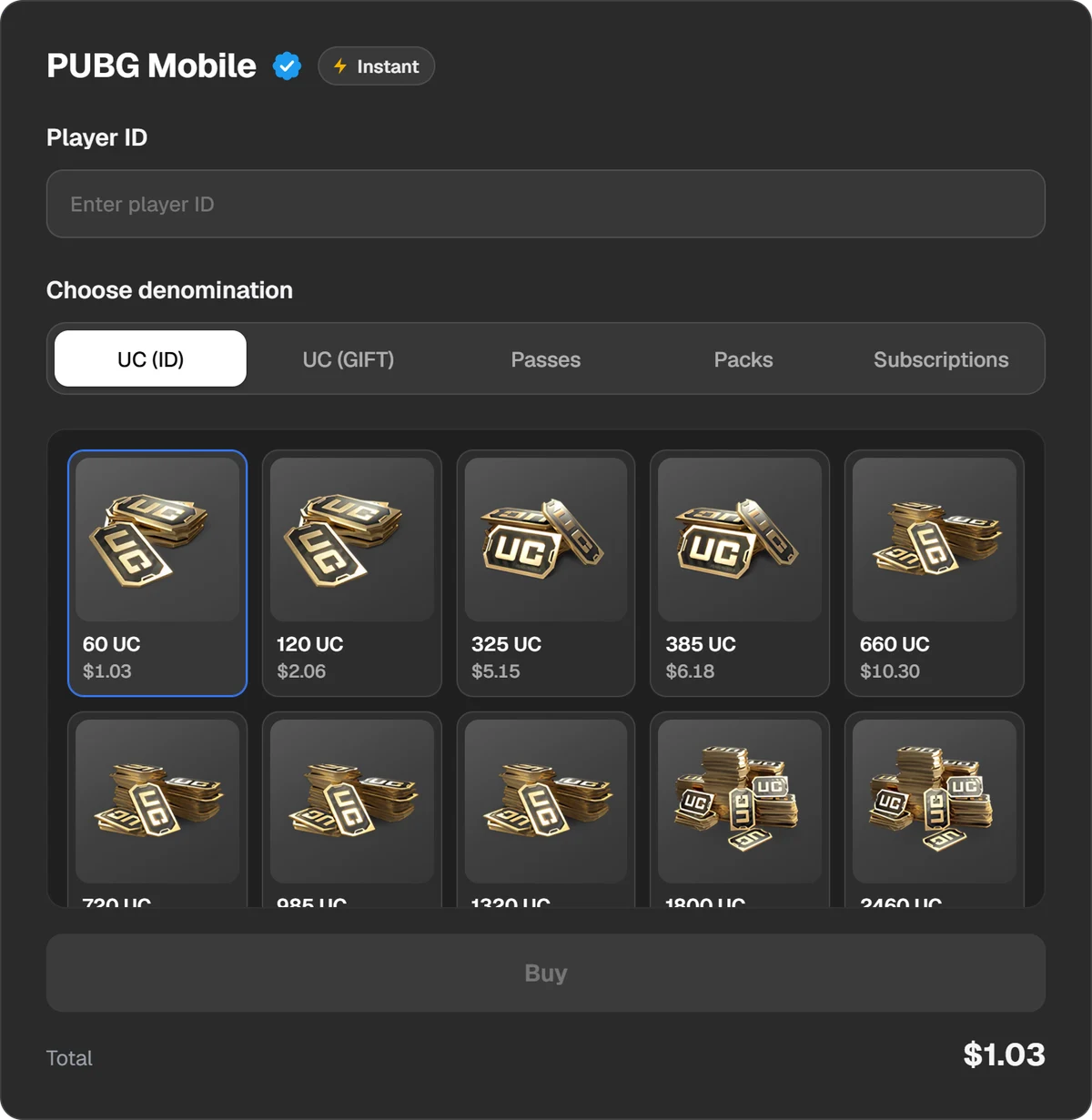
The Player ID field, the UC (ID) and UC (GIFT) tabs and the amounts.
Choose what to buy
On the UC (ID) tab pick the amount of UC. Passes, packs and Prime are in the Passes, Packs and Subscriptions tabs next to it, when on sale. The total is shown before you pay.
Pay
Press Buy and the payment window opens. You can pay in USDT, USDC, BTC, TON and other coins, or through Binance, Walt and TON Connect. The fee is shown in advance.
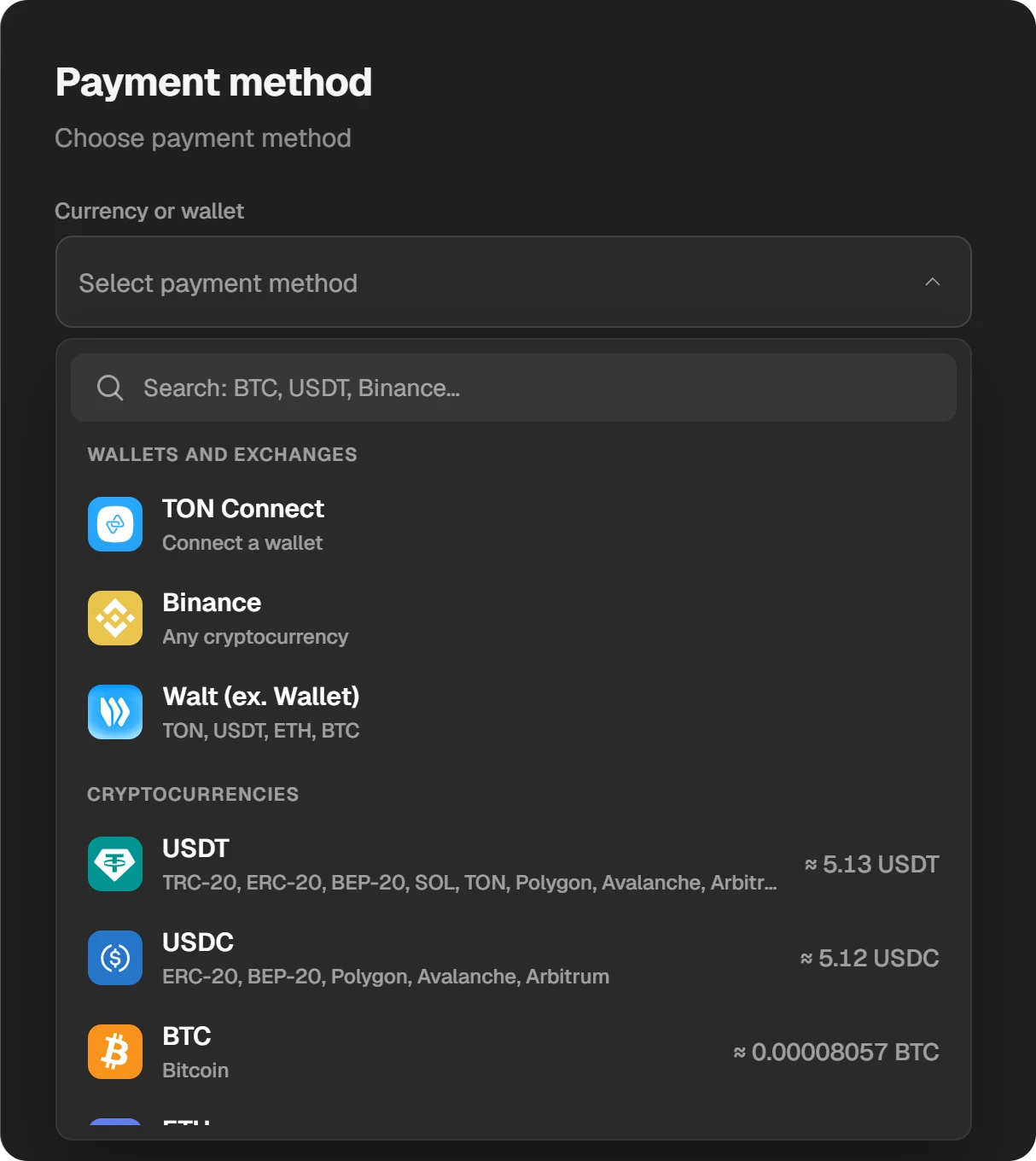
Choosing a coin or a wallet in the payment window.
Check the balance in the game
When the order is done, the UC is credited to the account with that Player ID. Nothing to enter. If you do not see it, log in again.
Check the Player ID before paying. The UC goes to the account with the number you entered and cannot be taken back once credited.
Way 2. A UC code for Midasbuy
The UC (GIFT) tab sells codes. After payment the code appears in the order window and in History. Redeem it yourself or send it to a friend.
- Open the PUBG Mobile Redeem page on Midasbuy (midasbuy.com).
- Log in to Midasbuy and choose your country or region.
- Enter the Player ID of the account that should get the UC.
- Enter the code and confirm. Go back to the game and check the balance.
| By Player ID | Midasbuy code | |
|---|---|---|
| What you enter | Only the Player ID, on our site | The Player ID and the code, on Midasbuy |
| What you can buy | UC, passes, packs, Prime | UC |
| Best for | Yourself, fastest | Gifts: the code can be sent on |
Check before paying
The Player ID
Compare the number in the field with the ID in your profile. One wrong digit is someone else’s account.
The tab
UC (ID) tops up the account at once. UC (GIFT) is a code to redeem on Midasbuy.
The item
A pass, a pack and Prime are different purchases. Make sure you picked the right one.
Safety
- Never share your account password or sign-in codes. A top-up does not need them.
- “Free UC” sites and generators are scams that collect passwords.
- Redeem codes only on midasbuy.com, and check the address in the browser.
If the UC has not arrived
- Log in again and check your UC balance.
- Open the order in History and check the Player ID.
- If everything is right and there is no UC, write to support with the order number. The ID button in the order window copies it.
Questions and answers
Where do I find my PUBG Mobile Player ID?
Tap your avatar at the top left of the main screen. The ID is in your profile under your name.
Do you need my account password?
No. A top-up needs only the Player ID, the public number of your profile.
Does my account’s region matter?
Not for a top-up by Player ID: the UC goes to the account with that number.
Where do I redeem a UC code?
On Midasbuy, on the PUBG Mobile Redeem page. Codes are not entered in the game.
Can I give UC to a friend?
Yes. Enter their Player ID for a top-up, or buy a code on the UC (GIFT) tab and send it to them.