Valorant codes: which region to choose and how to redeem
A Valorant Points code works only on an account of the region it was issued for. Pick the wrong region and the code will not redeem. Here are the codes we sell, how an account’s region is defined, and where to enter the code.
In short
- Riot says it plainly: a cash code can be redeemed only in the region where it was purchased.
- Our Valorant page has four regions: CIS, Russia, Turkey and USA. A European account takes a Riot Access code in euro.
- An account’s region is the region of residence set at sign-up. A VPN does not change it.
- On PC you redeem in the game client; on a console only at shop.riotgames.com/redeem.
- A code goes to one game and one account in full. It never expires.
The codes and who they fit
| Code region | Where to buy | Face value | Fits |
|---|---|---|---|
| Russia | Valorant | In VP: 475 to 11,000 | Accounts of the Russia region |
| CIS | Valorant | In US dollars | Accounts of the CIS region |
| Turkey | Valorant | In Turkish lira | Accounts of the Turkey region |
| USA | Valorant | In US dollars | North America accounts |
| Europe | Riot Access | In euro | European accounts. Pick VALORANT when redeeming. |
The Russian code is valued in Valorant Points. Codes in dollars, lira and euro carry a money value. How much VP such a code gives is shown by Riot before you confirm: the redemption site displays your balance and the amount to be added.
A Riot Access code is Riot’s general code: it can be credited to VALORANT or to League of Legends. The whole amount goes to one game, so choose carefully at the game step. More in Riot Access Code explained.
How your account’s region is defined
A Riot account has a region of residence. Riot defines it as the actual geographical area where you live. It is set when the account is created and decides the servers, the payment options and which codes the account accepts.
- Recall where you made the account. If that was Turkey and you never changed the region, you need a Turkish code.
- Look at the in-game store. The currency in which the game prices VP hints at the region: lira on a Turkish account, dollars on a US one. It is a hint, not a guarantee.
- Ask before paying. If unsure, write to Riot Support or to our support before you buy. Once a code is issued, its region cannot be changed.
We found no “show my region” button in Riot’s help pages. So when in doubt, five minutes spent asking beats a code for the wrong region.
Why a VPN will not help
The code is checked against the account’s region, not against where you connect from. A VPN does not change the account’s region, and a code of another region is still refused: “This Code is Not Valid in Your Region”.
The region of residence can be changed only officially, with the tool on Riot’s support site, and it is meant for people who have really moved. The change applies to all Riot games at once. In VALORANT you keep the account level, the collection and battle pass progress but lose ranked season data, match history, purchase history and Night Market offers. We do not recommend getting around this by deception.
How to buy a code on Play Wallet
Choose the region and amount
Open Valorant Points and pick the region: CIS, Russia, Turkey or USA. The codes for it appear below. For a European account open Riot Access and choose an amount in euro.
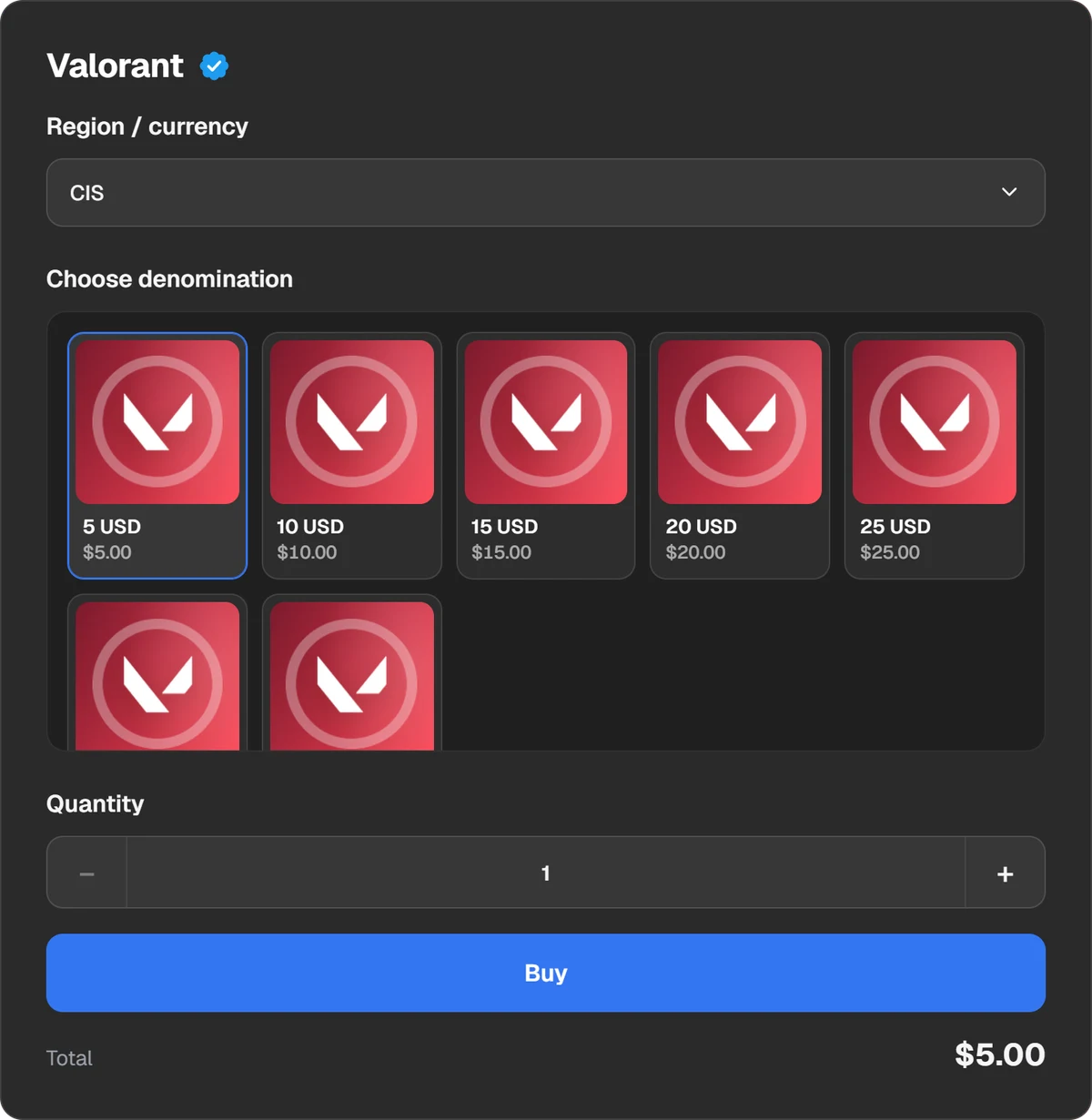
Choosing the code’s region and amount.
Pay
Press Buy and the payment window opens. You can pay in USDT, USDC, BTC, TON and other coins, or through Binance, Walt and TON Connect. The total and the fee are shown before you pay.
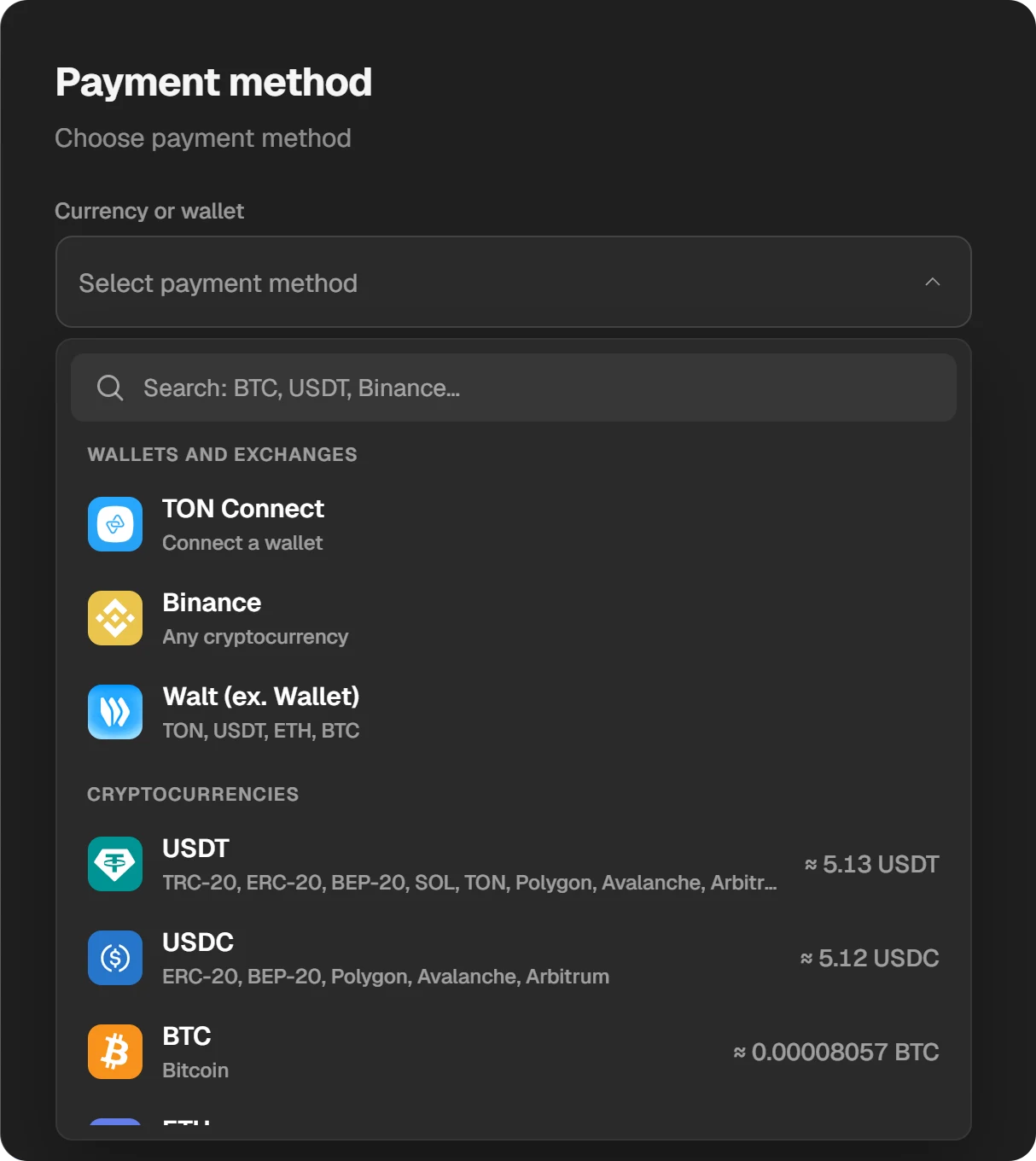
Choosing a coin or a wallet in the payment window.
Copy the code
When the order is done, the code appears in the order window with a Copy code button. We do not ask for an email: the code stays in History at the top of the site.
How to redeem in VALORANT on PC
- Launch the VALORANT client and log in.
- Click the VALORANT icon next to your VP at the top right.
- Select Prepaid Cards & Codes.
- Enter the code with no spaces. Tick the consent box if there is one.
- Click Submit.
How to redeem on a console or in a browser
Riot says cash codes can be redeemed in-game only in the PC versions. If you play on PlayStation or Xbox, use the redemption page:
- Open shop.riotgames.com/redeem.
- Enter the code and select Redeem Code. Sign in to your Riot account if asked.
- Choose the game: VALORANT. Greyed-out titles are games the account has not played yet.
- Check the summary and select Redeem Code again.
VP usually arrives at once. Riot warns that it can take up to 24 hours and asks you to wait a day before contacting support.
What the error messages mean
| Message | What to do |
|---|---|
| “This Code Does Not Appear to Be Valid or not found” | Check for typos and spaces. Copy the code with the button in the order window. |
| “This Code is Not Valid in Your Region” | The code’s region and the account’s region differ. Do not retry; write to our support. |
| “This Code Has Already Been Redeemed” | Check whether you entered it earlier on this or another account. If not, write to support with the order number. |
| “You Have Exceeded the Maximum Number of Code Redemption Attempts” | Wait 24 hours. Repeated attempts lock the form. |
| “This Code Appears to Not Be Properly Activated” | That is a question for the seller of the code. Write to our support. |
If a code from our order is refused, do not keep retrying. Write to support with the order ID; the ID button in the order window copies it. A working code that has been issued cannot, as a rule, be returned, so choose the region before paying.
Questions and answers
Will a Turkish code work on an account of another region?
No. Riot accepts a code only in the region it was issued for. A Turkish code needs an account of the Turkey region.
Where do I buy Valorant Points for a European account?
A European account takes a Riot Access code in euro. When redeeming on Riot’s site, choose VALORANT.
Will a VPN let me redeem a code of another region?
No. The code is checked against the account’s region, not your IP address. The region changes only through Riot’s official tool when you move.
How do I redeem a code on PlayStation or Xbox?
At shop.riotgames.com/redeem. Cash codes cannot be entered in the console game.
Do codes expire?
Riot says cash codes never expire. It is still wise to redeem a code right away so you do not lose it.
Can I split a code between VALORANT and League of Legends?
No. The whole code goes to one game on one account.