

How to redeem a Google Play gift card
You enter a Google Play gift card code in the Google Play app or at play.google.com/redeem. The amount goes to your balance and pays for apps, games and subscriptions. The one condition: the card’s country must match your account’s.
In short
- On Android: Google Play, profile picture, Payments & subscriptions, Redeem code.
- In a browser: play.google.com/redeem, the code, Redeem, then Confirm.
- A card works only in the country and currency it was bought for.
- Your balance is under Payments & subscriptions, Payment methods, Google Play balance.
- A card can’t be moved to another account once redeemed.
Before you enter the code
- Country. Google’s rule: a card redeems only in the country and currency of purchase, and your account must be set to that country.
- Account. The balance goes to the Google account you are signed in to; it can’t be moved later.
- Code. Usually 16 letters and digits. Type it without spaces or dashes.
Redeeming on Android
Open Google Play
Tap your profile picture at the top right.
Open Payments & subscriptions
Tap Redeem code. You can also scan a physical card with the camera here.
Enter the code
Paste it and tap Redeem.
Check the account and confirm
Google shows which account gets the balance. If it is right, tap Confirm.
Redeeming in a browser
- Open play.google.com/redeem.
- Enter the code and click Redeem.
- Check you are in the right account and click Confirm.
At checkout. Next to the payment method, open the down arrow, choose Redeem code and follow the prompts.
Where to get a code
Play Wallet sells Google Play gift cards for the US, Austria, Belgium, Germany, France and Italy. It is a code; we never ask for your Google account details.
Choose the country and amount
Open Google Play, pick your profile’s country in “Region / currency”, then an amount. The price and fee are shown before you pay.
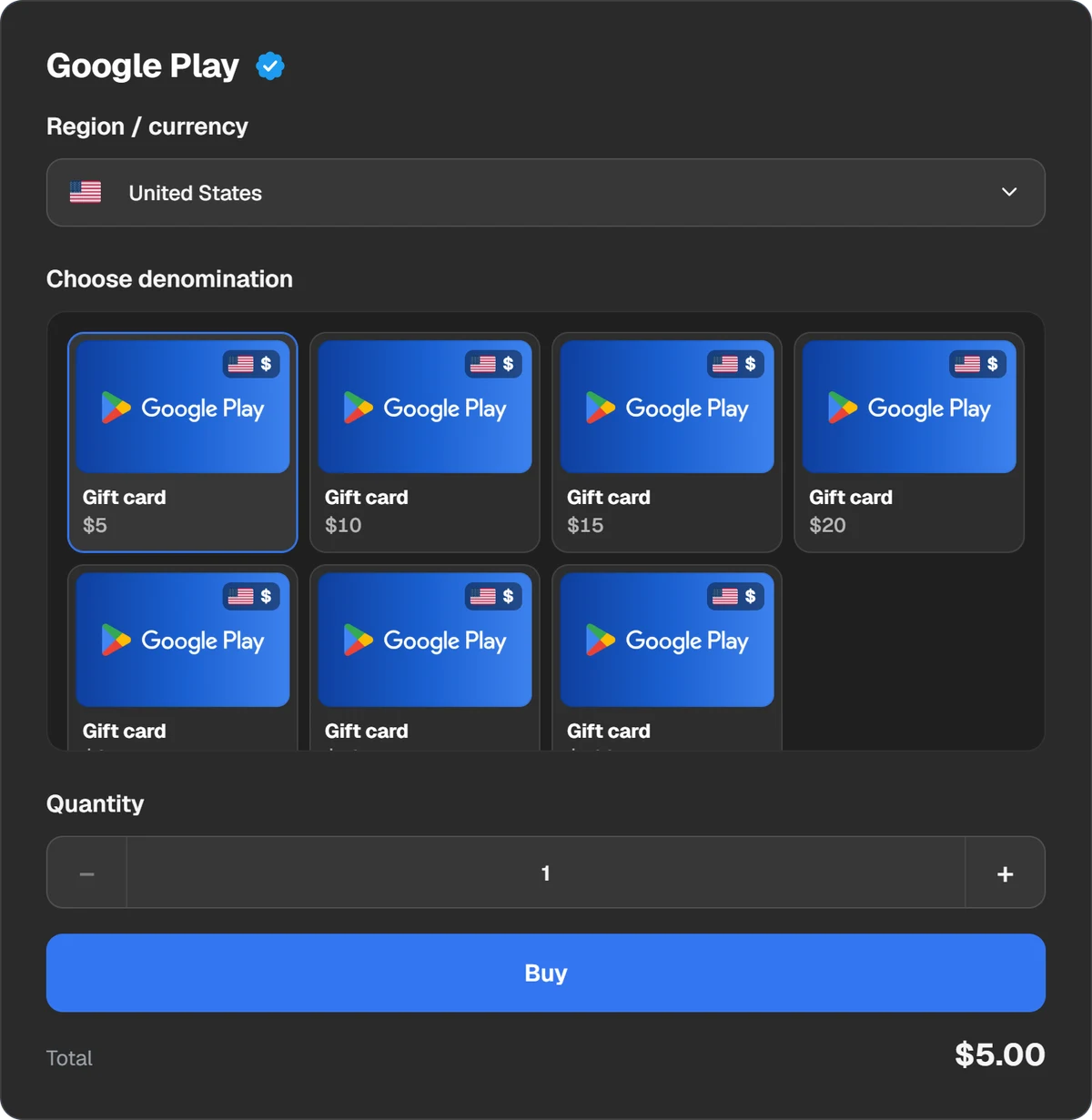
The card’s country must match your Google Play profile.
Pay
Press “Buy” and choose how to pay: USDT, TON, BTC and other coins, Binance, Walt or TON Connect.
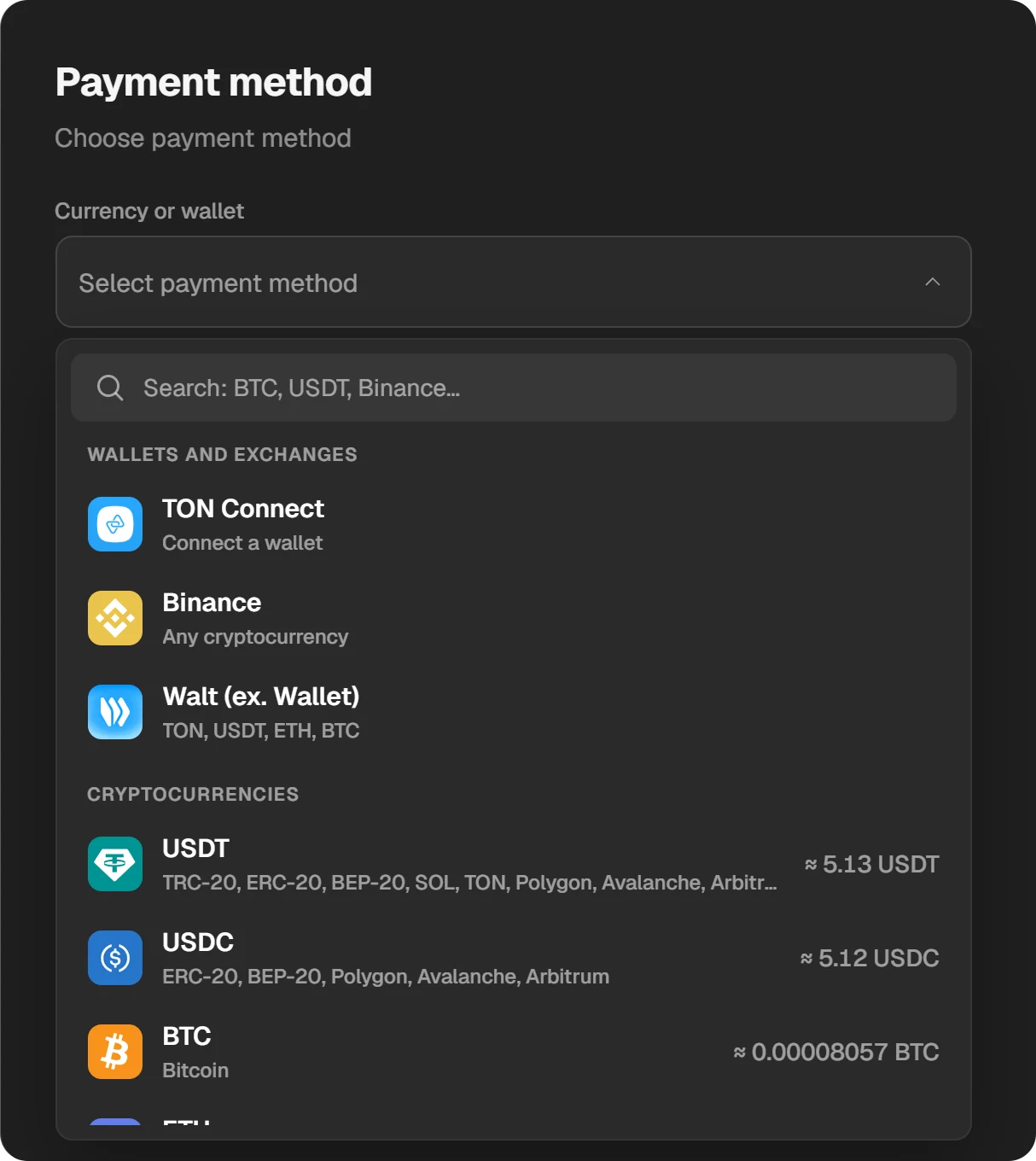
The amount needed in each coin is right in the list.
Copy the code
When the order is done, “Your code” appears in the order window. It is also kept in “History” at the top of the site.
If the card won’t redeem
| What Google Play says | What to do |
|---|---|
| There’s a problem with this code | Type it by hand without spaces or dashes. If it persists, ask the seller: the card may not be activated. |
| The code can only be used in another country | The card is for another country; it redeems only on an account of that country. |
| The code was already redeemed on another account | Check which Google account you are signed in to. Google doesn’t say which account used it. |
| You can’t redeem another card right now | You hit your country’s balance limit. Spend some, wait 24 hours and try again. |
Checking your balance
In the Google Play app: profile picture, Payments & subscriptions, Payment methods, Google Play balance. On a computer: play.google.com/store/paymentmethods.
What the balance pays for
- Apps, games and in-app purchases, books, films and subscriptions on Google Play; what is offered depends on the country.
- Content on YouTube.
- If the balance is short, you can pay the rest another way.
The balance can’t buy devices in the Google Store or pay in another currency, and neither the balance nor purchases move to another Google account.
Questions and answers
Where do I enter a Google Play gift card code?
In the Google Play app: profile picture, Payments & subscriptions, Redeem code. Or at play.google.com/redeem.
How long is a Google Play code?
Usually 16 letters and digits; some digital codes are longer or shorter.
Will a US card work on another country’s account?
No. A card works only in the country and currency it was bought for.
What happens to my balance if I change country?
It stays, but you can’t use it in the new country. It becomes available again if you switch back.
The code says it was already redeemed. What now?
Check your balance and the account you are in. If the money isn’t there, contact the seller or Google support.
