Prime and Prime Plus in PUBG Mobile: what they give, how to buy
Prime and Prime Plus are the PUBG Mobile subscriptions. They give part of the UC at once and hand out the rest a little every day, if you log in. Here is what the official store shows, how Plus differs from plain Prime, and how to buy a subscription when paying in the game does not work.
In short
- Prime is a cheap subscription with a small daily UC payout. Prime Plus costs more and gives much more: UC at once, pass points and more every day.
- Daily rewards must be claimed by logging in. A missed day does not come back.
- In Google Play and the App Store the subscription renews by itself.
- On Play Wallet Prime is bought by Player ID in the “Subscriptions” tab: you pay for the term once and the order does not renew.
- The exact reward numbers change with promotions. Check them on the subscription screen in the game before buying.
What Prime and Prime Plus give
The most accurate source is the official Midasbuy store and the subscription screen in the game. This is what the Midasbuy page showed on 21 November 2026 for the monthly plan. A sale was on, so the numbers may differ at other times.
| Prime | Prime Plus | |
|---|---|---|
| Right after purchase | 60 UC | 660 UC and 300 RP points |
| Vouchers | Valued by the store at about 150 UC | Valued by the store at about 1,440 UC |
| Every day | 3 UC and 5 RP points | 8 UC, 10 RP points and one more daily reward |
| Perks | Buying items with BP | Buying items with BP and three more perks |
- RP points are Royale Points, the season pass experience. They make Royale Pass levels grow faster.
- BP is the free currency earned in matches. The subscription card lists a “BP items” perk: buying some items with BP.
- Vouchers are not UC on your balance. The game shows how to use them. Do not add them to the UC when you work out the value.
The numbers in the table were read from the official store’s cards on the day we checked. The publisher changes what the subscriptions include and runs promotions. Before paying, open the subscription screen in the game and check what is promised now.
How the daily payout works
The PUBG Mobile Help Center puts the rule briefly: you must log in to claim daily and weekly rewards, and the reward count goes down whether or not you collect them. In plain words, a day you did not log in is lost.
- A month of subscription is not “all the UC at once” but a payout by days. If you play twice a week, most of the daily UC is wasted.
- The first, one-time part of the UC is yours either way.
- You claim the reward in the game, on the subscription screen.
Which one suits you
| How you play | What to take |
|---|---|
| You log in almost daily and spend little | Prime: cheap, and the daily UC pays it back |
| You play daily and level the pass | Prime Plus: a lot of UC at once and RP points every day |
| You play now and then | Plain UC: you pay only for what you are sure to get |
| You need a large amount of UC right now | A UC pack: a subscription pays out gradually |
Renewal and cancelling
A subscription taken in an app store renews automatically every month. If you cancel, the benefits last until the end of the paid period and then stop. That is how the PUBG Mobile help describes it.
Buying from us works differently. You pay once, in crypto, for a term: a month, half a year or a year. We keep no payment details, so the order cannot repeat itself. When the term ends, you buy the subscription again.
How to buy Prime by Player ID
In some countries the in-game purchase does not go through. In Russia, for example, Google Play paused billing in March 2022 and Apple has accepted only Apple Account balance since April 2026. Buying by Player ID works regardless of the app store.
Find your Player ID
In PUBG Mobile tap your avatar in the upper left corner. The ID is on the profile, under the nickname. Copy all of it.
Open the “Subscriptions” tab
On the PUBG Mobile page paste the number into the “Player ID” field and switch to “Subscriptions”. On sale: Prime for 1, 6 and 12 months and Prime Plus for 1 month. The set of terms depends on the supplier and may change.
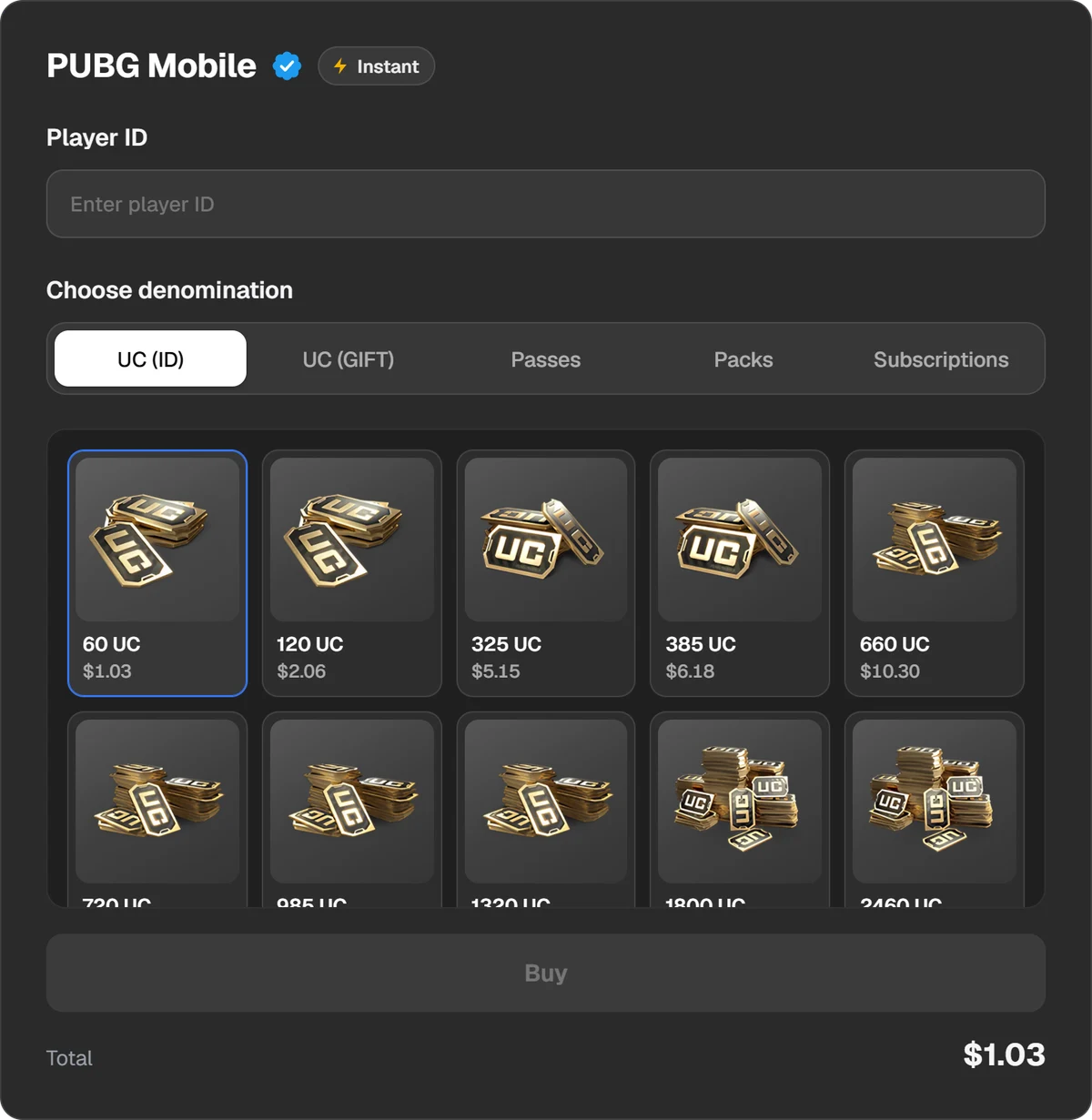
Player ID and the product tabs. Subscriptions have a tab of their own.
Pay
Press “Buy”. You can pay in USDT, USDC, BTC, TON and other coins, or through Binance, Walt and TON Connect. The total and the fee are shown before you pay.
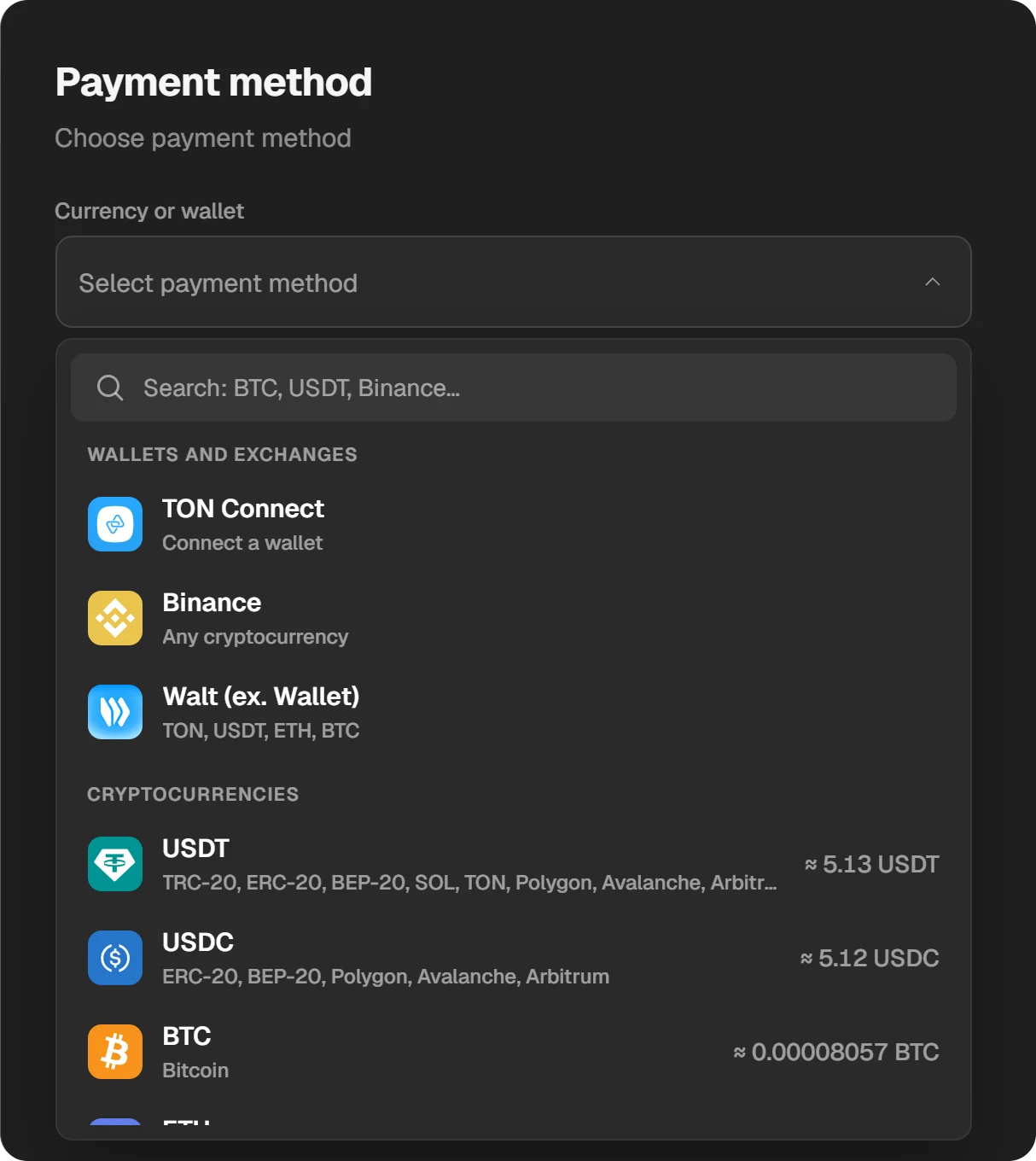
Choosing a coin or a wallet.
Check the subscription in the game
When the order is done, restart the game and open the subscription screen. It shows the term and the reward you can claim today.
Check the Player ID before paying: the subscription goes to the account with that number and cannot be moved to another.
What to check before buying
Whether you already have a subscription
If Prime is already active, ask our support before paying how a second purchase behaves. We found no official description of whether terms stack.
Which plan is selected
Prime and Prime Plus are different products at different prices. One cannot be swapped for the other after payment.
What the game promises now
Open the subscription screen in the game and compare the rewards with what you expect.
Whether you will log in every day
If not, count only the one-time UC and compare it with the price of a plain UC pack.
If the subscription did not appear
- Restart the game and open the subscription screen.
- Open the order in “History” on the site and check the Player ID.
- If everything is right and the subscription is still missing, write to support with the order number. The “ID” button in the order window copies it.
For plain UC and other ways to pay see How to buy UC in PUBG Mobile; for the season pass see Royale Pass in PUBG Mobile.
Questions and answers
How is Prime different from Prime Plus?
Prime Plus costs more and gives more: a large amount of UC and RP points at once, and more UC and points every day. Prime has a small one-time part and a modest daily payout.
How much UC does Prime give per day?
On the official store page on 21 November 2026 Prime showed 3 UC a day and Prime Plus 8 UC. The numbers change, so check the subscription screen in the game.
What if I do not log in?
According to the PUBG Mobile help, the reward count decreases even if you did not collect. A missed day’s reward does not come back.
Can I buy Prime without Google Play or the App Store?
Yes, by Player ID through a top-up service. The subscription is delivered to the account with that ID.
Will a subscription from Play Wallet renew by itself?
No. You pay for the term once. When it ends, you buy the subscription again.
Can I buy Prime for a friend?
Yes. Enter their Player ID in the order form. The subscription goes to their account.