

Where the Steam Wallet is and how to check the balance
Steam has no separate Wallet section. The balance shows next to your profile name, and everything else is on the Account Details page: adding funds, purchase history and the country. Here is where things are on a computer and on a phone.
In short
- The wallet balance is at the top right of Steam, next to your profile name.
- Everything about the wallet is on Account Details: profile name → Account Details, or store.steampowered.com/account.
- Add funds: Account Details → Add funds to your Steam Wallet. Redeem a code: the “Redeem a Steam Gift Card or Wallet Code” page.
- Where the money went: Account Details → purchase history.
- When you buy a game, Steam charges the wallet first by default.
Where to see the balance
Sign in to Steam, in the desktop app or at store.steampowered.com. Your current wallet balance is at the top right, next to your profile name.
Where the wallet is on a computer
Open Account Details
Click your profile name at the top right and choose Account Details. The same page opens at store.steampowered.com/account.
Find the wallet block
The page has a block with the wallet balance and purchase history. Next to it is your account’s country line, which sets the wallet currency.

The wallet balance on the “Account details” page.
Pick what you need
“Add funds to your Steam Wallet” opens a top-up, the purchase history shows where the money went. Wallet codes go in at “Redeem a Steam Gift Card or Wallet Code” (store.steampowered.com/account/redeemwalletcode).

The “Add funds” page in Steam: the amounts Steam itself offers.
How to see the wallet on a phone
The easiest way is to open store.steampowered.com/account in your phone’s browser and sign in. You get the same Account Details page as on a computer, with the balance, adding funds and purchase history. If Steam asks you to confirm the sign-in with Steam Guard, confirm it.
What the Steam Wallet is
- An account balance. Steam’s rules say the wallet is neither a bank account nor a payment instrument. Its money is spent only on Steam.
- One currency. The wallet currency is set by your address when you first add funds. After that all money arrives in it, even if you pay in another.
- A cap. The balance is limited to 2,000 dollars, or close to it in other currencies. Within 24 hours, what you add and spend together may not exceed 2,000 dollars.
- No withdrawal. Wallet money cannot be withdrawn to a card or moved to another account. More in Can you withdraw money from Steam.
How to pay for a game with the wallet
You do not need to pick the wallet. By default Steam charges the wallet first: add the game to the cart and confirm. If the wallet is short, Steam asks you to pay the rest another way. The methods available in your region show at checkout.
Where the wallet history is
There is no separate wallet history; it is all in the purchase history: Account Details → purchase history. Top-ups, purchases and refunds are there. The Community Market history is at the top of the Market home page and also on Account Details. How to add up what you spent: How much have I spent on Steam.
If new funds did not appear
- Check your email: a Steam top-up sends a receipt.
- Make sure you are signed in to the account you funded. The receipt names it.
- Restart the Steam app.
- If more than two hours have passed, contact Steam Support.
If you topped up through a site, check the order status there first. On Play Wallet the order stays in “History” at the top of the site, and the order window says “Funds credited” once the money reaches Steam.
How to top up the wallet by login
If Steam’s payment methods do not work for you, top up on Play Wallet with crypto. No password, just the login.
Choose the country, login and amount
Use the country shown on Account Details: it sets the currency. The site checks the login before you pay and shows what reaches Steam and the fee.
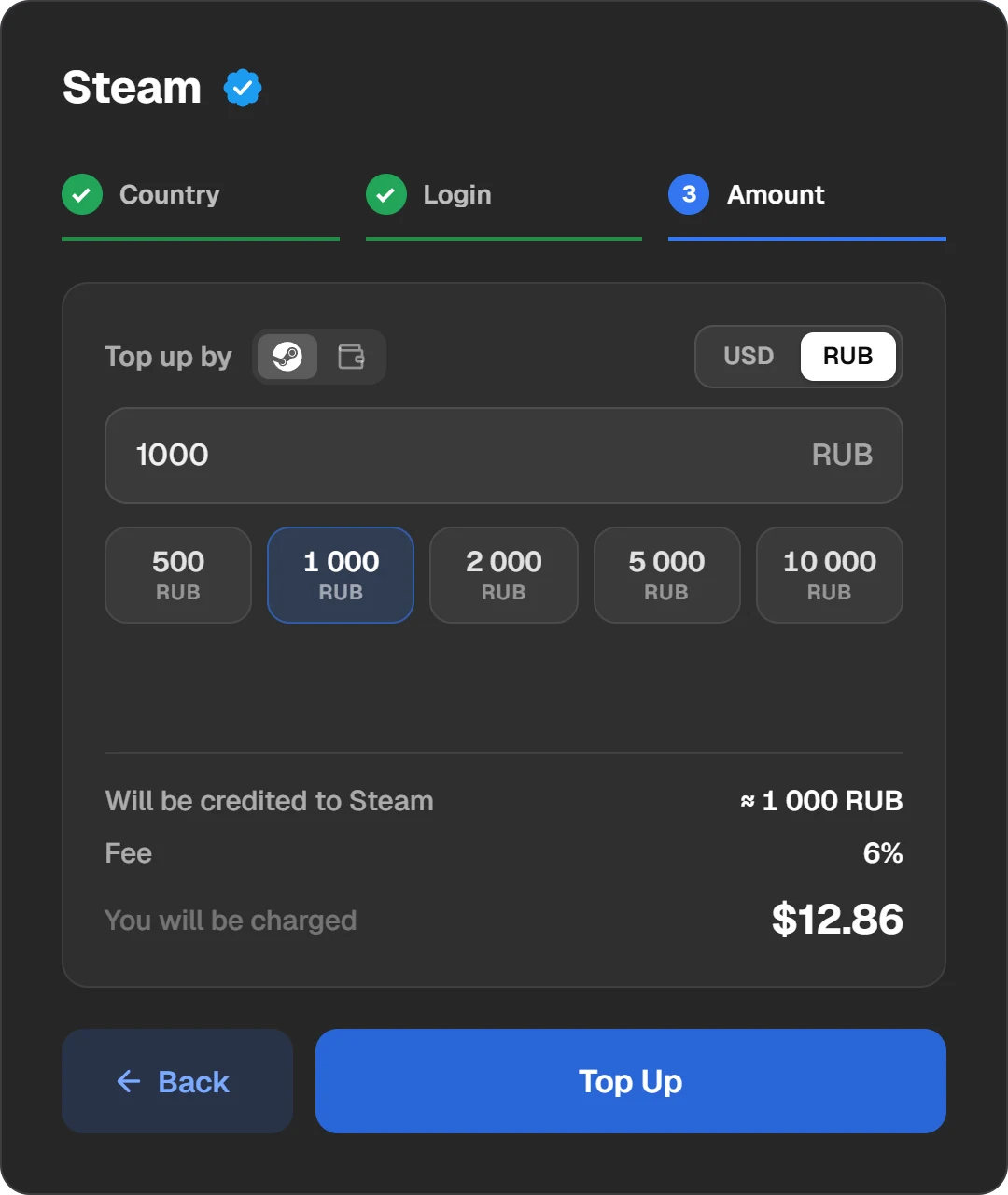
Country, login and amount. The amount to be credited and the fee before you pay.
Pay and check the balance
Once the order is done, the balance shows next to your profile name. If it does not, restart Steam.
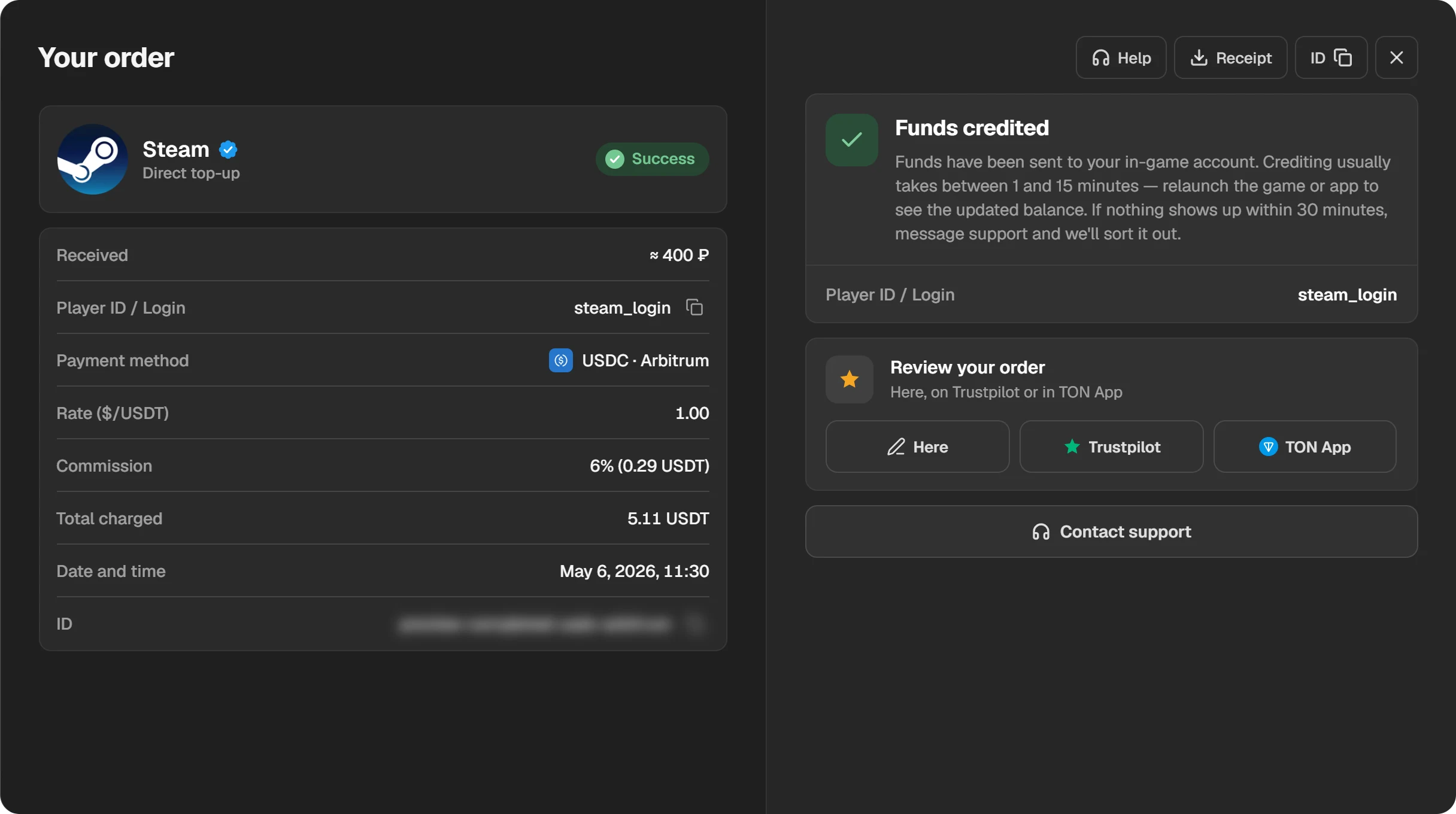
A finished order: the money is in the Steam Wallet. Receipt and order number at the top right.
Questions and answers
Where is the wallet in Steam?
The balance is at the top right next to your profile name. Adding funds and purchase history are on Account Details: profile name → Account Details.
How do I check my Steam balance on a phone?
Open store.steampowered.com/account in a browser and sign in. The balance is on the Account Details page.
How do I pay for a game with my Steam Wallet?
Just buy the game: by default Steam charges the wallet first. If it is short, pay the rest another way.
Where do I redeem a Steam Wallet code?
On “Redeem a Steam Gift Card or Wallet Code”: store.steampowered.com/account/redeemwalletcode. A code redeems only in your wallet’s currency.
How much can the wallet hold?
Up to 2,000 dollars, or close to that in other currencies.
