

PS Store not working: why and what to do
When PlayStation Store will not open, it is usually a PlayStation Network outage or your own connection. One case is different: for accounts registered in Russia, Sony suspended the store in 2022. Here is how to tell which it is and what to do.
In short
- First check status.playstation.com: if a service is down, you can only wait.
- Then test the connection on the console, restart the console and the router, and try again later.
- “Cannot connect to the server” errors (CE-108862-5, NW-102265-6, WS-116439-4) are fixed the same way.
- No sign-in code by SMS? Resend it, check the phone, or use a backup code.
- Accounts registered in Russia: the store has been suspended since March 2022, with no return date.
Which case is yours
| What you see | Why | What to do |
|---|---|---|
| The store will not load, online games fail, it worked yesterday | A PlayStation Network outage or maintenance | Check status.playstation.com and wait |
| “Cannot connect to the server”, while PSN services are up | Your connection or router | Test the connection, restart the console and router |
| No SMS code at sign-in | 2-step verification | Resend the code or sign in with a backup code |
| An account registered in Russia | Sony suspended PS Store in Russia | There is no workaround for that account |
If the store is down: step by step
Check the PSN status
Open status.playstation.com and pick your country. It shows whether sign-in, online gaming, PlayStation Store and the other services are up. If one is marked as an outage or maintenance, wait: nothing on your side will fix it.
Test the connection on the console
On PS5 go to Settings, then Network, then Test Internet Connection. If the test fails, the problem is the network, not the store.
Restart the console, wired if you can
Sony suggests restarting the PS5 and connecting with a cable. Without one, move the console closer to the router and clear what is between them.
Restart the router
Turn off the modem and the router, wait at least 5 minutes and turn them back on. Then test the connection again.
Try again later
If nothing helps, the network may be congested. Sony’s advice is to try again after a while.
“Cannot connect to the server”
This is the error you are most likely to see when the store will not load. On PS5 it comes with different codes, such as CE-108862-5, NW-102265-6 or WS-116439-4, but it means the same: the console could not reach PlayStation’s servers. Besides the steps above, Sony suggests:
- updating the router’s firmware (the router’s maker can tell you how);
- setting up the console’s network connection again;
- temporarily using a different, public DNS server in the network settings;
- if your router allows it, opening TCP ports 80, 443, 3478, 3479, 3480 and UDP 3478, 3479, 49152–65535. Your internet provider can help with that.
For any other code, look it up on the Error codes page of playstation.com: each code has its own steps.
The sign-in code does not arrive
- On the sign-in screen, select Resend Code and give it a few minutes.
- Restart your phone, make sure airplane mode is off and there is signal. If the network is the problem, contact your mobile provider.
- Sign in with a backup code. Sony gives you 10 when you turn on 2-step verification, each works once. In Account Management, select Trouble Receiving Code? and sign in using a backup code.
- With no backup codes or no access to the number, contact PlayStation Support through the Online Assistant.
Never share your PlayStation password or codes. A shop does not need them to top up your wallet: you buy a code and enter it yourself.
PS Store and Russia
In March 2022 Sony Interactive Entertainment announced it had suspended console and game shipments to Russia and the operation of PlayStation Store there. As of 20 November 2026 the Russian support pages still say the store’s operation in Russia is suspended. Sony has given no date for a return, so a “PS Store is back” story without a link to Sony is a rumour.
An account’s country cannot be changed after it is created, and the wallet accepts only cards of the account’s country. Sony’s terms ask for your real country of residence and true details at sign-up, so do not use a false address or a VPN: Sony may suspend such an account together with its games.
Topping up a wallet with a gift card
A PS Store wallet is topped up with a gift card of the account’s country. Play Wallet has cards for, among others, US, German, French, Austrian, Belgian and Polish accounts; the current countries and amounts are on the PlayStation page.
Choose the account’s country and the amount
Open PlayStation cards, pick your account’s country in “PlayStation account country” and an amount. No login or password: you buy a 12-digit code. The price and the fee are shown before you pay.
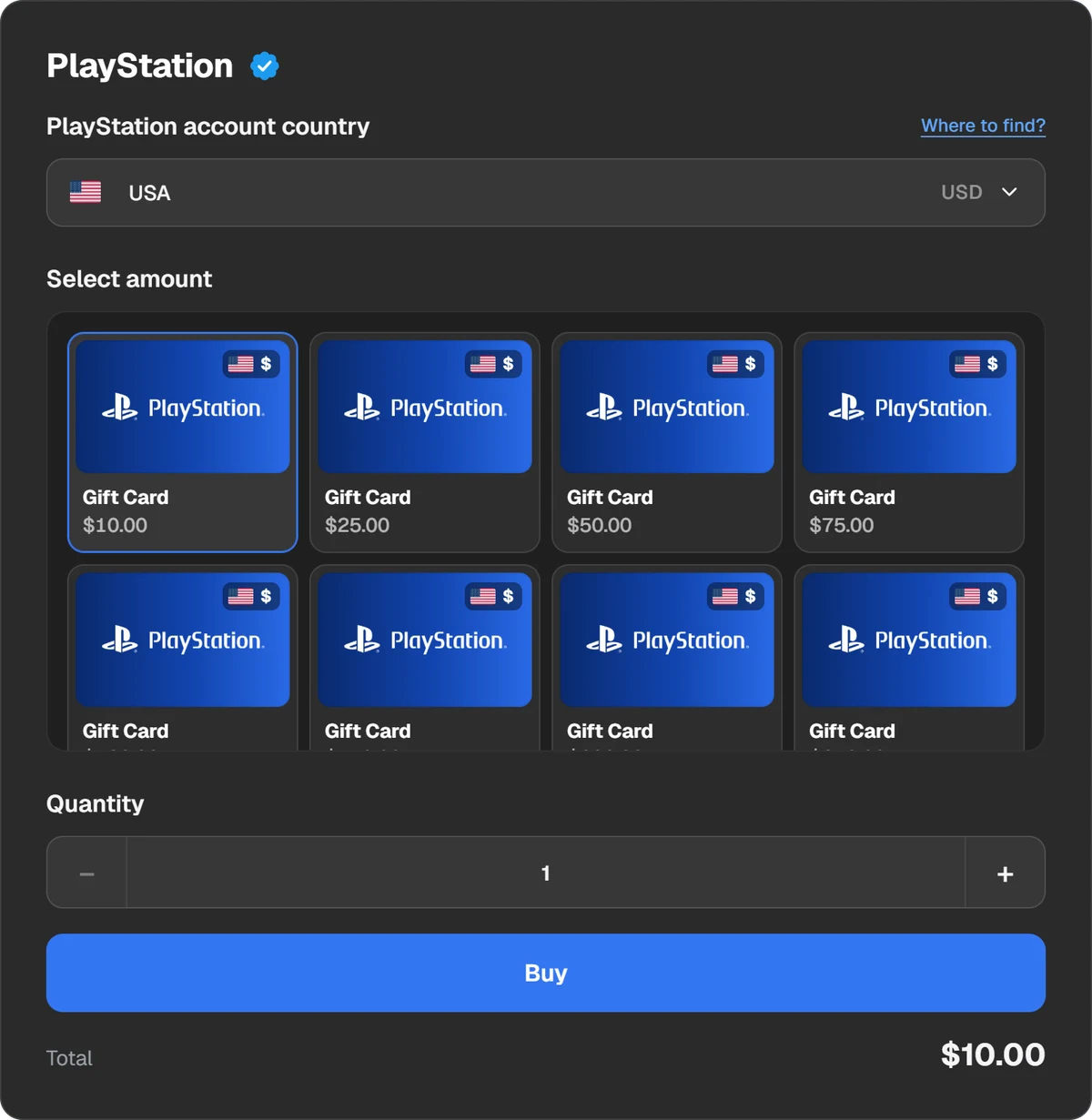
The PlayStation account’s country and the card amounts.
Pay
Choose how to pay: USDT, TON, BTC and other coins, Binance, Walt or TON Connect. When paying with a coin, pick the network you send from.
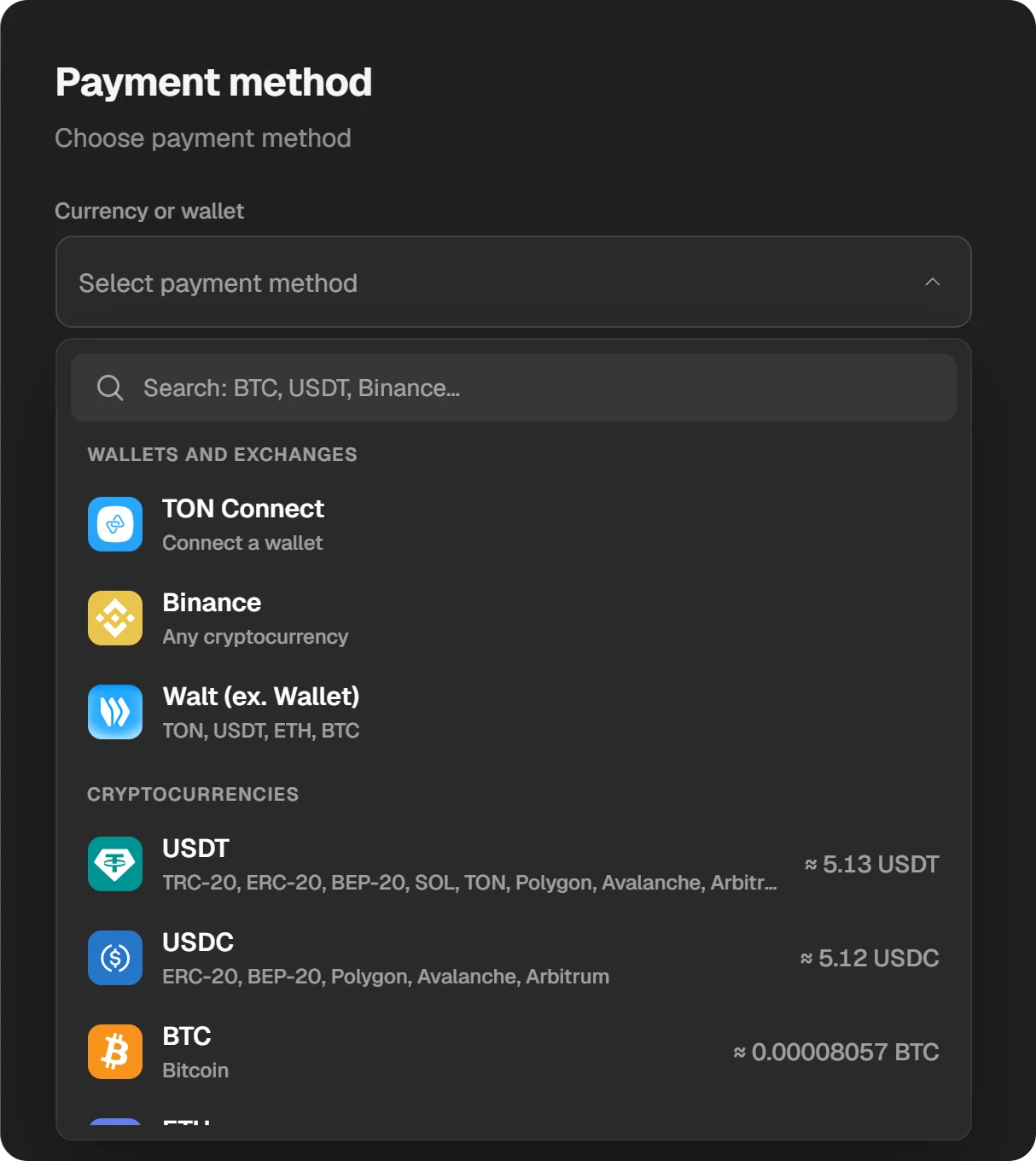
Payment methods, with the amount needed in each coin.
Copy the code and redeem it
The code shows in the order window and stays in “History” at the top of the site. On PS5 open PlayStation Store, press the triangle button, choose “…” and Redeem Code. More in How to redeem a PS Store code.
If the store does not open on that account either, the card is not the problem. Check the PSN status and your connection first and redeem the code once the store is back: it stays in “History”.
Questions and answers
How do I know if PSN is down today?
Open status.playstation.com and pick your country. It shows the state of each service, PlayStation Store included, and any maintenance.
Why does PS Store say “Cannot connect to the server”?
The console cannot reach PlayStation’s servers. Check the status page, run Settings → Network → Test Internet Connection, and restart the console and the router. If Sony has an outage, wait.
Can I change my PlayStation account’s country?
No. Sony says the country of an account cannot be changed once it is created. Another country needs another account, registered with your real country of residence.
Does PS Store work in Russia?
No. For accounts registered in Russia the store has been suspended since March 2022, and Sony has named no date for its return.
Can a gift card of another country top up my wallet?
No. The wallet accepts only cards of the account’s country. Buy a card only for the country your account is registered in.
