How to download Identity V on PC and phone
Identity V is free, and it has three official sources: Google Play, the App Store and the PC client on the game’s site. Here is what to get for each device, which system versions work, how to keep your account and where the Game ID for a top-up is.
In short
- Get the game from Google Play, the App Store or identityvgame.com. You do not need an APK from anywhere else.
- Once it is installed and you have an account, you can buy Echoes with us by Game ID and server, with no password. Payment is in crypto.
- You need Android 5.0 or later, or iOS or iPadOS 13 or later. Windows 7 does not work.
- Our top-up is for the Asia and NA-EU servers. It is not for the Taiwanese edition of the game.
Where to download it for each device
| Device | Source | What you need |
|---|---|---|
| Android | Google Play, published by NetEase Games | Android 5.0 or later |
| iPhone | App Store, by NetEase Games | iOS 13 or later, a 3.7 GB download |
| iPad | The same App Store page | iPadOS 13 or later |
| Computer | The PC client on the official site | Windows newer than 7 |
These were checked as of 22 November 2026. Updates raise the requirements, so look at the store page before you install. The footer of the official site still mentions Android 4.3 and iOS 10. The stores list newer versions, and those are the ones to follow.
How to install Identity V on a phone
Open your app store
Google Play on Android, the App Store on iPhone and iPad. The buttons on the official site lead there too.
Check the publisher
The game is called Identity V and the publisher is NetEase Games. The App Store names Hong Kong Netease Interactive Entertainment Limited as the seller.
Install it
The install is free. Leave some spare storage: the iPhone download alone is 3.7 GB, and the game updates often.
Sign in and link the account
A linked account opens on a computer or a new phone. In the app, account linking is in the support section.
How to download Identity V on PC
Open the official site
Go to identityvgame.com and choose English. The PC button sits with the Google Play and App Store buttons.
Read the guide
The link PC Version Download Guide under the buttons opens NetEase’s instructions for the installer.
Install into a folder of its own
NetEase moved the PC client to a new engine in February 2026. If you still have an old copy, do not install over it: NetEase asks for a new folder. The same notice names NetEase’s Fever launcher as a second source of the client.
Wait at the first launch
After the first install the client compiles shaders. NetEase says that takes 3–10 minutes, so leave the window open.
Sign in to the same account
A 2023 notice from NetEase listed three ways to sign in on PC: Google, Facebook, and a QR code scanned with the game’s app. If the sign-in screen offers more now, pick the one you linked on the phone.
NetEase calls its own PC client the “desktop emulator version”. That does not mean you need a third-party emulator. NetEase’s terms ban running several copies through an emulator, macros, third-party key mapping tools and cloud phones, and an account can be restricted for them. Use the official client on PC.
Accounts and servers
- Server. A top-up asks for the account’s server. Our form has two: Asia, and NA and EU. A Game ID belongs to its server, so remember where you created yours.
- The Taiwanese edition. It has its own apps, its own PC client and its own operator, Long E. Our top-up is not meant for it.
- Someone else’s account. NetEase’s terms ban selling, transferring and sharing accounts. A bought account can be closed with everything on it. Your own account is free to create.
- Age. The US App Store rates the game 13+. For minors, NetEase’s terms require a parent’s permission for some features.
Where the Game ID is
Open your profile
Tap your avatar in the game. The Game ID is the number next to your nickname.
If you cannot see it
NetEase support gives a second route: type your name in the friend search and open the profile. The ID is shown there.
Copy it and check the server
A nickname will not do for a top-up. You need the number and the server the account was created on.
Buying Echoes once the game is installed
Echoes pay for characters, costumes, accessories and bundles. Launch the game first and make sure it runs on your device: installing costs nothing, and a top-up cannot be undone.
Fill in the form
Open Identity V on Play Wallet, enter the Game ID and choose the server. No password or sign-in.
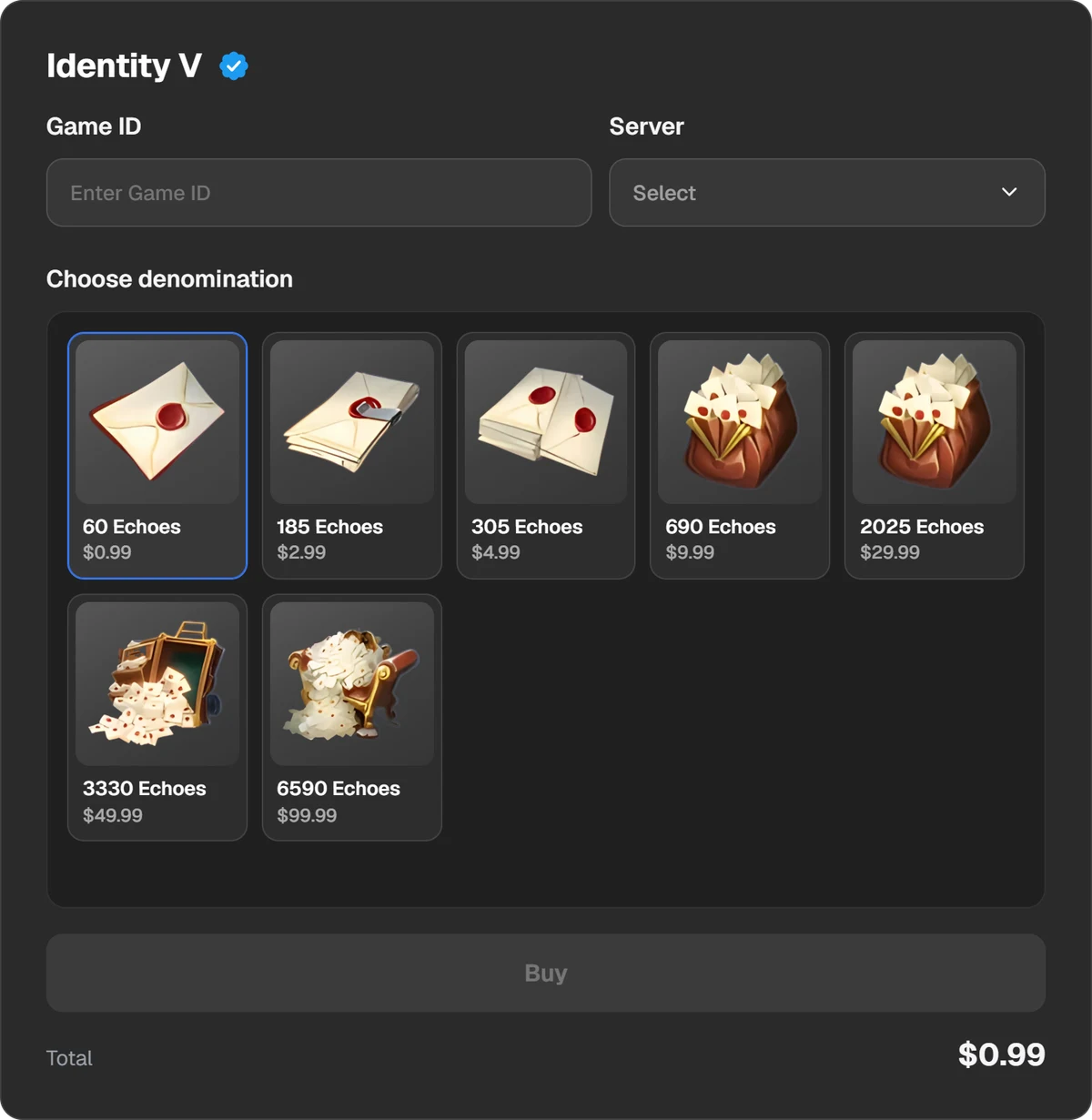
The order form: Game ID, server and the amount of Echoes.
Pick a pack
There are packs of 60, 185, 305, 690, 2,025, 3,330 and 6,590 Echoes. The amount and the fee are shown before you pay.
Pay in crypto
Select Buy and choose a coin, or Binance, Walt or TON Connect.
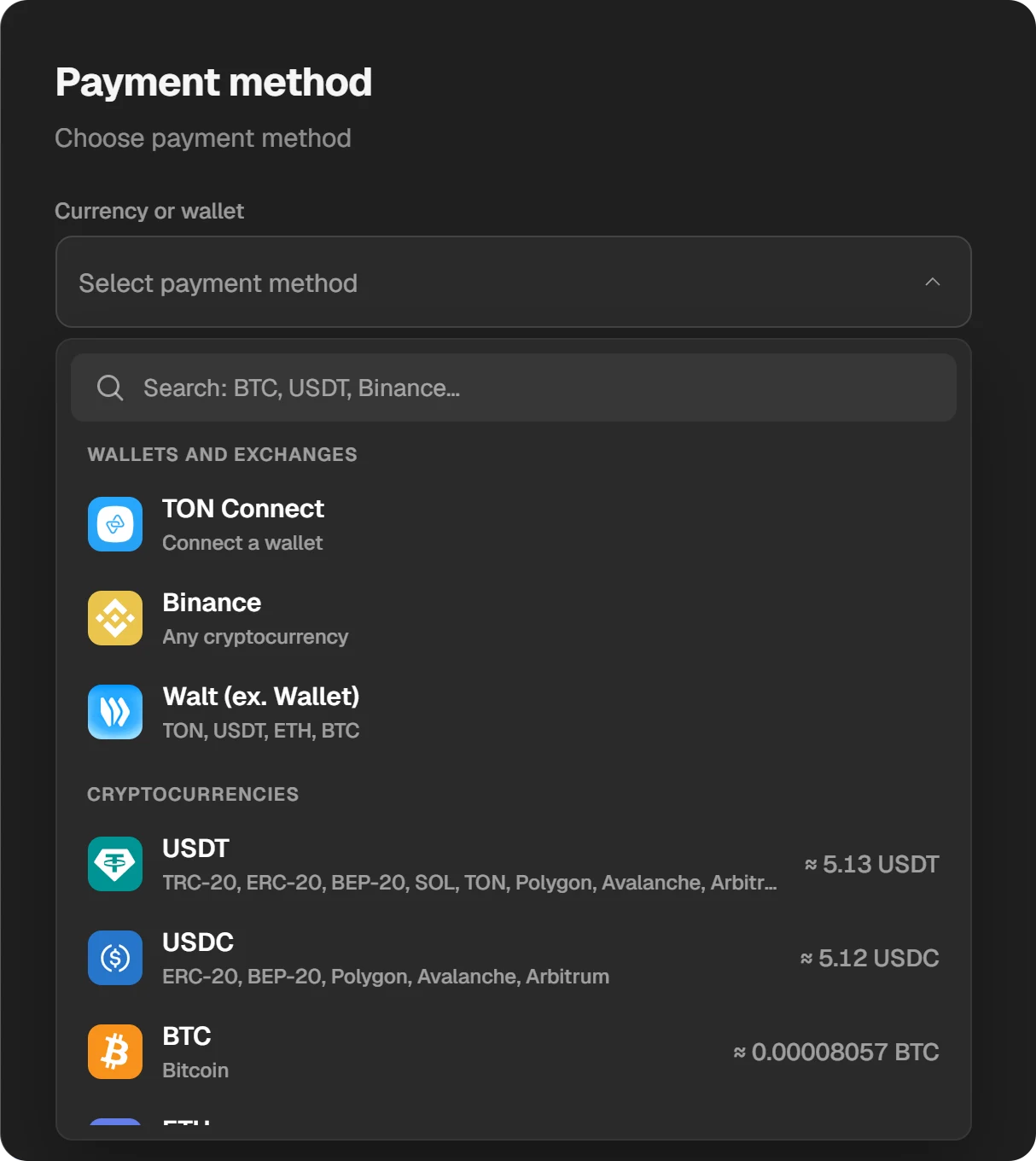
Payment methods.
Check the balance in the game
The order’s status is in the order window and in History. When it is done, the Echoes are on the account. If the number has not changed, sign in again.
Whom this does not fit: players of the Taiwanese edition or of any server missing from the form, and anyone who cannot pay in crypto. Play Wallet is not a NetEase store. The site does not check that the Game ID is yours, so compare the number and the server before paying.
Installed, with the number at hand? Top up Identity V by Game ID. Before you buy, you can read what Echoes are spent on and how characters are unlocked.
Questions and answers
What is the official Identity V site?
identityvgame.com. NetEase gives the same address in the App Store and Google Play descriptions.
Which languages does Identity V have?
The App Store lists English, French, German, Italian, Japanese, Korean and Simplified Chinese.
Is Identity V free?
Yes, to install and to play. Echoes are sold for money, and some in-game purchases give random rewards.
Can I install an APK from another site?
We advise against it. The official site sends Android players to Google Play, and a file from elsewhere may have been altered.
Is Identity V on Mac?
The official site has no separate Mac button. The App Store lists the game for iPhone and iPad.
Can I use one account on PC and phone?
Yes: link it in the app and sign in on PC the same way. For a top-up the device does not matter, only the Game ID and the server.