

How to activate a Game Pass code and fix errors
A Game Pass code is entered once and cannot move to another account. Here is what to check first, the steps for each device and the errors Xbox Support listed as of 22 November 2026.
In short
- You can buy a code from us: Game Pass Ultimate for a month or Essential for 1, 3, 6 or 12 months.
- It fits only an account of the country it was made for. The Ultimate and Essential pages do not name that country, so ask support before paying.
- Enter the 25 characters at xbox.com/redeem, on the console, in Microsoft Store or in the Xbox app for Windows.
- On a phone, open xbox.com/redeem in the browser.
- If another plan is running, check the conversion first. It cannot be undone.
Check before you buy and redeem
The account
Sign in to the Microsoft account you play on. Xbox Support does not move a redeemed code to another one.
The country
Open Your info at account.microsoft.com. A Game Pass code works only in the country or region of purchase, and Microsoft wants the account’s region to match where you are.
The current plan
The plan and its end date are at account.microsoft.com/services. The same plan’s code adds time. Another plan’s code may turn into days.
Recurring billing
If a card pays for the plan, Microsoft advises turning recurring billing off, waiting for the term to end and then redeeming.
Debt or suspension
Some codes are refused while the account has a balance due or is suspended.
Buying a code on Play Wallet
Confirm the key’s country
Tell support your account’s country and the plan. Do not pay without a confirmation. Codes on the Game Pass Core tab are marked US or EU and give Essential time.
Choose the plan and term
Open Ultimate or Essential. No Microsoft password is needed. The total is shown before payment.
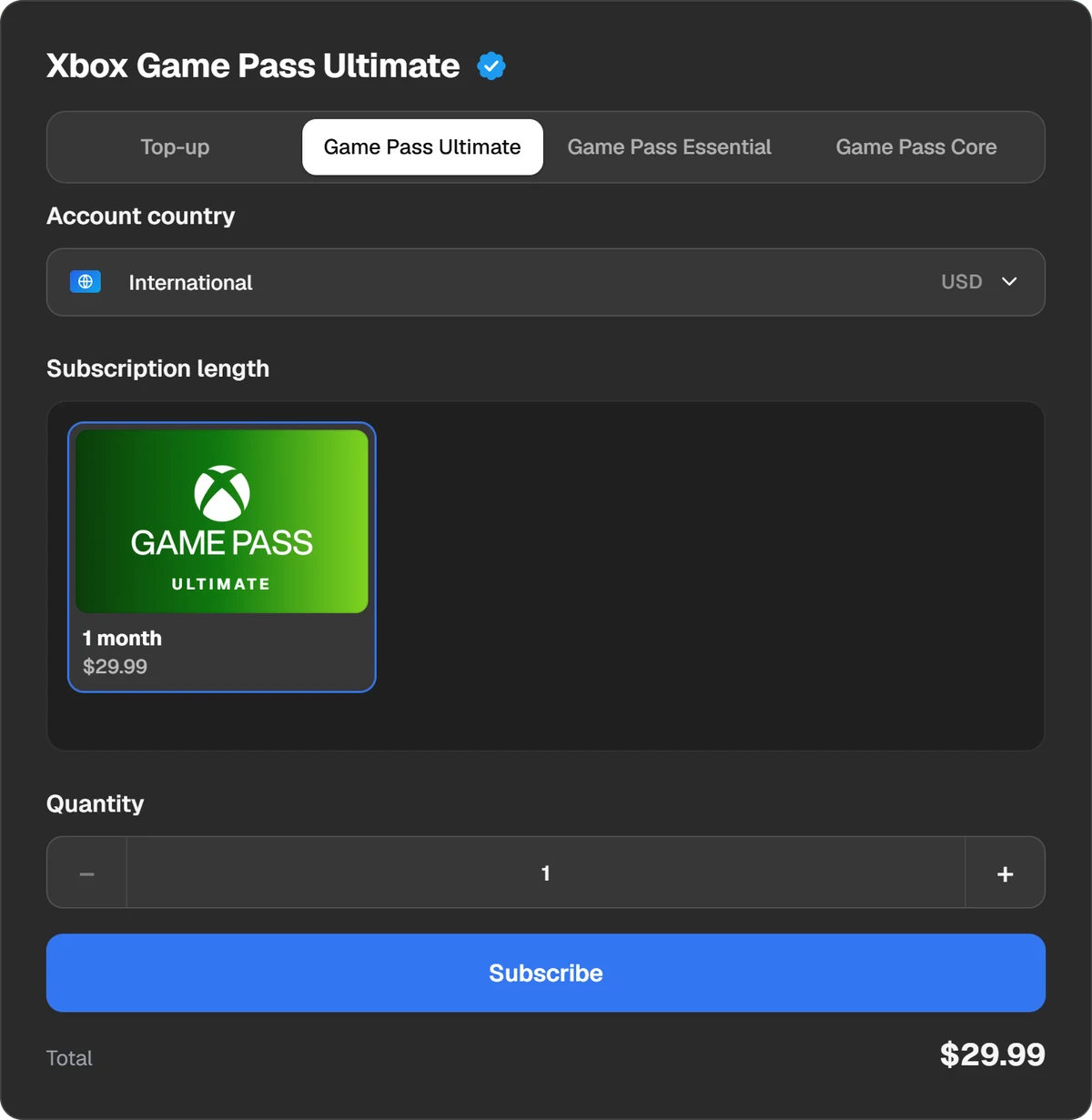
The term, the quantity and the total.
Pay
Payment here is in crypto. Press “Subscribe” and pick USDT, TON, BTC or another coin, Binance, Walt or TON Connect.
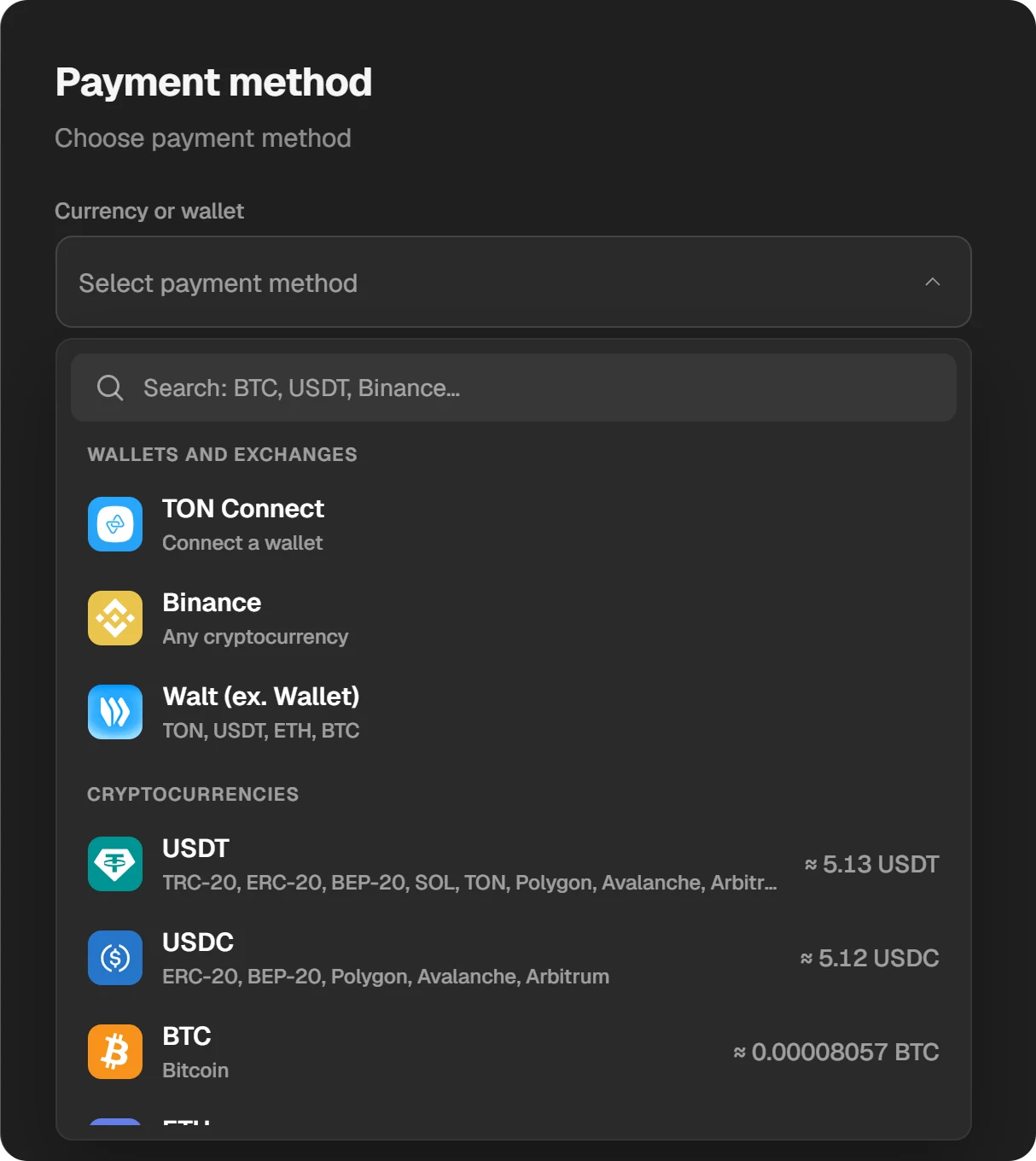
Payment methods.
Copy the code
It appears in the order window with a “Copy code” button, and later stays in History.
In a browser on a computer or phone
- Open xbox.com/redeem and sign in to your Microsoft account.
- Check once more which account it is.
- Paste the 25 characters and follow the prompts.
- Check the new end date at account.microsoft.com/services.
On Xbox Series X|S and Xbox One
- Press the Xbox button and select Store.
- Press the View button to open the side menu.
- Select Redeem.
- Enter the code, select Next and follow the prompts.
There is a second route: open your subscriptions from your profile, pick a plan and select Use a code.
On a Windows PC
| Program | What to select |
|---|---|
| Microsoft Store | Account at the top right, Redeem code or gift cards, the code, Next |
| Xbox app | Gamerpic at the top left, Settings, Redeem under Redeem a code, the code, Next |
In either program, check whose account is open. On a shared computer it may be somebody else’s.
Microsoft contradicts itself about the Xbox mobile app. A help article gives a path through profile settings, while xbox.com/redeem says the app cannot redeem codes at this time. The browser is the safer route.
If a subscription is already running
| You have | You redeem | You get |
|---|---|---|
| Ultimate | Ultimate | Added time, up to 36 months |
| Essential | Ultimate | 45% of the time left: 90 days become 40 |
| Premium | Ultimate | 65% of the time left: 90 days become 59 |
| PC Game Pass | Ultimate | 60% of the time left: 90 days become 54 |
| Ultimate | One month of Essential or Core | 14 days of Ultimate |
| Premium | One month of Essential or Core | 23 days of Premium |
These are Microsoft’s rules as of 22 November 2026, and it may change them. Longer terms are worked out in Game Pass Ultimate for a month or a year.
Why a Game Pass code is refused
| What Xbox says | The cause | What to do |
|---|---|---|
| The code is not redeemable in your country/region | It was made for another country | Contact the seller. For our code, write to us |
| “Hold off extending this right now” | The new term would pass the limit | Wait until less time is left |
| The code is invalid | Usually a typo | Copy it again. Xbox codes never use A, E, I, O, U, L, S, 0, 1 or 5 |
| The code is already redeemed | It was used, perhaps on another account of yours | Check order history and subscriptions on each of your accounts |
| The code is expired or inactive | Its time ran out or the seller did not activate it | Contact the seller with the order number |
| VPN detected | A location-masking service is on | Turn it off and retry. Repeated attempts may get the account restricted |
| It asks for a payment option | A first redemption needs billing details | Follow the prompts. Redeeming costs nothing |
Causes people forget
- A code for new members only. Microsoft says these exist. One may fail if you have or had a subscription.
- A code that will not redeem on a console. Some do not. Try the browser.
- An Xbox network suspension. If it is temporary, retry when it ends.
- An outage. Open xbox.com/status and wait if the service is down.
- The console’s location. When both the account and the code belong to the country you live in, check Profile & system, Settings, System, Language & location, Location.
Do not change the account’s country or use a VPN for a code. The region is for a real move, and Microsoft may forbid masking your location while redeeming. Its regions page also says new sales in Russia are suspended.
What to send to support
If you bought the code here, send support the order number, the account’s country and a screenshot of the error with the code covered. Do not post the code in chats or communities: whoever enters it first gets it.
If you have no code yet, confirm the country and choose Game Pass Ultimate or Game Pass Essential.
Questions and answers
Where do I enter a Game Pass activation code?
At xbox.com/redeem, in the console Store through the View button, in Microsoft Store or in the Xbox app for Windows.
Do I need a bank card to redeem?
Microsoft may ask for a payment option and billing address. It does not charge for redeeming.
Can I move Game Pass to another account?
No. Xbox Support does not transfer redeemed codes, so check the account first.
Can I redeem on a phone?
Yes, at xbox.com/redeem in the browser. Microsoft says the Xbox mobile app does not take codes at this time.
What does an old Game Pass Core code give?
Essential time. On Premium or Ultimate it converts into days of that plan.
How do I know it worked?
Open account.microsoft.com/services or the subscription list on the console. It shows the plan and end date.
