EA Play on PC: Steam or the EA app, and what Pro adds
EA has two memberships on PC: EA Play and EA Play Pro. You can join EA Play in the EA app or on Steam, but Pro only in the EA app. Here is how they differ, where to join and how to pay.
In short
- EA Play gives a library of EA games, 10-hour trials of new games, rewards and 10% off. Pro adds premium editions and select new games on day one.
- EA Play Pro is only in the EA app, not on Steam or Epic.
- US prices on ea.com: EA Play $5.99 a month or $39.99 a year, Pro $16.99 a month or $119.99 a year.
- A membership works only where you bought it. EA Play from Steam doesn’t work in the EA app.
- In the EA app you pay by card, PayPal or EA Wallet; on Steam with your Steam Wallet.
EA Play vs EA Play Pro
| EA Play | EA Play Pro | |
|---|---|---|
| Where to join on PC | EA app, Steam, Epic Games Store | EA app only |
| US price | $5.99 a month or $39.99 a year | $16.99 a month or $119.99 a year |
| Game library (The Play List) | Yes | Yes, plus premium editions |
| New releases | Trials of select games for up to 10 hours | Select new games in full from day one |
| In-game rewards | Yes | Yes |
| 10% off EA purchases | Yes | Yes |
Prices as shown on ea.com on 20 November 2026. Other countries have their own; you see the exact price at checkout. Until 3 December 2026, EA sells the first month of EA Play for $0.99.
Pro makes sense if you want to play EA’s new releases at launch without buying them. If the library and trials are enough, plain EA Play will do. Progress from a trial carries over if you buy the full game.
Steam or the EA app
| EA app | Steam | |
|---|---|---|
| Memberships | EA Play and EA Play Pro | EA Play only |
| How to pay | Card, PayPal or EA Wallet | Card, PayPal or Steam Wallet |
| Where games run | In the EA app | In your Steam library; some games still need the EA app |
| EA Account | Needed | Needed and linked to Steam |
| Billing and cancelling | In your EA Account | In Steam, through Steam Support |
A membership is tied to its platform. EA Play bought on Steam isn’t in the EA app and vice versa, and it can’t be moved.
Joining in the EA app
Install the EA app and sign in
Download the EA app from EA’s site and sign in with your EA Account.
Choose the membership
Select Join EA Play. For Pro, choose EA Play Pro.
Choose monthly or yearly
Pick the plan and select Continue.
Pay
Choose a card, PayPal or EA Wallet and select Proceed to Review Order. If your EA Wallet has funds, EA uses them first.
Confirm
Agree to automatic renewal and select Start Membership.
To upgrade later: EA Account → Subscriptions and Memberships → EA Play → Manage membership → Change Membership → Switch to EA Play Pro. EA refunds the time left on your EA Play membership to your original payment method.
Joining on Steam
Open EA Play in the Steam store
Search the Steam store for EA Play and choose a month or 12 months.
Pay
Pay from your Steam Wallet or another method Steam offers in your country. The membership renews automatically.
Link your EA Account
The membership won’t work without an EA Account. Steam asks you to link it the first time you start an EA game; the link shows under Connections in your EA Account.
Download games
Find a Play List game in the Steam store and download it. Some games still ask you to install the EA app.
How to pay for EA Play on PC
- EA Wallet (EA app). Top it up with an EA gift card. EA says the wallet balance pays for EA Play memberships and is used before other methods.
- Steam Wallet (Steam). EA Play on Steam is paid from your Steam balance, like a game. EA gift cards don’t work there.
- Xbox Game Pass. Game Pass Ultimate and PC Game Pass already include EA Play on PC; install the EA app and link your accounts. EA Play Pro isn’t included.
For Steam, you can top up your wallet by login. For the EA app, an EA gift card tops up the EA Wallet. Game Pass on PC is covered in Xbox Game Pass on PC.
Topping up the EA Wallet with a card
Choose a card
Open EA gift cards and pick the region and amount: US in dollars or Europe in euros. The price and fee are shown before you pay.
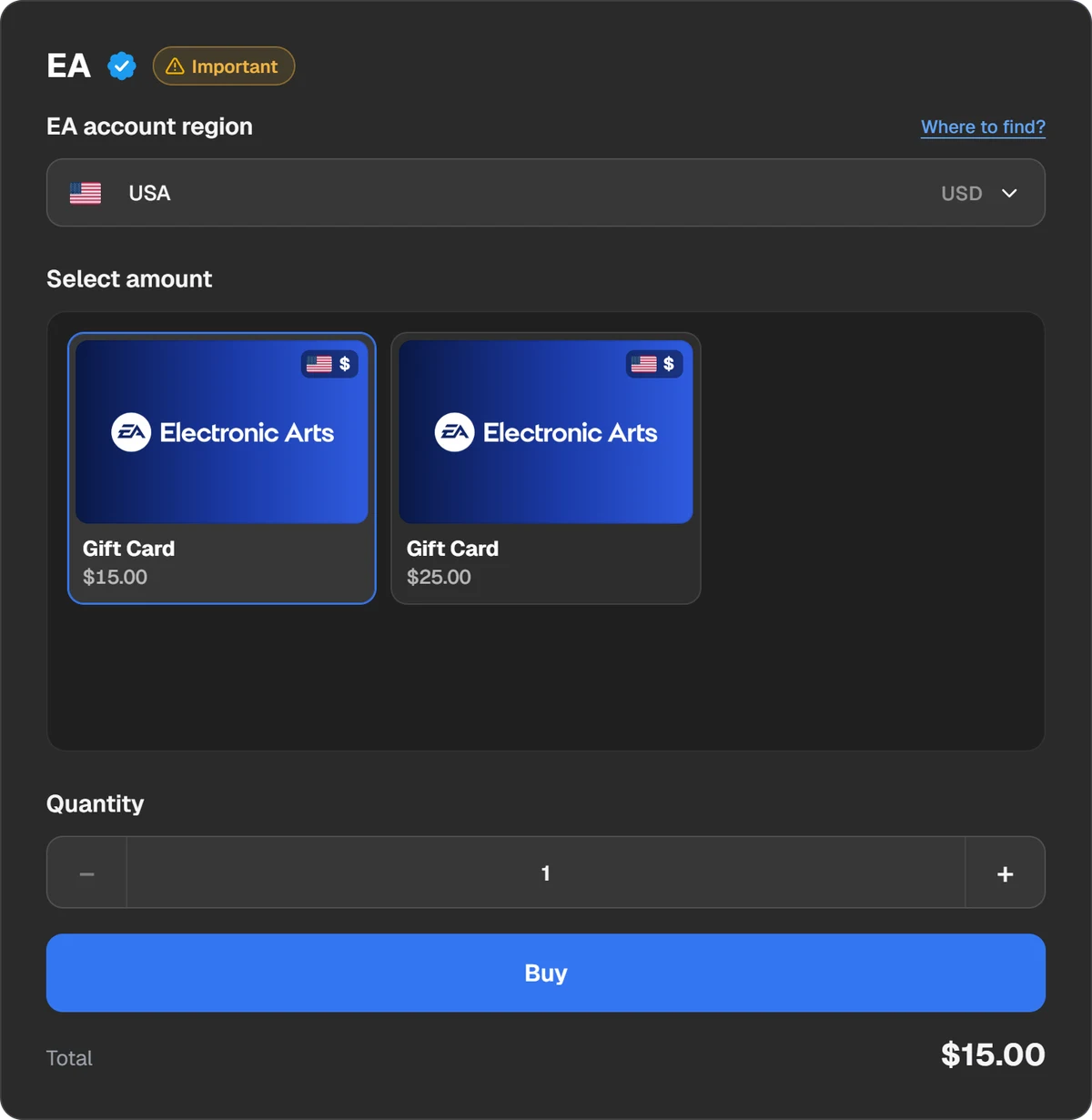
EA card region and amount.
Pay
Choose a coin or a wallet: USDT, TON, BTC and other coins, Binance, Walt or TON Connect.
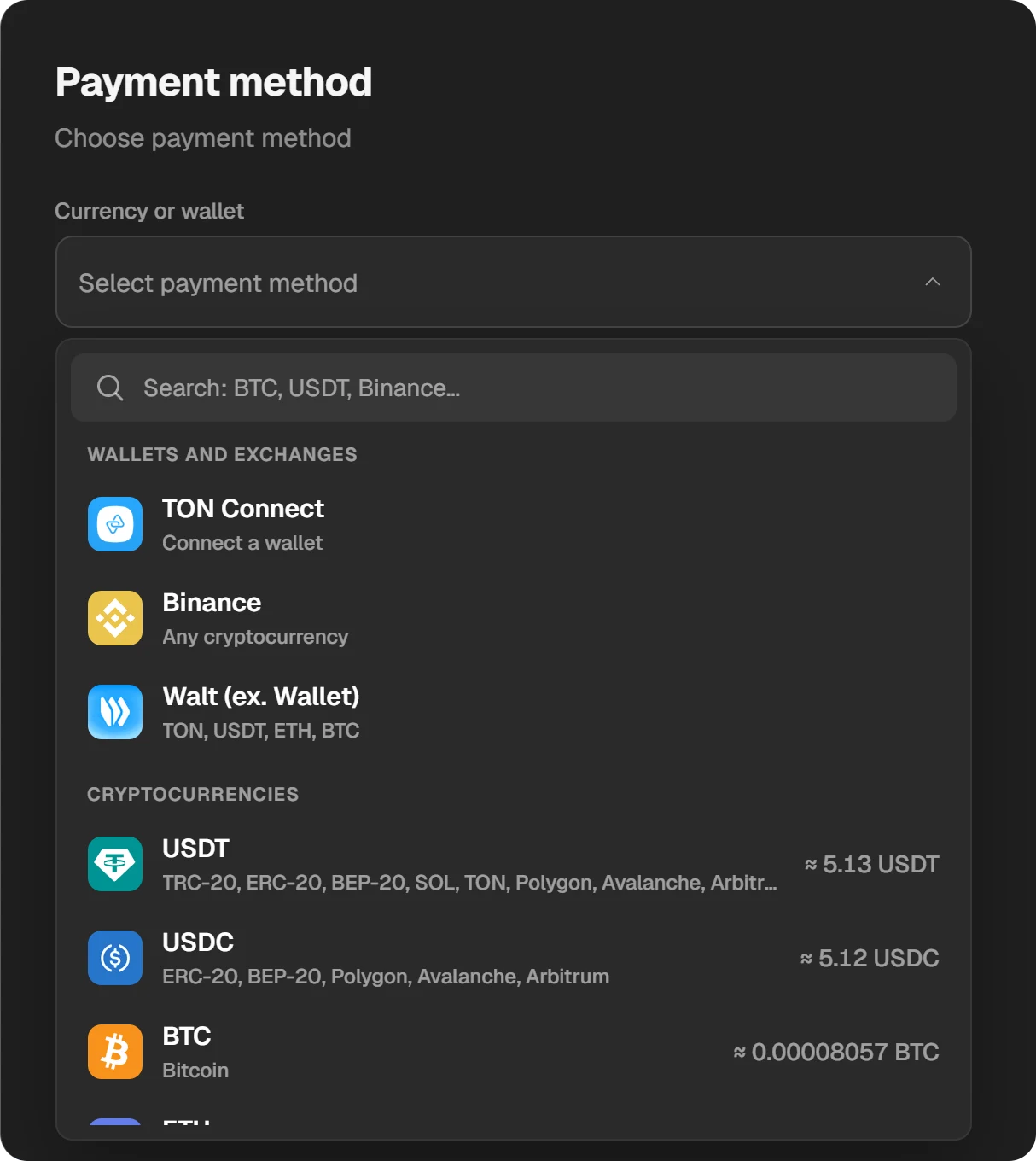
Choosing how to pay.
Redeem the code
The code appears in the order window and in “History”. Go to myaccount.ea.com → Payment and Wallet → EA Wallet → Add Funds, enter the code, accept the terms and select Submit.
The first card you redeem sets your EA Wallet’s country, and cards from other countries won’t work after that. EA sells cards only in the US, Canada, Brazil, Australia, New Zealand and 12 European countries.
Cancelling EA Play on PC
- EA app: EA Account → Subscriptions and Memberships → Cancel membership, then confirm. It stays active until your next billing date, and you can undo the cancellation until then.
- Steam: open Recurring Subscriptions in your Steam account and cancel EA Play. EA sends billing questions to Steam Support.
Your game progress stays if you don’t delete your saves, and anything bought with the 10% discount is yours to keep.
Questions and answers
What does EA Play Pro include?
Everything in EA Play plus premium editions, select new EA games in full from day one and in-game rewards. It is only on PC, in the EA app.
Is EA Play Pro on Steam?
No. Steam and the Epic Games Store sell only EA Play. Pro is in the EA app.
How much is EA Play on PC?
On ea.com in the US: EA Play $5.99 a month or $39.99 a year, Pro $16.99 a month or $119.99 a year (20 November 2026). Steam prices vary by country.
Can I move EA Play from Steam to the EA app?
No. A membership works only on the platform where you bought it.
Can I pay for EA Play with an EA gift card?
Yes, in the EA app: the card tops up the EA Wallet, which pays for the membership. On Steam you pay from your Steam Wallet.
Is EA Play part of Game Pass?
Yes, of Game Pass Ultimate and PC Game Pass. On PC you play through the EA app with linked accounts. EA Play Pro isn’t included.