

Why you can’t top up Steam: causes and fixes
A Steam top-up usually breaks in one of two places: in Steam itself, when the payment fails, or on the site where you top up by login. Here are the causes for both, with the exact error texts and what to do.
In short
- If paying in Steam fails, top up Steam on Play Wallet by login with crypto. We do not take bank cards.
- Turn off any VPN or proxy: Steam declines payments through anonymous proxies.
- After a couple of failed attempts, stop retrying and contact Steam Support.
- In 24 hours, money added to the wallet plus money spent may not exceed 2,000 dollars.
- On a top-up site the usual culprits are the nickname instead of the login, or a country the site does not serve.
If the top-up fails in Steam itself
| What happens | Why | What to do |
|---|---|---|
| No suitable payment method | Steam shows only the methods for your account’s country. | Top up on Play Wallet by login, if we serve your account’s country. |
| The bank declines the card | The bank blocks it, or the address or CVV did not match. | Check the details. If it still fails, top up by login on Play Wallet with crypto. |
| “An unexpected error has occurred. Your purchase has not been completed” | A payment failure at Steam or the bank. | Check the details and try again. After a couple of failures, stop and contact Steam Support. |
| Payment fails with a VPN on | Steam declines all transactions through anonymous proxies. | Turn off the VPN and proxy, restart the computer, try again. |
| It fails on the Steam website | Sometimes the browser gets in the way. | Steam suggests trying the client, or the website if the client failed. |
| The wallet currency does not match the purchase currency | The wallet and the store are in different currencies. | Contact Steam Support with your account name and the exact error. |
If you were charged but Steam shows nothing
- Check your email for a Steam purchase receipt.
- Make sure you are signed in to the account you topped up; the receipt names it.
- Restart Steam.
- If more than two hours have passed, contact Steam Support.
If Steam said the purchase failed but your bank shows a charge, it may be a hold. Steam says the bank releases such holds within up to 30 days, depending on its own rules.
If a wallet code is refused
- A typo. Check look-alike characters: 0 and O, Q, D; 1 and I; B and 8; G and 6.
- The wrong currency. Steam accepts codes only in the wallet’s currency.
- The code was just bought in a store. Steam says the retailer may need several hours to activate it.
If you hit the limit
Under the Steam Subscriber Agreement, in any 24 hours the money added to the wallet plus the money spent from it may not exceed 2,000 dollars or the equivalent in your currency. Deposits above that may be credited later, once your activity falls below the limit. The wallet balance itself is capped at 2,000 dollars too.
If a top-up by login on Play Wallet fails
| What the site says | Why | What to do |
|---|---|---|
| “Login not found on Steam” | Usually a nickname or an email instead of the login. | Enter the login you sign in with. See How to find your Steam login. |
| Invalid characters in the login | A Steam login has only Latin letters, digits, underscore, hyphen and dot. | Check the keyboard layout and remove spaces. |
| “Unfortunately, we cannot top up for this country” | The country is marked unavailable: we do not serve it. | Check your account’s country on Account Details. If it is right, this way will not work. |
| “Too many checks for this product today” | Checks have a daily limit. | Try again later. |
| The amount is refused | It is below the minimum or above the maximum. | The limits are in the amount field. Split a large sum into several orders, keeping Steam’s limit in mind. |
| The card value is temporarily unavailable | The site cannot issue that amount right now. | Choose another amount. |
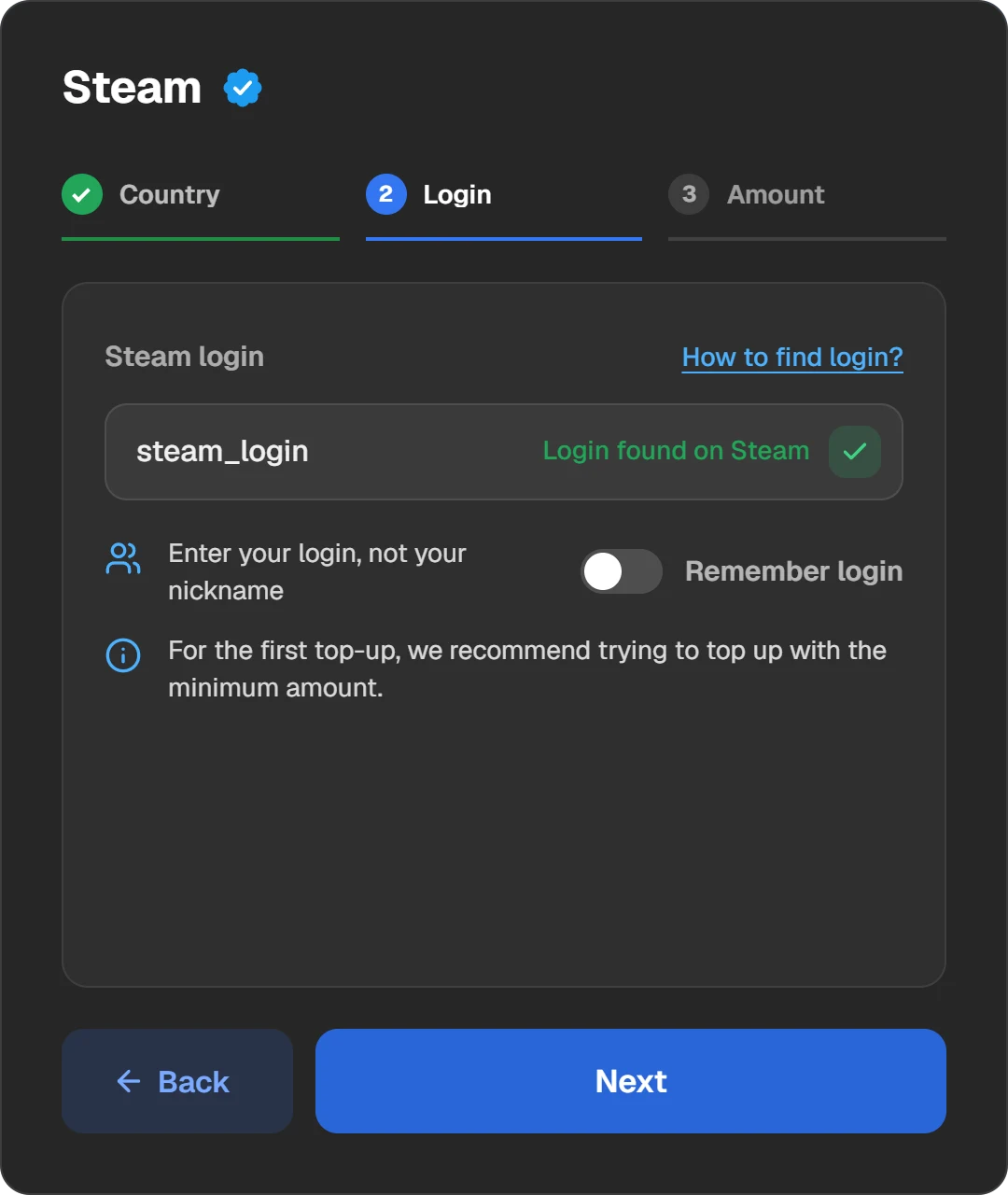
The login step: the site checks the account before you pay and tells you if it is not found.
How to check your Steam account region
Open “Account details”
Click your profile name at the top right of Steam and choose “Account details”. On a phone, open store.steampowered.com/account in a browser and sign in.
Find the “Country” line
It is in the “Store & Purchase History” block. That is your account’s region: prices and the wallet currency depend on it.

The “Country” line, shown on an example account.
If you paid and the top-up has not arrived
- Open the order in “History” at the top of the site. If it still waits for payment, the network has not confirmed the transfer yet.
- If the coins went on the wrong network or less than the amount arrived, the order is not credited by itself. Write to support with the order ID and the transaction hash.
- If the order is Done, restart Steam and check the balance next to your profile name.
- For anything unclear, write to support with the order ID: the “ID” button in the order window copies it.
Once the cause is clear, you can try again through Steam top-up on Play Wallet: the form checks the country and the login before you pay.
Questions and answers
Why can’t I top up Steam by login?
Most often the nickname was entered instead of the login. The service may also not serve your account’s country, or the amount is out of range.
What does “An unexpected error has occurred” mean on Steam?
The purchase did not go through. Check the details and try again with any VPN off. After a couple of failures, Steam advises contacting Support instead of retrying.
Can a VPN get in the way?
Yes. Steam declines all transactions through anonymous proxies. Turn off the VPN and proxy and try again.
How much can I add to Steam in a day?
Under Steam’s rules, money added plus money spent in 24 hours may not exceed 2,000 dollars or the equivalent in your currency.
I was charged but nothing is on Steam. What now?
Check the receipt email and the account, restart Steam. After two hours, contact Steam Support. If you topped up through Play Wallet, write to us with the order ID.
