How to top up Steam with crypto
You need neither a bank card nor your account password. A Steam login and a wallet or exchange holding USDT, TON, BTC or another coin are enough. Below is the whole way with screenshots, from choosing the country to the money arriving.
In short
- You need your Steam login (not the nickname) and a crypto wallet or exchange.
- You can pay in USDT, USDC, BTC, ETH, TON and a dozen other coins, or through Binance, Walt and TON Connect.
- How much reaches Steam and the fee are shown before you pay.
- Send exactly the amount, on exactly the network, you chose in the payment window.
- The money usually arrives 1–15 minutes after the network confirms the payment.
What you need
- Your Steam login. It is what you sign in to Steam with. You can change the nickname on your profile; you cannot change the login. Where to find it: Where to find your Steam login.
- A wallet or exchange with crypto. Binance, the Walt wallet in Telegram, Tonkeeper or any wallet holding USDT, TON, BTC or other coins will do.
- A little extra for the transfer. An exchange takes its withdrawal fee out of what you send, so less may reach the address.
If your Steam account is new, the wallet currency is fixed on the first top-up. Steam sets it by your address and then credits all money in that currency. Start with a small amount.

What Steam Support says about it, in the Steam Wallet section.
Step by step
Choose the account’s country
Open Steam top-up and choose the country your account belongs to. It sets the currency the money arrives in: roubles, tenge, hryvnias or dollars. Steam shows the account’s country on the Account details page.
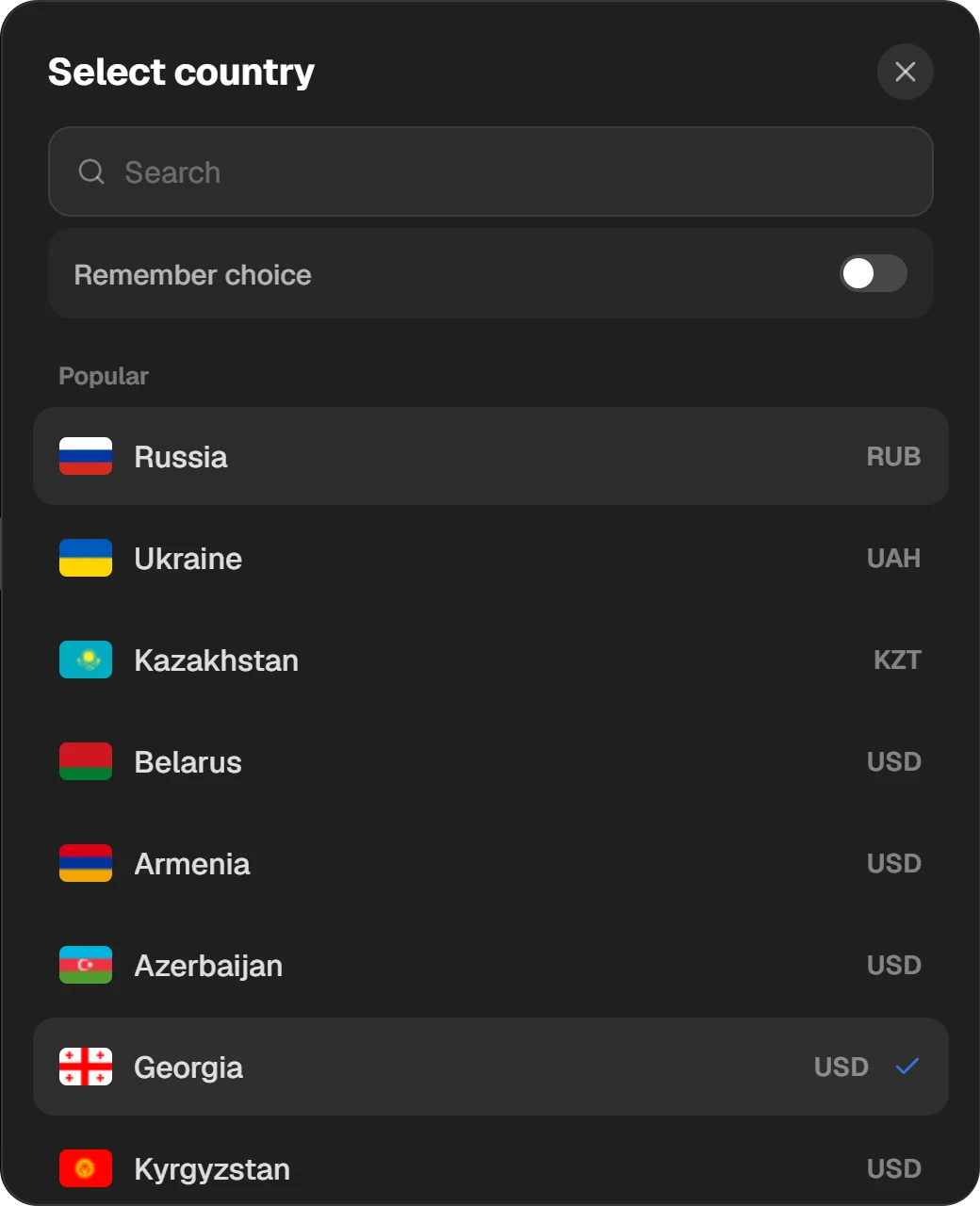
The popular countries are on top; find the rest with the search.
Enter your login
The site checks that the account exists and shows “Login found on Steam”. You never enter your password or a Steam Guard code.
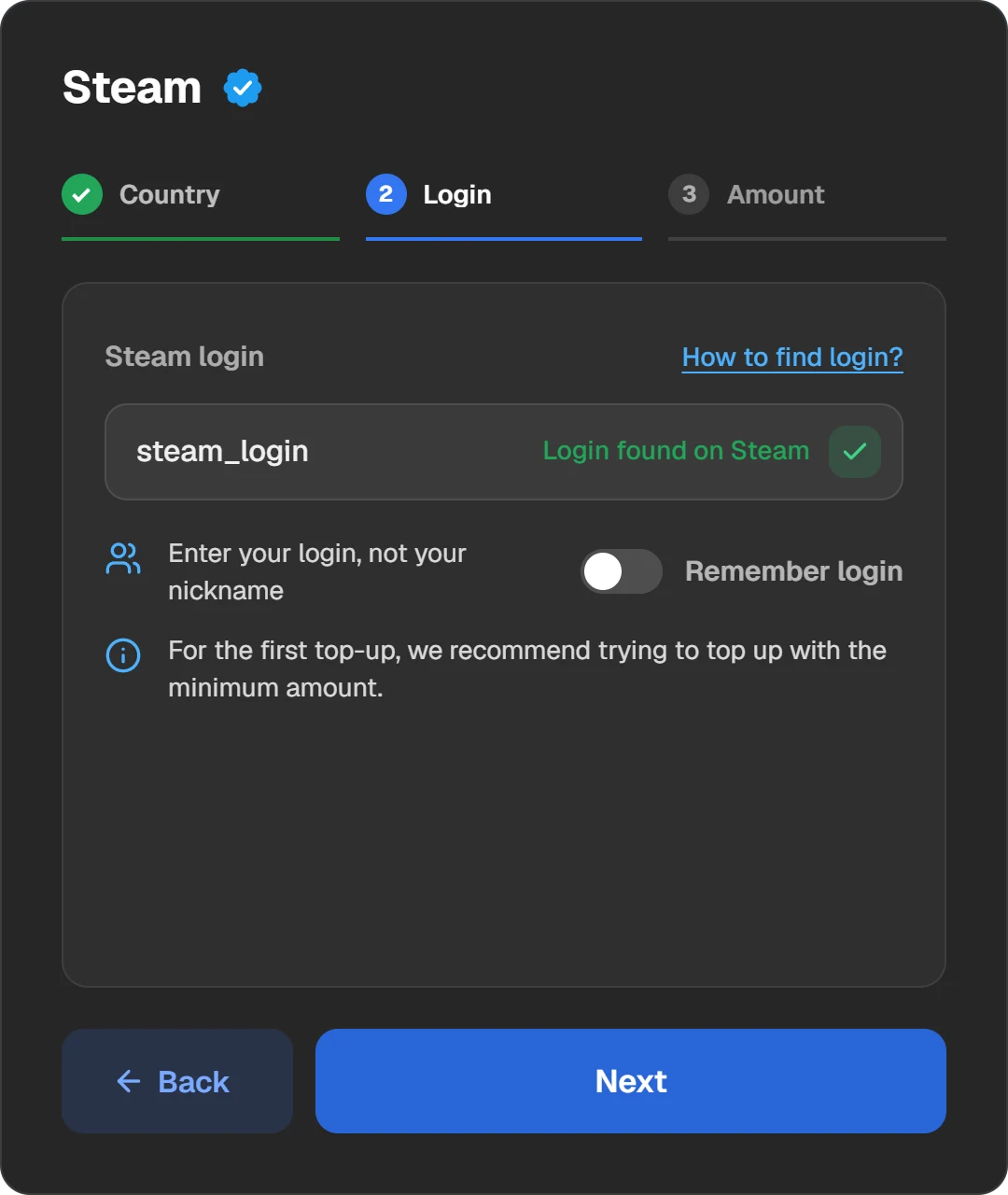
The tick means the account exists and the money goes to it.
Set the amount
Type an amount or tap a ready one. The “Top up by” switch sets what you type: the amount that reaches Steam or the amount you pay. Below you see what will be credited, the fee and what you will be charged.
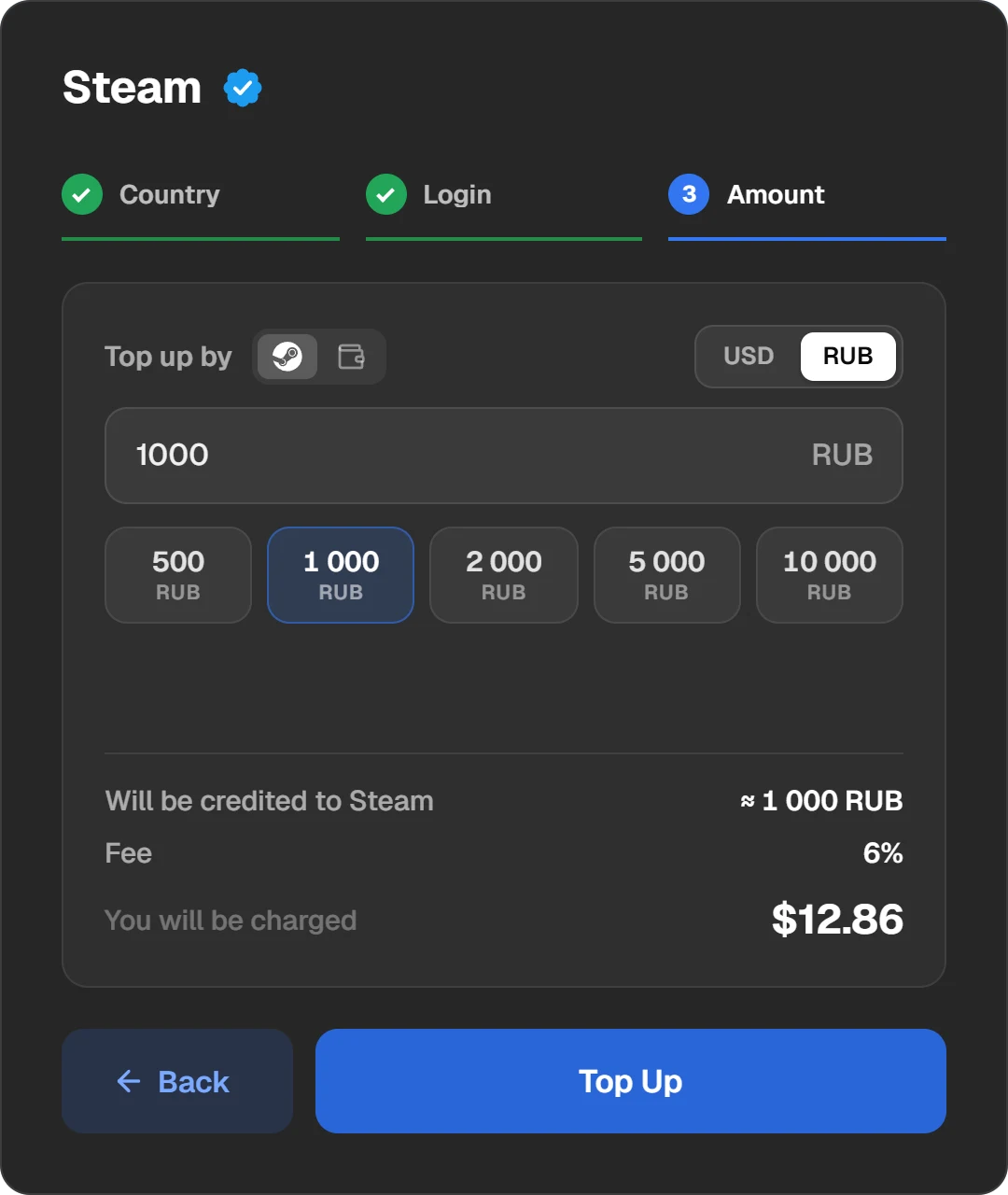
The amount to be credited, the fee and the charge, before you pay.
Choose a coin or a wallet
Press “Top Up” and the payment window opens. The “Currency or wallet” field has two parts. “Wallets and exchanges” has Binance, Walt and TON Connect. “Cryptocurrencies” lists the coins you can send from any wallet, each with the amount you will need.
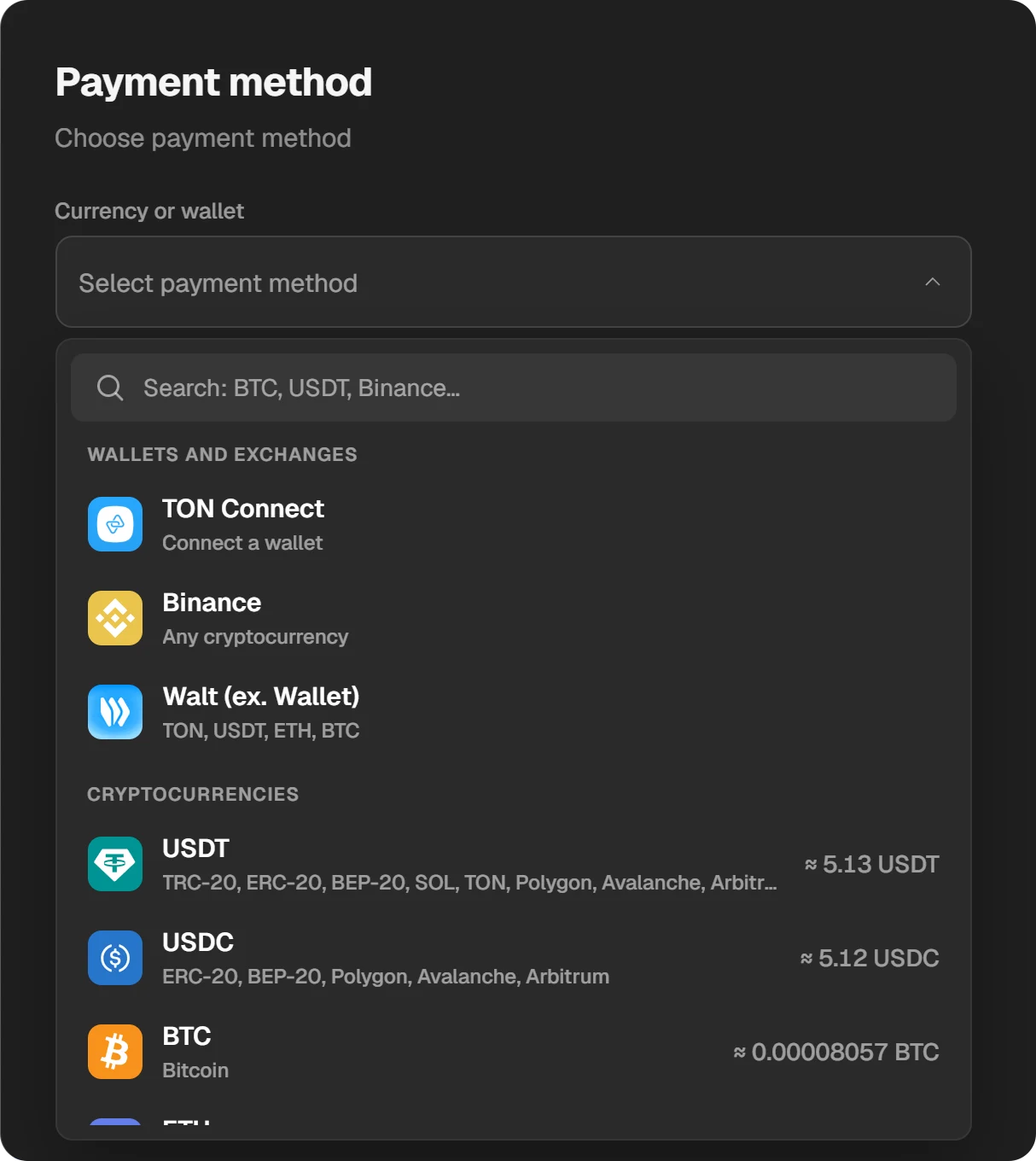
The amount needed in each coin is right in the list.
Choose the network
USDT, USDC and some other coins run on several networks: Tron (TRC-20), BNB Smart Chain (BEP-20), Ethereum, TON, Solana. Pick the one your coins are on. A transfer on another network is not credited automatically.
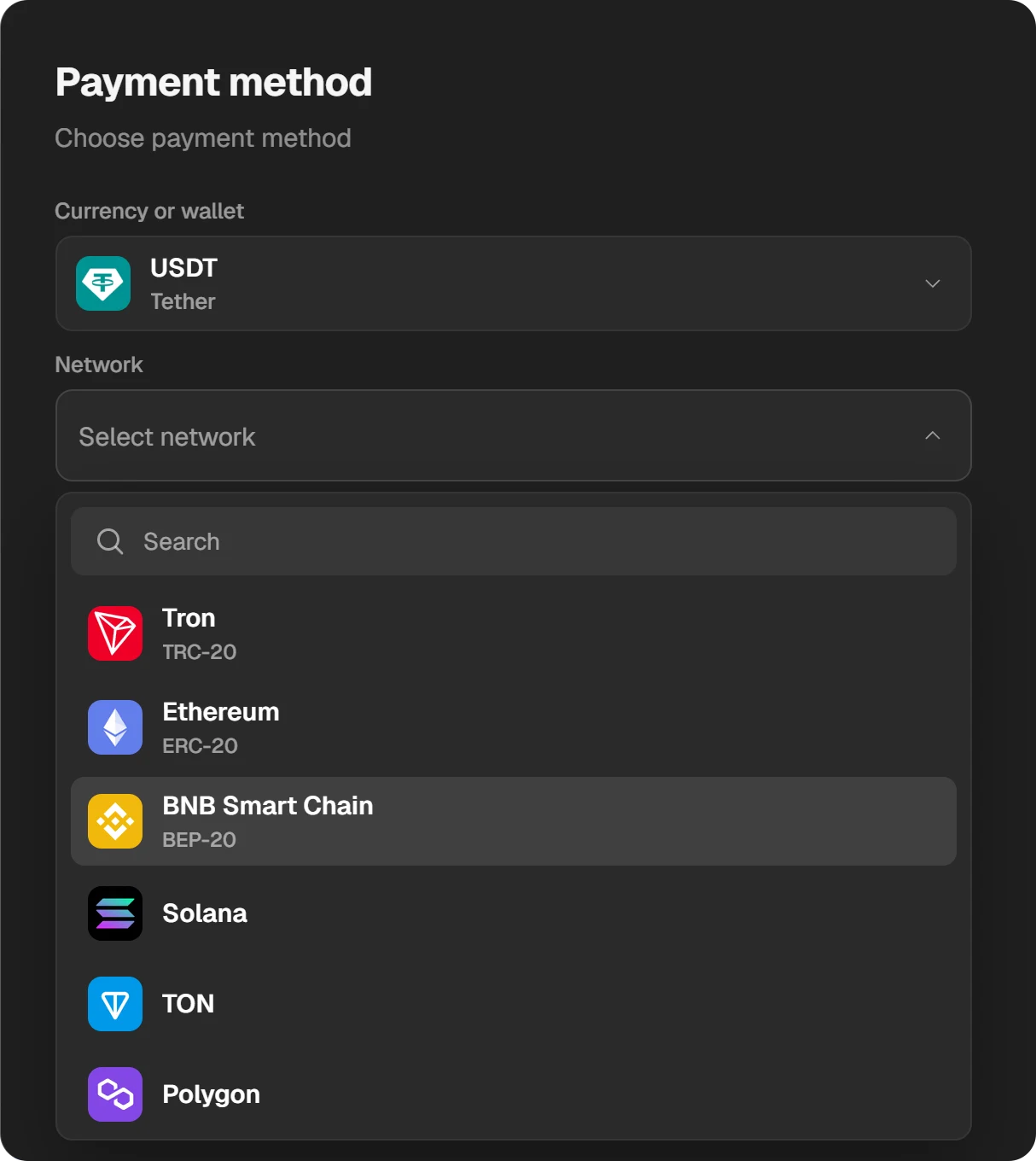
The network must match the one you send from.
Check the order and pay
On the right, check the login and the amount. “Total to pay” already includes the service fee. Press “Pay”.
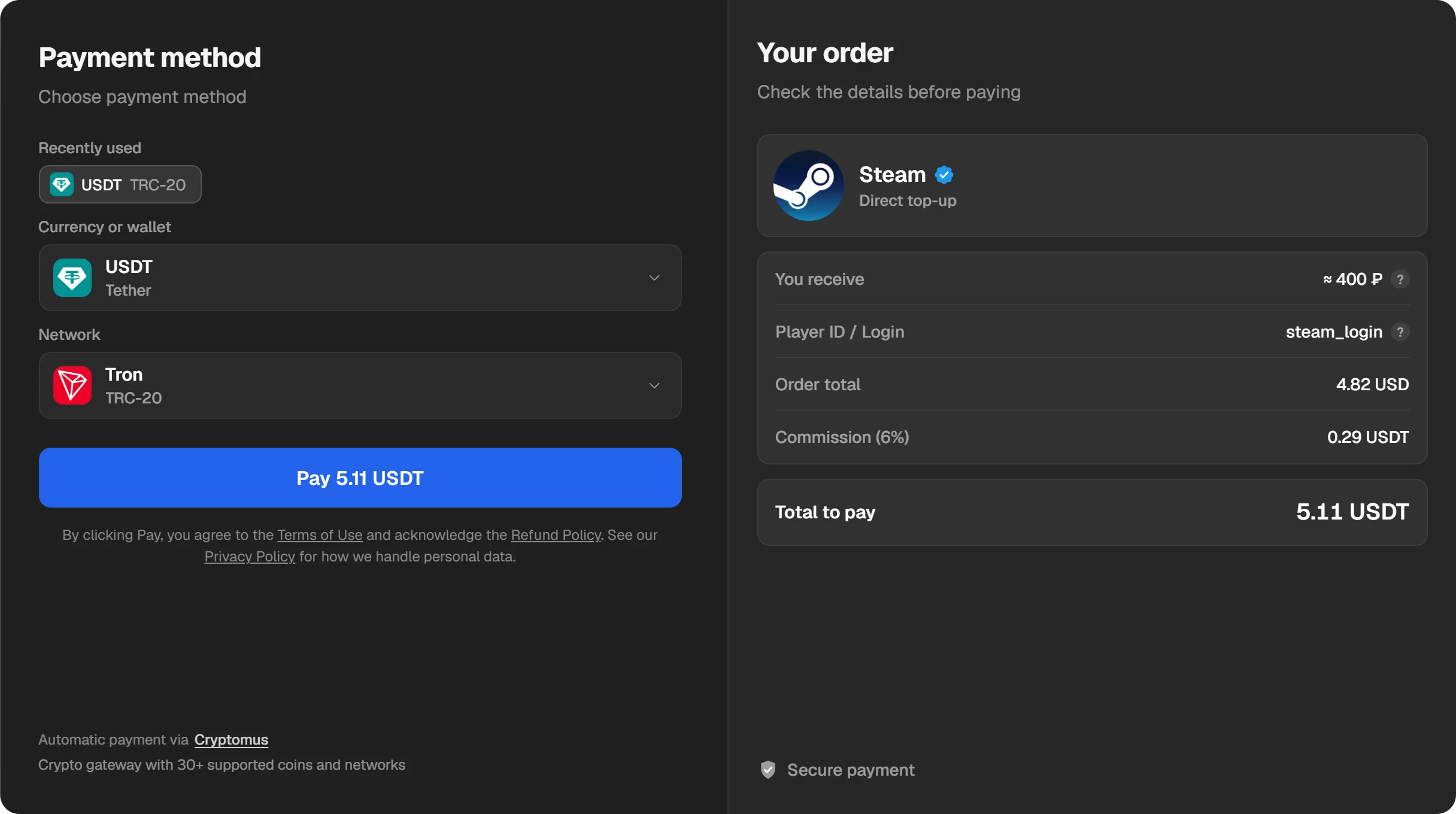
Send the coins
A Cryptomus page opens with the amount, the network, the wallet address and a QR code. Copy the address and the amount with the “Copy” buttons or scan the QR code in your wallet app. You have 30 minutes to pay. You pay the network fee, so send enough for exactly the shown amount to arrive.
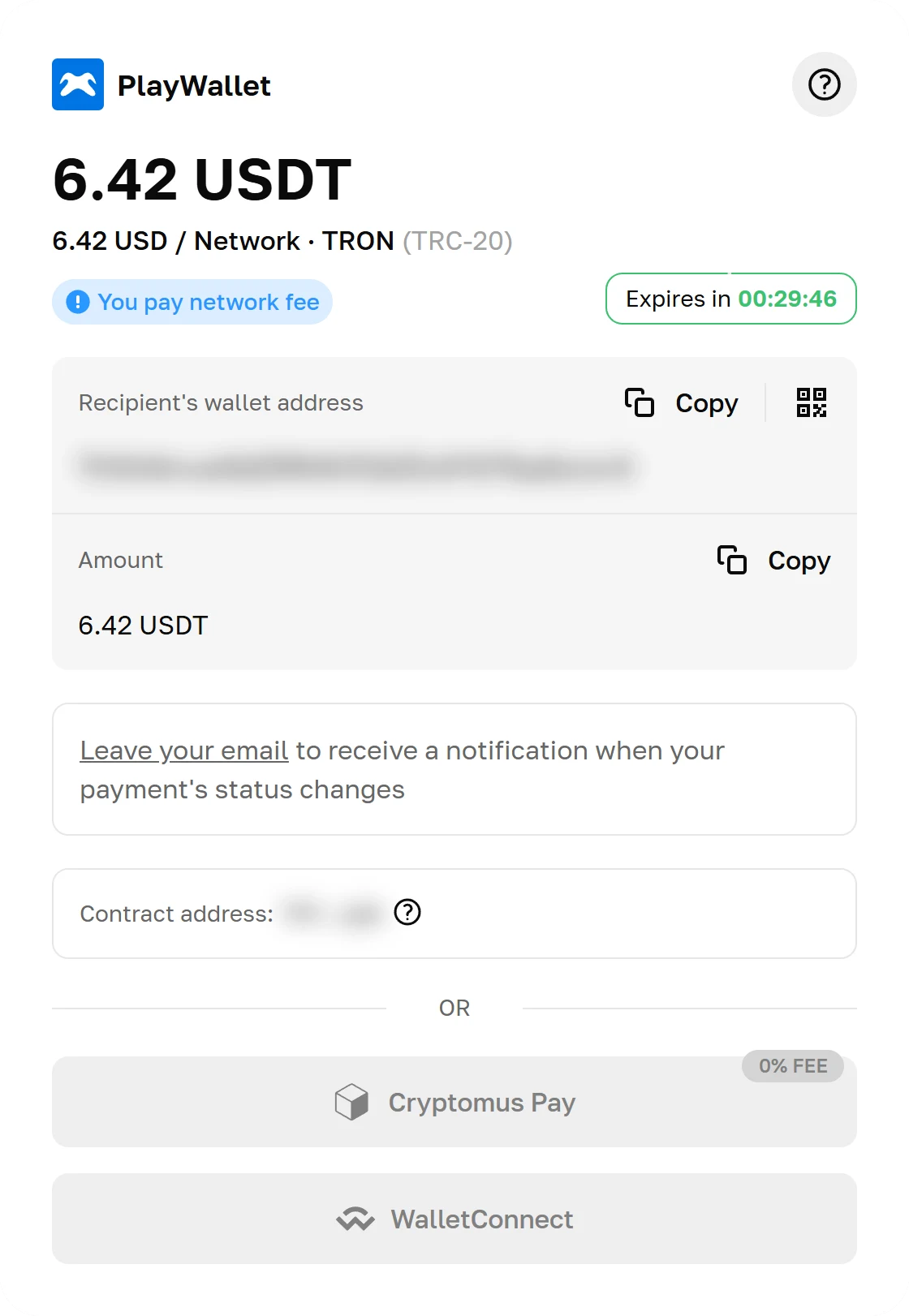
The Cryptomus payment page. The address is blurred here: every order gets its own.
Wait for the money
The window shows by itself when the payment arrives; there is no need to refresh. The status goes Created, Paid, Topping up, Done. You can close the window: the order stays in “History” at the top of the site.
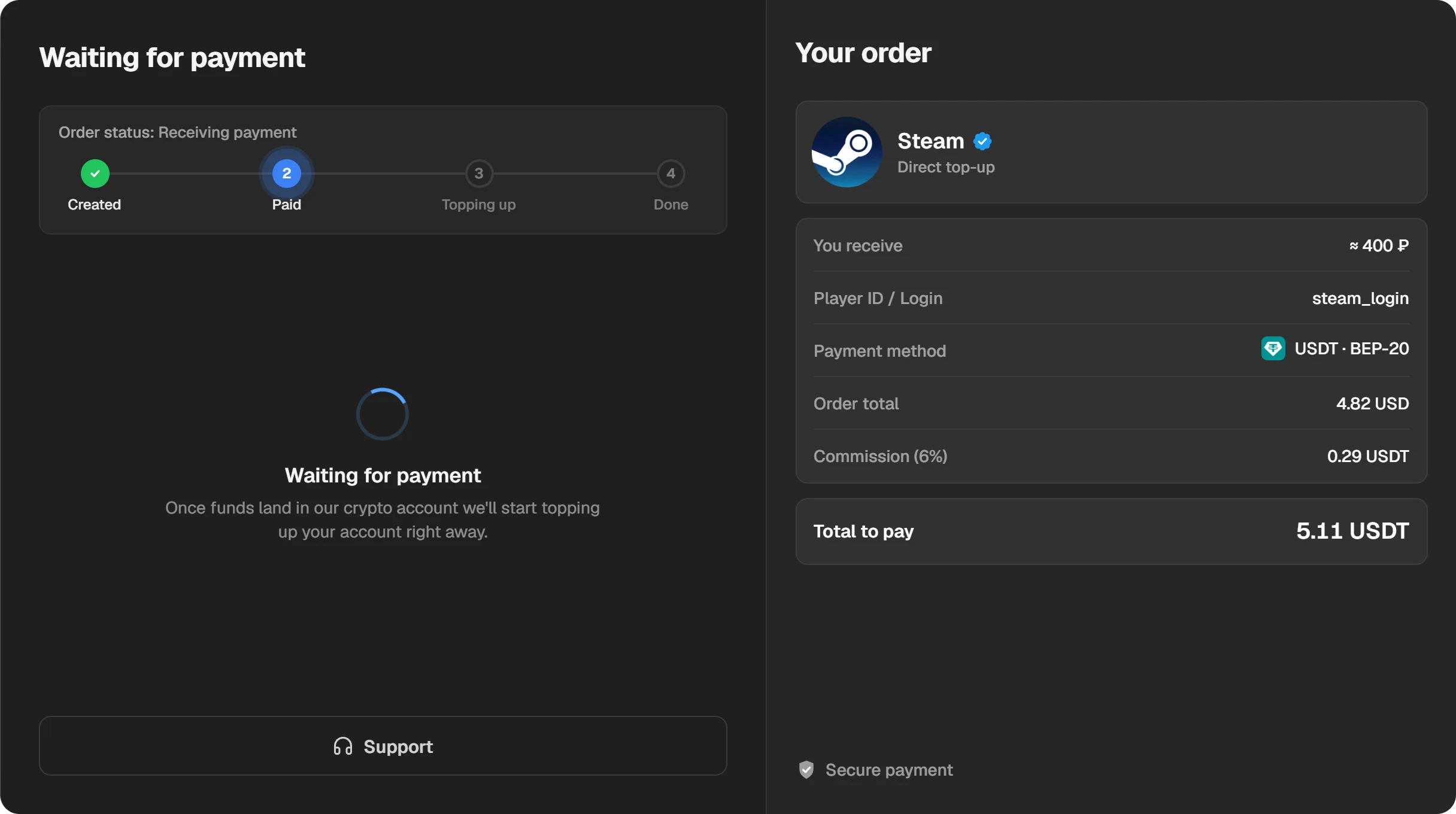
While the network confirms the transfer, the order waits for payment. It takes different time for different coins.
When the money reaches Steam, the window says “Funds credited”. From here you can download the receipt, copy the order number and write to support.
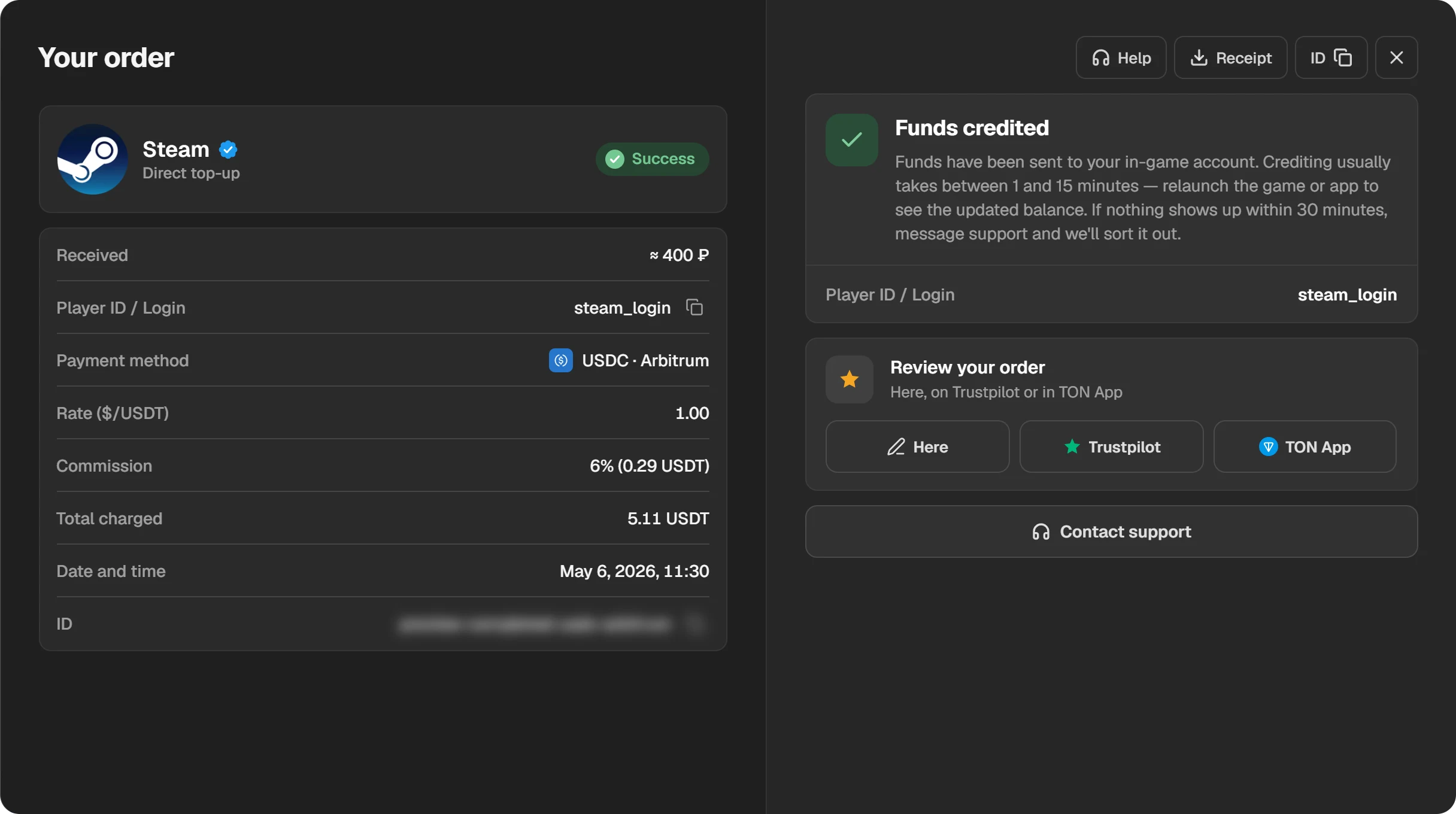
A finished order. The “Receipt” and “ID” buttons are at the top right.
Which coin to choose
| Pay with | When it suits |
|---|---|
| USDT or USDC | Most of the time. Their price is tied to the dollar and barely moves during the transfer. Almost every exchange has them. |
| TON | If your coins are in Telegram, in Walt or Tonkeeper. You can connect the wallet through TON Connect and confirm the payment in it. |
| Binance | If the money is on Binance. You pay from the exchange balance, with any coin. |
| BTC, ETH and others | If those are what you hold. Bitcoin usually takes longer to confirm than USDT on Tron or TON. |
Common mistakes
- The nickname instead of the login. The login is what you type when you sign in to Steam. If the site says the login is not found, check that.
- The wrong network. USDT sent on BEP-20 to a TRC-20 address is not credited automatically. Write to support with the transaction hash.
- Less arrived than needed. An exchange keeps its withdrawal fee. Send so that exactly the “Total to pay” reaches the address.
- Too much at once. Steam accepts no more than 2,000 dollars into a wallet in 24 hours. That is in the Steam Subscriber Agreement.
If the money has not arrived
- Open the order in “History”. If it still waits for payment, the network has not confirmed the transfer yet.
- If the order is Done, restart Steam. The balance is shown at the top right, next to your profile name.
- If more than 30 minutes have passed, write to support with the order ID. The “ID” button in the order window copies it.
Questions and answers
Do you need my Steam password?
No. A top-up needs only the login. Never enter your password or a Steam Guard code on other sites.
Can I top up a friend’s account?
Yes. Enter your friend’s login and the money goes to their wallet, in their account’s currency.
How long does it take?
Usually 1–15 minutes after the network confirms the transfer. If nothing arrives in 30 minutes, write to support.
What is the fee?
The service fee is shown on the amount step and in the payment window, before you pay. The network or the exchange may charge their own transfer fee.
What are the smallest and largest amounts?
From 0.5 to 400 dollars in one operation, in roubles and other currencies at the rate. You can make several: Steam itself accepts no more than 2,000 dollars into a wallet in 24 hours.
I sent coins on the wrong network. What now?
Such a payment is not credited automatically. Write to support with the order ID and the transaction hash.
Can I pay from Binance?
Yes: choose “Binance” under “Wallets and exchanges”. You pay from the exchange balance, with any coin.