

Telegram Premium bots: do you need one and how to spot a fake
You need no bot to buy Telegram Premium for 3, 6 or 12 months: on Play Wallet you order it by @username with crypto, for yourself or a friend. Here are the steps, what @PremiumBot is and which requests from bots mean a scam.
In short
- On Play Wallet you buy Telegram Premium by @username for 3, 6 or 12 months, for yourself or someone else. No bot is needed.
- You pay with crypto. We have no one-month term and take no bank cards.
- @PremiumBot is Telegram’s official bot for your own subscription. You stop it with /stop.
- Nobody needs your login code, phone number or 2-Step Verification password. A request for them is an account theft attempt.
How to buy Premium on Play Wallet without a bot
Play Wallet is a website, not a bot. Premium is sent as a gift to an @username for 3, 6 or 12 months and paid with crypto: USDT, TON, BTC and other coins, or Binance. We never ask for a login code or a phone number.
Enter the @username and the term
Open Telegram Premium and paste the @username into the Recipient Telegram field. The form shows the name and photo it found; check them. Pick the term; each one shows its price.
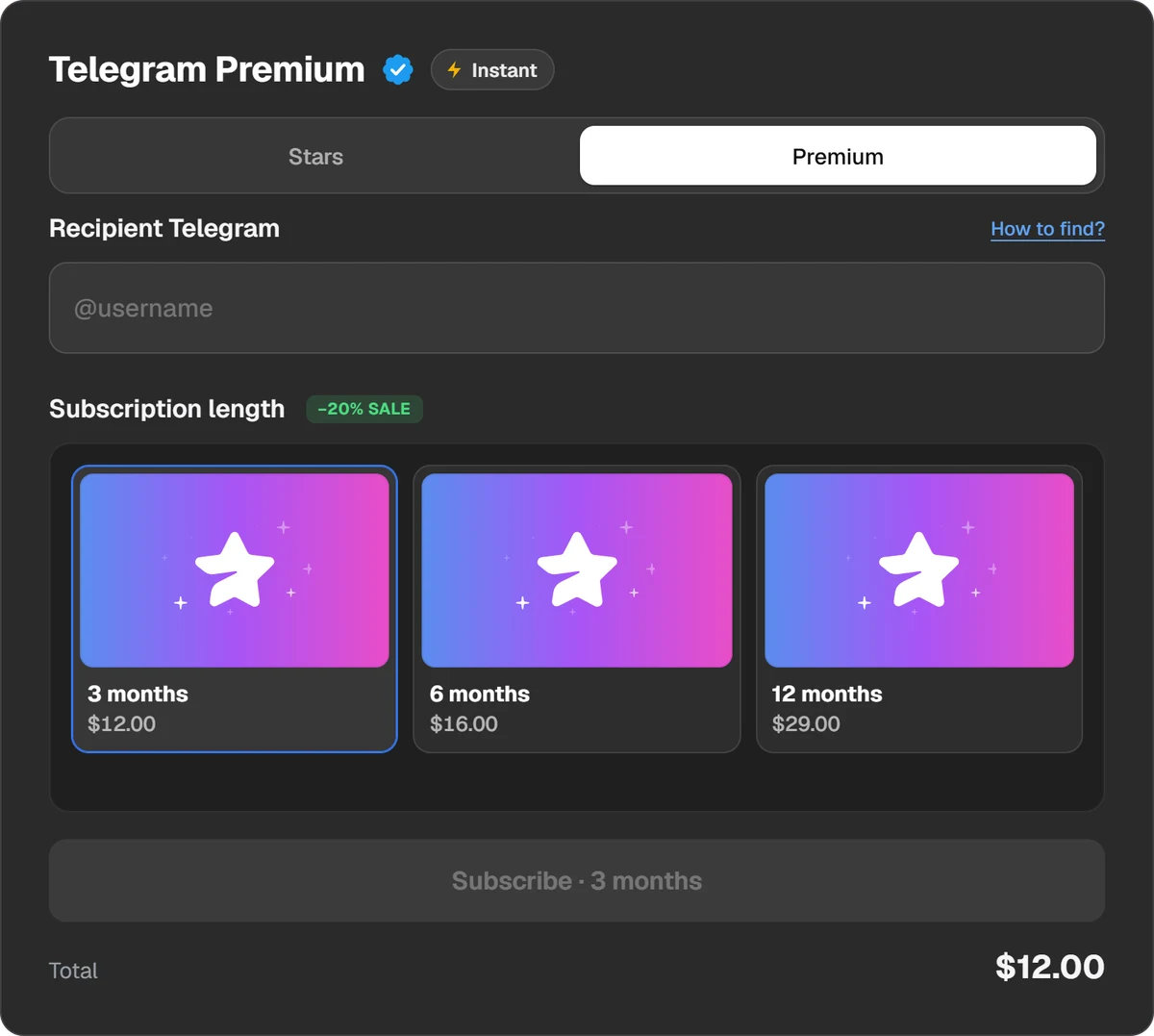
All it needs is the recipient’s @username and the term.
Pay
Press Subscribe and choose a coin or wallet. The total with the fee is shown before you pay.
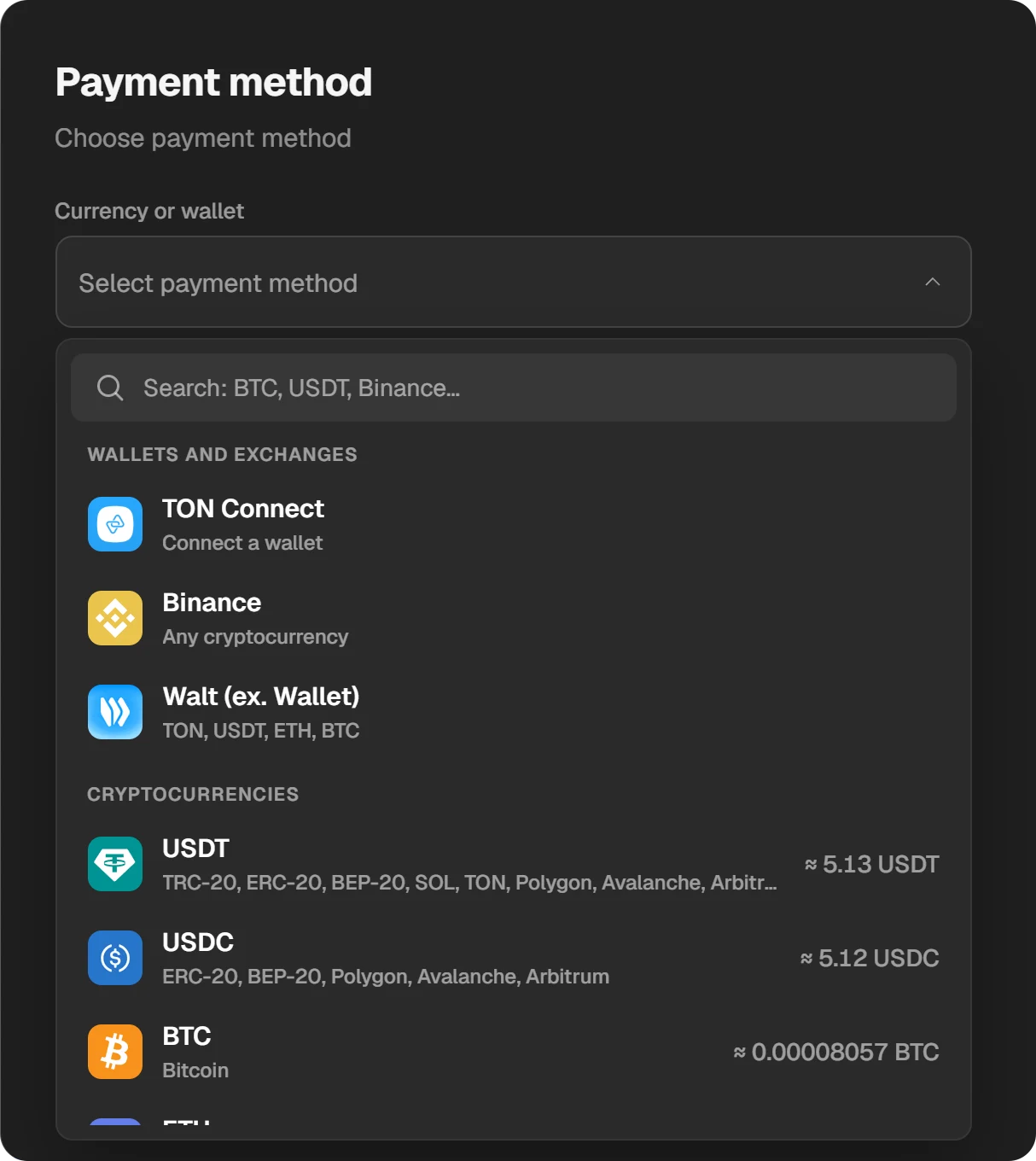
The amount in each coin is right in the list.
Check Premium
When the order is done, Premium is on for the recipient; it shows under Settings → Telegram Premium. The order stays in History at the top of the site.
If Premium is already on, order after it ends: a new term may not add to the current one.
Can you buy Telegram Premium now?
Yes. On Play Wallet you can buy 3, 6 or 12 months of Premium even when paying in the app fails: the order needs no app store. We do not sell a single month. Why payments fail: How to pay for Telegram Premium.
What @PremiumBot is
It is Telegram’s official bot for your own Premium subscription and for Stars. It works in Telegram Desktop, the macOS app, Telegram Web and the Android version from telegram.org. Check the name letter by letter: fakes add extra characters or underscores. An order on Play Wallet does not need this bot.
A bot subscription renews by itself. To stop the charges, send /stop to @PremiumBot. Premium keeps working until the paid period ends.
How to spot a bot that steals accounts
A Premium gift needs no access to your account, only your username. That is how an order on Play Wallet works too. Anything asked beyond that is a warning sign.
Asks only for the @username
A Premium gift needs nothing else: no phone number, no logging in through the bot or a site, no “confirmation code”.
Never asks for a login code
Login codes arrive in the “Telegram” chat with a blue check. Telegram says never to share them with anyone, including other services and apps. With that code a stranger gets into your account.
Does not ask for your 2-Step Verification password
Telegram itself never asks for that password or for codes, so a seller has no reason to.
Shows the price and term before you pay
You should see how many months, what you pay and what you get. Telegram gifts come in 3, 6 or 12 months.
Has support and an order record
If Premium does not switch on, there must be somewhere to write and proof of payment: an order number or a receipt.
The price is believable
A year of Premium for a fraction of the usual price is almost always a scam or someone else’s card.
A check mark next to a name does not make a seller honest. Telegram itself verifies only large official channels, groups and bots, and third-party verifiers have their own, different icons. Judge a bot by what it asks you for.
If you already gave away a code
- Open Settings → Devices and terminate every session you do not recognise.
- Turn on 2-Step Verification under Settings → Privacy and Security. Logging in will then also need a password.
- If you can no longer log in, you need access to your phone number: Telegram identifies the owner only by the number.
If a bot offered you Premium and asked for a code, close the chat. You can order a term on Play Wallet: enter the @username and check the recipient before you pay.
Questions and answers
Is @PremiumBot a real Telegram bot?
Yes. Telegram itself names @PremiumBot in its Premium FAQ and in the Stars terms. Fakes differ by letters or extra characters in the name.
Do I need a bot to buy Premium on an iPhone?
No. Open Telegram Premium on Play Wallet in the iPhone browser and enter your @username. Premium belongs to the account and will work in the app.
How do I cancel a @PremiumBot subscription?
Send /stop to the bot. There will be no more charges, and Premium keeps working until the paid period ends.
What if a Premium bot asks for a code?
If it asks for your phone number, a login code or a password, close the chat: that is how accounts are stolen. Premium on Play Wallet needs only a @username.
Does Play Wallet have a bot?
No, Play Wallet is a website. Premium is ordered on the Telegram Premium page by @username.

