

How to top up Steam in euros or dollars
Your Steam Wallet’s currency follows your account’s country; you cannot pick it. So a top-up in euros or dollars works for accounts that really are in euros or dollars. Here is which countries those are and how to top up each, plus what to do if your wallet is in another currency.
In short
- Only euro and dollar wallets take euros and dollars. A rouble wallet always gets roubles.
- Dollar wallets: the US and countries where Steam prices in US dollars, such as Armenia, Azerbaijan, Belarus, Georgia, Kyrgyzstan, Moldova, Tajikistan, Turkmenistan, Uzbekistan, Turkey and Argentina.
- Euro wallets: the eurozone and European countries without their own Steam currency.
- Play Wallet tops up CIS dollar accounts by login and sells wallet codes for the eurozone, the US, Turkey and Argentina.
- You change the currency only with the country, after a real move. A VPN or a fake address breaks Steam’s rules.
What sets the wallet currency
Steam sets your store country by your first purchase, and the wallet currency comes with it. The country must match where you live. So topping up Steam in euros means funding a wallet that is already in euros. A wallet in another currency receives that currency, converted at Steam’s rate. You can see the country and the balance under your name → Account details.
How to check your Steam account region
Open “Account details”
Click your profile name at the top right of Steam and choose “Account details”. On a phone, open store.steampowered.com/account in a browser and sign in.
Find the “Country” line
It is in the “Store & Purchase History” block. That is your account’s region: prices and the wallet currency depend on it.

The “Country” line, shown on an example account.
Which countries use euros and which dollars
| Wallet currency | Where | What Play Wallet has |
|---|---|---|
| US dollars (US) | The United States | Steam Wallet codes in USD for US accounts |
| US dollars (CIS) | Armenia, Azerbaijan, Belarus, Georgia, Kyrgyzstan, Moldova, Tajikistan, Turkmenistan, Uzbekistan | A top-up by login, credited in dollars |
| US dollars (other regions) | Turkey, Argentina and other countries in the Middle East and Latin America | Codes for Turkey and Argentina |
| Euros | Germany, France, Spain, Italy, the Netherlands, Austria, Finland and the rest of the eurozone, plus several European countries without their own Steam currency | Steam Wallet codes in EUR |
| Own currencies | The UK, Switzerland, Canada, Poland | PLN codes for Poland; nothing for the UK, Switzerland or Canada at the moment |
What we offer depends on suppliers and may change. Choose the country on the Steam top-up page to see it: the site looks for a top-up by login first and offers codes otherwise.
A CIS dollar account: top-up by login
Choose the account’s country
On Steam top-up, choose the country shown in your Account details, not the one you are in right now.
Enter the login and the amount
The site checks the login and shows how many dollars reach Steam, the fee and the charge.
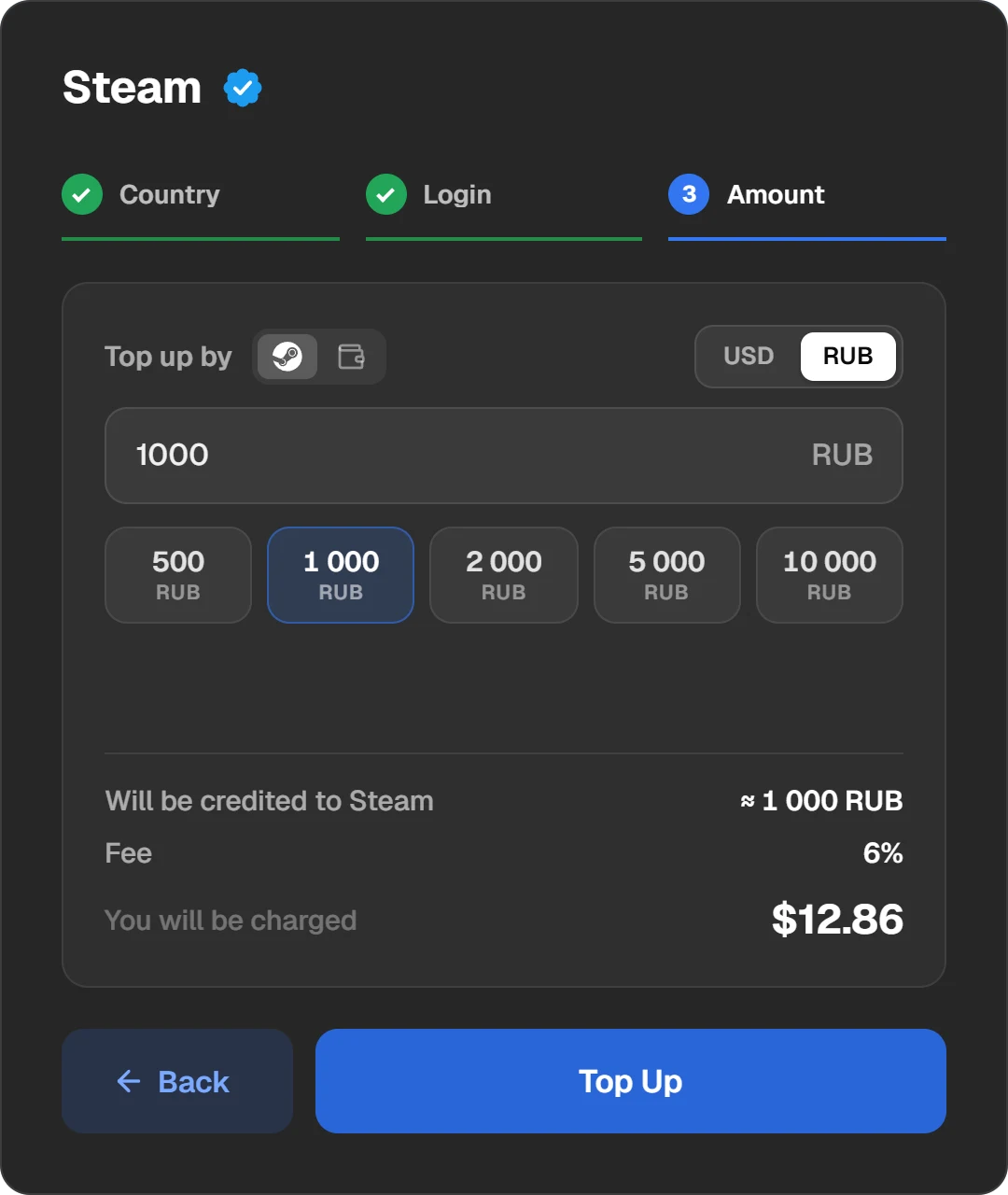
Country, login and amount, with the credited amount in the account’s currency.
Pay with crypto
Press “Top Up” and choose Binance, Walt, TON Connect or a coin. Send exactly the shown amount on the chosen network.
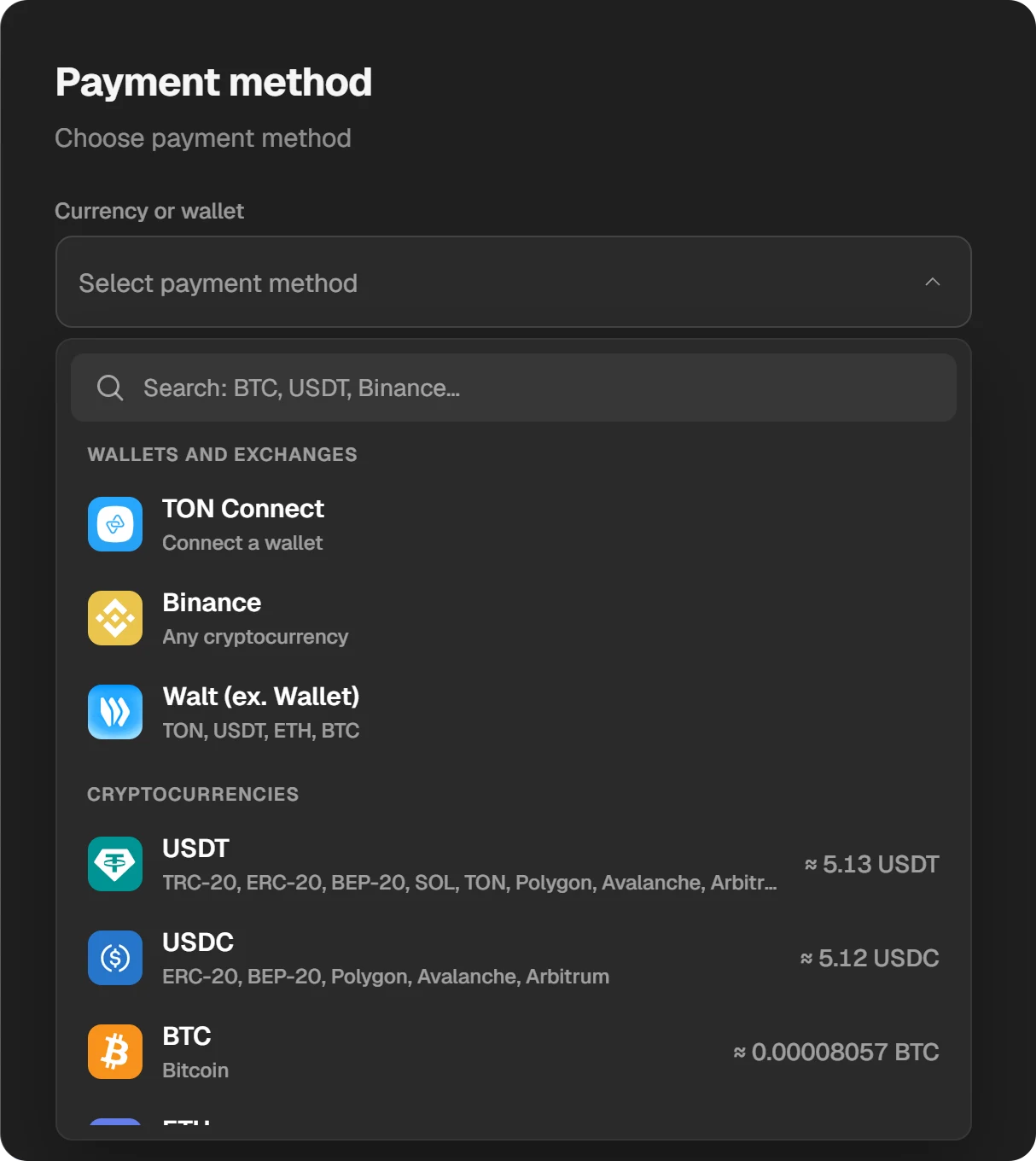
Payment methods: wallets, exchanges and coins.
Check the balance
When the order is done, the money is in the wallet. The order and its receipt stay in “History”.
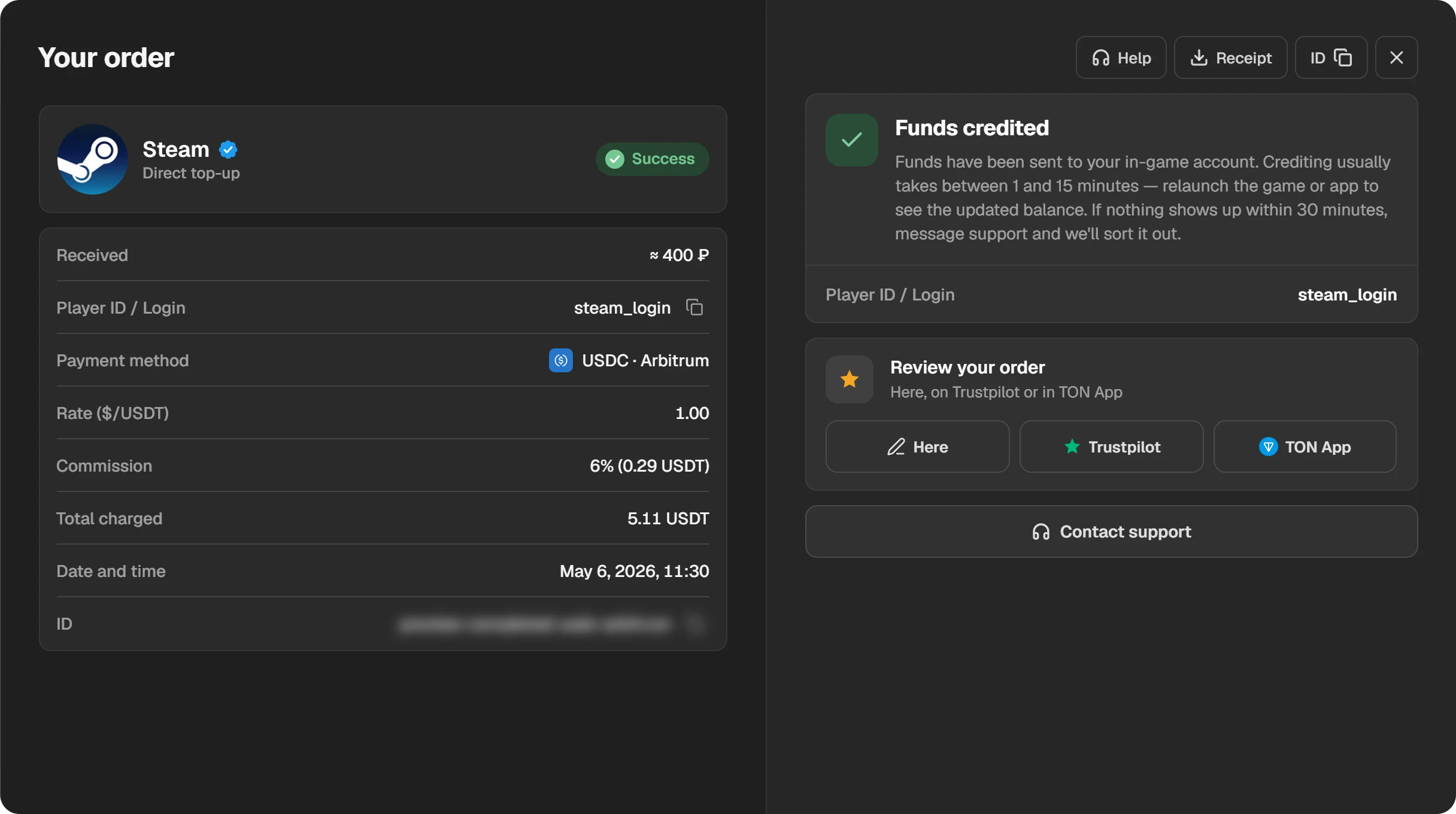
A finished order with a receipt and a number.
A euro or US account: a wallet code
- On Steam top-up, choose your account’s country, for example Germany or the United States.
- Choose a code value; the available ones show once the country is chosen.
- Pay with crypto.
- The code appears in the order window and stays in “History”.
- In Steam open store.steampowered.com/account/redeemwalletcode, enter the code in the “Steam Wallet Code” field and click “Continue”.
Steam redeems a code only on a wallet in the same currency. A euro code will not work on a dollar wallet. Choose the country your account shows.
More about codes and redemption errors: Steam gift cards.
If you have moved
Steam lets you change the store country after a move, at checkout, with a payment method from the new country, no more than once every three months. The wallet currency changes with it. Details: How to change the currency in Steam. Codes and keys do not change the country, and a VPN or a fake address breaks the Steam Subscriber Agreement; Valve may close access to the account.
If you only need the dollar price in your currency
Steam has its own daily rate. See it in the Steam rates table and read why it differs from bank rates in The dollar rate in Steam.
Questions and answers
Can I top up a rouble wallet in euros or dollars?
No. Money reaches that wallet in roubles, converted at Steam’s rate.
How do I top up Steam in euros?
If your wallet is in euros, buy a euro wallet code and redeem it in Steam. Play Wallet has euro codes for the eurozone and several other European countries.
How do I top up Steam in dollars?
CIS dollar accounts (Armenia, Uzbekistan, Georgia and others) can be topped up by login on Play Wallet; for the US, Turkey and Argentina there are dollar codes.
Will a euro code work on a dollar account?
No. Steam redeems a code only on a wallet in the same currency.
Can I switch my Steam currency to euros?
Only together with the country, after a real move to a euro country, and no more than once every three months.
Do you top up UK or Canadian accounts?
Not at the moment: there is neither a top-up by login nor codes for them.
