

How to top up Steam in Chinese yuan (a Chinese account)
Straight away: Play Wallet does not top up Chinese Steam accounts, in yuan or in dollars. Below is what a “Chinese Steam” can be, how Steam’s rules let you fund it, and what to do if your account should really belong to the country you live in.
In short
- Play Wallet does not top up Steam accounts set to China: the country is not in our list and the site marks it unavailable.
- A “Chinese Steam” is either regular Steam with China as the store country (wallet in yuan) or Steam China, a separate platform for mainland China.
- A yuan wallet is funded with the payment methods Steam shows for China. Codes must be in yuan.
- The account’s country must be where you live. A Chinese account made with a VPN breaks the rules and can be closed.
- If you live elsewhere, top up an account of your own country by login, in its currency.
Two kinds of “Chinese Steam”
| Steam with China as the country | Steam China (蒸汽平台) | |
|---|---|---|
| What it is | Regular Steam whose store country is China. | A separate onshore version of Steam for mainland China, launched by Valve with Perfect World. |
| Wallet currency | Yuan (CNY) | A platform of its own, apart from regular Steam |
| Games | The regular Steam catalogue at regional prices. | Only games approved by the Chinese authorities. |
| Does Play Wallet top it up | No | No |
How to tell the account is Chinese
Open Account Details in Steam: it shows the store country, and the wallet balance is in that country’s currency. If the country is China and the balance is in yuan, the account is Chinese. Its store prices are in yuan too.
Why we do not top up China
For each country we top up Steam only where we have a direct top-up by login or wallet codes in the right currency. For China we have neither. If you pick China on the Steam top-up page, the site says it cannot top up for this country. Another currency will not work either: a Steam Wallet holds one currency and accepts codes only in it.
How Steam’s rules let you fund a Chinese account
In Steam itself
Sign in, open Account Details → “+ Add funds to your Steam Wallet”. Steam shows the payment methods available for the account’s country.
With a yuan wallet code
Entered on “Redeem a Steam Gift Card or Wallet Code”. Only a yuan code fits: Steam accepts codes in the wallet’s currency.
By changing the country after a move
If you lived in China and have moved, Steam offers to change the country at checkout with a payment method from the new country, once every 3 months.
If the Chinese account was made for the prices
Some people set China through a VPN to buy games cheaper. The Steam Subscriber Agreement forbids disguising where you live to buy at another region’s prices, and Valve may terminate access to the account, games and balance included. A bought “ready Chinese account” is not allowed either: Steam accounts may not be sold or transferred.
A new user cannot set a store country while travelling: Steam asks you to do it once back in your country of residence. Wallet codes and keys do not change the country.
What to do instead
Use an account of the country you live in. It can be topped up by login, without a password, and the money arrives in the account’s currency.
Check the account’s country
Open Account Details in Steam: the store country is there. See How to check your Steam account’s region.

The “Store & Purchase History” block: the “Country” line.
Top up by login
On Steam top-up choose your account’s country, enter the login and amount. The amount credited and the fee are shown before you pay; payment is in crypto.
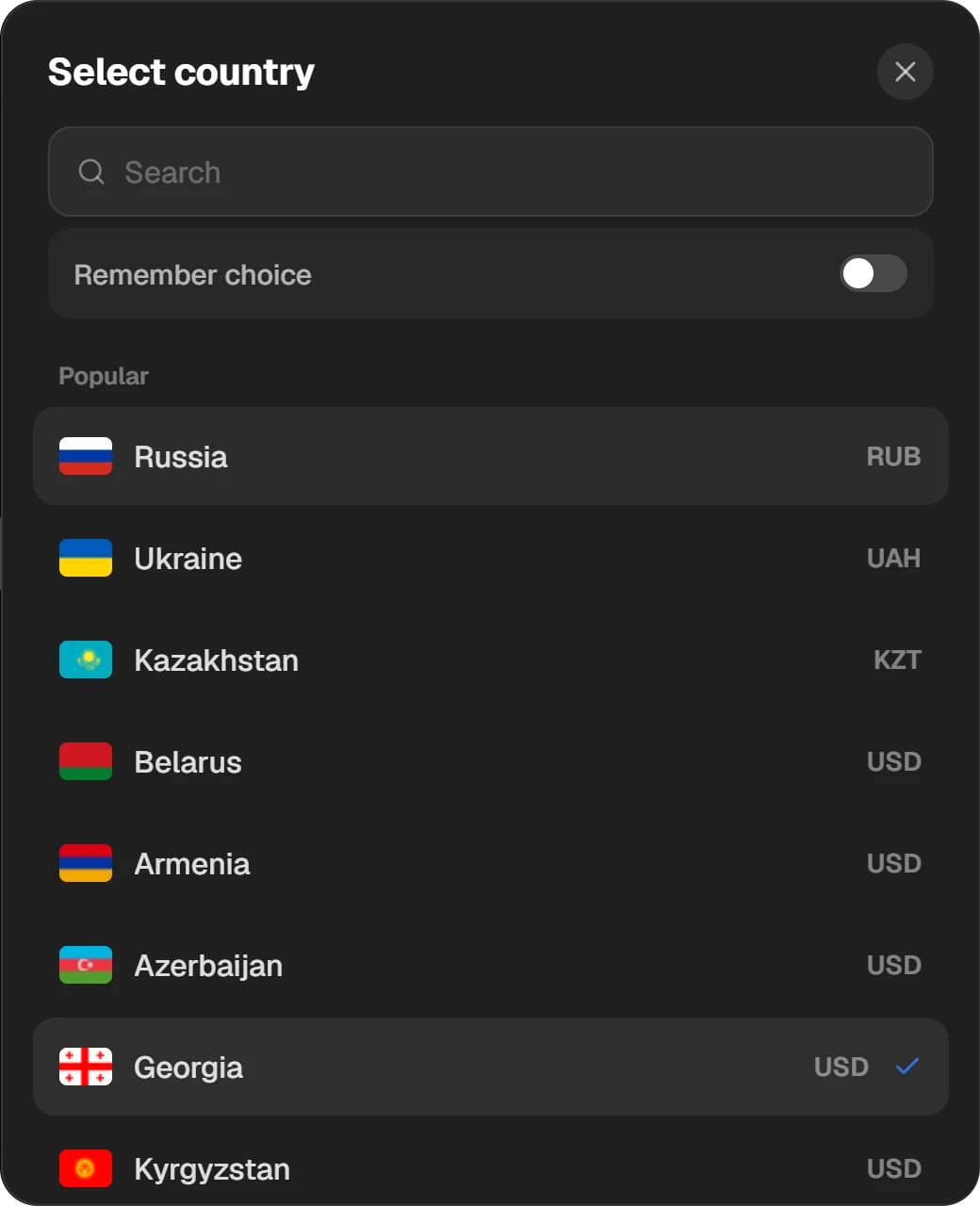
The countries for a Steam top-up: China is not among them.
Steam’s yuan rate, for comparing prices, is in the Steam rates table. How regional prices work: Which Steam region to choose.
Questions and answers
Can Play Wallet top up a Chinese Steam account?
No. China is not in our Steam country list; the site marks it unavailable.
Can I put dollars on a Chinese account?
No. A Steam Wallet holds one currency, yuan for a Chinese account, and accepts codes only in it.
How does Steam China differ from regular Steam?
Steam China (蒸汽平台) is a separate version of Steam for mainland China, launched by Valve with Perfect World. It has only games approved by the Chinese authorities.
Is it safe to make a Chinese account with a VPN?
No. It breaks the Steam Subscriber Agreement, and Valve may terminate access to the account with its games and balance.
