

PS Plus Extra: the Game Catalog and whether it is worth it
Extra is the middle PS Plus plan. It differs from Essential in one thing: a catalog of hundreds of games you can download without buying them. Those games are not yours for good; they come and go. Here is how it works, what the step up costs and when it does not pay off.
In short
- Extra is everything in Essential plus the PlayStation Plus Game Catalog and Ubisoft+ Classics.
- Catalog games download to your console. You can play while you are a member and while the game is in the catalog.
- The catalog is updated once a month. Sony announces departures ahead of time.
- When a game leaves, your saves stay, but the game will not launch unless you buy it.
- In the US, Extra costs $6 a month or $55 a year more than Essential. Prices as of 22 November 2026.
What Extra adds to Essential
| Essential | Extra | |
|---|---|---|
| Online multiplayer, discounts, cloud saves | Yes | Yes |
| Monthly games | Yes | Yes |
| PlayStation Plus Game Catalog | No | Yes |
| Ubisoft+ Classics | No | Yes |
| Classics Catalog and game trials | No | No, those are Premium and Deluxe |
Online play, monthly games and discounts are the same as in Essential. The whole difference is the catalog. Ubisoft+ Classics is a selection of Ubisoft games inside it, which Sony values at $7.99 a month on its own. How Extra compares with the top plans: PS Plus Deluxe and PS Plus Essential, Extra, Premium and Deluxe.
How the Game Catalog works
- Hundreds of games. Sony gives no exact number: it changes every month and differs by country.
- Games are downloaded. On Extra a game is downloaded to the console like one you bought. Streaming is a Premium benefit.
- PS5 and PS4. PS5 games run only on a PS5. From January 2026 PS4 games are added only intermittently.
- Access, not ownership. A game works while you have Extra or a higher plan and while it is in the catalog.
- Shared on your console. With Console Sharing and Offline Play turned on on your PS5, other users of that console can play catalog games too.
How games join the catalog
Sony updates the catalog once a month and announces the additions on the PlayStation Blog. The post is called “PlayStation Plus Game Catalog for…” and comes out around mid-month: on 14 October and on 10 November in 2026. The games come later: in November most of them arrived a week after the post.
An example as of 22 November 2026: the November additions are available from 17 November. They include Death Stranding 2: On the Beach and Dragon Quest III HD-2D Remake for PS5, and Atomfall for PS5 and PS4. Some games came on other days: Hell Let Loose on 11 November, Like a Dragon: Pirate Yakuza in Hawaii on 24 November. Line-ups may differ by region.
How games leave the catalog
Catalog games are not permanent. Sony says so plainly: some catalog games have end dates, publicised ahead of time. There is no general rule for how long a game stays.
Where to see that a game is about to go: on PS5 the PlayStation Plus section has a “Last chance to play” collection. Sony has described its place as PlayStation Plus, then the Collections page. If you are in the middle of a long game, look there once a month.
What you keep when a game leaves
| What | What happens to it |
|---|---|
| The game itself | It stops launching. To go on, you have to buy it |
| Your saves | They stay on the console, as with any downloaded game. Buy the game and you continue where you stopped |
| Add-ons and in-game currency you bought | They stop working until you buy the game itself |
| Monthly games | A different set. They stay for as long as you are a member |
The same happens when the membership itself ends or you move down from Extra to Essential: catalog games lock, saves stay. So buy add-ons for a catalog game only if you are ready to buy the game later.
Where to see the Extra games list
On the PlayStation site, on the PS Plus games page under the Game Catalog tab: playstation.com/ps-plus/games. The exact list for your country is in the PlayStation Plus section on the console. Every place where Sony publishes its lists is in Which games are in PS Plus. We do not reprint the list here: it would be out of date in a month.
What the step up to Extra costs
Sony’s official prices for the US and Turkey, read from playstation.com on 22 November 2026.
| Country and term | Essential | Extra | Difference |
|---|---|---|---|
| US, 1 month | $10.99 | $16.99 | $6 |
| US, 3 months | $27.99 | $43.99 | $16 |
| US, 12 months | $79.99 | $134.99 | $55 |
| Turkey, 1 month | 400 TL | 600 TL | 200 TL |
| Turkey, 3 months | 1,020 TL | 1,660 TL | 640 TL |
| Turkey, 12 months | 2,890 TL | 4,810 TL | 1,920 TL |
Prices for other countries are in How much PS Plus costs. Your account’s PlayStation Store shows your own price.
Is it worth paying more
Yes, if you finish several games a year
Open the Game Catalog tab and mark the games you would have bought. Add up their store prices and compare the sum with a year’s difference.
Yes, if you like trying different things
The catalog is good for games you would never pay for one by one.
No, if you play one or two online games
Essential covers online play in games you own. Free-to-play games such as Fortnite, Apex Legends and Call of Duty: Warzone need no membership for online play at all.
No, if you want one particular game
It may leave the catalog, and then you have to buy it anyway. One game is safer bought in a sale.
Careful if you have a PS4
Sony rarely adds new PS4 games now. First check how many catalog games are for your console.
Not sure? Take Extra for a month. You can move up on any day, while moving down happens only after the time you have paid for. When PS Store runs game sales: PS Store sales and discounts.
Moving from Essential to Extra
The Essential time you paid for is not lost. Sony charges only for the time until your next payment date: the price difference between the plans, in proportion to the time left. Its own example: a year of Essential bought six months ago, upgraded to Premium. The yearly prices differ by $80, half a year is left, the fee is $40.
By the same formula, moving from a yearly Essential to Extra in the US after six months costs about $27.50, half of the $55 difference. Sony notes that the prices in its example are illustrative. The store shows the exact fee before you pay.
- On PS5 go to Settings, Users and Accounts, Account, Payment and Subscriptions, Subscriptions.
- Select PlayStation Plus and Change Plan.
- Choose Extra and a payment frequency, check the fee and confirm.
If you have stacked several Essential terms, all of the stacked time is upgraded at once, so the fee is larger. From the next payment date the membership renews at the Extra price.
How to pay for Extra
Both the membership and the upgrade fee are paid in PlayStation Store from the account’s wallet. The wallet is topped up with a PS Store card of the account’s own country. We do not sell membership codes; we sell wallet cards.
Choose a card for your account’s country
Open PlayStation cards, choose your account’s country and an amount that covers the membership or the fee. The price and our fee are shown before you pay.
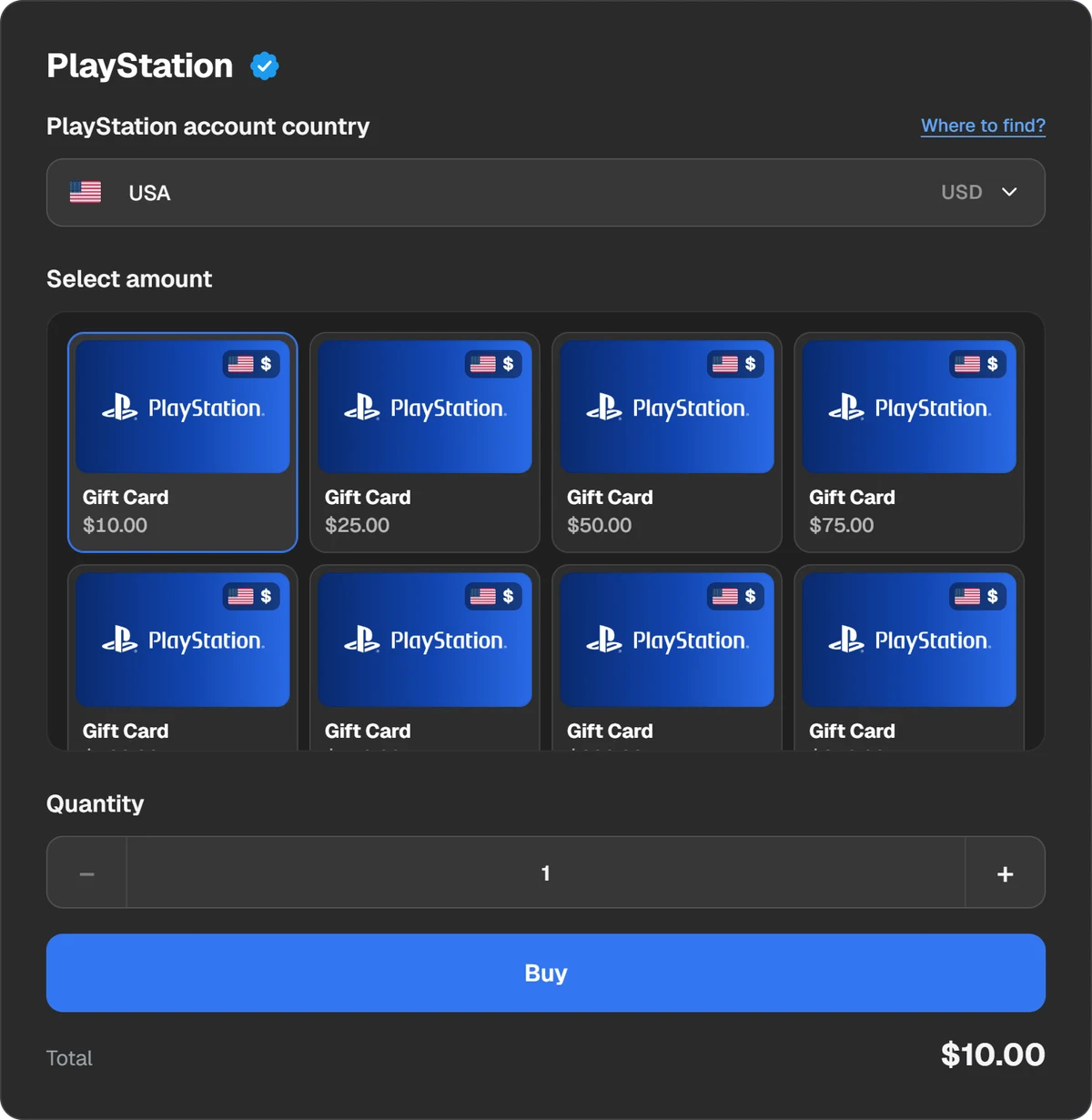
The PlayStation account’s country and the card amounts.
Redeem the code
The code appears in the order window and stays in “History”. Redeem it in PlayStation Store under Redeem Code. Steps for every device: How to redeem a PS Store code.
Take Extra
Choose Extra and a term in the PlayStation Plus section. The money comes out of the wallet. Sony sometimes asks for a payment method even when the balance is enough: see How to pay for PS Plus from the wallet.
Questions and answers
Which games are in PS Plus Extra?
The monthly games and the PlayStation Plus Game Catalog: hundreds of PS5 and PS4 games, Ubisoft+ Classics included. The current list is at playstation.com/ps-plus/games under the Game Catalog tab.
How is Extra different from Essential?
Only by the Game Catalog and Ubisoft+ Classics. Online play, monthly games, discounts and cloud saves are the same.
What happens when a game leaves the catalog?
It stops launching unless you buy it. Your saves stay on the console. Sony announces departures ahead of time.
Do I keep Extra games after my membership ends?
No. Catalog games work only while you have Extra or a higher plan. Your saves stay.
Can I move from Essential to Extra mid-term?
Yes, on any day. Sony charges a fee for the time left: the price difference between the plans, in proportion to the time until your next payment.
When is the PS Plus Extra catalog updated?
Once a month. In autumn 2026 Sony announced the additions on 14 October and 10 November. Most of the November games arrived on 17 November.
Is EA Play included in PS Plus Extra?
No. Extra includes Ubisoft+ Classics; EA Play on PlayStation is a separate subscription.
