How to buy a Minecraft licence for PC and phone
Official Minecraft comes from Microsoft: on a computer it is one licence for two editions, on a phone or a console a separate purchase in the device’s store. Here is which edition you need, how to redeem a code and what to check first.
In short
- On PC there is one licence: Minecraft: Java & Bedrock Edition. One code gives both editions on a computer.
- On phones and consoles Minecraft is bought separately, in the App Store, Google Play or the console’s store. The PC code does not unlock them.
- A Minecraft gift card must be redeemed in the country where it was bought.
- Minecoins are the currency of the Bedrock Marketplace, not the game itself.
Which Minecraft to buy
| Device | What to buy | Where |
|---|---|---|
| Computer | Minecraft: Java & Bedrock Edition. Java runs on Windows, macOS and Linux, Bedrock on Windows | minecraft.net, Microsoft Store or a gift code |
| iPhone and iPad | Minecraft for iOS | App Store |
| Android | Minecraft for Android | Google Play |
| Xbox, PlayStation, Switch | The edition for that console | The console’s store |
Java Edition is the original, the one mods and server plugins are made for. Bedrock lets you play with friends on phones and consoles. On a computer the licence gives both, so there is nothing to choose.
The country rule
Minecraft’s own rule is that a gift card is redeemed in the country where it was bought; if you live elsewhere, it will not work. Before paying, write to support and ask whether the code suits the country of your Microsoft account.
Do not use a VPN or an account set to another country to get around this. Microsoft advises changing an account’s country only when you move, and things bought in one country may stop working in another. Second-hand Minecraft accounts are a bad idea too: the seller can take the account back through password recovery.
Check before buying a code
That you need the computer edition
The code unlocks Java and Bedrock on a PC only. It does not fit a phone, Xbox, PlayStation or Switch.
The country you will redeem it in
A Minecraft card is redeemed in the country where it was bought. Ask support whether the code fits yours.
That the Microsoft account does not own Minecraft yet
The code gives one licence. On an account that already has the game it adds nothing; give it away instead.
How to buy a Minecraft code on Play Wallet
Choose the licence
Open Minecraft: Java & Bedrock. It is a code for the full game on a computer; no login or password is needed.
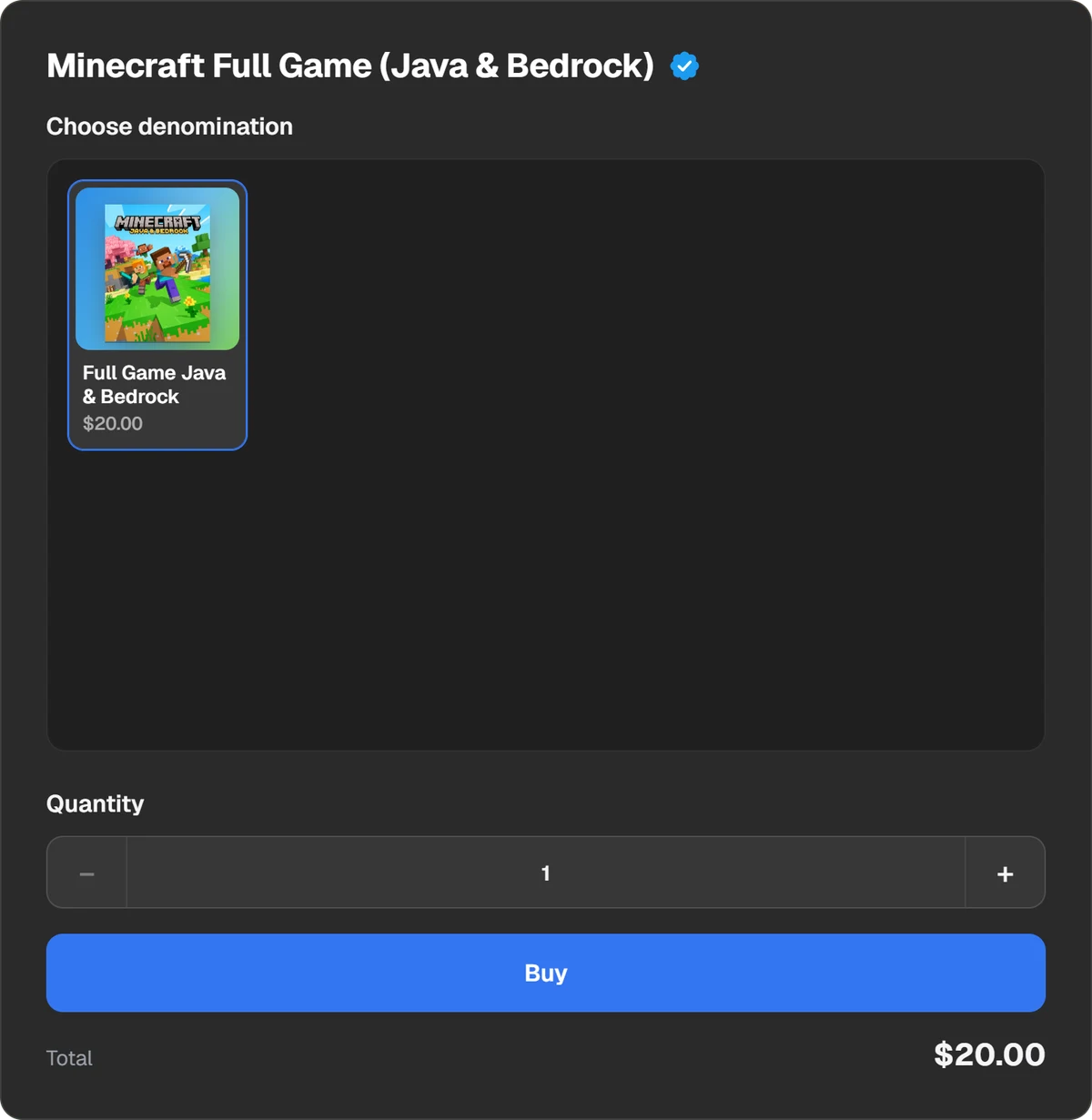
A code for Minecraft: Java & Bedrock Edition for PC.
Pay
Press Buy and the payment window opens. You can pay in USDT, USDC, BTC, TON and other coins, or through Binance, Walt and TON Connect. The total and the fee are shown before you pay.
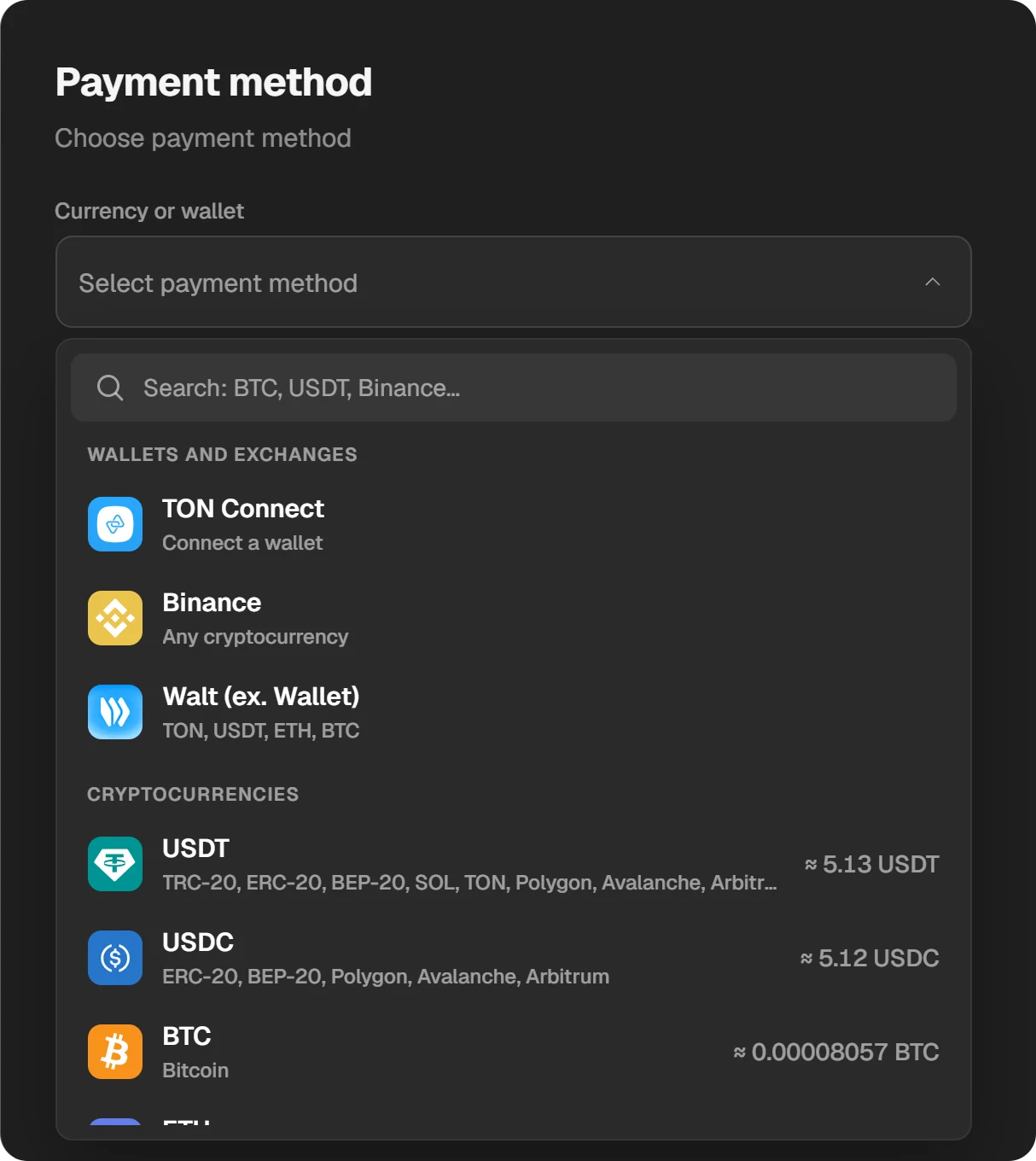
Choosing a coin or a wallet in the payment window.
Copy the code
When the order is done, the window shows the activation code with a Copy code button. It also stays in History at the top of the site.
How to redeem a Minecraft code
- Open minecraft.net/redeem and paste the code.
- Sign in to the Microsoft account you will play on, or create one there.
- Check that it is Minecraft: Java & Bedrock Edition and confirm.
- Download Minecraft Launcher at minecraft.net/download and sign in with the same account. Both editions are in the launcher.
The Microsoft gift code page, redeem.microsoft.com, works too. Either way the game is tied to the Microsoft account for good.
After redeeming
- Sign in to Minecraft Launcher with the same Microsoft account you redeemed the code on.
- On the left, choose Java Edition or Bedrock Edition and press Play. The editions keep separate worlds; progress does not carry over.
- The licence belongs to the account, not the computer. On a new PC just sign in to the same account.
Minecraft as a gift
You can send the code to a friend instead of redeeming it: they activate it on their own Microsoft account. The country rule applies to them too, so check where they live before buying.
Minecoins
Minecoins are the Bedrock Edition currency for skins, texture packs and worlds in Marketplace. They do not give the game. They work on Windows, Xbox and phones; PlayStation has its own currency, Minecraft Tokens.
Minecoin codes are on the Minecraft: Minecoins page. The same rule applies: redeem them in the country where the card was bought.
Questions and answers
Which Minecraft should I buy for a computer?
Minecraft: Java & Bedrock Edition. It is one licence; the launcher has both editions.
Does the PC code give Minecraft on a phone or a console?
No. It unlocks Java and Bedrock on a computer only. On a phone or a console the game is bought separately.
Where do I redeem a Minecraft code?
At minecraft.net/redeem or redeem.microsoft.com, signed in to the Microsoft account you will play on.
Why does my Minecraft gift card not work?
Most often because it is redeemed outside the country where it was bought. Minecraft’s help says such a card will not work.
Should I buy a ready-made Minecraft account?
No. The seller can take it back through password recovery, and the game goes with it.