How to buy Apex Coins in Apex Legends
Apex Coins are the paid currency of Apex Legends. You buy them in the game’s store on your platform, on EA’s website or with a code. Since 2023 coins on PC, Xbox and PlayStation share one wallet. Here is how to buy them through Steam and how to redeem an Xbox code.
In short
- On Steam, Apex Coins are bought in the game’s store and paid from your Steam Wallet. A wallet top-up is enough.
- Coins on PC, Xbox and PlayStation share one wallet with cross-progression.
- Play Wallet’s Apex Coins codes are for Xbox: redeem them at xbox.com/redeem or in the console’s Store.
- An Xbox code works only on a Microsoft account of its own region.
Where Apex Coins are sold
| Where | How you pay |
|---|---|
| The game’s store on Steam | From your Steam Wallet |
| The game’s store in the EA app | EA’s payment methods |
| The game’s store on PlayStation and Xbox | Through the PS Store or Microsoft Store |
| EA’s web store (store.ea.com) | Coins reach the game on PlayStation, Xbox, Steam or the EA app |
| An Xbox code | Redeemed on a Microsoft account; coins arrive in the game on Xbox |
EA does not refund Apex Coins: its Great Game Guarantee does not cover virtual currency. Check the account and platform before buying.
One wallet for PC, Xbox and PlayStation
Apex Legends has had cross-progression since October 2023. EA says coins from PC, Xbox and PlayStation pool into one balance you can spend on any of the three. The platform accounts must be linked to one EA account.
Nintendo Switch is the exception: coins bought there are spent only on Switch. EA removes the game from Switch from 4 August 2026.
Topping up Apex through Steam
Steam in-game purchases are paid from the Steam Wallet. So on PC you need no separate code: top up the wallet and buy the coins in the game’s store.
Top up your Steam Wallet
Open Steam top-up, choose your account’s country and enter your Steam login. No password needed. The amount credited and the fee are shown before you pay. You can pay with crypto.
Open the in-game store
Start Apex Legends through Steam, open the store and pick an Apex Coins pack.
Confirm the payment
A Steam window opens. Confirm the purchase and the money comes from your wallet. If no window appears, make sure the in-game Steam Overlay is turned on in Steam’s settings.
Do not use a VPN or change your account’s country to make a purchase. Steam’s rules forbid it and you can lose access to the account.
Apex Coins codes for Xbox on Play Wallet
The Apex Coins page sells codes for 1,000, 2,150, 4,350, 6,700 and 11,500 coins. They are Xbox codes: you redeem them on the Microsoft account you play Apex Legends with on Xbox. If that account is linked to an EA account with cross-progression, the coins join the shared wallet.
Choose a pack
Open Apex Coins and pick the amount. No login or password needed: you redeem the code yourself.
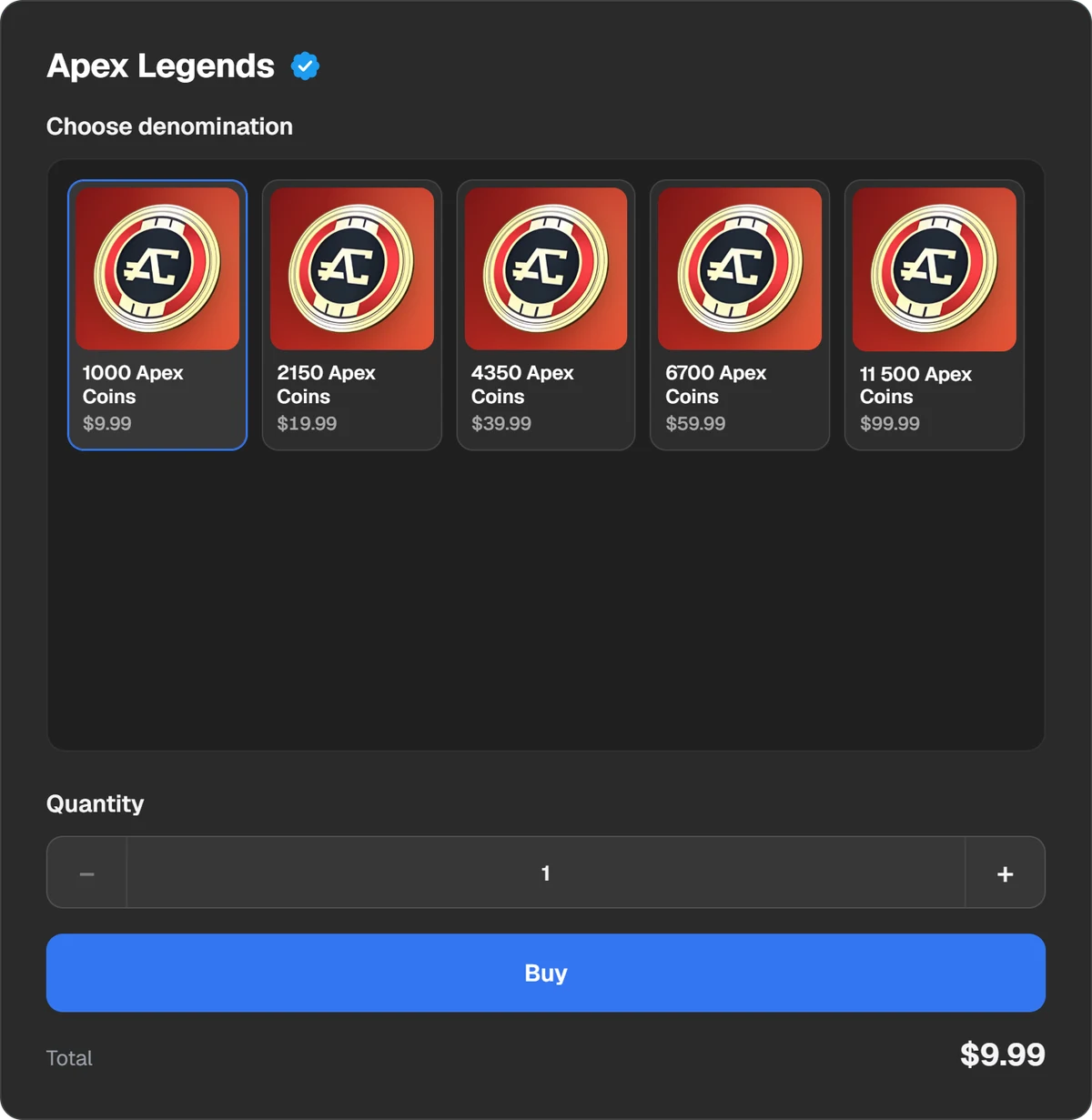
Apex Coins codes for Xbox.
Pay
Press Buy. You can pay in USDT, USDC, BTC, TON and other coins, or through Binance, Walt and TON Connect.
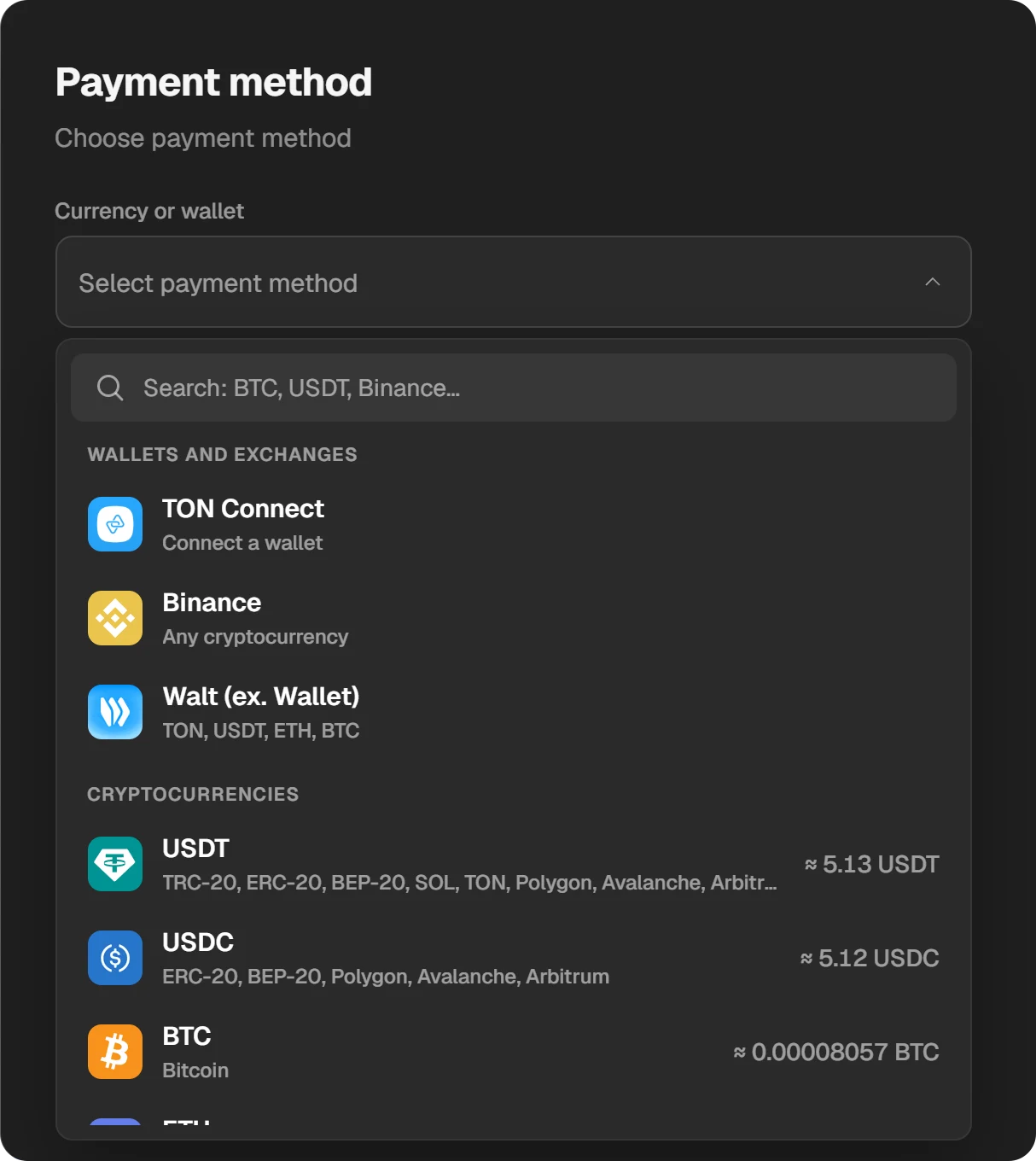
Choosing a coin or a wallet in the payment window.
Copy the code
When the order is done, the code appears in the order window. Click it to reveal it and copy it. It stays in History at the top of the site.
Redeem the code
Open xbox.com/redeem, sign in to your Microsoft account and enter the 25-character code. On the console: the Xbox button, Store, the View button, Redeem. Then open Apex Legends.
An Xbox code is made for a particular country, and your Microsoft account’s region must match it. Before paying, ask support whether the code suits your account.
If the coins are not there
- Restart the game and check the balance in the store.
- Check which Microsoft or EA account you are signed in to. The coins are on the account you redeemed the code on or paid from.
- If you bought on Steam, check your Steam purchase history: the wallet charge is listed there.
- If the code is refused, write to support with the order number. The ID button in the order window copies it.
Questions and answers
How do I buy Apex Coins through Steam?
Top up your Steam Wallet and buy the coins in the game’s store. The payment comes from the wallet.
Are Apex Coins shared between PC and consoles?
Yes, since 2023 coins from PC, Xbox and PlayStation share one wallet if the accounts are linked to one EA account. Switch coins stay on Switch.
Where do I enter an Apex Coins code?
Play Wallet’s codes are for Xbox. Enter them at xbox.com/redeem or in the console’s Store: the View button, then Redeem.
Can I get a refund for Apex Coins?
EA does not refund virtual currency. Check the account and platform before buying.