

PS Plus Essential, Extra, Premium and Deluxe compared
PS Plus has three tiers, and in some countries Deluxe replaces the top Premium tier. Online play is in all of them; the difference is the game catalogue and the extras. We compared the tiers from Sony’s own pages and explain how moving between them works.
In short
- Essential: online play, monthly games, discounts and cloud saves. Take it if you play online.
- Extra: everything in Essential plus a catalogue of hundreds of games and Ubisoft+ Classics.
- Premium: everything in Extra plus classics, game trials, cloud streaming on PS5 and Sony Pictures films. It is the top tier.
- Deluxe is sold where there is no Premium, for example in Turkey and India: Extra plus classics and trials.
- You can upgrade any time and pay only for the time left. A downgrade starts on your next payment date.
What each tier includes
| Essential | Extra | Deluxe | Premium | |
|---|---|---|---|---|
| Online play in paid games | Yes | Yes | Yes | Yes |
| Monthly games | Yes | Yes | Yes | Yes |
| Discounts and cloud saves | Yes | Yes | Yes | Yes |
| Game Catalogue (hundreds of games) | No | Yes | Yes | Yes |
| Ubisoft+ Classics | No | Yes | Yes | Yes |
| PlayStation classics | No | No | Yes | Yes |
| Game trials | No | No | Yes | Yes |
| Cloud streaming on PS5 | No | No | No | Yes |
| Sony Pictures films | No | No | No | Yes |
Sony’s Turkish and Indian pages describe Deluxe as Extra plus classics and trials, with no cloud streaming or films. Your account’s PlayStation Store shows which tiers your country has.
Sony says that from January 2026 PS4 games are added to the monthly games and the catalogue only from time to time. On a PS4, check the game list before taking Extra or Premium.
What each tier costs
US prices as an example. Other countries have their own prices and currency; your account’s PS Store shows the exact one.
| Term | Essential | Extra | Premium |
|---|---|---|---|
| 1 month | $10.99 | $16.99 | $19.99 |
| 3 months | $27.99 | $43.99 | $54.99 |
| 12 months | $79.99 | $134.99 | $159.99 |
A year costs less than paying monthly, and Sony sometimes discounts the 12-month plan.
Which tier to choose
- Essential if you buy your own games and want online play, monthly games and discounts.
- Extra if you want to play a lot without buying every game: the catalogue has hundreds of them.
- Deluxe or Premium if you want older PlayStation games or to try a new release before buying. Only Premium has cloud streaming and films.
The catalogue changes: Sony says the library varies over time, by country and by tier. The game you take Extra for may leave one day.
How to move up or down a tier
- PS5: Settings, Users and Accounts, Account, Payment and Subscriptions, Subscriptions. Choose PS Plus and Change Plan.
- PS4: Settings, Account Management, Account Information, PlayStation Subscriptions, Change Plan.
- Web: Account Management on the PlayStation website, Subscription, Change Plan.
An upgrade costs only a pro-rated fee for the time until your next payment date: the price difference, in proportion to the time left. If you have stacked several terms ahead, you upgrade all of it at once, so the fee is larger. A downgrade starts on your next payment date, and the old tier’s extras go.
Redeeming a PS Plus voucher of another tier
- Same tier: the voucher adds its time to your membership.
- Higher tier: the voucher upgrades you, and the days left on the old tier are converted at PS Store prices.
- Lower tier: the voucher becomes days of your tier. In the US, one month of Essential gives an Extra member 21 days and a Premium member 17; a year gives 219 and 183 days.
Paying for any tier without a card
You do not need a PS Plus voucher: any tier can be paid for with PS Store wallet funds. The wallet takes gift cards of the account’s own country only.
Choose your account’s country and a value
Open PlayStation and pick your account’s country in the “PlayStation account country” field. Take a value at least equal to the tier’s price in your store.
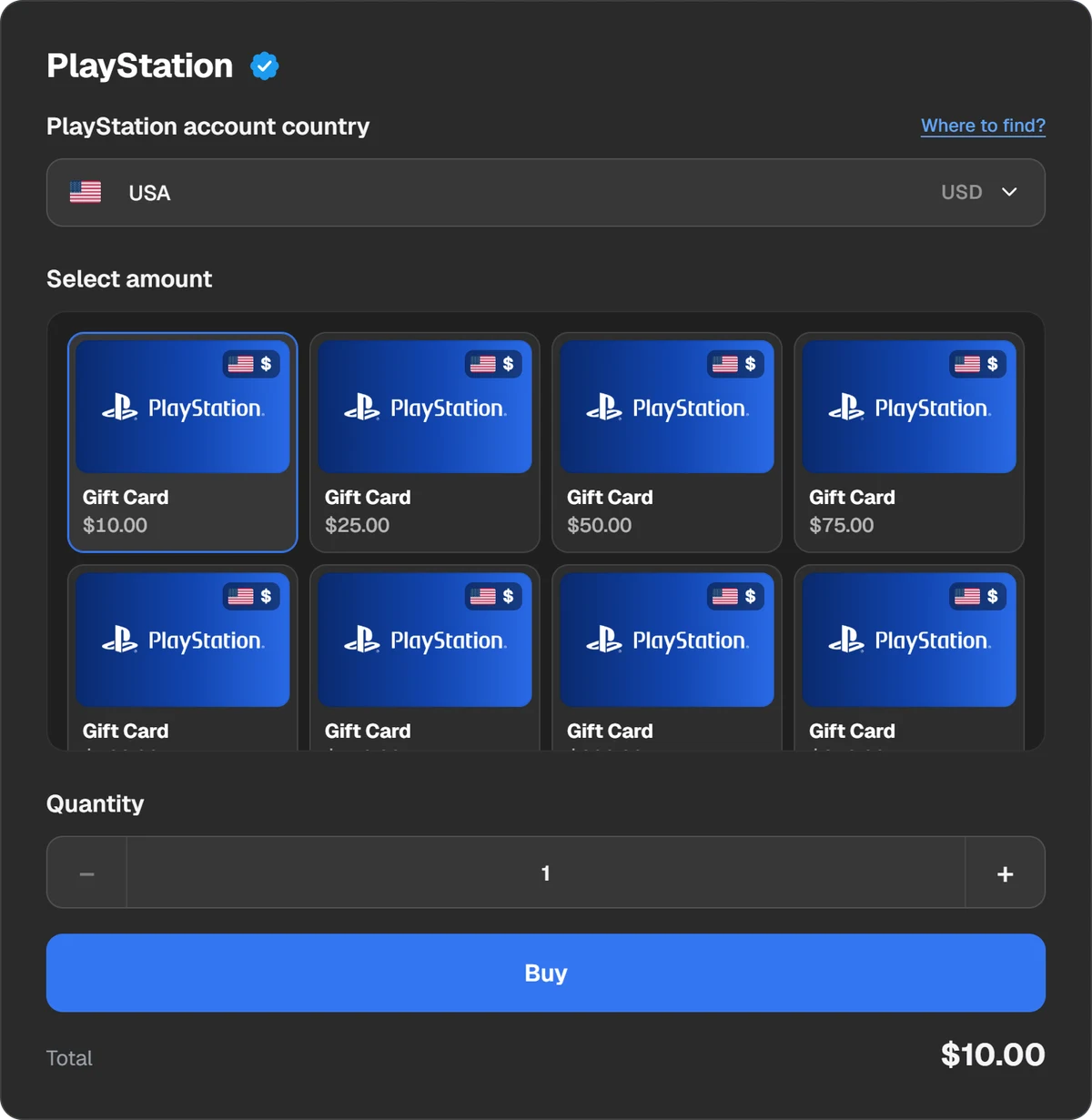
The account’s country and the card values.
Pay and get the code
Press “Buy” and choose a coin or wallet. When the order is done, the 12-digit code is in the order window and stays in “History”.
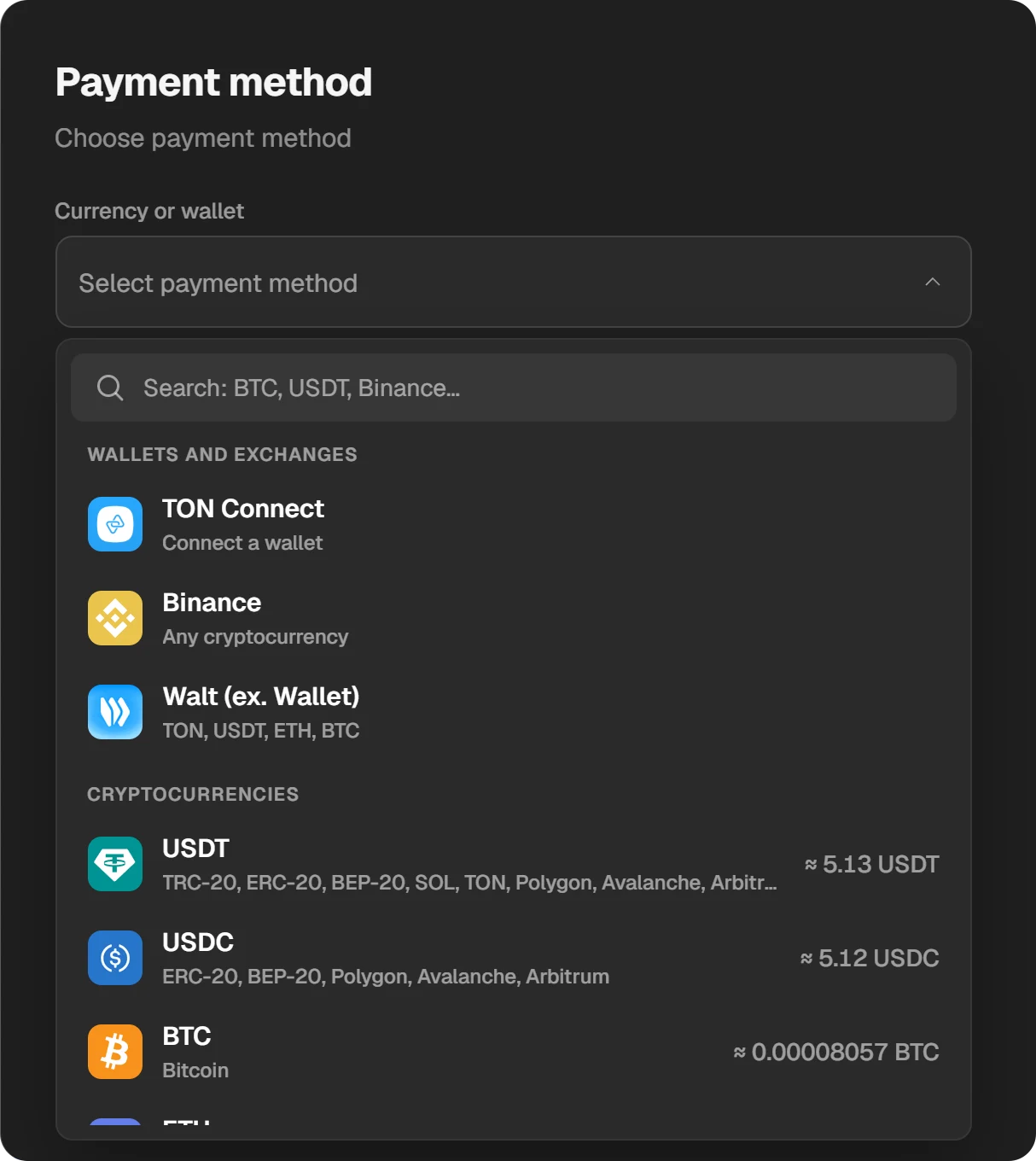
Payment methods.
Top up the wallet and subscribe
Redeem the code under “Redeem Codes” in PS Store, then pick the tier and term in the PlayStation Plus section. How to redeem: How to redeem a PS Store code.
Questions and answers
Which PS Plus tier is the highest?
Premium: Extra plus classics, game trials, cloud streaming on PS5 and films. Where Premium is not sold, Deluxe is the top tier.
How is Deluxe different from Premium?
Deluxe is sold where Premium is not. Sony describes it as Extra plus classics and trials, without cloud streaming or films.
How is Extra different from Essential?
Extra adds a catalogue of hundreds of games and Ubisoft+ Classics. Essential has online play, monthly games, discounts and cloud saves.
Do I need PS Plus to play online?
Online play is in every tier, Essential included. You do not need Extra or Premium for it.
Can I upgrade without losing paid days?
Yes. Sony charges a fee for the time left and the days stay. A higher-tier voucher converts the remaining days to the new tier.
Can I pay for PS Plus with a gift card?
Yes. Top up the wallet with a card of your account’s country and pay from the wallet. Sony sometimes asks for a payment method on file even when the balance is enough.

